How to install/setup Simba for RS3
Coh3n
2009-07-13 18:16:06
How to install and setup Simba for RS3!This guide was last updated on September 29th, 2014.BEFORE posting, look at SRL's Frequently Asked Questions!If you want to setup Simba for Old School Runescape, go here! Introduction
[INDENT]
As you will soon realize, setting up Simba is
extremely easy. This guide covers the following:
- How to install Simba so it works with Runescape on both Windows and Linux operating systems.
- How to setup Simba so it will automatically download and update SRL, SPS, plugins, and extensions.
- How to properly setup your in-game graphics and interfaces.
- How to add players to the SRL player manager, Rafiki.
- How to setup a script that uses the SRL Player Form.
- How to setup a script's declarePlayers procedure.
- Other Simba extensions.
- Some troubleshooting tips.
- How to fix some common errors.
- Where to find quick help if needed.
[/INDENT]
Setting up your Ubuntu for SimbaNote that this may not work for all versions of Linux.
[INDENT]
WARNING: If you are using ANY version of Windows, skip to
How to install/setup Simba!How to install and setup WINE:- If you don't already have WINE, run this command in the Terminal, then hit 'Y' to install and wait for it to finish downloading:
sudo apt-get install wine
To test it out, go to Applications > Wine > Programs > Accessories > Notepad. If it opens, you've successfully installed WINE!How to install Java Runtime Environment (JRE):[/INDENT]
How to install/setup Simba
[INDENT]
At this point, the steps are the same for both Windows and Linux. To avoid some possible errors, I recommended you
disable your firewall for the duration of this tutorial.
- Make sure you have Java Runtime Environment 7+. This is required to run SMART. If you don't know what version of Java you have, go here.
- Download and install Simba from here. If it gives you the option, download the 32-bit version (even if you are on a 64-bit machine).
- Open Simba; go to View > Extensions.
- Enable extensions.sex.
- Click View > Extensions Menu.
- Click Extensions > Check for Updates. Let it update.
- Restart Simba.
- Go to View > Extensions.
- Enable srl.sex and associate.sex.
- Click SRL > Check for Updates. Let the files download.
- Click SPS > Check for Updates. Let the files download (this may take a few minutes).
- Restart Simba.
- Go to Script > Interpreter > Lape. VERY IMPORTANT! Scripts will not compile if Lape isn't selected as the interpreter.
Now, let's test your setup to make sure everything is working properly. At this point, you have two options: using SMART (recommended) or using your browser. SMART allows you to still use your computer while running a script whereas using your browser takes control of you mouse. The following steps cover both options.
- Navigate to your Simba/Includes/ folder, and make sure you have both an SPS and an SRL-6 folder.
- Go back to Simba, and copy/paste the following code into the text editor:
program new;
{$DEFINE SMART} // comment this line out if you don't want to use SMART
{$i srl-6/srl.simba}

begin
  clearDebug();
  setupSRL();
end.
- If you are not using SMART, skip to Setting up in-game graphics and interfaces.
- Hit run (the green arrow) in Simba, or press F9 to run the current script. A console window will pop up, followed by SMART (this may take several minutes). You will also see a lot of text appearing in the debug box - this is where you will see the progress of everything, including any error messages (hopefully you won't see any of these).
- A security window may pop up asking if you want to allow access to a file. Choose Always Allow and click Okay. A second/third window may pop up, in which case you should choose Always Allow for both.
[/INDENT]
Setting up in-game graphics and interfaces
[INDENT]
*** THIS IS A VERY IMPORTANT STEP ***Without this step, it is likely any script you run will exhibit very odd behavior. You need to properly set your graphics settings and in-game interface layout (don't worry, it is very easy):
- If you're using SMART disable it, so you can use your mouse.
- In the Runescape login screen, open the Options interface.
- Set screen-sizing to Fixed.
- Set graphics settings to Min (may vary from script-to-script, but is the default for most).
- Under Manual Setup, click Custom.
- Make sure you're in OpenGL mode (for SMART users) or DirectX mode for browser users. WARNING: If RS gives an error not allowing you to load OpenGL, you need to add JRE to your system's PATH settings before JDK.
- Login your player.
- Open the settings interface and select the preset layout Old School.
- Click Interface Settings and make sure that the "Slim Headers" is checked.
- Make sure the "Hide title bars when locked" is not checked.
- Make sure the transparency bar is slid all the way to to left (so there is 0% transparency).
- Although it's not required, it is recommended that you lock your interfaces.
- You also have the option to make the chatbox smaller, and move the action bar down do the entire 3D game screen can be seen. But again, this is optional.
- When you're done, you should have a setup that looks something like this (I made the chatbox smaller).
Unfortunately, you may have to do this for every player you use.
If you're using your browser, start a script by dragging Simba's crosshairs (green target icon) over your loaded RS client, and hit the green play button. :)
[/INDENT]
Adding players to Rafiki (Player Manager)
[INDENT]
Adding players to the player manager is very, very easy. It is a very basic form, but does allow multiple player files to be saved/loaded, as well and username and password encryption. It also means you will
never have to enter your username and password in a script ever again. Open Simba and go to SRL > Player Manager. A script will open and a form should pop up:

The setup is pretty straight forward:
- Click the green "+" button to add a player.
- Edit the players information on the right. You'll notice only the login name and password are required. I recommend you also enter a nickname. This nickname can be used to load your player into a script, otherwise you will have to use your login name. The display name is used only for debugging.
- Choose whether or not you want to use encryption.
- Save your players!
- You can add/delete players from the list at any time.
Note that the Player Manager opens a new script file and runs it. It will still run if you're running another script in the same instance of Simba.
If you want to access the file that stores your player information, open Simba/settings.xml.
[/INDENT]
How to setup a script that uses the SRL Player Form
[INDENT]
For the most part setting up this form is really straight forward, but there's always the possibility for confusion. Hopefully this will clear some things up. There are two things you need to worry about: the player file and your players. Any other settings should be explained by the author of the script you're using.
The player file[INDENT]
The player file is the file you saved using the Rafiki player manager (from above). Simply type in the name of the file you want to use. You'll know it's a valid file if the red X turns into a green checkmark:

When you see a green checkmark, click Load Players, and the player list below should populate with all the players you have in that file.
[/INDENT]
Your players[INDENT]
It is very simple to select which players you want to use. Check the box next to their name and you will be able to set specific script settings for that player.
[/INDENT]
[/INDENT]
How to setup a script's declarePlayers procedure
[INDENT]
** Note: If the script you're using uses the SRL Player Form (from above), skip this section!As a new user you may have trouble setting up each script for what you need, and for some of you this could be the first time you're looking at any code. Hopefully this will help with that. Each script has a procedure called "declarePlayers" where you setup your player information. In addition to this guide, each script writer should provide detailed instructions on how to properly setup the script.
Here's a brief lowdown on declarePlayers():
- players.setup(['Account1', 'Account2'], 'FileName');
This line determines the player(s) you want to use. 'Account1' and 'Account2' are the names of the accounts you want the script to use. You can use the account's login name, nickname, or display name (as long as you filled them out in the Rafiki player manager), and you can add as many players as you wish.
'FileName' is the name of the player file you saved in Rafiki. If you are unsure of the file name, it is likely 'default', otherwise you can to go your Simba/Includes/Players/ folder and check.
- The specific player information is usually associated with a "with players[X] do" clause. If you need to add more than the script provides, you can use copy/paste and change the "X" value.
procedure declarePlayers();
begin
  players.setup(['Account1', 'Account2'], 'FileName');
  currentPlayer := 0;

  // this part is specific player settings, and will be different for every script

  // this is to setup "Account1"
  with players[0] do
  begin
    integers[0] := 50;
    integers[1] := 25;
    booleans[0] := true;
  end;

  // this is to setup "Account2"
  with players[1] do
  begin
    integers[0] := 50;
    integers[1] := 25;
    booleans[0] := true;
  end;
end;
If you have any questions, please don't hesitate to ask. :)
[/INDENT]
Fixing common problems
[INDENT]
Your problem is most likely outlined in
this thread. The same thread will be helpful for a lot of things. ;) If your error doesn't appear there, please post here or on that thread, and someone will help you out as soon as possible.
[/INDENT]
Troubleshooting
[INDENT]
There are a couple things you can try if you come across and unknown error:
- Make sure the JRE is in your system's PATH before JDK (if you have JDK). Restart Simba/SMART.
- Close Simba/SMART and delete all Jagex related files on your system. Try again.
[/INDENT]
Where to find quick help
[INDENT]
There are several ways to get help at SRL. Most of the members here are more than happy to give a helping hand to newcomers. Here are the best ways to get help:
- Probably the easiest and fastest way to get help is to join SRL's IRC Channel on irc.rizon.net (#srl), or click here.
- Post on this thread, and someone will reply as soon as possible.
- Visit the Botting Help and Guides section of the forums.
[/INDENT]
[INDENT]
I hope this helped you and was clear enough to understand. If you have any comments/problems/suggestions, please post. :)
Cheers,
Coh3n[/INDENT]
Nava2
2009-07-13 18:18:50
Well done, always feel free to PM anyone with a Purple, black, or Red name. They will be more than happy to help you out!
Coh3n
2009-07-13 18:31:53
From: Nava2
Rep++
This was needed.
You may just want to write in that you can use command-line subversion as well.
cd c:/Program Files/scarprerelease/
svn co "http://freddy1990.com/svn/scarprerelease"
Thanks, added. :)
Awkwardsaw
2009-07-13 18:52:25
thanks :)
i already got it, but it was just guessing and hoping it would work ;P
+rep though, because you made it clear
Sabzi
2009-07-13 19:22:28
I already got that too(I like subversion!). But you can just Tools -> Associate .scar files and tada double click will work aswell.
Coh3n
2009-07-13 19:33:59
From: Sabzi
I already got that too(I like subversion!). But you can just Tools -> Associate .scar files and tada double click will work aswell.
Like in your old version of SCAR, you can just go tools > Assiciate .scar files, and it will update to 3.21+?
Da 0wner
2009-07-13 20:40:49
Successfully compiled (36 ms)
Obtaining file list...
Obtained file and folder list. There are 20 folders and 667 files.
Downloading and installing files...
c:\scar 3.21\Changelog.txt
c:\scar 3.21\License.txt
c:\scar 3.21\SCAR Readme.txt
c:\scar 3.21\scar.exe
c:\scar 3.21\Help\asciifull.gif
c:\scar 3.21\Help\fold.gif
c:\scar 3.21\Help\list.gif
c:\scar 3.21\Help\manual.htm
c:\scar 3.21\Help\manual1.gif
c:\scar 3.21\Help\manual3.gif
c:\scar 3.21\Help\manual4.jpg
c:\scar 3.21\Help\mask.gif
c:\scar 3.21\Help\open.gif
c:\scar 3.21\Help\skipbox.PNG
c:\scar 3.21\Includes\Placeholder.txt
c:\scar 3.21\Plugins\Accessable SCAR Functions.txt
c:\scar 3.21\Plugins\CppTestPlugin.dpr
c:\scar 3.21\Plugins\CppTestPlugin.scar
c:\scar 3.21\Plugins\FastShareMem.pas
c:\scar 3.21\Plugins\Readme For Developers.txt
c:\scar 3.21\Plugins\SCARFunctions.pas
c:\scar 3.21\Plugins\TestPlugin.dpr
c:\scar 3.21\Plugins\TestPlugin_Globals.pas
c:\scar 3.21\Plugins\TestPlugin_Main.pas
c:\scar 3.21\Fonts\CharsNPC\100.bmp
c:\scar 3.21\Fonts\CharsNPC\101.bmp
c:\scar 3.21\Fonts\CharsNPC\102.bmp
c:\scar 3.21\Fonts\CharsNPC\103.bmp
c:\scar 3.21\Fonts\CharsNPC\104.bmp
c:\scar 3.21\Fonts\CharsNPC\105.bmp
c:\scar 3.21\Fonts\CharsNPC\106.bmp
c:\scar 3.21\Fonts\CharsNPC\107.bmp
c:\scar 3.21\Fonts\CharsNPC\108.bmp
c:\scar 3.21\Fonts\CharsNPC\109.bmp
c:\scar 3.21\Fonts\CharsNPC\110.bmp
c:\scar 3.21\Fonts\CharsNPC\111.bmp
c:\scar 3.21\Fonts\CharsNPC\112.bmp
c:\scar 3.21\Fonts\CharsNPC\113.bmp
c:\scar 3.21\Fonts\CharsNPC\114.bmp
c:\scar 3.21\Fonts\CharsNPC\115.bmp
c:\scar 3.21\Fonts\CharsNPC\116.bmp
c:\scar 3.21\Fonts\CharsNPC\117.bmp
c:\scar 3.21\Fonts\CharsNPC\118.bmp
c:\scar 3.21\Fonts\CharsNPC\119.bmp
c:\scar 3.21\Fonts\CharsNPC\120.bmp
c:\scar 3.21\Fonts\CharsNPC\121.bmp
c:\scar 3.21\Fonts\CharsNPC\122.bmp
c:\scar 3.21\Fonts\CharsNPC\32.bmp
c:\scar 3.21\Fonts\CharsNPC\33.bmp
c:\scar 3.21\Fonts\CharsNPC\39.bmp
c:\scar 3.21\Fonts\CharsNPC\44.bmp
c:\scar 3.21\Fonts\CharsNPC\45.bmp
c:\scar 3.21\Fonts\CharsNPC\46.bmp
c:\scar 3.21\Fonts\CharsNPC\63.bmp
c:\scar 3.21\Fonts\CharsNPC\65.bmp
c:\scar 3.21\Fonts\CharsNPC\66.bmp
c:\scar 3.21\Fonts\CharsNPC\67.bmp
c:\scar 3.21\Fonts\CharsNPC\68.bmp
c:\scar 3.21\Fonts\CharsNPC\69.bmp
c:\scar 3.21\Fonts\CharsNPC\70.bmp
c:\scar 3.21\Fonts\CharsNPC\71.bmp
c:\scar 3.21\Fonts\CharsNPC\72.bmp
c:\scar 3.21\Fonts\CharsNPC\73.bmp
c:\scar 3.21\Fonts\CharsNPC\74.bmp
c:\scar 3.21\Fonts\CharsNPC\75.bmp
c:\scar 3.21\Fonts\CharsNPC\76.bmp
c:\scar 3.21\Fonts\CharsNPC\77.bmp
c:\scar 3.21\Fonts\CharsNPC\78.bmp
c:\scar 3.21\Fonts\CharsNPC\79.bmp
c:\scar 3.21\Fonts\CharsNPC\80.bmp
c:\scar 3.21\Fonts\CharsNPC\81.bmp
c:\scar 3.21\Fonts\CharsNPC\82.bmp
c:\scar 3.21\Fonts\CharsNPC\83.bmp
c:\scar 3.21\Fonts\CharsNPC\84.bmp
c:\scar 3.21\Fonts\CharsNPC\85.bmp
c:\scar 3.21\Fonts\CharsNPC\86.bmp
c:\scar 3.21\Fonts\CharsNPC\87.bmp
c:\scar 3.21\Fonts\CharsNPC\88.bmp
c:\scar 3.21\Fonts\CharsNPC\89.bmp
c:\scar 3.21\Fonts\CharsNPC\90.bmp
c:\scar 3.21\Fonts\CharsNPC\97.bmp
c:\scar 3.21\Fonts\CharsNPC\98.bmp
c:\scar 3.21\Fonts\CharsNPC\99.bmp
c:\scar 3.21\Fonts\CharsTrade\48.bmp
c:\scar 3.21\Fonts\CharsTrade\49.bmp
c:\scar 3.21\Fonts\CharsTrade\50.bmp
c:\scar 3.21\Fonts\CharsTrade\51.bmp
c:\scar 3.21\Fonts\CharsTrade\52.bmp
c:\scar 3.21\Fonts\CharsTrade\53.bmp
c:\scar 3.21\Fonts\CharsTrade\54.bmp
c:\scar 3.21\Fonts\CharsTrade\55.bmp
c:\scar 3.21\Fonts\CharsTrade\56.bmp
c:\scar 3.21\Fonts\CharsTrade\57.bmp
c:\scar 3.21\Fonts\CharsTrade\75.bmp
c:\scar 3.21\Fonts\CharsTrade\77.bmp
c:\scar 3.21\Fonts\FriendChars\100.bmp
c:\scar 3.21\Fonts\FriendChars\101.bmp
c:\scar 3.21\Fonts\FriendChars\102.bmp
c:\scar 3.21\Fonts\FriendChars\103.bmp
c:\scar 3.21\Fonts\FriendChars\104.bmp
c:\scar 3.21\Fonts\FriendChars\105.bmp
c:\scar 3.21\Fonts\FriendChars\106.bmp
c:\scar 3.21\Fonts\FriendChars\107.bmp
c:\scar 3.21\Fonts\FriendChars\108.bmp
c:\scar 3.21\Fonts\FriendChars\109.bmp
c:\scar 3.21\Fonts\FriendChars\110.bmp
c:\scar 3.21\Fonts\FriendChars\111.bmp
c:\scar 3.21\Fonts\FriendChars\112.bmp
c:\scar 3.21\Fonts\FriendChars\113.bmp
c:\scar 3.21\Fonts\FriendChars\114.bmp
c:\scar 3.21\Fonts\FriendChars\115.bmp
c:\scar 3.21\Fonts\FriendChars\116.bmp
c:\scar 3.21\Fonts\FriendChars\117.bmp
c:\scar 3.21\Fonts\FriendChars\118.bmp
c:\scar 3.21\Fonts\FriendChars\119.bmp
c:\scar 3.21\Fonts\FriendChars\120.bmp
c:\scar 3.21\Fonts\FriendChars\121.bmp
c:\scar 3.21\Fonts\FriendChars\122.bmp
c:\scar 3.21\Fonts\FriendChars\32.bmp
c:\scar 3.21\Fonts\FriendChars\48.bmp
c:\scar 3.21\Fonts\FriendChars\49.bmp
c:\scar 3.21\Fonts\FriendChars\50.bmp
c:\scar 3.21\Fonts\FriendChars\51.bmp
c:\scar 3.21\Fonts\FriendChars\52.bmp
c:\scar 3.21\Fonts\FriendChars\53.bmp
c:\scar 3.21\Fonts\FriendChars\54.bmp
c:\scar 3.21\Fonts\FriendChars\55.bmp
c:\scar 3.21\Fonts\FriendChars\56.bmp
c:\scar 3.21\Fonts\FriendChars\57.bmp
c:\scar 3.21\Fonts\FriendChars\65.bmp
c:\scar 3.21\Fonts\FriendChars\66.bmp
c:\scar 3.21\Fonts\FriendChars\67.bmp
c:\scar 3.21\Fonts\FriendChars\68.bmp
c:\scar 3.21\Fonts\FriendChars\69.bmp
c:\scar 3.21\Fonts\FriendChars\70.bmp
c:\scar 3.21\Fonts\FriendChars\71.bmp
c:\scar 3.21\Fonts\FriendChars\72.bmp
c:\scar 3.21\Fonts\FriendChars\73.bmp
c:\scar 3.21\Fonts\FriendChars\74.bmp
c:\scar 3.21\Fonts\FriendChars\75.bmp
c:\scar 3.21\Fonts\FriendChars\76.bmp
c:\scar 3.21\Fonts\FriendChars\77.bmp
c:\scar 3.21\Fonts\FriendChars\78.bmp
c:\scar 3.21\Fonts\FriendChars\79.bmp
c:\scar 3.21\Fonts\FriendChars\80.bmp
c:\scar 3.21\Fonts\FriendChars\81.bmp
c:\scar 3.21\Fonts\FriendChars\82.bmp
c:\scar 3.21\Fonts\FriendChars\83.bmp
c:\scar 3.21\Fonts\FriendChars\84.bmp
c:\scar 3.21\Fonts\FriendChars\85.bmp
c:\scar 3.21\Fonts\FriendChars\86.bmp
c:\scar 3.21\Fonts\FriendChars\87.bmp
c:\scar 3.21\Fonts\FriendChars\88.bmp
c:\scar 3.21\Fonts\FriendChars\89.bmp
c:\scar 3.21\Fonts\FriendChars\90.bmp
c:\scar 3.21\Fonts\FriendChars\97.bmp
c:\scar 3.21\Fonts\FriendChars\98.bmp
c:\scar 3.21\Fonts\FriendChars\99.bmp
c:\scar 3.21\Fonts\SmallChars\100.bmp
c:\scar 3.21\Fonts\SmallChars\101.bmp
c:\scar 3.21\Fonts\SmallChars\102.bmp
c:\scar 3.21\Fonts\SmallChars\103.bmp
c:\scar 3.21\Fonts\SmallChars\104.bmp
c:\scar 3.21\Fonts\SmallChars\105.bmp
c:\scar 3.21\Fonts\SmallChars\106.bmp
c:\scar 3.21\Fonts\SmallChars\107.bmp
c:\scar 3.21\Fonts\SmallChars\108.bmp
c:\scar 3.21\Fonts\SmallChars\109.bmp
c:\scar 3.21\Fonts\SmallChars\110.bmp
c:\scar 3.21\Fonts\SmallChars\111.bmp
c:\scar 3.21\Fonts\SmallChars\112.bmp
c:\scar 3.21\Fonts\SmallChars\113.bmp
c:\scar 3.21\Fonts\SmallChars\114.bmp
c:\scar 3.21\Fonts\SmallChars\115.bmp
c:\scar 3.21\Fonts\SmallChars\116.bmp
c:\scar 3.21\Fonts\SmallChars\117.bmp
c:\scar 3.21\Fonts\SmallChars\118.bmp
c:\scar 3.21\Fonts\SmallChars\119.bmp
c:\scar 3.21\Fonts\SmallChars\120.bmp
c:\scar 3.21\Fonts\SmallChars\121.bmp
c:\scar 3.21\Fonts\SmallChars\122.bmp
c:\scar 3.21\Fonts\SmallChars\123.bmp
c:\scar 3.21\Fonts\SmallChars\124.bmp
c:\scar 3.21\Fonts\SmallChars\125.bmp
c:\scar 3.21\Fonts\SmallChars\126.bmp
c:\scar 3.21\Fonts\SmallChars\128.bmp
c:\scar 3.21\Fonts\SmallChars\140.bmp
c:\scar 3.21\Fonts\SmallChars\152.bmp
c:\scar 3.21\Fonts\SmallChars\156.bmp
c:\scar 3.21\Fonts\SmallChars\159.bmp
c:\scar 3.21\Fonts\SmallChars\161.bmp
c:\scar 3.21\Fonts\SmallChars\162.bmp
c:\scar 3.21\Fonts\SmallChars\163.bmp
c:\scar 3.21\Fonts\SmallChars\164.bmp
c:\scar 3.21\Fonts\SmallChars\165.bmp
c:\scar 3.21\Fonts\SmallChars\166.bmp
c:\scar 3.21\Fonts\SmallChars\167.bmp
c:\scar 3.21\Fonts\SmallChars\168.bmp
c:\scar 3.21\Fonts\SmallChars\169.bmp
c:\scar 3.21\Fonts\SmallChars\170.bmp
c:\scar 3.21\Fonts\SmallChars\171.bmp
c:\scar 3.21\Fonts\SmallChars\172.bmp
c:\scar 3.21\Fonts\SmallChars\173.bmp
c:\scar 3.21\Fonts\SmallChars\174.bmp
c:\scar 3.21\Fonts\SmallChars\175.bmp
c:\scar 3.21\Fonts\SmallChars\176.bmp
c:\scar 3.21\Fonts\SmallChars\177.bmp
c:\scar 3.21\Fonts\SmallChars\178.bmp
c:\scar 3.21\Fonts\SmallChars\179.bmp
c:\scar 3.21\Fonts\SmallChars\180.bmp
c:\scar 3.21\Fonts\SmallChars\181.bmp
c:\scar 3.21\Fonts\SmallChars\182.bmp
c:\scar 3.21\Fonts\SmallChars\183.bmp
c:\scar 3.21\Fonts\SmallChars\184.bmp
c:\scar 3.21\Fonts\SmallChars\185.bmp
c:\scar 3.21\Fonts\SmallChars\186.bmp
c:\scar 3.21\Fonts\SmallChars\187.bmp
c:\scar 3.21\Fonts\SmallChars\188.bmp
c:\scar 3.21\Fonts\SmallChars\189.bmp
c:\scar 3.21\Fonts\SmallChars\190.bmp
c:\scar 3.21\Fonts\SmallChars\191.bmp
c:\scar 3.21\Fonts\SmallChars\192.bmp
c:\scar 3.21\Fonts\SmallChars\193.bmp
c:\scar 3.21\Fonts\SmallChars\194.bmp
c:\scar 3.21\Fonts\SmallChars\195.bmp
c:\scar 3.21\Fonts\SmallChars\196.bmp
c:\scar 3.21\Fonts\SmallChars\197.bmp
c:\scar 3.21\Fonts\SmallChars\198.bmp
c:\scar 3.21\Fonts\SmallChars\199.bmp
c:\scar 3.21\Fonts\SmallChars\200.bmp
c:\scar 3.21\Fonts\SmallChars\201.bmp
c:\scar 3.21\Fonts\SmallChars\202.bmp
c:\scar 3.21\Fonts\SmallChars\203.bmp
c:\scar 3.21\Fonts\SmallChars\204.bmp
c:\scar 3.21\Fonts\SmallChars\205.bmp
c:\scar 3.21\Fonts\SmallChars\206.bmp
c:\scar 3.21\Fonts\SmallChars\207.bmp
c:\scar 3.21\Fonts\SmallChars\208.bmp
c:\scar 3.21\Fonts\SmallChars\209.bmp
c:\scar 3.21\Fonts\SmallChars\211.bmp
c:\scar 3.21\Fonts\SmallChars\212.bmp
c:\scar 3.21\Fonts\SmallChars\213.bmp
c:\scar 3.21\Fonts\SmallChars\214.bmp
c:\scar 3.21\Fonts\SmallChars\215.bmp
c:\scar 3.21\Fonts\SmallChars\216.bmp
c:\scar 3.21\Fonts\SmallChars\217.bmp
c:\scar 3.21\Fonts\SmallChars\218.bmp
c:\scar 3.21\Fonts\SmallChars\219.bmp
c:\scar 3.21\Fonts\SmallChars\220.bmp
c:\scar 3.21\Fonts\SmallChars\221.bmp
c:\scar 3.21\Fonts\SmallChars\222.bmp
c:\scar 3.21\Fonts\SmallChars\223.bmp
c:\scar 3.21\Fonts\SmallChars\224.bmp
c:\scar 3.21\Fonts\SmallChars\225.bmp
c:\scar 3.21\Fonts\SmallChars\226.bmp
c:\scar 3.21\Fonts\SmallChars\227.bmp
c:\scar 3.21\Fonts\SmallChars\228.bmp
c:\scar 3.21\Fonts\SmallChars\229.bmp
c:\scar 3.21\Fonts\SmallChars\230.bmp
c:\scar 3.21\Fonts\SmallChars\231.bmp
c:\scar 3.21\Fonts\SmallChars\232.bmp
c:\scar 3.21\Fonts\SmallChars\233.bmp
c:\scar 3.21\Fonts\SmallChars\234.bmp
c:\scar 3.21\Fonts\SmallChars\235.bmp
c:\scar 3.21\Fonts\SmallChars\236.bmp
c:\scar 3.21\Fonts\SmallChars\237.bmp
c:\scar 3.21\Fonts\SmallChars\238.bmp
c:\scar 3.21\Fonts\SmallChars\239.bmp
c:\scar 3.21\Fonts\SmallChars\240.bmp
c:\scar 3.21\Fonts\SmallChars\241.bmp
c:\scar 3.21\Fonts\SmallChars\242.bmp
c:\scar 3.21\Fonts\SmallChars\243.bmp
c:\scar 3.21\Fonts\SmallChars\244.bmp
c:\scar 3.21\Fonts\SmallChars\245.bmp
c:\scar 3.21\Fonts\SmallChars\246.bmp
c:\scar 3.21\Fonts\SmallChars\247.bmp
c:\scar 3.21\Fonts\SmallChars\248.bmp
c:\scar 3.21\Fonts\SmallChars\249.bmp
c:\scar 3.21\Fonts\SmallChars\250.bmp
c:\scar 3.21\Fonts\SmallChars\251.bmp
c:\scar 3.21\Fonts\SmallChars\252.bmp
c:\scar 3.21\Fonts\SmallChars\253.bmp
c:\scar 3.21\Fonts\SmallChars\254.bmp
c:\scar 3.21\Fonts\SmallChars\255.bmp
c:\scar 3.21\Fonts\SmallChars\32.bmp
c:\scar 3.21\Fonts\SmallChars\33.bmp
c:\scar 3.21\Fonts\SmallChars\34.bmp
c:\scar 3.21\Fonts\SmallChars\35.bmp
c:\scar 3.21\Fonts\SmallChars\36.bmp
c:\scar 3.21\Fonts\SmallChars\37.bmp
c:\scar 3.21\Fonts\SmallChars\38.bmp
c:\scar 3.21\Fonts\SmallChars\39.bmp
c:\scar 3.21\Fonts\SmallChars\40.bmp
c:\scar 3.21\Fonts\SmallChars\41.bmp
c:\scar 3.21\Fonts\SmallChars\42.bmp
c:\scar 3.21\Fonts\SmallChars\43.bmp
c:\scar 3.21\Fonts\SmallChars\44.bmp
c:\scar 3.21\Fonts\SmallChars\45.bmp
c:\scar 3.21\Fonts\SmallChars\46.bmp
c:\scar 3.21\Fonts\SmallChars\47.bmp
c:\scar 3.21\Fonts\SmallChars\48.bmp
c:\scar 3.21\Fonts\SmallChars\49.bmp
c:\scar 3.21\Fonts\SmallChars\50.bmp
c:\scar 3.21\Fonts\SmallChars\51.bmp
c:\scar 3.21\Fonts\SmallChars\52.bmp
c:\scar 3.21\Fonts\SmallChars\53.bmp
c:\scar 3.21\Fonts\SmallChars\54.bmp
c:\scar 3.21\Fonts\SmallChars\55.bmp
c:\scar 3.21\Fonts\SmallChars\56.bmp
c:\scar 3.21\Fonts\SmallChars\57.bmp
c:\scar 3.21\Fonts\SmallChars\58.bmp
c:\scar 3.21\Fonts\SmallChars\59.bmp
c:\scar 3.21\Fonts\SmallChars\60.bmp
c:\scar 3.21\Fonts\SmallChars\61.bmp
c:\scar 3.21\Fonts\SmallChars\62.bmp
c:\scar 3.21\Fonts\SmallChars\63.bmp
c:\scar 3.21\Fonts\SmallChars\64.bmp
c:\scar 3.21\Fonts\SmallChars\65.bmp
c:\scar 3.21\Fonts\SmallChars\66.bmp
c:\scar 3.21\Fonts\SmallChars\67.bmp
c:\scar 3.21\Fonts\SmallChars\68.bmp
c:\scar 3.21\Fonts\SmallChars\69.bmp
c:\scar 3.21\Fonts\SmallChars\70.bmp
c:\scar 3.21\Fonts\SmallChars\71.bmp
c:\scar 3.21\Fonts\SmallChars\72.bmp
c:\scar 3.21\Fonts\SmallChars\73.bmp
c:\scar 3.21\Fonts\SmallChars\74.bmp
c:\scar 3.21\Fonts\SmallChars\75.bmp
c:\scar 3.21\Fonts\SmallChars\76.bmp
c:\scar 3.21\Fonts\SmallChars\77.bmp
c:\scar 3.21\Fonts\SmallChars\78.bmp
c:\scar 3.21\Fonts\SmallChars\79.bmp
c:\scar 3.21\Fonts\SmallChars\80.bmp
c:\scar 3.21\Fonts\SmallChars\81.bmp
c:\scar 3.21\Fonts\SmallChars\82.bmp
c:\scar 3.21\Fonts\SmallChars\83.bmp
c:\scar 3.21\Fonts\SmallChars\84.bmp
c:\scar 3.21\Fonts\SmallChars\85.bmp
c:\scar 3.21\Fonts\SmallChars\86.bmp
c:\scar 3.21\Fonts\SmallChars\87.bmp
c:\scar 3.21\Fonts\SmallChars\88.bmp
c:\scar 3.21\Fonts\SmallChars\89.bmp
c:\scar 3.21\Fonts\SmallChars\90.bmp
c:\scar 3.21\Fonts\SmallChars\91.bmp
c:\scar 3.21\Fonts\SmallChars\92.bmp
c:\scar 3.21\Fonts\SmallChars\93.bmp
c:\scar 3.21\Fonts\SmallChars\94.bmp
c:\scar 3.21\Fonts\SmallChars\95.bmp
c:\scar 3.21\Fonts\SmallChars\97.bmp
c:\scar 3.21\Fonts\SmallChars\98.bmp
c:\scar 3.21\Fonts\SmallChars\99.bmp
c:\scar 3.21\Fonts\StatChars\100.bmp
c:\scar 3.21\Fonts\StatChars\101.bmp
c:\scar 3.21\Fonts\StatChars\102.bmp
c:\scar 3.21\Fonts\StatChars\103.bmp
c:\scar 3.21\Fonts\StatChars\104.bmp
c:\scar 3.21\Fonts\StatChars\105.bmp
c:\scar 3.21\Fonts\StatChars\106.bmp
c:\scar 3.21\Fonts\StatChars\107.bmp
c:\scar 3.21\Fonts\StatChars\108.bmp
c:\scar 3.21\Fonts\StatChars\109.bmp
c:\scar 3.21\Fonts\StatChars\110.bmp
c:\scar 3.21\Fonts\StatChars\111.bmp
c:\scar 3.21\Fonts\StatChars\112.bmp
c:\scar 3.21\Fonts\StatChars\113.bmp
c:\scar 3.21\Fonts\StatChars\114.bmp
c:\scar 3.21\Fonts\StatChars\115.bmp
c:\scar 3.21\Fonts\StatChars\116.bmp
c:\scar 3.21\Fonts\StatChars\117.bmp
c:\scar 3.21\Fonts\StatChars\118.bmp
c:\scar 3.21\Fonts\StatChars\119.bmp
c:\scar 3.21\Fonts\StatChars\120.bmp
c:\scar 3.21\Fonts\StatChars\121.bmp
c:\scar 3.21\Fonts\StatChars\122.bmp
c:\scar 3.21\Fonts\StatChars\32.bmp
c:\scar 3.21\Fonts\StatChars\33.bmp
c:\scar 3.21\Fonts\StatChars\34.bmp
c:\scar 3.21\Fonts\StatChars\35.bmp
c:\scar 3.21\Fonts\StatChars\36.bmp
c:\scar 3.21\Fonts\StatChars\37.bmp
c:\scar 3.21\Fonts\StatChars\39.bmp
c:\scar 3.21\Fonts\StatChars\40.bmp
c:\scar 3.21\Fonts\StatChars\41.bmp
c:\scar 3.21\Fonts\StatChars\42.bmp
c:\scar 3.21\Fonts\StatChars\43.bmp
c:\scar 3.21\Fonts\StatChars\46.bmp
c:\scar 3.21\Fonts\StatChars\48.bmp
c:\scar 3.21\Fonts\StatChars\49.bmp
c:\scar 3.21\Fonts\StatChars\50.bmp
c:\scar 3.21\Fonts\StatChars\51.bmp
c:\scar 3.21\Fonts\StatChars\52.bmp
c:\scar 3.21\Fonts\StatChars\53.bmp
c:\scar 3.21\Fonts\StatChars\54.bmp
c:\scar 3.21\Fonts\StatChars\55.bmp
c:\scar 3.21\Fonts\StatChars\56.bmp
c:\scar 3.21\Fonts\StatChars\57.bmp
c:\scar 3.21\Fonts\StatChars\58.bmp
c:\scar 3.21\Fonts\StatChars\59.bmp
c:\scar 3.21\Fonts\StatChars\61.bmp
c:\scar 3.21\Fonts\StatChars\63.bmp
c:\scar 3.21\Fonts\StatChars\64.bmp
c:\scar 3.21\Fonts\StatChars\65.bmp
c:\scar 3.21\Fonts\StatChars\66.bmp
c:\scar 3.21\Fonts\StatChars\67.bmp
c:\scar 3.21\Fonts\StatChars\68.bmp
c:\scar 3.21\Fonts\StatChars\69.bmp
c:\scar 3.21\Fonts\StatChars\70.bmp
c:\scar 3.21\Fonts\StatChars\71.bmp
c:\scar 3.21\Fonts\StatChars\72.bmp
c:\scar 3.21\Fonts\StatChars\73.bmp
c:\scar 3.21\Fonts\StatChars\74.bmp
c:\scar 3.21\Fonts\StatChars\75.bmp
c:\scar 3.21\Fonts\StatChars\76.bmp
c:\scar 3.21\Fonts\StatChars\77.bmp
c:\scar 3.21\Fonts\StatChars\78.bmp
c:\scar 3.21\Fonts\StatChars\79.bmp
c:\scar 3.21\Fonts\StatChars\80.bmp
c:\scar 3.21\Fonts\StatChars\81.bmp
c:\scar 3.21\Fonts\StatChars\82.bmp
c:\scar 3.21\Fonts\StatChars\83.bmp
c:\scar 3.21\Fonts\StatChars\84.bmp
c:\scar 3.21\Fonts\StatChars\85.bmp
c:\scar 3.21\Fonts\StatChars\86.bmp
c:\scar 3.21\Fonts\StatChars\87.bmp
c:\scar 3.21\Fonts\StatChars\88.bmp
c:\scar 3.21\Fonts\StatChars\89.bmp
c:\scar 3.21\Fonts\StatChars\90.bmp
c:\scar 3.21\Fonts\StatChars\91.bmp
c:\scar 3.21\Fonts\StatChars\92.bmp
c:\scar 3.21\Fonts\StatChars\93.bmp
c:\scar 3.21\Fonts\StatChars\97.bmp
c:\scar 3.21\Fonts\StatChars\98.bmp
c:\scar 3.21\Fonts\StatChars\99.bmp
c:\scar 3.21\Fonts\UpChars\100.bmp
c:\scar 3.21\Fonts\UpChars\101.bmp
c:\scar 3.21\Fonts\UpChars\102.bmp
c:\scar 3.21\Fonts\UpChars\103.bmp
c:\scar 3.21\Fonts\UpChars\104.bmp
c:\scar 3.21\Fonts\UpChars\105.bmp
c:\scar 3.21\Fonts\UpChars\106.bmp
c:\scar 3.21\Fonts\UpChars\107.bmp
c:\scar 3.21\Fonts\UpChars\108.bmp
c:\scar 3.21\Fonts\UpChars\109.bmp
c:\scar 3.21\Fonts\UpChars\110.bmp
c:\scar 3.21\Fonts\UpChars\111.bmp
c:\scar 3.21\Fonts\UpChars\112.bmp
c:\scar 3.21\Fonts\UpChars\113.bmp
c:\scar 3.21\Fonts\UpChars\114.bmp
c:\scar 3.21\Fonts\UpChars\115.bmp
c:\scar 3.21\Fonts\UpChars\116.bmp
c:\scar 3.21\Fonts\UpChars\117.bmp
c:\scar 3.21\Fonts\UpChars\118.bmp
c:\scar 3.21\Fonts\UpChars\119.bmp
c:\scar 3.21\Fonts\UpChars\120.bmp
c:\scar 3.21\Fonts\UpChars\121.bmp
c:\scar 3.21\Fonts\UpChars\122.bmp
c:\scar 3.21\Fonts\UpChars\123.bmp
c:\scar 3.21\Fonts\UpChars\124.bmp
c:\scar 3.21\Fonts\UpChars\125.bmp
c:\scar 3.21\Fonts\UpChars\126.bmp
c:\scar 3.21\Fonts\UpChars\163.bmp
c:\scar 3.21\Fonts\UpChars\32.bmp
c:\scar 3.21\Fonts\UpChars\33.bmp
c:\scar 3.21\Fonts\UpChars\34.bmp
c:\scar 3.21\Fonts\UpChars\35.bmp
c:\scar 3.21\Fonts\UpChars\36.bmp
c:\scar 3.21\Fonts\UpChars\37.bmp
c:\scar 3.21\Fonts\UpChars\38.bmp
c:\scar 3.21\Fonts\UpChars\39.bmp
c:\scar 3.21\Fonts\UpChars\40.bmp
c:\scar 3.21\Fonts\UpChars\41.bmp
c:\scar 3.21\Fonts\UpChars\42.bmp
c:\scar 3.21\Fonts\UpChars\43.bmp
c:\scar 3.21\Fonts\UpChars\44.bmp
c:\scar 3.21\Fonts\UpChars\45.bmp
c:\scar 3.21\Fonts\UpChars\46.bmp
c:\scar 3.21\Fonts\UpChars\47.bmp
c:\scar 3.21\Fonts\UpChars\48.bmp
c:\scar 3.21\Fonts\UpChars\49.bmp
c:\scar 3.21\Fonts\UpChars\50.bmp
c:\scar 3.21\Fonts\UpChars\51.bmp
c:\scar 3.21\Fonts\UpChars\52.bmp
c:\scar 3.21\Fonts\UpChars\53.bmp
c:\scar 3.21\Fonts\UpChars\54.bmp
c:\scar 3.21\Fonts\UpChars\55.bmp
c:\scar 3.21\Fonts\UpChars\56.bmp
c:\scar 3.21\Fonts\UpChars\57.bmp
c:\scar 3.21\Fonts\UpChars\58.bmp
c:\scar 3.21\Fonts\UpChars\59.bmp
c:\scar 3.21\Fonts\UpChars\60.bmp
c:\scar 3.21\Fonts\UpChars\61.bmp
c:\scar 3.21\Fonts\UpChars\62.bmp
c:\scar 3.21\Fonts\UpChars\63.bmp
c:\scar 3.21\Fonts\UpChars\64.bmp
c:\scar 3.21\Fonts\UpChars\65.bmp
c:\scar 3.21\Fonts\UpChars\66.bmp
c:\scar 3.21\Fonts\UpChars\67.bmp
c:\scar 3.21\Fonts\UpChars\68.bmp
c:\scar 3.21\Fonts\UpChars\69.bmp
c:\scar 3.21\Fonts\UpChars\70.bmp
c:\scar 3.21\Fonts\UpChars\71.bmp
c:\scar 3.21\Fonts\UpChars\72.bmp
c:\scar 3.21\Fonts\UpChars\73.bmp
c:\scar 3.21\Fonts\UpChars\74.bmp
c:\scar 3.21\Fonts\UpChars\75.bmp
c:\scar 3.21\Fonts\UpChars\76.bmp
c:\scar 3.21\Fonts\UpChars\77.bmp
c:\scar 3.21\Fonts\UpChars\78.bmp
c:\scar 3.21\Fonts\UpChars\79.bmp
c:\scar 3.21\Fonts\UpChars\80.bmp
c:\scar 3.21\Fonts\UpChars\81.bmp
c:\scar 3.21\Fonts\UpChars\82.bmp
c:\scar 3.21\Fonts\UpChars\83.bmp
c:\scar 3.21\Fonts\UpChars\84.bmp
c:\scar 3.21\Fonts\UpChars\85.bmp
c:\scar 3.21\Fonts\UpChars\86.bmp
c:\scar 3.21\Fonts\UpChars\87.bmp
c:\scar 3.21\Fonts\UpChars\88.bmp
c:\scar 3.21\Fonts\UpChars\89.bmp
c:\scar 3.21\Fonts\UpChars\90.bmp
c:\scar 3.21\Fonts\UpChars\91.bmp
c:\scar 3.21\Fonts\UpChars\92.bmp
c:\scar 3.21\Fonts\UpChars\93.bmp
c:\scar 3.21\Fonts\UpChars\94.bmp
c:\scar 3.21\Fonts\UpChars\95.bmp
c:\scar 3.21\Fonts\UpChars\97.bmp
c:\scar 3.21\Fonts\UpChars\98.bmp
c:\scar 3.21\Fonts\UpChars\99.bmp
c:\scar 3.21\Plugins\CppTestPlugin\Main.c
c:\scar 3.21\Plugins\CppTestPlugin\Main.obj
c:\scar 3.21\Scripts\Examples\BoolToStr.scar
c:\scar 3.21\Scripts\Examples\Ceil.scar
c:\scar 3.21\Scripts\Examples\FloatToStr.scar
c:\scar 3.21\Scripts\Examples\Floor.scar
c:\scar 3.21\Scripts\Examples\IntToStr.scar
c:\scar 3.21\Scripts\Examples\ReadLn.scar
c:\scar 3.21\Scripts\Examples\Round.scar
c:\scar 3.21\Scripts\Examples\StrToInt.scar
c:\scar 3.21\Scripts\Examples\StrToIntDef.scar
c:\scar 3.21\Scripts\Examples\WriteLn.scar
c:\scar 3.21\Scripts\Flash Games\Castle.scar
c:\scar 3.21\Scripts\Flash Games\GoldFishSaver.scar
c:\scar 3.21\Scripts\Flash Games\KickUps.scar
c:\scar 3.21\Scripts\Flash Games\RadialPong.scar
c:\scar 3.21\Scripts\Flash Games\SonarChallenge.scar
c:\scar 3.21\Scripts\Games\Bejeweled.scar
c:\scar 3.21\Scripts\Games\CanYouClickIt.scar
c:\scar 3.21\Scripts\Games\ClickEm.scar
c:\scar 3.21\Scripts\Games\Tic Tac Toe.scar
c:\scar 3.21\Scripts\Games\Tins.scar
c:\scar 3.21\Scripts\Misc\DragSnake.scar
c:\scar 3.21\Scripts\Misc\Parabola.scar
c:\scar 3.21\Scripts\Misc\SCAR Paint.scar
c:\scar 3.21\Scripts\Movies\Movie_by_Mastaraymond.scar
c:\scar 3.21\Scripts\Neopets\TugOWar.scar
c:\scar 3.21\Scripts\Neopets\mathnightmare.scar
c:\scar 3.21\Scripts\Neopets\national.scar
c:\scar 3.21\Scripts\Neopets\peanut.scar
c:\scar 3.21\Scripts\Scripting Tools\DFM Parser v.26c by Ron.scar
c:\scar 3.21\Scripts\Test\ArrayTest.scar
c:\scar 3.21\Scripts\Test\BitmapFromStringBenchmark.scar
c:\scar 3.21\Scripts\Test\BubbleSort.scar
c:\scar 3.21\Scripts\Test\CheckListBoxTest.scar
c:\scar 3.21\Scripts\Test\ColorPickTest.scar
c:\scar 3.21\Scripts\Test\CompilerDirectivesTest.scar
c:\scar 3.21\Scripts\Test\CompilerDirectivesTest2.scar
c:\scar 3.21\Scripts\Test\CountColor.bmp
c:\scar 3.21\Scripts\Test\CountColorExample.scar
c:\scar 3.21\Scripts\Test\DebugParamsTest.scar
c:\scar 3.21\Scripts\Test\DiviDirective.scar
c:\scar 3.21\Scripts\Test\DllTest.scar
c:\scar 3.21\Scripts\Test\FindColorCircle.bmp
c:\scar 3.21\Scripts\Test\FindColorCircleExample.scar
c:\scar 3.21\Scripts\Test\FindColorSkipBox.bmp
c:\scar 3.21\Scripts\Test\FindColorSkipBox.scar
c:\scar 3.21\Scripts\Test\FindColorSkipBoxArray.scar
c:\scar 3.21\Scripts\Test\FindColorSkipCoords.bmp
c:\scar 3.21\Scripts\Test\FindColorSkipCoords.scar
c:\scar 3.21\Scripts\Test\FindColorToleranceBenchmark.scar
c:\scar 3.21\Scripts\Test\FindColorTriangle.bmp
c:\scar 3.21\Scripts\Test\FindColorTriangleExample.scar
c:\scar 3.21\Scripts\Test\FindColorsTest.scar
c:\scar 3.21\Scripts\Test\FindMMColorsTest.scar
c:\scar 3.21\Scripts\Test\FindWindowtest2.txt
c:\scar 3.21\Scripts\Test\FontTest.scar
c:\scar 3.21\Scripts\Test\FontTest2.scar
c:\scar 3.21\Scripts\Test\FontTest3.scar
c:\scar 3.21\Scripts\Test\FormTest.scar
c:\scar 3.21\Scripts\Test\FormatTest.scar
c:\scar 3.21\Scripts\Test\GetBitmapAreaColorsTest.scar
c:\scar 3.21\Scripts\Test\GetFilesTest.scar
c:\scar 3.21\Scripts\Test\GetnTrimTest.scar
c:\scar 3.21\Scripts\Test\HSLConversion.scar
c:\scar 3.21\Scripts\Test\INITest.scar
c:\scar 3.21\Scripts\Test\IncludeTest.txt
c:\scar 3.21\Scripts\Test\LabelGotoTest.scar
c:\scar 3.21\Scripts\Test\LabeledEditTest.scar
c:\scar 3.21\Scripts\Test\MenuTest.scar
c:\scar 3.21\Scripts\Test\MinimapAngleTest.scar
c:\scar 3.21\Scripts\Test\OpenDialogTest.scar
c:\scar 3.21\Scripts\Test\PopupMenuTest.scar
c:\scar 3.21\Scripts\Test\ProgressBarExample.scar
c:\scar 3.21\Scripts\Test\QuickSort.scar
c:\scar 3.21\Scripts\Test\RGBConversion.scar
c:\scar 3.21\Scripts\Test\ReplaceRegex.scar
c:\scar 3.21\Scripts\Test\RichEditTest.scar
c:\scar 3.21\Scripts\Test\ScriptTerminateTest.scar
c:\scar 3.21\Scripts\Test\ScrollBarTest.scar
c:\scar 3.21\Scripts\Test\StatusBarTest.scar
c:\scar 3.21\Scripts\Test\TBitmapFromBmp.scar
c:\scar 3.21\Scripts\Test\TColorDialogTest.scar
c:\scar 3.21\Scripts\Test\TColorPickerTest.scar
c:\scar 3.21\Scripts\Test\TFontDialogExample.scar
c:\scar 3.21\Scripts\Test\TNxButtonEdit.scar
c:\scar 3.21\Scripts\Test\TNxFontComboBox.scar
c:\scar 3.21\Scripts\Test\TStringListExample.scar
c:\scar 3.21\Scripts\Test\TStringListExample2.scar
c:\scar 3.21\Scripts\Test\TabsTest.scar
c:\scar 3.21\Scripts\Test\TestTcp.scar
c:\scar 3.21\Scripts\Test\ThreadSafeTest.scar
c:\scar 3.21\Scripts\Test\TimeOutTest.txt
c:\scar 3.21\Scripts\Test\TimeTest.scar
c:\scar 3.21\Scripts\Test\TimerTest.scar
c:\scar 3.21\Scripts\Test\WelcomeToRS.scar
c:\scar 3.21\Scripts\Test\XYZConversionTest.scar
c:\scar 3.21\Scripts\Test\brainfuck.scar
c:\scar 3.21\Scripts\Test\canvasbagatest.scar
c:\scar 3.21\Scripts\Test\chri.scar
c:\scar 3.21\Scripts\Test\colorspeed2test.scar
c:\scar 3.21\Scripts\Test\debugcanvastest.scar
c:\scar 3.21\Scripts\Test\dtmtest.scar
c:\scar 3.21\Scripts\Test\errortest.scar
c:\scar 3.21\Scripts\Test\fastdrawtest.scar
c:\scar 3.21\Scripts\Test\filetest.scar
c:\scar 3.21\Scripts\Test\findcolorspiraltest.scar
c:\scar 3.21\Scripts\Test\findwindowtest.txt
c:\scar 3.21\Scripts\Test\fishes.scar
c:\scar 3.21\Scripts\Test\formtut.scar
c:\scar 3.21\Scripts\Test\getmousetest.txt
c:\scar 3.21\Scripts\Test\huetest.scar
c:\scar 3.21\Scripts\Test\imagetest.scar
c:\scar 3.21\Scripts\Test\imagetest2.scar
c:\scar 3.21\Scripts\Test\imagetest3.scar
c:\scar 3.21\Scripts\Test\include.txt
c:\scar 3.21\Scripts\Test\interscarmessagetest.scar
c:\scar 3.21\Scripts\Test\iskeydowntest.scar
c:\scar 3.21\Scripts\Test\istextat2test.scar
c:\scar 3.21\Scripts\Test\message_plane.scar
c:\scar 3.21\Scripts\Test\message_tower.scar
c:\scar 3.21\Scripts\Test\mouseshifttest.scar
c:\scar 3.21\Scripts\Test\performance tester.txt
c:\scar 3.21\Scripts\Test\rgbtest.scar
c:\scar 3.21\Scripts\Test\savescreenshot.txt
c:\scar 3.21\Scripts\Test\settingstest.txt
c:\scar 3.21\Scripts\Test\simple.scar
c:\scar 3.21\Scripts\Test\smoothmousemovetest.scar
c:\scar 3.21\Scripts\Test\spiralbitmaptest.txt
c:\scar 3.21\Scripts\Test\testdeformedimages.scar
c:\scar 3.21\Scripts\Test\testhttp.scar
c:\scar 3.21\Scripts\Test\testhttp2.scar
c:\scar 3.21\Scripts\Test\testkeydown.scar
c:\scar 3.21\Scripts\Test\testplugintest.scar
c:\scar 3.21\Scripts\Test\testrotateddtms.scar
c:\scar 3.21\Scripts\Test\testsearchinbitmap.scar
c:\scar 3.21\Scripts\Test\testsendkeys.scar
c:\scar 3.21\Scripts\Test\testsoundplugins.scar
c:\scar 3.21\Scripts\Test\vbsendkeystest.scar
Verifying all files and contents...
All files were installed successfully.
True
Successfully executed
Downloaded with my downloadrepository function :p.
Coh3n
2009-07-13 21:28:07
From: Da 0wner
Downloaded with my downloadrepository function :p.
Well aren't you just unreal. :p
lewiss
2009-07-13 21:33:11
+ rep
thanks a lot man, this is clear and easy to get.
(easily confused in some situations!)
thanks alot!
of i go to wc.
Coh3n
2009-07-13 21:34:09
From: lewiss
+ rep
thanks a lot man, this is clear and easy to get.
(easily confused in some situations!)
thanks alot!
of i go to wc.
No problem at all, glad I could help. :D
yo123
2009-07-14 07:58:07
what do you mean by: Right click on you desktop (or where ever you want SCAR to be), then click SVN Checkout
I can only find update srl svn
Thanks
Da 0wner
2009-07-14 08:18:46
No, Update SRL SVN is in SCAR. Not your desktop.
"Move plugins if you haven't already." I say that in my post :p But thanks for helping people ^^ <3 you too! :)
Coh3n
2009-07-14 17:34:39
From: yo123
what do you mean by: Right click on you desktop (or where ever you want SCAR to be), then click SVN Checkout
I can only find update srl svn
Thanks
Click the right button on your mouse on the desktop, and there should be an option that says SVN Checkout. If you don't have it, then download and install Tortoise SVN. When you right click you should get something like this:
[BANANA]

[/BANANA]
From: 99_ aka ian.
"Move plugins if you haven't already." I say that in my post :p But thanks for helping people ^^ <3 you too! :)
I know :p But it seems to be a common mistake.
Floor66
2009-07-14 18:33:45
I'm missing a whole lot of DLL's…
bass.dll
bassflac.dll
bassmidi.dll
and a whole bunch more. All starting with bass
Coh3n
2009-07-14 19:10:06
From: Floor66
I'm missing a whole lot of DLL's…
bass.dll
bassflac.dll
bassmidi.dll
and a whole bunch more. All starting with bass
I don't even know what those are. :confused: Pretty sure I don't have those, what folder are they missing from? And was this after you downloaded 3.21?
Floor66
2009-07-14 19:37:11
Yup, as soon as I launched scar.exe version 3.21a :)
Never had it before. They don't give a directory, just that it's missing.
Coh3n
2009-07-14 20:48:05
From: Floor66
Yup, as soon as I launched scar.exe version 3.21a :)
Never had it before. They don't give a directory, just that it's missing.
Sorry, I have no idea, try posting on Freddy's thread (link in first post). Have you tried running any scripts or anything?
Floor66
2009-07-14 21:27:02
Tried Open With -> scar.exe
No worky.
Coh3n
2009-07-14 21:34:28
From: Floor66
Tried Open With -> scar.exe
No worky.
Did SCAR just come up blank? Because I explain that that doesn't work. You have to open the script from SCAR.
Floor66
2009-07-14 21:41:48
It didn't open scar. at all ^^
Coh3n
2009-07-14 23:04:37
Odd, since I couldn't find those .dlls at all, maybe they're not part of SCAR? :confused: I'm assuming you've tried redownloading it and everything?
Floor66
2009-07-15 00:00:18
Yup. Tried redownloading the freddy1990 svn twice.
Coh3n
2009-07-15 00:57:29
From: Floor66
Yup. Tried redownloading the freddy1990 svn twice.
Very weird, sorry man I don't know what else to tell you. You can try searching Google for the missing .dll, but other than that I have no idea what you should do. :confused:
Sorry I couldn't be of more help.
k1ng duffy
2009-07-15 06:26:18
I get "This application has failed to start because bass.dll was not found. Re-installing the application may fix this problem"
Tried reinstalling numerous times.
senrath
2009-07-15 06:28:49
From: k1ng duffy
I get "This application has failed to start because bass.dll was not found. Re-installing the application may fix this problem"
Tried reinstalling numerous times.
Try installing one of the older versions, then try running 3.21 again.
Coh3n
2009-07-15 08:04:51
From: senrath
Try installing one of the older versions, then try running 3.21 again.
You can also try going to Tools > Associate .scar files if you have an older version of SCAR.
I'll add that to my first post.
ShowerThoughts
2009-07-15 14:13:16
Add this for the bass dll problem you have to install Scar 3.20D then run the 3.21 and do associate scar files.
Floor66
2009-07-15 14:26:30
What the fuuuck.
Now even SCAR 3.20 won't open l0l.
Freddy1990
2009-07-15 15:13:02
From: Floor66
I'm missing a whole lot of DLL's…
bass.dll
bassflac.dll
bassmidi.dll
and a whole bunch more. All starting with bass
Normally if you've had SCAR 3.20 installed you should have those…
Nice guide btw, I like it how people write guides for everything here, makes it easy for new guys :)
Floor66
2009-07-15 15:13:34
I've always used 3.15 ^^ Worked just as good. If I try 3.20d now I get the same >.>
Coh3n
2009-07-23 09:13:30
From: Hermen
Add this for the bass dll problem you have to install Scar 3.20D then run the 3.21 and do associate scar files.
Added, thanks, although nothing seems to be working for Floor. :confused:
From: Freddy1990
Nice guide btw, I like it how people write guides for everything here, makes it easy for new guys :)
Thanks very much. :D
From: Floor66
I've always used 3.15 ^^ Worked just as good. If I try 3.20d now I get the same >.>
I don't know what you tell you, I've told you everything I know. :confused:
EDIT: I updated the guide since Freddy finished SCAR 3.21.
Brandon02852
2009-07-23 13:00:16
This works perfectly. Thank you so much you saved me from mass aggravation! +REP if I knew how to give rep
Coh3n
2009-07-23 18:42:17
From: Brandon02852
This works perfectly. Thank you so much you saved me from mass aggravation! +REP if I knew how to give rep
Thanks, glad I could help you out.
Also, to give rep, just loop at the top right of the post, there is a blue check mark and a red "X". The checkmark is to add to the poster's reputation, while the "X" reports the post if the poster is breaking the rules. :)
Coh3n
2009-07-26 08:38:11
From: Brandon02852
This works perfectly. Thank you so much you saved me from mass aggravation! +REP if I knew how to give rep
Thanks, glad I could help you out.
Also, to give rep, just loop at the top right of the post, there is a blue check mark and a red "X". The checkmark is to add to the poster's reputation, while the "X" reports the post if the poster is breaking the rules. :)
__________________________________
I updated the guide, I added in a simple section on how to get Tortoise SVN. Enjoy. :)
jayzarks95
2009-07-26 09:22:06
dang coh3n, it seems anywhere i need help i turn and your there =P
ty very much, it was much needed.
Coh3n
2009-07-26 17:46:07
From: jayzarks95
dang coh3n, it seems anywhere i need help i turn and your there =P
ty very much, it was much needed.
That's what I'm here for. ;) Glad I could help you, again. :p
cman334
2009-07-29 04:11:48
Thanks a lot, learned how to get reflection. But, just to make sure, I only had to move one plugin from the reflection folder to the scar directory, and I replaced another in the scar plugins with it. Am i missing any?
shadowcon
2009-07-29 05:45:36
this rly helped me:)
Coh3n
2009-07-29 08:57:11
From: cman334
Thanks a lot, learned how to get reflection. But, just to make sure, I only had to move one plugin from the reflection folder to the scar directory, and I replaced another in the scar plugins with it. Am i missing any?
No, what you did is right. The reflection folder only has the SMART.dll file it it. :) You should be fine, glad this helped you. :)
From: shadowcon
this rly helped me:)
That's great to hear, always glad to see people use this guide. :)
Gorthdar
2009-07-31 00:34:47
From: Floor66
I'm missing a whole lot of DLL's…
bass.dll
bassflac.dll
bassmidi.dll
I had the same problem, but found out that missing dlls are in portable version. :)
Dracody
2009-08-03 09:06:11
Nicely done man! :D
ideadonei
2009-08-03 11:18:32
Right click on the SRL folder and choose "SVN Checkout". Enter the following link, and click OK.
Code:
http://www.villavu.com/repositories/srl-opendevWait for all the files to be downloaded.
When I do this step I keep getting "Failed - Access Denied"
Im using vista
Rizowski
2009-08-05 00:37:55
Testing out,
Proggy soon
[edit] Yeah idk y i put that sorry :P
winteraven
2009-08-06 03:35:16
Command: Checkout from
http://scardevreflection.googlecode.com/svn/trunk, revision HEAD, Fully recursive, Externals included
Error: Can't create directory 'C:\Program Files (x86)\SCAR
Error: 3.21\Includes\SRL\SRL\reflection\.svn': Access is denied.
Finished!:
that's what I get when I try to checkout the reflection link you gave me.
couldn't check them out to put into the folder or move them or anything.
I'm running Vista.
Coh3n
2009-08-06 07:28:03
From: Trevor3443
Coh3n could you also please include the link for the dev reflection?
Some scripts may use that instead of the release version.
(I would provide the SVN link but haven't found it yet)
awesome guide!
Thanks. :) And the link in the guide is the Dev Reflection as far as I know. :p
From: Dracody
Nicely done man! :D
Thanks, and I love you siggy. :p
From: moae3
Testing out,
Proggy soon
Ehm what? There's no proggy…
For the "Access is denied" error, make sure you have Tortoise SVN installed correctly, and you put the right link in the address bar. I'll test the link now to make sure it's working.
EDIT: The link works perfectly for me, so I'm thinking Tortoise SVN isn't installed correctly. I'll ask around for another possible fix.
x[Warrior]x3500
2009-08-08 01:53:42
To all those Vista users that had access denied errors:
i also run vista and was having the same error, but then i found a way to fix it on my comp.
1. go to the includes folder in explorer or w/e program u wish
2. right click the srl folder -> properties -> security
3. click edit
4. find "users(…)" and check mark all the "allow"
5. click apply and ok twice to exit out of everything
hope that helped :)
Coh3n
2009-08-08 01:55:46
From: x[Warrior]x3500
To all those Vista users that had access denied errors:
i also run vista and was having the same error, but then i found a way to fix it on my comp.
1. go to the srl folder in explorer or w/e program u wish
2. right click -> properties -> security
3. click edit
4. find "users(…)" and check mark all the "allow"
5. click apply and ok twice to exit out of everything
hope that helped :)
Thanks a lot, I'm going to add to the first post, if that's okay with you. :D
x[Warrior]x3500
2009-08-08 02:01:13
yah of course its ok, but i edited my post slightly to help ppl understand it better
Coh3n
2009-08-08 02:02:22
From: x[Warrior]x3500
yah of course its ok, but i edited my post slightly to help ppl understand it better
Okay awesome, and thanks again. :)
<3
____________________________________________________
I updated the guide again, added in common errors and how to fix them. If you know a fix to another error, please tell me and I'll add it. :)
Enjoy!
archer790
2009-08-10 06:41:37
When i right click the folder and press "SVN Checkout" it starts downloading and like 10 seconds later i get an error…
Error: Can't create directory 'C:\Program Files\SCAR 3.21\Includes\SRL\.svn': Access
Error: is denied.
what do i do? :(
Coh3n
2009-08-10 06:42:59
From: archer790
When i right click the folder and press "SVN Checkout" it starts downloading and like 10 seconds later i get an error…
Error: Can't create directory 'C:\Program Files\SCAR 3.21\Includes\SRL\.svn': Access
Error: is denied.
what do i do? :(
Look at the bottom of the guide. There is a section on common errors and how to fix them, try that and hopefully that works.
archer790
2009-08-10 06:49:57
Yea I'm Sorry Didn't see his post…just fixed it. Thanks For the help anyway tho :)
Coh3n
2009-08-10 06:56:09
From: archer790
Yea I'm Sorry Didn't see his post…just fixed it. Thanks For the help anyway tho :)
Lol, don't worry, and no problem. :)
Death-Magnetic
2009-08-12 16:16:17
Is this tutorial for Vista as well? :)
~D-M
EDIT: When I was going to do the Checkout thing on the SRL folder, it said: No access, written in red.
Im using Vista.
Thanks.
Coh3n
2009-08-12 17:06:25
From: Death-Magnetic
Is this tutorial for Vista as well? :)
~D-M
EDIT: When I was going to do the Checkout thing on the SRL folder, it said: No access, written in red.
Im using Vista.
Thanks.
Yes it's made for Vista as I'm using Vista, but should work on other version of Windows. As for your error, look at the bottom of the guide for common problems and how to fix them. :)
nikos
2009-08-12 17:42:15
i've been getting an error in RandomTool script part of SRL. Any script i try to run gives me this error:
Line 128: [Error] (19856:48): Unknown identifier 'CurRandom' in script C:\Program Files\SCAR 3.21\includes\SRL\SRL\Core\AntiRandoms\RandomTool. scar
I installed scar correctly and srl and reflection..
Coh3n
2009-08-12 17:44:09
From: nikos
i've been getting an error in RandomTool script part of SRL. Any script i try to run gives me this error:
Line 128: [Error] (19856:48): Unknown identifier 'CurRandom' in script C:\Program Files\SCAR 3.21\includes\SRL\SRL\Core\AntiRandoms\RandomTool. scar
I installed scar correctly and srl and reflection..
Hmm I've never seen that error before, did you move your plugins correctly?
EDIT: I was just talking to Zeph and he said things like this tend to happen in you don't update all the SRL. For example, you only update a subfolder such as "core" without updating the rest of SRL. Just try updating SRL and see if that works. If you have no luck with that, reinstalling everything seems to fix a lot of people's problems.
Good luck!
jojoe
2009-08-12 21:33:14
hey this was a great explanation and i got zero errors doing this though i am a little confused because when i manually moved everything to the plugins folder there were several folders with question marks on them surrounded by a blue circle is this supposed to happen or do i have a problem?
Coh3n
2009-08-12 21:35:27
From: jojoe
hey this was a great explanation and i got zero errors doing this though i am a little confused because when i manually moved everything to the plugins folder there were several folders with question marks on them surrounded by a blue circle is this supposed to happen or do i have a problem?
I know what you mean, but where are these question marks? Like what folders are they on? Can you post a screenshot or something?
jojoe
2009-08-13 08:53:28
um i don't know how to take a screen shot :( if you can tell me i'm not really a computer wiz all help with computers appreciated :)
Coh3n
2009-08-13 08:57:25
From: jojoe
um i don't know how to take a screen shot :( if you can tell me i'm not really a computer wiz all help with computers appreciated :)
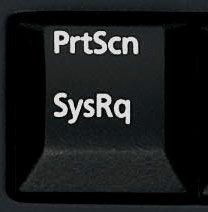
Haha no problem, there's a button on your keyboard that looks something like this (It's usually at the top right of your keyboard):
Once you have open what you want to take a screenshot of, you hit that button.
Then you open Paint and hit Ctrl + V to paste the image. Then you can save it to wherever you want, then post it here, as an attachment if you like. :)
Hopefully that was clear enough.
jojoe
2009-08-13 09:01:17
what about for laptop i have the sysrq part but above that it says delete?
whoops after closer examination i found it under insert which was a little to the left of the key you indicated :p guess laptop different from regular wired keyboard :/
um now i don't know how to post the image…. :(
Coh3n
2009-08-13 09:04:07
From: jojoe
what about for laptop i have the sysrq part but above that it says delete?
There should be a Print Screen button somewhere. On my laptop it says "PrtSc".
jojoe
2009-08-13 09:12:21
k i managed to get a screen shot of it but now i don't know how to post my screen shot :(
Coh3n
2009-08-13 09:14:47
From: jojoe
k i managed to get a screen shot of it but now i don't know how to post my screen shot :(
When you go to write a new reply (make sure you go to advanced) then at the top of the message box you'll see something that looks like a paperclip. Click on that and you can upload a picture that is saved on your computer.
jojoe
2009-08-13 09:19:36
does it take a short while to load it? becasue it still says sending request to
www.vilavu.com :confused:
Coh3n
2009-08-13 09:20:40
From: jojoe
does it take a short while to load it? becasue it still says sending request to www.vilavu.com :confused:
Uhm it should only take a few seconds at most. If you can't get that working, can you describe your problem more clearly? Be specific.
EDIT: I read what you said in your original post, and, if you can run scripts without problems, then you have no problem. :) Just try it out, and if you get an error in the SCAR debug box, then it will be easier to tell what you did wrong, if you did something wrong.
jojoe
2009-08-13 09:30:06
well i tried splitting it in half and yet it still wouldnt load so ill try to explain it
i have 23 files that have question marks :confused:
alot of them are at the top and have plugin at the end of them
the reason im not sure if this is right is because so far i have only been able to run one script out of all the ones i can find all the others i get errors and im not sure if it has to do with this
Coh3n
2009-08-13 09:31:44
From: jojoe
well i tried splitting it in half and yet it still wouldnt load so ill try to explain it
i have 23 files that have question marks :confused:
alot of them are at the top and have plugin at the end of them
You're going to have to be more specific than that. What are the files called? What folder are they in?
And try running a couple scripts and see if you have problems, you may not have any problems at all.
jojoe
2009-08-13 09:35:44
ok theres cpptestplugin , accessable scar functions, boxpllugin.dll , centerplugin.dll , cpptestpluginSCAR scriptfile, cpptestplugin.dpr , embedded SMART.dll FastShareMem.pas irokiplugin.dll , quizzplugin.dll , readmefordevelopers, SCARfuncitons.pas Skyplugin.dll, testplugin.dpr , testplugin_Globals.pas, testplugin_main.pas
wizzyplugin.dll SRLManual, SRL, SRL, Compile SRL, Scrap, Scrap(2), place inside plugins folder has an x over it , and everything else has green checkmarks
Coh3n
2009-08-13 10:01:49
From: jojoe
ok theres cpptestplugin , accessable scar functions, boxpllugin.dll , centerplugin.dll , cpptestpluginSCAR scriptfile, cpptestplugin.dpr , embedded SMART.dll FastShareMem.pas irokiplugin.dll , quizzplugin.dll , readmefordevelopers, SCARfuncitons.pas Skyplugin.dll, testplugin.dpr , testplugin_Globals.pas, testplugin_main.pas
wizzyplugin.dll SRLManual, SRL, SRL, Compile SRL, Scrap, Scrap(2), place inside plugins folder has an x over it , and everything else has green checkmarks
Hmm those seem to be right, not sure when there's question marks on them, but try and use some scripts and see how it goes. :)
jojoe
2009-08-13 17:57:13
alright thanks for the help :) yay i learned how to take screen shots :) lol
Coh3n
2009-08-13 17:57:51
From: jojoe
alright thanks for the help :) yay i learned how to take screen shots :) lol
Haha no problem, glad I could help you out. :D
chriz001
2009-08-15 09:52:44
thanks coh3n, your guides are great
Death-Magnetic
2009-08-15 23:32:01
How do i give rep?
Is rep positive or negative?
~D-M
Sabzi
2009-08-16 00:36:10
From: Death-Magnetic
How do i give rep?
Is rep positive or negative?
~D-M
Rep can be positive and negative too and you can give someone rep by clicking the the blue tick near a persons name. Then you can choose approve or disapprove but you can read more about it in the rep tut by NaumanAkhlaQ. Link in a sec.
EDIT: Here:
http://www.villavu.com/forum/showthread.php?t=35118
Own ur azz5
2009-08-18 06:25:48
hey guys im a noobie at this stuff so could you give me a hand? when i run i get this:
Include file C:\Program Files\SCAR 3.21\includes\SRL\SRL\Misc\SMART.SCAR does not exist.
Include file C:\Program Files\SCAR 3.21\includes\SRL\SRL.scar does not exist.
Include file C:\Program Files\SCAR 3.21\includes\SRL\SRL\Misc\Debug.scar does not exist.
Failed when compiling
could you guys help me? it would be greatly appreciated.thanks! :)
Coh3n
2009-08-18 07:54:03
From: Own ur azz5
hey guys im a noobie at this stuff so could you give me a hand? when i run i get this:
Include file C:\Program Files\SCAR 3.21\includes\SRL\SRL\Misc\SMART.SCAR does not exist.
Include file C:\Program Files\SCAR 3.21\includes\SRL\SRL.scar does not exist.
Include file C:\Program Files\SCAR 3.21\includes\SRL\SRL\Misc\Debug.scar does not exist.
Failed when compiling
could you guys help me? it would be greatly appreciated.thanks! :)
Well it looks like you didn't install SRL at all, you just installed SCAR. Did you follow this guide at all?
sweetleaf
2009-08-18 11:41:25
OK, so today I got a new laptop for college, its a Mac. Can I still run scar? and what would a replacement be for tortoisesvn be? Its not compatible with a mac
Coh3n
2009-08-18 19:28:58
From: sweetleaf
OK, so today I got a new laptop for college, its a Mac. Can I still run scar? and what would a replacement be for tortoisesvn be? Its not compatible with a mac
Well since SCAR it for windows, you should research a program that can run Windows applications in Mac. Similar to WINE and Ubuntu. I know nothing about Macs, so I don't know one off the top of my head. For the SVN thing, also research Mac SVN applications. You would think there would be something out there.
Own ur azz5
2009-08-20 09:01:03
From: Coh3n
Well it looks like you didn't install SRL at all, you just installed SCAR. Did you follow this guide at all?
IM A FRIGGEN NOOB, I KNOW IM PATHETIC, COULD YOU JUST PLEASE HELP ME?? I NEED A LINK TO DOWNLOAD THIS SRL THINGIE. :mad:
Coh3n
2009-08-20 17:27:09
From: Own ur azz5
IM A FRIGGEN NOOB, I KNOW IM PATHETIC, COULD YOU JUST PLEASE HELP ME?? I NEED A LINK TO DOWNLOAD THIS SRL THINGIE. :mad:
That's what this guide is for. If you follow this guide from start to finish, it tells you how to get SCAR and SRL. You shouldn't have any problems.
Also, next time, please try to avoid using all capital letters.
Own ur azz5
2009-08-21 20:00:14
umm when i try to download those files for the SRL i just get this:
Command: Checkout from http://www.villavu.com/repositories/srl-opendev, revision HEAD, Fully recursive, Externals included
Error: Can't create directory 'C:\Program Files\SCAR 3.21\Includes\SRL\.svn': Access
Error: is denied.
Finished!:
Ugh, help mee!
Coh3n
2009-08-21 20:07:34
From: Own ur azz5
umm when i try to download those files for the SRL i just get this:
Command: Checkout from http://www.villavu.com/repositories/srl-opendev, revision HEAD, Fully recursive, Externals included
Error: Can't create directory 'C:\Program Files\SCAR 3.21\Includes\SRL\.svn': Access
Error: is denied.
Finished!:
Ugh, help mee!
Look at the bottom of the guide, there is a section on how to fix that problem.
i_reklaw
2009-08-31 03:22:32
Great post Coh3n, thanks it was very informative for me :)
Coh3n
2009-08-31 19:29:44
From: i_reklaw
Great post Coh3n, thanks it was very informative for me :)
Not a problem, glad I could help you out. :)
fifa499
2009-09-01 04:14:33
with vista people may have to create the folder's on the desktop and svn checkout them there due to permission failure it's the only thing that work's
Coh3n
2009-09-01 04:24:12
From: fifa499
with vista people may have to create the folder's on the desktop and svn checkout them there due to permission failure it's the only thing that work's
That why you follow the "Fixing Common Problems" part of the tutorial. :p It tells you how to edit the permissions so it will work.
fifa499
2009-09-01 07:03:29
i tried all that coh3n otherwise i wouldnt of said anything.
Coh3n
2009-09-01 17:28:13
From: fifa499
i tried all that coh3n otherwise i wouldnt of said anything.
Hmm so it didn't work even after you edited the permissions?
outlaa
2009-09-04 13:26:50
I download the new srl Releas for update from Rs i Start a Script whit The Scar
The program Essminer and it starts it says compiled And i dont Get 2 see a smart Screen it dosent Start is That a problem Whit my scar or a problem whit The Script
YoHoJo
2009-09-04 13:36:23
From: outlaa
I download the new srl Releas for update from Rs i Start a Script whit The Scar
The program Essminer and it starts it says compiled And i dont Get 2 see a smart Screen it dosent Start is That a problem Whit my scar or a problem whit The Script
Well first of all, you need to see if the essminer SCRIPT is even SMART compatible. Near the top of the script of you should see in green letters something like ".include smart.scar" if not, then that script doesnt use smart, and you just gotta go to runescape on your web browser and run the script.
Also, if your having problems with a specific script, then post the problem there please.
outlaa
2009-09-04 13:45:22
Its whit all The Scripts I used Them before They Workt
stil u dont see a smart screen coming up
SRL Compiled in 16 msec
SMART Initialized.
Loaded: Server 30, Members: False, Signed: True, Super Detail: False.
Coh3n
2009-09-04 18:35:15
From: outlaa
Its whit all The Scripts I used Them before They Workt
stil u dont see a smart screen coming up
SRL Compiled in 16 msec
SMART Initialized.
Loaded: Server 30, Members: False, Signed: True, Super Detail: False.
SMART is currently broken. It will load if you use an
Unsigned client, but even then I haven't been able to get anything to log in. Your best bet would be to forget using SMART for now, and so what YoHoJo said.
outlaa
2009-09-04 18:39:03
Ok Thx
Mr. Doctor
2009-09-04 23:39:28
I think the reflection svn link thing is broken. Saying
Command: Checkout from http://scardevreflection.googlecode.com/svn/trunk, revision HEAD, Fully recursive, Externals included
Error: OPTIONS of 'http://scardevreflection.googlecode.com/svn/trunk': could not
Error: connect to server (http://scardevreflection.googlecode.com)
Finished!:
Ovation
2009-09-05 00:21:40
Go to your Includes folder (…SCAR 3.21/Includes), there should be a file called "Placeholder". It is your choice to delete it or not.
Once you are in the Includes folder, right click, and make a new folder, call it SRL.
Right click on the SRL folder and choose "SVN Checkout". Enter the following link, and click OK.
Code:
http://www.villavu.com/repositories/srl-opendevThat part doesnt work for me… When i click SVN CHeckout and put in the link, it starts downlaoding, but this error message comes: Can't create directory 'C:\Program Files\SCAR 3.21\Includes\SRL\.svn': Ingen
Coh3n
2009-09-05 00:47:36
From: Junkj
I think the reflection svn link thing is broken. Saying
Thanks, I'll look in to it.
EDIT: It works fine for me:
[BANANA]

[/BANANA]
@Ovation: Check the PM I sent you. ;)
EDIT2: I just edited the guide, so hopefully it's a little more clear for you guys. :) Enjoy!
m a d ranger
2009-09-06 03:21:11
Thanks for the great tutorial, finally got this working on my other comp. Been having tons of trouble with SCAR/SVN on that machine but this tutorial fixed it up :D
Coh3n
2009-09-06 03:46:04
From: m a d ranger
Thanks for the great tutorial, finally got this working on my other comp. Been having tons of trouble with SCAR/SVN on that machine but this tutorial fixed it up :D
Hey that's great to hear, I'm glad I could help you out. :D
mattt7
2009-09-06 08:13:57
Since this thread is active, ah what the heck i'll ask my question :)
Every time the tut told me to "move everything inside 'place inside plugins' folder to your plugins folder", when i did this it asked me to overwrite file a with file a. and file b with file b. ect…
So I already had everything i needed inside my plugins folder without any work?
Is that normal? hahah
Thanks in advance :)
mattt7
2009-09-06 08:23:00
From: sweetleaf
OK, so today I got a new laptop for college, its a Mac. Can I still run scar? and what would a replacement be for tortoisesvn be? Its not compatible with a mac
From: Coh3n
Well since SCAR it for windows, you should research a program that can run Windows applications in Mac. Similar to WINE and Ubuntu. I know nothing about Macs, so I don't know one off the top of my head. For the SVN thing, also research Mac SVN applications. You would think there would be something out there.
Sorry for the double post…
Uhm to run windows on your mac: you could run bootcamp, Parallel Desktop, VMWareFusion. Those are the main ones.
Parrellel Desktop and VMWareFusion runs windows as an application on your mac, while Bootcamp is actually running true windows.
Here's a quick little comparison i found in the interwebs to get you started off:
http://www.labnol.org/software/download/compare-parallels-bootcamp-fusion-vmware-review/1036/
Coh3n
2009-09-06 17:45:34
From: mattt7
Since this thread is active, ah what the heck i'll ask my question :)
Every time the tut told me to "move everything inside 'place inside plugins' folder to your plugins folder", when i did this it asked me to overwrite file a with file a. and file b with file b. ect…
So I already had everything i needed inside my plugins folder without any work?
Is that normal? hahah
Thanks in advance :)
Hmm no, that's not normal, I've never heard of that happening before. Lol, but I'm assuming you got SCAR working just fine? Well, hoping you did. :p
rspur
2009-09-06 22:55:10
Help! wen i run SCAR 3.22 beta i open the script do evrything rite then wen SMART is supposed to open up it doesent but on the botttom it says script running plz help! i have moved all plug ins and i hav subversion and i have made a reflecton folder and all that
If u can help PLZ PM me :)
King ?
2009-09-07 00:52:24
im having the same problem, im using multi fighter and the mouse just hovers around the screen a bit and scar never opens. trying to mess around with settings but iv not had any luck yet
Coh3n
2009-09-07 01:35:16
To the both of you, it could be that the script you're trying to run is messed up. Try running another script and see if that works. Also, make sure you downloaded the Open Dev Repository properly. If you didn't, SMART will not work.
King ?
2009-09-07 02:25:19
haha thanks for the tip, i have dev repository of srl latest loaded and have used the smart fix as directed by that thread, i thought it must be the script, but the thread says it is working and when i mentioned it there they said the same thing. il just uninstall everything and start again i suppose, will update here if it works. thanks
Coh3n
2009-09-07 04:28:21
From: King ?
haha thanks for the tip, i have dev repository of srl latest loaded and have used the smart fix as directed by that thread, i thought it must be the script, but the thread says it is working and when i mentioned it there they said the same thing. il just uninstall everything and start again i suppose, will update here if it works. thanks
Okay. Also, since the update, I haven't really been able to try any scripts out, so I don't know exactly how to fix some problems from personal experience. When I get back home I'm going to update my scripts/guides the way I made it work, so hopefully that will work for other people as well.
Darkgamer
2009-09-07 23:01:42
bass.dll not found. I'm running 64bit if that helps.
Coh3n
2009-09-07 23:04:28
From: Darkgamer
bass.dll not found. I'm running 64bit if that helps.
Try opening SCAR, go to Tools > Associate .scar files
See if that helps.
Darkgamer
2009-09-07 23:05:44
From: Coh3n
Try opening SCAR, go to Tools > Associate .scar files
See if that helps.
Fast reply was fast. But I just ran fixscar and it downloaded the necessary files.
Coh3n
2009-09-07 23:06:25
From: Darkgamer
Fast reply was fast. But I just ran fixscar and it downloaded the necessary files.
Oh nice, I'm going to add that to the first post. :)
Darkgamer
2009-09-07 23:07:16
From: Coh3n
Oh nice, I'm going to add that to the first post. :)
Mmmk I'm currently following the tutorial, I'll tell you how it works out.
Coh3n
2009-09-07 23:17:22
From: Darkgamer
Mmmk I'm currently following the tutorial, I'll tell you how it works out.
Okay great! :) I hope it's easy enough for you to follow.
Darkgamer
2009-09-07 23:43:03
From: Coh3n
Okay great! :) I hope it's easy enough for you to follow.
I installed it fine but I tryed to run a script and it's not working :(
Coh3n
2009-09-08 00:04:56
From: Darkgamer
I installed it fine but I tryed to run a script and it's not working :(
Could you be more specific, what exactly isn't working?
Ayrtoo
2009-09-09 10:07:23
Thank you for tut very helpful Rep++ :D
Coh3n
2009-09-09 16:18:11
From: Ayrtoo
Thank you for tut very helpful Rep++ :D
No problem, I'm always happy to help out. :D
l3v3l 1 pj3r
2009-09-14 19:45:25
Im folowing this guide thuroly ( if that is misspelt i apologise. ). I have never managed to get scar to work, but i have autoed with rsbot in the past. I want to give both bots a chance and see which one is better for me. I hope this works because ive been told scar is very undetectable and an all round good bot. Il update this post saying wether it worked or not but in the meen-time, Thanks. I hope i can contribute to this comunity in the future.
Thanks. Probably the best guide about setting up scar, which is probably why it is stickied lol.
Coh3n
2009-09-15 16:43:31
From: l3v3l 1 pj3r
Im folowing this guide thuroly ( if that is misspelt i apologise. ). I have never managed to get scar to work, but i have autoed with rsbot in the past. I want to give both bots a chance and see which one is better for me. I hope this works because ive been told scar is very undetectable and an all round good bot. Il update this post saying wether it worked or not but in the meen-time, Thanks. I hope i can contribute to this comunity in the future.
Hey that's a good attitude to have, and you'll soon see how much better SRL is than RSBot. :rolleyes:
From: Gsus
Thanks. Probably the best guide about setting up scar, which is probably why it is stickied lol.
Thanks! I didn't even know it was stickied. Lol, thanks to whoever did that!
Imayer
2009-09-29 17:12:58
Great guide man!
I have used it like 3 times now on my computers, it realy helps, i have followed all steps and i think that without this guide i wouldnt be autoing right now :D
Coh3n
2009-10-01 00:58:49
From: Imayer
Great guide man!
I have used it like 3 times now on my computers, it realy helps, i have followed all steps and i think that without this guide i wouldnt be autoing right now :D
That's great to hear! I'm glad you like it and that it works for you. :)
moody
2009-10-01 05:47:24
dude im so lost i dont know if ive downloaded the rong things or not compiled the right stuff because all the giudes u r showing me dont look like the scar that ive downloaded i got 3.21 on vista and tortoise but i dont know how to download srl and reflection plz if u can spare like a few mins to help me out
Seizure
2009-10-01 07:04:42
Coh3n
2009-10-02 02:04:56
From: moody
dude im so lost i dont know if ive downloaded the rong things or not compiled the right stuff because all the giudes u r showing me dont look like the scar that ive downloaded i got 3.21 on vista and tortoise but i dont know how to download srl and reflection plz if u can spare like a few mins to help me out
I can't explain it any clearer than I have in this guide, sorry. :( If you've downloaded SCAR using the SVN link, you do the same thing for SRL and Reflection.
From: Seizure
You think you can help me out with my SVN error?
http://www.villavu.com/forum/showthread.php?goto=newpost&t=51264
I have absolutely no idea. I've never even seen that error before, sorry. :(
warlord1994
2009-10-04 03:41:56
Great guide, definatley helped me with my autoing rustiness.
yosupg
2009-10-11 00:07:23
even after doing this step by step(3 times) i still get this error
Line 96: [Error] (146:197): Invalid number of parameters in script C:\Users\Gateway\Desktop\scarprerelease\includes\SRL\SRL\Misc\Smart.scar
Coh3n
2009-10-11 10:28:30
From: yosupg
even after doing this step by step(3 times) i still get this error
Line 96: [Error] (146:197): Invalid number of parameters in script C:\Users\Gateway\Desktop\scarprerelease\includes\SRL\SRL\Misc\Smart.scar
Hmm, you're the second person to come to me with this error. I would say to make sure you have the latest version of SRL, but you should if you followed this guide. Something may be messed up with SMART, you may just have to wait until it gets fixed.
yosupg
2009-10-11 17:41:14
From: Coh3n
Hmm, you're the second person to come to me with this error. I would say to make sure you have the latest version of SRL, but you should if you followed this guide. Something may be messed up with SMART, you may just have to wait until it gets fixed.
ok, i fixed the problem. but now smart comes up and it doesnt ever log in.
MylesMadness
2009-10-11 17:43:27
From: yosupg
ok, i fixed the problem. but now smart comes up and it doesnt ever log in.
You have to manually pick fixed size
yosupg
2009-10-12 10:18:32
From: MylesMadness
You have to manually pick fixed size
how?
Bobarkinator
2009-10-12 20:13:10
From: Coh3n
Hmm, you're the second person to come to me with this error. I would say to make sure you have the latest version of SRL, but you should if you followed this guide. Something may be messed up with SMART, you may just have to wait until it gets fixed.
The Embedded_Smart.dll in SRL needs a width and height in the parameters for SmartSetup. The Embedded_Smart.dll in Reflection doesn't need these two parameters when calling SmartSetup so it throws and error because Smart.scar has calls SmartSetup(root, params, width, height)
Coh3n
2009-10-13 20:18:52
From: yosupg
how?
I'm pretty sure it's in the graphics options on the RS login screen.
From: Bobarkinator
The Embedded_Smart.dll in SRL needs a width and height in the parameters for SmartSetup. The Embedded_Smart.dll in Reflection doesn't need these two parameters when calling SmartSetup so it throws and error because Smart.scar has calls SmartSetup(root, params, width, height)
Yeah, I learned this shortly after I posted. :) Just forgot to edit.
Zerghunter3000
2009-10-17 02:30:51
Umm, I keep getting this error, can aynone plz help?
this is for tortoise svn. Failed!?
Command: Checkout from http://www.villavu.com/repositories/srl-opendev, revision HEAD, Fully recursive, Externals included
Error: Can't create directory 'C:\Program Files\SCAR 3.21\Includes\SRL\.svn': Access
Error: is denied.
Finished!:
O.O
And at the top it says:
srl-opendev - Checkout - TortoiseSVN Failed!
YoHoJo
2009-10-17 02:41:26
ZergHuner:
http://www.villavu.com/forum/showpost.php?p=619068&postcount=86(It says how to fix your error at bottom of the first post -.-)
Learn to use the search button man cmon :D.
Also, Zerg pwns YOU!
Tresscross
2009-10-18 13:22:57
lol the torstase thing is as slow as a tortoise at downloading (i am atm)
When im done ima rep you because this helped ;D
Coh3n
2009-10-18 15:57:57
From: Tresscross
lol the torstase thing is as slow as a tortoise at downloading (i am atm)
When im done ima rep you because this helped ;D
Lol thanks, but it wasn't slow for me. You're internet connection may have been bad when you downloaded it.
Alek000
2009-10-30 23:41:17
I know this is an old post and sorry if you guys see it as grave digging, but I set up everything and scripts work except for scripts with forms. The scripts compile then the forms come up, and Scar throws an error and closes. Anyone else have this problem?
Coh3n
2009-10-31 08:47:44
From: Alek000
I know this is an old post and sorry if you guys see it as grave digging, but I set up everything and scripts work except for scripts with forms. The scripts compile then the forms come up, and Scar throws an error and closes. Anyone else have this problem?
You can't gravedig a stickied post. ;) I haven't heard of this problem personally. Could you copy/paste the error message you get?
crusader657
2009-11-01 12:00:28
I'm having trouble setting SCAR up on a 64-bit Vista. I have heard rumors that it won't work on that OS. Is that true? I have done everything anyone has suggested to solve my problems but none of them work.
Coh3n
2009-11-01 19:36:22
From: crusader657
I'm having trouble setting SCAR up on a 64-bit Vista. I have heard rumors that it won't work on that OS. Is that true? I have done everything anyone has suggested to solve my problems but none of them work.
I've never heard of this problem. What kind of errors are you getting?
Orrealis
2009-11-02 12:32:16
this guide was awsome, i made it great :D
Coh3n
2009-11-02 16:38:45
From: Orrealis
this guide was awsome, i made it great :D
Lol what do you mean you made it great?
op_ivy_freak
2009-11-03 21:37:06
Hi, I jus installed Scar 3.21 and it gives me this bass.dll missing error. I am using Windows 7, and I have tried looking up for all those dll's but i only found 1, and I need the other ones. Is there any other way to fix this? I also tried downloading an older version and using that, but it didn't work.
Coh3n
2009-11-04 10:14:40
From: op_ivy_freak
Hi, I jus installed Scar 3.21 and it gives me this bass.dll missing error. I am using Windows 7, and I have tried looking up for all those dll's but i only found 1, and I need the other ones. Is there any other way to fix this? I also tried downloading an older version and using that, but it didn't work.
When you open your SCAR folder, there is an application called "fixscar". Run that, and it should fix your problem.
op_ivy_freak
2009-11-04 11:03:23
From: Coh3n
When you open your SCAR folder, there is an application called "fixscar". Run that, and it should fix your problem.
I have tried that too, but no luck.
Coh3n
2009-11-04 11:26:47
From: op_ivy_freak
I have tried that too, but no luck.
I don't remember the site, but if you Google "bass.dll" or something like that, there are places you can download all the missing Windows .dll files.
op_ivy_freak
2009-11-04 20:04:15
From: Coh3n
I don't remember the site, but if you Google "bass.dll" or something like that, there are places you can download all the missing Windows .dll files.
I have looked up bass.dll and found it, but now I need bassflac.dll and I am not finding anything to download. I have looked at some sites that have dlls but no luck.
EDIT: I have downloaded another bass.dll and now when I try to open Scar it gives me this error: The procedure entry point _ could not be located in the dynamic link library BASS.dll. Did anyone get this error before?
EDIT2: Could you upload your bass.dll file (it should be in your system32 folder)?
Coh3n
2009-11-05 09:28:40
From: op_ivy_freak
I have looked up bass.dll and found it, but now I need bassflac.dll and I am not finding anything to download. I have looked at some sites that have dlls but no luck.
EDIT: I have downloaded another bass.dll and now when I try to open Scar it gives me this error: The procedure entry point _ could not be located in the dynamic link library BASS.dll. Did anyone get this error before?
EDIT2: Could you upload your bass.dll file (it should be in your system32 folder)?
Weird, I've never seen that error before. I've attached my bass.dll file.
Orrealis
2009-11-05 11:11:05
Thanks for this awsome guide, but i got one prob. :p thats that i just cant fill in how many players and all that, i doesn't understand how to do :p im pretty bad at scripts and just began auto, so i dont realy know how to do :p
Coh3n
2009-11-05 11:13:26
From: Orrealis
Thanks for this awsome guide, but i got one prob. :p thats that i just cant fill in how many players and all that, i doesn't understand how to do :p im pretty bad at scripts and just began auto, so i dont realy know how to do :p
Fill in DeclarePlayers you mean? I'll give you an example. This is from my PowerChopper:
with Players[0] do
begin
  Name := 'Coh3n';
  Pass := 'MyPassword';
  Nick := 'oh3';//3-4 lowercase letters from username.
  Active := True;//Use this player?
  Strings[0] := 'yew';//Which tree to cut?
  Integers[0] := 4000;//How many logs to cut?
  Booleans[0] := True;//Is hatchet equiped?
  Booleans[1] := True;//Take breaks?
  BoxRewards := ['amp', 'mote', 'ostume', 'oins', 'unes', 're', 'ems'];
end;
I hope that helps. :)
Coh3n
Orrealis
2009-11-05 11:13:53
btw, im using ur Coh3n's Anywhere PowerChopper [Non-SMART] V.1.8.scar, i dont know if its old or anything, b/c im bad :D but, i will be happy if some1 answers my problem :)
sorry, didn't see u answerd :D
thanks! :)
Coh3n
2009-11-05 11:15:03
From: Orrealis
btw, im using ur Coh3n's Anywhere PowerChopper [Non-SMART] V.1.8.scar, i dont know if its old or anything, b/c im bad :D but, i will be happy if some1 answers my problem :)
sorry, didn't see u answerd :D
Haha, good thing I picked the right script for my example then. :p
EDIT: No problem. :D
Orrealis
2009-11-05 11:26:26
hehe, now im starting getting angry :) this is so weird, b/c it just comes up like this :
/\____\ _______/ / /___ _\/___ \_____ /\____\
/ / ___\/\______\/ /____\\____/ /_____\/ / ____\
/ / /__ / / ___ / ____ //___ / ____ \/ /___\
/ / /___\ / /__/ / / / / /____/ / / / / /____ /
\/_______//______/_/ /_/_/______/_/__/_/_/____/ /
\/___________________/
Anywhere Powerchopper V.1.8!
Loading, please wait…
SRL Compiled in 16 msec
and then it doesn't happends anything , ive been waiting in like 5 min, and it doesn't do anything. :p
Coh3n
2009-11-05 11:30:35
From: Orrealis
hehe, now im starting getting angry :) this is so weird, b/c it just comes up like this :
/\____\ _______/ / /___ _\/___ \_____ /\____\
/ / ___\/\______\/ /____\\____/ /_____\/ / ____\
/ / /__ / / ___ / ____ //___ / ____ \/ /___\
/ / /___\ / /__/ / / / / /____/ / / / / /____ /
\/_______//______/_/ /_/_/______/_/__/_/_/____/ /
\/___________________/
Anywhere Powerchopper V.1.8!
Loading, please wait…
SRL Compiled in 16 msec
and then it doesn't happends anything , ive been waiting in like 5 min, and it doesn't do anything. :p
Hmm, I just tested it with mine and it worked fine. Since you aren't using the SMART version, did you drag your crosshairs? If you did, once you run the script, it should switch to the RS screen, check the graphics, then log in your player and start cutting.
Orrealis
2009-11-05 11:46:50
yea, it switches to the RS screen, then it doesn't do anything more, i dont need to fill in anything else then this? :
with Players[0] do
begin
Name := 'Username';
Pass := 'Password';
Nick := 'Nick';//3-4 lowercase letters from username.
Active := True;//Use this player?
Strings[0] := '';//Which tree to cut?
Integers[0] := 2000;//How many logs to cut?
Booleans[0] := True;//Is hatchet equiped?
Booleans[1] := True;//Take breaks?
BoxRewards := ['amp', 'mote', 'ostume', 'oins', 'unes', 're', 'ems'];
end;
Coh3n
2009-11-05 12:01:48
From: Orrealis
yea, it switches to the RS screen, then it doesn't do anything more, i dont need to fill in anything else then this? :
with Players[0] do
begin
Name := 'Username';
Pass := 'Password';
Nick := 'Nick';//3-4 lowercase letters from username.
Active := True;//Use this player?
Strings[0] := '';//Which tree to cut?
Integers[0] := 2000;//How many logs to cut?
Booleans[0] := True;//Is hatchet equiped?
Booleans[1] := True;//Take breaks?
BoxRewards := ['amp', 'mote', 'ostume', 'oins', 'unes', 're', 'ems'];
end;
You have to say which tree you want to cut, and where is says 'Username', that's where you actually put your RS username.
Orrealis
2009-11-05 12:04:56
(im posting realy much now ) yeah, i do that, but it doesn't move, i doesn't know, its maybe pretty hard to understand me :p b/c im bad english i doesn't get words to describe, but yy, i got to try some more, :)
Coh3n
2009-11-05 12:19:38
From: Orrealis
(im posting realy much now ) yeah, i do that, but it doesn't move, i doesn't know, its maybe pretty hard to understand me :p b/c im bad english i doesn't get words to describe, but yy, i got to try some more, :)
Lol, you don't use the right words sometimes, but I know what you're trying to say. :p
Make sure you have the latest version of SCAR/SRL. Other than that, I don't know what to tell you. It should be working fine.
Orrealis
2009-11-05 12:23:38
yeah, i just followed your guide, and made all right, what i saw, but i think i made something wrong with the pluggin move, so i am goin to look at that..
Orrealis
2009-11-05 12:53:14
so, one more question ;) am i going to loggin, or the script?
Coh3n
2009-11-05 13:03:12
From: Orrealis
so, one more question ;) am i going to loggin, or the script?
The script should log in for you. You can start the script with your character logged in if you wish. It's up to you.
Orrealis
2009-11-05 13:07:21
ok : )
op_ivy_freak
2009-11-05 18:52:56
Weird, I am still getting the wrong version error. Do you know if there is any way to get the bass file that "fixscar" downloads?
EDIT: I have fixed it. I went into my system32 folder, and I have deleted all the bass.dll related files. Then I have reinstalled Scar, and used "fixscar" which downloaded the correct dlls. The problem was that "fixscar" could not overwrite the bass.dll I had before and bassflac.
Thanks Coh3n.
Coh3n
2009-11-09 13:47:05
From: op_ivy_freak
Weird, I am still getting the wrong version error. Do you know if there is any way to get the bass file that "fixscar" downloads?
EDIT: I have fixed it. I went into my system32 folder, and I have deleted all the bass.dll related files. Then I have reinstalled Scar, and used "fixscar" which downloaded the correct dlls. The problem was that "fixscar" could not overwrite the bass.dll I had before and bassflac.
Thanks Coh3n.
Hey I'm glad you liked my guide and I'm glad you figured out your problem. I'm going to add your little fix to the front page if it's alright. I'll PM you with some more details I need.
Thanks,
Coh3n
op_ivy_freak
2009-11-12 22:39:31
From: Coh3n
Hey I'm glad you liked my guide and I'm glad you figured out your problem. I'm going to add your little fix to the front page if it's alright. I'll PM you with some more details I need.
Thanks,
Coh3n
Sorry I havn't replied fast, cause something was wrong with my Internet broswer and would not let me send pms.
Coh3n
2009-11-13 11:24:32
From: op_ivy_freak
Sorry I havn't replied fast, cause something was wrong with my Internet broswer and would not let me send pms.
Don't worry at all, better late then never. ;)
Java Lava
2009-11-18 08:01:42
Thanks a lot for this I was wondering why Scar still was not working for me after following an outdated tutorial :)
Coh3n
2009-11-19 00:26:05
From: Java Lava
Thanks a lot for this I was wondering why Scar still was not working for me after following an outdated tutorial :)
Haha, well I'm glad you got it figured out.
Cigue
2009-11-19 14:27:50
I've been autoing for a while and just noticed that a few of my files have the red ! sign next to them, meaning they're broken or non-functional.
the files are…
IrokiPlugin.dll
IrokiPlugin.dpr (both in plugins folder)
SRL.scar
Compile SRL.scar
Globals.scar (in core folder)
Leo.scar (in AntiRandoms folder)
Is this normal?
Coh3n
2009-11-19 14:47:19
From: Cigue
I've been autoing for a while and just noticed that a few of my files have the red ! sign next to them, meaning they're broken or non-functional.
the files are…
IrokiPlugin.dll
IrokiPlugin.dpr (both in plugins folder)
SRL.scar
Compile SRL.scar
Globals.scar (in core folder)
Leo.scar (in AntiRandoms folder)
Is this normal?
It happens. All you need to do is update your SRL and they'll all go away.
solitudee
2009-11-22 20:28:04
Whenever I do the scarprerelease step, the one where I'm installing scar, it keeps failing. I get almost to the end and then it says error on the last three or so lines. Is this normal? Then it stops and I can click ok.
EDIT: "In directory 'C:\Documents and Settings\Administrator\My Documents\scarprerelease'
Error processing command 'readonly' in 'C:\Documents and
Settings\Administrator\My Documents\scarprerelease'
Can't set file 'C:\Documents and Settings\Administrator\My
Documents\scarprerelease\.svn\text-base\scar.exe.svn-base' read-only: The
system cannot find the file specified.
Finished!""
This is what it says exactly.
Coh3n
2009-11-22 20:31:44
That's not suppose to happen. Does it say "Access denied"? If so, there's a fix at the bottom of the guide.
I hope that helps,
Coh3n
Cigue
2009-11-22 23:42:21
From: Coh3n
It happens. All you need to do is update your SRL and they'll all go away.
I update using TortoiseSVN and nothing?
zionz
2009-11-23 00:18:18
Need some help, smart wont work for me anymore, doens't have the red cursor or anything logging in and shit, just sits there at login…
Coh3n
2009-11-23 10:29:06
From: Cigue
I update using TortoiseSVN and nothing?
Okay, well you must have edited a function in those files. Try deleting the files with the exclamation point on them, and then try updating SRL. Those files you deleted should be added, this time with the check mark.
From: zionz
Need some help, smart wont work for me anymore, doens't have the red cursor or anything logging in and shit, just sits there at login…
I have no idea, SMART isn't working properly for me either. The only thing I can tell you is try updating your Java and see if that helps.
Coh3n
Death-Magnetic
2009-11-23 15:11:38
This is a great tutorial, because it includes alot and it is and have been up to date a while.
Thanks for making this thread Coh3n!
~DM
Coh3n
2009-11-23 15:13:03
From: Death-Magnetic
This is a great tutorial, because it includes alot and it is and have been up to date a while.
Thanks for making this thread Coh3n!
~DM
Lol no problem, I'm glad you like it. :biggrin:
xxgodsmackxx321
2009-11-23 19:05:39
Scar isnt working. whenever i download it (svn, or freddy1990's site) it doesnt work. from svn itll say unable to install scar.exe or something, and from the freddies site, when i select run after finishing, an error will come up saying
Unable to execute file
C:\program files\scar 3.22\scar.exe
createprocess failed; code 2
the system cannot find the file specified.
any help?
edit: if you can, send me a msg through yahoo messenger, my name is jjstaffen, or email me at [email]jjstaffen@yahoo.com[/email] so i can get this quicker, thank you
solitudee
2009-11-23 19:38:49
From: Coh3n
That's not suppose to happen. Does it say "Access denied"? If so, there's a fix at the bottom of the guide.
I hope that helps,
Coh3n
It doesn't say Access Denied :(
Then I look at it and it says I need to clean up scarprerelease…
Coh3n
2009-11-23 20:23:22
From: solitudee
It doesn't say Access Denied :(
Then I look at it and it says I need to clean up scarprerelease…
Hmm, weird. Try downloading it at this site:
http://freddy1990.com/scar.phpI'm going to add this part to the guide. You can also try running 'fixscar.exe' found in the scarprerelease folder.
@Godsmack: I emailed you.
xxgodsmackxx321
2009-11-23 21:11:11
From: Coh3n
Hmm, weird. Try downloading it at this site:
http://freddy1990.com/scar.php
I'm going to add this part to the guide. You can also try running 'fixscar.exe' found in the scarprerelease folder.
@Godsmack: I emailed you.
tried the fixscar, and when i ran it, i got an error that it couldnt find that file either.. hmm, gonna have to take a look around
edit: got it working, mcafee automatically deletes the file whenever i download it. just gotta work around that now
Coh3n
2009-11-23 21:29:03
From: xxgodsmackxx321
tried the fixscar, and when i ran it, i got an error that it couldnt find that file either.. hmm, gonna have to take a look around
edit: got it working, mcafee automatically deletes the file whenever i download it. just gotta work around that now
That would have been my next guess. McAfee was a pain the whole time I had it. If you're working on your computer and not your parents, I would suggest getting AVG. It's free, and much better then McAfee and Norten and those other corporate companies.
Nava2
2009-11-27 08:07:20
Installing SCAR on WINE:
Download
this file, saving it to ~/.
Run the following in a terminal:
sudo apt-get install Wine svn && wine ~/SCAR315bsetup.exe && cd ~/.wine/drive_c/Program\ Files/SCAR\ 3.15/Includes/ && svn co http://www.villavu.com/repositories/srl-opendev SRL && cd ~/
This command will install WINE, SvN, and SCAR.
To update to the newest SRL Rev do:
cd ~/.wine/drive_c/Program\ Files/SCAR\ 3.15/Includes/SRL/ && svn up && cd ~/
Just thought I would add this in since I was looking for it.
Coh3n
2009-11-27 10:24:29
Awesome, I'll add that to the first post, thanks. :smile:
sysofadwn06
2009-11-28 15:37:24
Thanks a lot for the guide man. It helped me fix a bunch of problems I was having.
After struggling for a day to get TortoiseSVN to download and install on my computer I thought I'd be able to run Narcle's Fighter script but whenever SMART loads the RS login screen, both Scar and Smart close with no reason given. Any advice?
Coh3n
2009-11-28 15:40:53
From: sysofadwn06
Thanks a lot for the guide man. It helped me fix a bunch of problems I was having.
After struggling for a day to get TortoiseSVN to download and install on my computer I thought I'd be able to run Narcle's Fighter script but whenever SMART loads the RS login screen, both Scar and Smart close with no reason given. Any advice?
I've heard of that happening once or twice, it's even happened to be the odd time, but I've never heard of that happening EVERY time. Have you tried running the script without SMART?
sysofadwn06
2009-11-28 15:57:03
To run it without SMART, I take "{.include SRL/SRL/misc/smart.scar}," etc. out of the script and then run the game in my browser?
Coh3n
2009-11-28 15:58:53
From: sysofadwn06
To run it without SMART, I take "{.include SRL/SRL/misc/smart.scar}," etc. out of the script and then run the game in my browser?
Yes, there's also a part, probably at the end of the script that says SMARTWorld/SMARTServer, SMARTClient, something along those lines. You also have to take all that out.
sysofadwn06
2009-11-28 16:02:45
I'm finding a few instances of SMART-related commands throughout the script - can I remove them without changing anything drastically? Example..
Procedure FFStartUp;
var
i: integer;
begin
NarcSig;
Smart_Server := SmartServer;
Smart_Members:= SmartMembers;
Smart_Signed := SmartSigned;
SetupSRL;
Coh3n
2009-11-28 16:04:49
From: sysofadwn06
I'm finding a few instances of SMART-related commands throughout the script - can I remove them without changing anything drastically? Example..
Yeah, those are the ones I was trying to point out. ;)
sysofadwn06
2009-11-28 16:13:40
Line 37: [Error] (37:1): Unknown identifier 'HowManyPlayers' in script C:\Program Files\SCAR 3.22\Scripts\Narcle Fighter
procedure DeclarePlayers;
begin
HowManyPlayers := 1;//Change this accordingly
NumberOfPlayers(HowManyPlayers);
CurrentPlayer := 0;
:duh:
This has happened on another script and I fixed it, but I have no idea how to in this one. Last time I think added var (x,y) or somethign like it to the beginning of the script.
Coh3n
2009-11-28 16:31:52
Did you take out the "SetupSRL" that was on the line after the SMART settings? Because that would cause that error.
sysofadwn06
2009-11-28 16:39:28
I hadn't removed it. I tried it and now I get
Line 37: [Error] (37:1): Unknown identifier 'HowManyPlayers' in script C:\Program Files\SCAR 3.22\Scripts\Narcle Fighter.scar
procedure DeclarePlayers;
begin
HowManyPlayers := 1;//Change this accordingly <<line 37
NumberOfPlayers(HowManyPlayers);
CurrentPlayer := 0;
I was thinking adding HowManyPlayers = 1; to this…
Const
UseForm = True;//Use form? [true/false] False uses DeclarePlayers;
LogoutIn = 34;//Logout every ?? Minutes; +/- 3 minutes for randomness
…would help. But that yields..
Line 37: [Error] (37:1): Variable Expected in script C:\Program Files\SCAR 3.22\Scripts\Narcle Fighter.scar
I appreciate the help man but if you're getting tired of this I'll understand.
From: sysofadwn06
I hadn't removed it. I tried it and now I get
I was thinking adding HowManyPlayers = 1; to this…
…would help. But that yields..
I appreciate the help man but if you're getting tired of this I'll understand.
Thats because Narcles Fast Fighter already has HowManyPlayers in line 46 *frown*
From: zionz
Need some help, smart wont work for me anymore, doens't have the red cursor or anything logging in and shit, just sits there at login…
Manually start Runescape and set the graphics settings to Fixed.
Coh3n
2009-12-01 15:43:54
@sysofadwn06: Start over. Redownload the script and remove line 23. That's all you need to do. Sorry for all the confusion. If you've already figured it out then just ignore me. :tongue:
Nava2
2009-12-05 02:22:16
From: Coh3n
@sysofadwn06: Start over. Redownload the script and remove line 23. That's all you need to do. Sorry for all the confusion. If you've already figured it out then just ignore me. :tongue:
Its because he didn't include SRL. :)
Oh, and I lol'd when I compared how to install 3.15b on linux vs. any other release on windows.
Soo much easier via linux. :)
Coh3n
2009-12-05 08:32:25
From: Nava2
Its because he didn't include SRL. :)
Oh, and I lol'd when I compared how to install 3.15b on linux vs. any other release on windows.
Soo much easier via linux. :)
Lol. I'd say, it's like one command and you're done.
Zerorex
2009-12-05 15:41:23
Euhm im having a Bit of a problem with the SVN Checkout part, I run it and press so that it will start then some kind of Window pops up Saying the addres i was supposed to type in then OK is pressed in so i cant press it and nothing is happening? :S (Im new to all this)
Coh3n
2009-12-05 18:20:37
From: Zerorex
Euhm im having a Bit of a problem with the SVN Checkout part, I run it and press so that it will start then some kind of Window pops up Saying the addres i was supposed to type in then OK is pressed in so i cant press it and nothing is happening? :S (Im new to all this)
The only thing I can think of is that you didn't put the SVN link into the right address bar. :confused:
Zerorex
2009-12-06 05:36:49
i think i did put it into the right address bar? can u make like a Picture of how its supposed to look like?
EDIT: Nvm i got it working somehow xD
Coh3n
2009-12-06 10:07:13
From: Zerorex
i think i did put it into the right address bar? can u make like a Picture of how its supposed to look like?
EDIT: Nvm i got it working somehow xD
Lol okay. Don't be afraid to ask if you have any other questions. :smile:
kevinconklin
2009-12-09 09:09:58
Thanks so much, im new and i really needed this! thanks!
Gnashman
2009-12-10 14:12:29
First of all thanks for the guide, it seemed to all work perfectly. I haven't tried to run a script yet but I'm sure it will be fabulous when I do.
I'm totally new here and I'm sorry if this is the wrong place to ask this question. If it's out of line please point me to the right place to ask. So here's the question: If I update SRL via SVN do I need to re-move my plugins or is that a once and done thing?
Floor66
2009-12-10 14:43:02
I'm not too sure about that one. Best is to just move them every time (c'mon, it's like… once a month+?) so you have it all up-to-date :)
Gnashman
2009-12-10 15:57:49
From: Floor66
I'm not too sure about that one. Best is to just move them every time (c'mon, it's like… once a month+?) so you have it all up-to-date :)
Thanks, I figured you had to move them, but wasn't sure.
Coh3n
2009-12-10 17:48:05
From: Gnashman
Thanks, I figured you had to move them, but wasn't sure.
No, you don't have to move them each time, but if you get a problem after updating, that could be why. ;)
yaron369
2009-12-11 19:21:49
Scar doesnt work this keeps coming up
"Line 34: [Error] (5034:10): Duplicate identifier 'ISMOVING' in script X:\Program Files\SCAR 3.22\includes\SRL\SRL\Core\Flag.scar"
please help me fix this
yaron369
2009-12-11 19:22:52
my last name is cohen too lol
Coh3n
2009-12-11 23:25:48
From: yaron369
Scar doesnt work this keeps coming up
"Line 34: [Error] (5034:10): Duplicate identifier 'ISMOVING' in script X:\Program Files\SCAR 3.22\includes\SRL\SRL\Core\Flag.scar"
please help me fix this
Did you get the latest Dev SVN? Because that error should be gone. Try updating again, in case there was a quick fix. And, my first name is Cohen. ;)
benjaa
2009-12-12 07:41:52
thankyou so much
Death-Magnetic
2009-12-14 13:32:41
I inserted the link (
http://scardevreflection.googlecode.com/svn/trunk) in the SVN Checkout, do I then have to do anything else like move plugins, or click the link to Install Reflection?
Thanks!
Coh3n
2009-12-14 15:44:59
From: Death-Magnetic
I inserted the link (http://scardevreflection.googlecode.com/svn/trunk) in the SVN Checkout, do I then have to do anything else like move plugins, or click the link to Install Reflection?
Thanks!
Well if you've downloaded the reflection files, you'll have to move the reflection SMART.dll file, but that sometimes causes an error because parts of reflection are broken. If you get an error, just get rid of the reflection SMART.dll file.
summerboyy
2010-01-03 03:32:11
Great tutorial. I'm having a problem. Everytime I run a script, i get this error:
Line 267: [Error] (19933:1): Unknown identifier 'Pete_AnalyzeAnimal' in script C:\Program Files\SCAR 3.23 beta\includes\SRL\SRL\Core\AntiRandoms\PrisonPete. scar
Any idea how i can fix this?
Coh3n
2010-01-03 10:06:02
From: summerboyy
Great tutorial. I'm having a problem. Everytime I run a script, i get this error:
Line 267: [Error] (19933:1): Unknown identifier 'Pete_AnalyzeAnimal' in script C:\Program Files\SCAR 3.23 beta\includes\SRL\SRL\Core\AntiRandoms\PrisonPete. scar
Any idea how i can fix this?
This usually happens as a result of not moving your plugins properly.
mounty1
2010-01-04 15:46:34
hi im getting an error in tortiose wondering if anyone knows whats wrong:
In directory 'C:\Users\jamie\Desktop\scarprerelease'
Error processing command 'readonly' in 'C:\Users\jamie\Desktop\scarprerelease'
Can't set file
'C:\Users\jamie\Desktop\scarprerelease\.svn\text-base\fixscar.exe.svn-base'
read-only: The system cannot find the file specified.
i tried closing my norton cause thought that might be the problem but didnt help.
i know someone got it working with a similar problem on the other page but he didnt make it clear how.
thanks to any1 who caan help.
Coh3n
2010-01-04 15:49:38
From: mounty1
hi im getting an error in tortiose wondering if anyone knows whats wrong:
i tried closing my norton cause thought that might be the problem but didnt help.
i know someone got it working with a similar problem on the other page but he didnt make it clear how.
thanks to any1 who caan help.
Make sure the security settings on that folder are all set to "Allow" for your user.
mounty1
2010-01-04 16:12:38
Checked all that and no change but i've got it working now.
solution:
i ran tortiose until it came up wit the "readonly" error.
i then downloaded just the scar.exe file but not the scar fix.
then i just followed the srl and reflection parts of the tutorial.
Hope that helps anyone else in the future.
thanks Coh3n
Command: Checkout from
http://www.villavu.com/repositories/srl-opendev, revision HEAD, Fully recursive, Externals included
Error: OPTIONS of '
http://www.villavu.com/repositories/srl-opendev': could not connect
Error: to server (
http://www.villavu.com)
This is when I try to checkout with the second link on the SRL folder. I am using Vista and have made sure that the folder is not read-only and that users have full permission.
PS.. If you use a different flavor of linux, it may not be apt-get. I was using OpenSuse 11.1 and have to use zypper… not apt-get. It also didn't recognize SVN. That is why I am now on the Vista machine lol.
Coh3n
2010-01-04 16:57:02
From: ion
Command: Checkout from http://www.villavu.com/repositories/srl-opendev, revision HEAD, Fully recursive, Externals included
Error: OPTIONS of 'http://www.villavu.com/repositories/srl-opendev': could not connect
Error: to server (http://www.villavu.com)
This is when I try to checkout with the second link on the SRL folder. I am using Vista and have made sure that the folder is not read-only and that users have full permission.
PS.. If you use a different flavor of linux, it may not be apt-get. I was using OpenSuse 11.1 and have to use zypper… not apt-get. It also didn't recognize SVN. That is why I am now on the Vista machine lol.
I've had your error before, I just tried again later, and it worked.
As for Linux, I know virtually nothing about it, so I honestly don't know what you're talking about, sorry. However, I will edit the first post warning people that my way may not work for every version of Linux.
From: Coh3n
I've had your error before, I just tried again later, and it worked.
As for Linux, I know virtually nothing about it, so I honestly don't know what you're talking about, sorry. However, I will edit the first post warning people that my way may not work for every version of Linux.
Tried again… to no avail. Not to much of a bothersome though because I managed to get through this step on my Windows 7 and am currently working on the linux one. As to the linux problem, apt-get is Debian based unlike OpenSuse and zyppher.
Of note, I have to admit Vista is still quite disappointing.
However, thank you for the quick response and your guide(s).
Coh3n
2010-01-05 00:04:10
From: ion
Tried again… to no avail. Not to much of a bothersome though because I managed to get through this step on my Windows 7 and am currently working on the linux one. As to the linux problem, apt-get is Debian based unlike OpenSuse and zyppher.
Of note, I have to admit Vista is still quite disappointing.
However, thank you for the quick response and your guide(s).
I agree, Vista is disappointing… in more ways than one. So no matter how many times you try, you get the same error when trying to do an SVN Checkout (Cannot connect)?
From: Coh3n
I agree, Vista is disappointing… in more ways than one. So no matter how many times you try, you get the same error when trying to do an SVN Checkout (Cannot connect)?
Yes, that is correct. I keep attempting to do this with the same result.
Coh3n
2010-01-10 00:07:08
From: ion
Yes, that is correct. I keep attempting to do this with the same result.
I'm stumped. Usually an error like that is caused from the internet/server timing out, and will work again later. It's odd that you only get this with Vista. However, I can't say I'm surprised. I get 100s of unexplained Vista errors.
The only thing I can tell you is to Google something like "SVN cannot connect error with Vista", or something along those lines. Let me know how it goes. :)
We run u.s.
2010-01-11 20:14:17
Funny part is that Freddy slipped a trojan horse into the download for scar.
Much love fredddy…
Wanted
2010-01-11 20:15:15
I hope that was a joke, lol
We run u.s.
2010-01-11 20:28:09
From: IceFire908
I hope that was a joke, lol
I get 3 threats through norton while being on his site, and regular version throws trojan horse so nortan has to decline to installation
EDIT:ice read pm?
Coh3n
2010-01-11 20:32:18
As far as I know it's not actually a trojan, Norton fails.
We run u.s.
2010-01-11 20:34:41
Idk, i had norton for a long time and this is the 1st time i get this bs.
on a new pc so idk :wacko:
Coh3n
2010-01-11 20:40:25
From: We run u.s.
Idk, i had norton for a long time and this is the 1st time i get this bs.
on a new pc so idk :wacko:
It's up to you whether you ignore it or not. I think it's just the one file that gets that (fixscar.exe), so you can disable your firewall or w/e, download SCAR, and just delete that file. It's up to you.
We run u.s.
2010-01-11 20:43:28
is there a difference between portable edition and regular?
If so, what are they? i cant find descriptions on them about their differences.
Coh3n
2010-01-11 20:44:54
From: We run u.s.
is there a difference between portable edition and regular?
If so, what are they? i cant find descriptions on them about their differences.
I have absolutely not idea, but you need to use the SVN link if you want to use any scripts for RuneScape as that version is the only one that has a working uptext OCR.
We run u.s.
2010-01-11 20:47:48
Oh and the
trojan horse which was detected with norton.
It stops the installation because when trying to install it tried to move to a different folder/rename it self:code2
Yeah so no thanks… i seen that bs before.
same bs with portable version.
EDIT:try to check this report out if you can hit the link.
LINK
Coh3n
2010-01-11 20:49:59
From: We run u.s.
Oh and the trojan horse which was detected with norton.
It stops the installation because when trying to install it tried to move to a different folder/rename it self:code2
Yeah so no thanks… i seen that bs before.
same bs with portable version.
Lol you do what you want, it doesn't really matter to me.
We run u.s.
2010-01-11 20:51:04
check post above for the EDIT.
Coh3n
2010-01-11 20:53:49
From: We run u.s.
check post above for the EDIT.
Again, I'm saying Nortan fails, but it doesn't sound like I'm going to convince you otherwise.
We run u.s.
2010-01-11 20:56:12
Well i cant do anything because this bs doesn't let me install…
oh well i'll just have to wait for my old pc to return from the repair shop to get old version of scar on this new pc via cd.
Coh3n
2010-01-11 20:57:14
From: We run u.s.
Well i cant do anything because this bs doesn't let me install…
oh well i'll just have to wait for my old pc to return from the repair shop to get old version of scar on this new pc via cd.
Just disable Norton.
We run u.s.
2010-01-11 21:08:17
wont allow me too…
Funny computer…:spot::spot:
Oh well seems like i'll have to wait.
Coh3n
2010-01-11 21:11:29
From: We run u.s.
wont allow me too…
Funny computer…:spot::spot:
Oh well seems like i'll have to wait.
If you do an SVN Checkout, do you still get that error?
We run u.s.
2010-01-12 15:27:26
Yeah gave me same stuff…
I will scan his downloads through a different PC. And if i get the same stuff with a different antivirus, ill just report him/his site.
Because i have 4 extra files which are hidden in his download which looks more than suspicious to me. But i will not act until i have info from both sources.
whitewolf
2010-01-13 13:15:39
Can you ctrl alt delete - processes tab - find norton & end it
We run u.s.
2010-01-13 20:49:52
Yes i disabled it, but i cant disable norton internet security…
it just reactivates as soon as i click on the browser window.
Its not a problem though, ill just install scar through my old pc.
Mate, change the Norton settings. If you ran AVG you would what a pain in the ass some antivirus' can be. Hell I encrypt my .exe files and they have a 50% shot at surviving. I doubt these files are bad. Post antivirus report?
We run u.s.
2010-01-14 22:36:53
Im waiting on the tech guys to call me up so i can go and pick up my desktop.
Until than, cant do anything.
Benge
2010-01-15 07:29:06
Thanks great help :)
Benwil06
2010-01-15 07:48:00
Wow man this is a great help!
I did have problems with Tortoise SVN but i don't anymore! Thanks :)
shaman
2010-01-17 21:33:17
Does anyone know how to do the Failed - Access Denied for windows 7? Mine still wont work after changing permissions
Aardwolf
2010-01-18 11:30:05
removed
Coh3n
2010-01-18 11:32:33
From: Baba mhillo
I got this error:
In directory 'C:\Documents and Settings\Matthew\Desktop\scarprerelease'
Error processing command 'readonly' in 'C:\Documents and Settings\Matthew\Desktop\scarprerelease'
Can't set file 'C:\Documents and
Settings\Matthew\Desktop\scarprerelease\.svn\text-base\fixscar.exe.svn-base'
read-only: The system cannot find the file specified.
Are all your permissions set correctly?
Aardwolf
2010-01-18 11:40:18
How can I check? Im on windows xp.
Coh3n
2010-01-18 11:41:09
It's explained on the first post under the Failed-Access Denied error.
Aardwolf
2010-01-18 11:43:42
The example shown is on vista. When I right click and select properties, there is no "security" tab.
Coh3n
2010-01-18 11:50:26
From: Baba mhillo
The example shown is on vista. When I right click and select properties, there is no "security" tab.
Oh sorry, I didn't realize that. I have vista myself, so I don't know how to do it on XP. Try searching google for "security settings on XP" or something like that.
Aardwolf
2010-01-18 12:03:48
Nothings working >.<
Aardwolf
2010-01-18 12:18:01
Is there another way I can do this, instead of using this tortoise thing?
Coh3n
2010-01-18 12:22:53
From: Baba mhillo
Is there another way I can do this, instead of using this tortoise thing?
Yes, it's explained in the first post. However, if you want to run a script for Runescape, you need the prerelease version (SVN), otherwise the script won't work.
Aardwolf
2010-01-18 12:25:18
I tried installing SCAR from
freddy1990.com/scar.php and I got the exact same error during the installation. It wont let me install this fixscar.exe file.
Coh3n
2010-01-18 12:26:49
From: Baba mhillo
I tried installing SCAR from freddy1990.com/scar.php and I got the exact same error during the installation. It wont let me install this fixscar.exe file.
Try disabling your anti-virus program. Some programs pick up that file as a virus for some reason.
Aardwolf
2010-01-18 12:28:55
Ye I lemme try that. I have norton btw.
Coh3n
2010-01-18 12:30:22
From: Baba mhillo
Ye I lemme try that. I have norton btw.
Norton seems to be the most common for picking it up as a virus.
Aardwolf
2010-01-18 12:33:42
Shit. It worked! thanks man
Coh3n
2010-01-18 12:34:40
From: Baba mhillo
Shit. It worked! thanks man
Lol no problem! I'm going to add this to the first post. :)
Aardwolf
2010-01-18 12:36:22
xD!
alucard123
2010-01-25 03:26:07
thx ill put this thread link into my only script post :D so people know how to install it heh3.23 WORKED PERFECTLY nice post and thxagain
Coh3n
2010-01-25 15:40:23
From: alucard123
thx ill put this thread link into my only script post :D so people know how to install it heh3.23 WORKED PERFECTLY nice post and thxagain
Glad to see everything still works as planned. :)
bigjosh0315
2010-01-25 19:11:16
I get this error when i try to checkout the SRL folder.

tannerlepage
2010-01-25 19:14:09
i keep getting this error when trying to DL the srl
Can't create directory 'C:\Program Files (x86)\SCAR 3.22\Includes\SRL\.svn':
Access is denied.
tannerlepage
2010-01-25 19:31:48
I keep getting this error when doing SVN CO
In directory 'C:\Program Files (x86)\SCAR 3.22\Includes\SRL\Scripting Tools'
Error processing command 'readonly' in 'C:\Program Files (x86)\SCAR
3.22\Includes\SRL\Scripting Tools'
Can't set file 'C:\Program Files (x86)\SCAR 3.22\Includes\SRL\Scripting
Tools\.svn\text-base\SCAR Mass Bitmap Convertor.exe.svn-base' read-only: The
system cannot find the file specified.
Coh3n
2010-01-25 20:28:12
From: bigjosh0315
I get this error when i try to checkout the SRL folder.
I have absolutely no idea what would cause that, try posting in the FAQ section of the forums.
From: tannerlepage
i keep getting this error when trying to DL the srl
Can't create directory 'C:\Program Files (x86)\SCAR 3.22\Includes\SRL\.svn':
Access is denied.
From: tannerlepage
I keep getting this error when doing SVN CO
In directory 'C:\Program Files (x86)\SCAR 3.22\Includes\SRL\Scripting Tools'
Error processing command 'readonly' in 'C:\Program Files (x86)\SCAR
3.22\Includes\SRL\Scripting Tools'
Can't set file 'C:\Program Files (x86)\SCAR 3.22\Includes\SRL\Scripting
Tools\.svn\text-base\SCAR Mass Bitmap Convertor.exe.svn-base' read-only: The
system cannot find the file specified.
Both of you review the "How to fix common problems" section of the guide.
bigjosh0315
2010-01-26 08:14:14
From: Coh3n
I have absolutely no idea what would cause that, try posting in the FAQ section of the forums.
Both of you review the "How to fix common problems" section of the guide.
Me either. I've done this plenty of times with no problems. :/
there is nothing about it in the common errors so I posted it in the FAQs. Hopefully someone has had this problem before… :confused:
jimthesoundman
2010-01-27 00:05:16
If you get the "Failed - Access Denied" error, restart and try again. It worked for me.
Coh3n
2010-01-27 00:10:51
From: jimthesoundman
If you get the "Failed - Access Denied" error, restart and try again. It worked for me.
That's good to know, I'll add that to the first post.
Semtex
2010-01-30 15:21:20
Hi, i've followed this guide, but ohm when i install Scar 3.22 my anti virus says Trojan horse blocked and removed. I can open scar and that, but when i try that SVN checkout it fails? Command: Checkout from
http://www.villavu.com/repositories/srl-opendev, revision HEAD, Fully recursive, Externals included
Error: Can't create directory 'C:\Program Files (x86)\SCAR 3.22\Includes\SRL\.svn':
Error: Access is denied.
is what is says? can anybody help:) thanks
Coh3n
2010-01-30 15:22:51
From: semtex666
Hi, i've followed this guide, but ohm when i install Scar 3.22 my anti virus says Trojan horse blocked and removed. I can open scar and that, but when i try that SVN checkout it fails? Command: Checkout from http://www.villavu.com/repositories/srl-opendev, revision HEAD, Fully recursive, Externals included
Error: Can't create directory 'C:\Program Files (x86)\SCAR 3.22\Includes\SRL\.svn':
Error: Access is denied.
is what is says? can anybody help:) thanks
Read the "Fixing common errors" part of the guide.
bobINaShOe
2010-02-02 13:03:21
I have followed this step by step and everytime it says.
Failed when compiling
Line 269: [Error] (15857:30): Invalid number of parameters in script C:\Program Files\SCAR 3.22\includes\SRL\SRL\Core\AntiRandoms\Sandwich.scar
And yes, i moved my plug-ins.
Frement
2010-02-02 13:10:48
Is there 2 or 3 parameters? If 3 remove the last one. If 2 you dont have SCAR 3.23.
bobINaShOe
2010-02-02 13:15:27
From: Frement
Is there 2 or 3 parameters? If 3 remove the last one. If 2 you dont have SCAR 3.23.
The line looks like this " s := rs_GetUpTextAt(x, y - 2); "
Frement
2010-02-02 13:23:47
From: bobINaShOe
The line looks like this " s := rs_GetUpTextAt(x, y - 2); "
Then try reinstalling scar. (You downloaded the prerelease?)
bobINaShOe
2010-02-02 13:26:08
From: Frement
Then try reinstalling scar. (You downloaded the prerelease?)
okay, i downloaded prerelease. But now i'm getting error "
Include file C:\Documents and Settings\Administrator\Desktop\includes\SRL\SRL\Misc\SMART.SCAR does not exist.
Include file C:\Documents and Settings\Administrator\Desktop\includes\SRL\SRL.scar does not exist.
Include file C:\Documents and Settings\Administrator\Desktop\includes\SRL\SRL\Misc\Debug.SCAR does not exist.
Failed when compiling" How do i fix that?
Frement
2010-02-02 13:56:49
You are posting in this thread but you havent read it? Dude, read the thread. It will anser all your questions.
bobINaShOe
2010-02-02 14:02:10
I have read it, several times.
Frement
2010-02-02 14:06:43
From: Coh3n
How to download SCAR using an SVN repository:
This part, and the rest of the guide requires Tortoise SVN, so please make sure you have it downloaded and installed properly before continuing.
- Right click on your desktop and choose SVN Checkout.
- Copy then paste the following SVN link into the address bar. Click OK, and wait for SCAR to download.
- Once you have completed that, you should have something that looks like this:
[BANANA]

[/BANANA]
There is a part that tells you how to download scar prerelease.
bobINaShOe
2010-02-02 14:07:05
I am just lost on what to do, i have used the guide on the WIKI and this one, the info on both of them are different so i'm not sure what to do.
bobINaShOe
2010-02-02 14:11:50
From: Frement
There is a part that tells you how to download scar prerelease.
yes, i know, now i just need to know what this means….
Include file C:\Documents and Settings\Administrator\Desktop\includes\SRL\SRL\Misc\SMART.SCAR does not exist.
Include file C:\Documents and Settings\Administrator\Desktop\includes\SRL\SRL.scar does not exist.
Include file C:\Documents and Settings\Administrator\Desktop\includes\SRL\SRL\Misc\Debug.SCAR does not exist.
Failed when compiling
Frement
2010-02-02 14:18:25
There are two ways you can download SCAR. The newest released version can be downloaded directly from Freddy's site (for those of you who don't know who Freddy is, he made SCAR ). The second option is to download SCAR via SVN, which will give you the most up to date version, but some parts may be unstable, and cause errors.
Do the other, dont download from freddys site. I dont even know why thats there.
E: Also double posting is not allowed on these forums, allways edit your last post if you have something new.
Coh3n
2010-02-02 14:33:34
From: bobINaShOe
I am just lost on what to do, i have used the guide on the WIKI and this one, the info on both of them are different so i'm not sure what to do.
I've never read the Wiki one, but this one works and is up to date.
From: bobINaShOe
yes, i know, now i just need to know what this means….
Include file C:\Documents and Settings\Administrator\Desktop\includes\SRL\SRL\Misc\SMART.SCAR does not exist.
Include file C:\Documents and Settings\Administrator\Desktop\includes\SRL\SRL.scar does not exist.
Include file C:\Documents and Settings\Administrator\Desktop\includes\SRL\SRL\Misc\Debug.SCAR does not exist.
Failed when compiling
Means you haven't downloaded SRL.
From: Frement
Do the other, dont download from freddys site. I dont even know why thats there.
It's there because you used to be able to download the working version from there. I left it in because I figured it would get updated, but apparently it hasn't. I'll edit the guide accordingly.
EDIT: There, I've updated it, removing the part on downloading from Freddy's site, and reflection.
me_107
2010-02-02 15:48:47
A script I am using requires reflection, and as i went to re read your script, you had taken it out. I realize some files are corrupted, but could you suggest a different solution to this?
Include file C:\Users\Stephen\Desktop\includes\SRL\SRL\Misc\SMART.SCAR does not exist.
Include file C:\Users\Stephen\Desktop\includes\SRL\SRL.SCAR does not exist.
Include file C:\Users\Stephen\Desktop\includes\SRL\SRL\Reflection\Reflection.Scar does not exist.
Failed when compiling
EDIT: I don't know why these show up,
Include file C:\Users\Stephen\Desktop\includes\SRL\SRL\Misc\SMART.SCAR does not exist.
Include file C:\Users\Stephen\Desktop\includes\SRL\SRL.SCAR does not exist.
as I am looking at both of those files right now.
bobINaShOe
2010-02-02 15:49:54
From: Coh3n
I've never read the Wiki one, but this one works and is up to date.
Means you haven't downloaded SRL.
It's there because you used to be able to download the working version from there. I left it in because I figured it would get updated, but apparently it hasn't. I'll edit the guide accordingly.
EDIT: There, I've updated it, removing the part on downloading from Freddy's site, and reflection.
I have done that, and i still get the same error, i have downloaded SRL with SVN, i've done it multiple times. haha.
Coh3n
2010-02-02 15:59:12
From: bobINaShOe
I have done that, and i still get the same error, i have downloaded SRL with SVN, i've done it multiple times. haha.
What script are you trying to run? Post it here. It's possible you have installed SRL in the wrong spot. Sometime people do it.
Make sure that when you open the SCAR folder and then open the includes folder, that there's just ONE folder called 'SRL'. Then inside the SRL folder there should be a bunch of folders/files.
me_107
2010-02-02 16:05:17
Please see my earlier post Coh3n.
Coh3n
2010-02-02 16:08:56
From: me_107
A script I am using requires reflection, and as i went to re read your script, you had taken it out. I realize some files are corrupted, but could you suggest a different solution to this?
Include file C:\Users\Stephen\Desktop\includes\SRL\SRL\Misc\SMART.SCAR does not exist.
Include file C:\Users\Stephen\Desktop\includes\SRL\SRL.SCAR does not exist.
Include file C:\Users\Stephen\Desktop\includes\SRL\SRL\Reflection\Reflection.Scar does not exist.
Failed when compiling
EDIT: I don't know why these show up,
Include file C:\Users\Stephen\Desktop\includes\SRL\SRL\Misc\SMART.SCAR does not exist.
Include file C:\Users\Stephen\Desktop\includes\SRL\SRL.SCAR does not exist.
as I am looking at both of those files right now.
Sorry, I completely missed this post. :duh:
You can't use a script that requires reflection as far as I know. It's broken, and therefore will not work. Your errors are because you don't have SMART/SRL/Reflection or you did not install them in the right place.
bobINaShOe
2010-02-02 16:12:16
OH MY GOD THANK YOU FOR TAKING THAT OFF, IT HELPED SO MUCH THANK YOU. A+++++++++ work. how do i get the files to open from scripts though?
me_107
2010-02-02 16:12:48
I thought so. =/
Thanks Coh3n
Coh3n
2010-02-02 22:19:15
From: bobINaShOe
OH MY GOD THANK YOU FOR TAKING THAT OFF, IT HELPED SO MUCH THANK YOU. A+++++++++ work. how do i get the files to open from scripts though?
I'm not sure what you mean. You want to use the functions in SRL in your script? If so, then include this little bit of code at the beginning of your script:
{.include SRL/SRL.scar}
That will make it so you can use any function found in the
core folder of SRL.
BlIIzY
2010-02-07 13:43:29
Remember to disable your antivirus/firewall when doing this. Thats why it did not work for me the first time because Norton 360 blocked it because it said it was a Trojan Horse.
Coh3n
2010-02-07 16:55:32
From: BlIIzY
Remember to disable your antivirus/firewall when doing this. Thats why it did not work for me the first time because Norton 360 blocked it because it said it was a Trojan Horse.
Yes, that's a good idea, I will add that to the first post for the next update. :)
twobac
2010-02-15 15:53:53
Hi Coh3n,
Thankyou for taking the time to create this tut, full of lots of good info. Scar has changed a lot in my 2 year absence. Glad to be back.
I have had a few issues with different scripts, one was your Chop N'Bank. so I found this thread.
After uninstalling everything relating to Scar, SRL. I followed your tut.
Vista 32bit
1. Installed Tortoise SVN 32bit - had the permission issue - still not working after changing the permissions for my user - Resolved this by creating a new folder. Great :)
2 following next step - "Once this is done, press OK. Now go to you desktop, and open the SCAR folder you just downloaded (it should be named 'scarprerelease', you may rename it as you wish). Double click on SCAR to make sure it worked properly. If the SCAR interface opens, you have successfully installed the newest version of SCAR. "
- ok all of the icons have check marks - so they look ok
- I double click on SCAR and get a windows error - "scar.exe has stopped working correctly. Windows will close the program and notify you if a solution is available". and a button with "close program"
I get the same error when i download scar from
http://freddy1990.com/index.php?page=product&name=scarand download the normal version.
The error does not happen when I install the "Portable" version.
When I use the portable version I get problems with the script.
Any Ideas as I did not see this type of message anywhere in this thread.
Thanks in advance
i luffs yeww
2010-02-15 16:32:38
From: twobac
Hi Coh3n,
Thankyou for taking the time to create this tut, full of lots of good info. Scar has changed a lot in my 2 year absence. Glad to be back.
I have had a few issues with different scripts, one was your Chop N'Bank. so I found this thread.
After uninstalling everything relating to Scar, SRL. I followed your tut.
Vista 32bit
1. Installed Tortoise SVN 32bit - had the permission issue - still not working after changing the permissions for my user - Resolved this by creating a new folder. Great :)
2 following next step - "Once this is done, press OK. Now go to you desktop, and open the SCAR folder you just downloaded (it should be named 'scarprerelease', you may rename it as you wish). Double click on SCAR to make sure it worked properly. If the SCAR interface opens, you have successfully installed the newest version of SCAR. "
- ok all of the icons have check marks - so they look ok
- I double click on SCAR and get a windows error - "scar.exe has stopped working correctly. Windows will close the program and notify you if a solution is available". and a button with "close program"
I get the same error when i download scar from
http://freddy1990.com/index.php?page=product&name=scar
and download the normal version.
The error does not happen when I install the "Portable" version.
When I use the portable version I get problems with the script.
Any Ideas as I did not see this type of message anywhere in this thread.
Thanks in advance
Try running fixscar.exe. :)
twobac
2010-02-15 20:13:53
I have tried the fixscar.exe. this did not changed anything? :(
Coh3n
2010-02-16 00:16:36
From: twobac
I have tried the fixscar.exe. this did not changed anything? :(
Does it happen with EVERY script you try to run? I've only had that happen to me if I try to use a certain function in SCAR that's buggy (there is more than one that causes it to crash).
twobac
2010-02-16 08:04:51
The crash happens as Scar is opened. thus is totally seperate from all scripts.
Just trying to ensure that the install is correct. and scar crashes at step two in my previous post.
Coh3n
2010-02-16 11:44:21
From: twobac
Hi Coh3n,
Thankyou for taking the time to create this tut, full of lots of good info. Scar has changed a lot in my 2 year absence. Glad to be back.
I have had a few issues with different scripts, one was your Chop N'Bank. so I found this thread.
After uninstalling everything relating to Scar, SRL. I followed your tut.
Vista 32bit
1. Installed Tortoise SVN 32bit - had the permission issue - still not working after changing the permissions for my user - Resolved this by creating a new folder. Great :)
2 following next step - "Once this is done, press OK. Now go to you desktop, and open the SCAR folder you just downloaded (it should be named 'scarprerelease', you may rename it as you wish). Double click on SCAR to make sure it worked properly. If the SCAR interface opens, you have successfully installed the newest version of SCAR. "
- ok all of the icons have check marks - so they look ok
- I double click on SCAR and get a windows error - "scar.exe has stopped working correctly. Windows will close the program and notify you if a solution is available". and a button with "close program"
I get the same error when i download scar from
http://freddy1990.com/index.php?page=product&name=scar
and download the normal version.
The error does not happen when I install the "Portable" version.
When I use the portable version I get problems with the script.
Any Ideas as I did not see this type of message anywhere in this thread.
Thanks in advance
The scripts have issues when you use the portable version because that (and the normal version from Freddy's site) don't have the right uptext OCR, and any scripts that use Uptext checks will not work.
You said you uninstalled everything before following my guide - the only thing I can say now is try that again. I've never heard of anyone getting this error every time they open SCAR before.
Let me know how it goes,
Coh3n
scuz 10
2010-02-16 13:20:49
My scar keeps closing itself randomly when I'm running scripts with SMART.
Any ideas? Its really frustrating.
Coh3n
2010-02-16 14:07:19
From: scuz 10
My scar keeps closing itself randomly when I'm running scripts with SMART.
Any ideas? Its really frustrating.
Wow, it seems a lot of people are having trouble with SMART lately. Unfortunately, I have no idea how to fix that problem, other than to not use SMART.
twobac
2010-02-16 17:26:41
From: Coh3n
The scripts have issues when you use the portable version because that (and the normal version from Freddy's site) don't have the right uptext OCR, and any scripts that use Uptext checks will not work.
You said you uninstalled everything before following my guide - the only thing I can say now is try that again. I've never heard of anyone getting this error every time they open SCAR before.
Let me know how it goes,
Coh3n
I have uninstalled scar, removed all entries in the registry. uninstalled office prof 2010.
clean slate to now uUse SVN to check out the latest scarprerelease (revision 80)
Scar still does not start :(
attached error message that is displayed in between the other two error msgs.
Coh3n
2010-02-16 23:25:26
From: twobac
I have uninstalled scar, removed all entries in the registry. uninstalled office prof 2010.
clean slate to now uUse SVN to check out the latest scarprerelease (revision 80)
Scar still does not start :(
attached error message that is displayed in between the other two error msgs.
That error looks like you may be missing a .dll file. Have you tried running fixscar.exe?
i luffs yeww
2010-02-16 23:50:31
From: Coh3n
That error looks like you may be missing a .dll file. Have you tried running fixscar.exe?
He said he did, but it doesn't make sense. :<
Coh3n
2010-02-16 23:52:04
From: i luffs yeww
He said he did, but it doesn't make sense. :<
Yeah, but this is a new error message.
twobac
2010-02-17 12:35:07
yes i have run fixscar. sorry it is not a new error, all the same error, three different error messages are shown.
When i run fixscar a dos window appears briefly, too quick to seeany text thou.
Coh3n
2010-02-17 14:56:47
From: twobac
yes i have run fixscar. sorry it is not a new error, all the same error, three different error messages are shown.
When i run fixscar a dos window appears briefly, too quick to seeany text thou.
What fixscar does is download any missing .dll files you may have. If it went that quickly, chances are you weren't missing any. I honestly don't know why it's behaving like this for you. I would suggest posting this in the FAQ section of the forums.
Good luck,
Coh3n
twobac
2010-02-17 23:14:56
ok I have deleted bassfarc.dll and run fixscar. Now it shows missing file and downloaded it, but still get errors as before.
So now have reformatted pc, total clean system, so all dll's must be good.
went thru the steps in the tut. double clicked on scar in the prerelease folder and… "missing bass.dll" then same error. progress :)
Ran Fixscar, omg another error
fixscar error

Problem signature:
  Problem Event Name:	APPCRASH
  Application Name:	fixscar.exe
  Application Version:	0.0.0.0
  Application Timestamp:	2a425e19
  Fault Module Name:	kernel32.dll
  Fault Module Version:	6.0.6000.20608
  Fault Module Timestamp:	465cf04b
  Exception Code:	             c0000005
  Exception Offset:	             0004fc8c
  OS Version:	             6.0.6000.2.0.0.256.1
  Locale ID:	             2057
  Additional Information 1:	b37c
  Additional Information 2:	2a7328d8bb40c81c93b4b5f46adb8e10
  Additional Information 3:	b37c
  Additional Information 4:	2a7328d8bb40c81c93b4b5f46adb8e10
right clicked, Propertites and looked at the compatability tab and checked the box next to "Run this program as an administrator"
(funny as mu user ac is an administrator)
re ran fixscar.. this time it downloaded the missing file and I have been able to successfully open scar divi 3.23 beta!
Thank you Coh3n for all your assistance:spot::D
Coh3n
2010-02-17 23:41:43
From: twobac
ok I have deleted bassfarc.dll and run fixscar. Now it shows missing file and downloaded it, but still get errors as before.
So now have reformatted pc, total clean system, so all dll's must be good.
went thru the steps in the tut. double clicked on scar in the prerelease folder and… "missing bass.dll" then same error. progress :)
Ran Fixscar, omg another error
fixscar error

Problem signature:
  Problem Event Name:	APPCRASH
  Application Name:	fixscar.exe
  Application Version:	0.0.0.0
  Application Timestamp:	2a425e19
  Fault Module Name:	kernel32.dll
  Fault Module Version:	6.0.6000.20608
  Fault Module Timestamp:	465cf04b
  Exception Code:	             c0000005
  Exception Offset:	             0004fc8c
  OS Version:	             6.0.6000.2.0.0.256.1
  Locale ID:	             2057
  Additional Information 1:	b37c
  Additional Information 2:	2a7328d8bb40c81c93b4b5f46adb8e10
  Additional Information 3:	b37c
  Additional Information 4:	2a7328d8bb40c81c93b4b5f46adb8e10
right clicked, Propertites and looked at the compatability tab and checked the box next to "Run this program as an administrator"
(funny as mu user ac is an administrator)
re ran fixscar.. this time it downloaded the missing file and I have been able to successfully open scar divi 3.23 beta!
Thank you Coh3n for all your assistance:spot::D
Dude, I've never seen anyone who had so much trouble getting SCAR to work. Nevertheless, I'm glad you finally got it working. :)
stein3
2010-02-26 16:30:07
I used this guide (I knew how to update through SVN, but I needed the addresses), but I'm still having issues with SRL files. The current issue is with the SMART.scar file. All of the smart commands (like smartmovemouse, etc) are unknown identifiers. I already put the SRL folder and the SRL files in the plugins folder.
Coh3n
2010-02-26 16:33:33
From: nategr8ns
I used this guide (I knew how to update through SVN, but I needed the addresses), but I'm still having issues with SRL files. The current issue is with the SMART.scar file. All of the smart commands (like smartmovemouse, etc) are unknown identifiers. I already put the SRL folder and the SRL files in the plugins folder.
You put the SRL folder in the plugins folder? You don't do that, you put the SRL folder in the INCLUDES folder. After you have SRL you put the contents from 'place inside plugins folder' in the plugins folder. Put JUST the files, not the folder. Also, don't copy the Simba folder, just the others.
stein3
2010-02-26 22:19:55
^Oh, got it :D. I'll fix that now and check back in.
Btw, my grandmother was a Cohen.
edit: still no. I'm completely reinstalling now to see if it fixes it.
re-edit: fresh install worked. I'm currently testing out a guild-miner :). I'm going to have to rewrite my willow cutter now, I can foresee it :).
Coh3n
2010-02-26 22:42:55
From: nategr8ns
^Oh, got it :D. I'll fix that now and check back in.
Btw, my grandmother was a Cohen.
edit: still no. I'm completely reinstalling now to see if it fixes it.
re-edit: fresh install worked. I'm currently testing out a guild-miner :). I'm going to have to rewrite my willow cutter now, I can foresee it :).
Glad to know you got it working. And yeah, there's a young girl that lives here that's name is Cohen also. :p
The_Closer
2010-03-01 13:30:53
I did the Permissions thing for Vista.. Got everything but Special Permissions and it still says access denied?
nvm man it just added all the stuff to my desktop..
xSaintias
2010-03-04 19:33:54
mine scarprereleases folder says
Working copy 'C:\Users\xSaintias\Desktop\scarprerelease' locked
Please execute the 'Cleanup' command
i right clicked and use cleanup comman with tortoise, but it just says
C:\Users\xSaintias\Desktop\scarprerelease\fixscar.exe is not under version control….
help?
also, i am running windows 7 if that matters.
edit: and yes i did use fixscar….
i have the folder but there is no scar.exe in it.
Coh3n
2010-03-04 19:35:36
From: xSaintias
mine scarprereleases folder says
Working copy 'C:\Users\xSaintias\Desktop\scarprerelease' locked
Please execute the 'Cleanup' command
i right clicked and use cleanup comman with tortoise, but it just says
C:\Users\xSaintias\Desktop\scarprerelease\fixscar.exe is not under version control….
help?
also, i am running windows 7 if that matters.
edit: and yes i did use fixscar….
i have the folder but there is no scar.exe in it.
I've never seen that before, nor do I know what it means. My best guess is that you need to set the permissions on that folder.
i luffs yeww
2010-03-04 20:00:12
Saint, I had that problem. I just deleted the folder, turned off my anti-virus, and redid it. ;)
xSaintias
2010-03-04 21:38:12
From: i luffs yeww
Saint, I had that problem. I just deleted the folder, turned off my anti-virus, and redid it. ;)
TY this worked!!!!!
however, new problem. every time I turn on mcaffee, it automatically removes scar.exe as a trojan.
yes i did put it on give full acess before i turned it back on…
so i am not sure what to do now.
is there anyway to make mcaffee not remove that?
Dgby714
2010-03-04 21:45:03
From: xSaintias
TY this worked!!!!!
however, new problem. every time I turn on mcaffee, it automatically removes scar.exe as a trojan.
yes i did put it on give full acess before i turned it back on…
so i am not sure what to do now.
is there anyway to make mcaffee not remove that?
Does mcaffee have a exceptions list?
i luffs yeww
2010-03-04 22:05:29
I don't think McAfee has an exception list.
xSaintias
2010-03-04 22:34:17
it doesn't… at least i dont think so either…
can someone comment that knows for sure?
Coh3n
2010-03-04 23:16:13
From: xSaintias
it doesn't… at least i dont think so either…
can someone comment that knows for sure?
No idea if this will work as I don't use McAfee, but…
http://answers.yahoo.com/question/index?qid=20090912094613AAohN4UIf that doesn't work, you can just Google "McAfee exceptions list", or something along those lines.
xSaintias
2010-03-05 18:02:19
From: Coh3n
No idea if this will work as I don't use McAfee, but…
http://answers.yahoo.com/question/index?qid=20090912094613AAohN4U
If that doesn't work, you can just Google "McAfee exceptions list", or something along those lines.
no, that is just for older mcafee. i have the newer one along with windows 7, so it makes it diffrent to find everything.
i have been searching, and i found nothing…
Dozey
2010-03-06 06:54:03
Hi, I'm new so of course I don't know if I'm doing something correctly or not, but when trying to compile the SRL I get this error:
Line 269: [Error] (16226:30): Invalid number of parameters in script C:\Program Files\SCAR 3.22\includes\SRL\SRL\Core\AntiRandoms\Sandwich.scar
I've followed the guide to the letter and tried many different things, but it seems that's the only problem that occurs.
Dgby714
2010-03-06 06:55:33
From: Dozey
Hi, I'm new so of course I don't know if I'm doing something correctly or not, but when trying to compile the SRL I get this error:
Line 269: [Error] (16226:30): Invalid number of parameters in script C:\Program Files\SCAR 3.22\includes\SRL\SRL\Core\AntiRandoms\Sandwich.scar
I've followed the guide to the letter and tried many different things, but it seems that's the only problem that occurs.
you need the latest development version of srl =)
How to setup your SCAR for autoing:

    * Go to your Includes folder (Located in the SCAR folder you just made), there should be a file called 'Placeholder'. It is your choice to delete it or not.

    * Once you are in the Includes folder, right click, and make a new folder, call it SRL.

    * Right click on the SRL folder and choose 'SVN Checkout'. Enter the following link, and click OK.
      Code:

      http://www.villavu.com/repositories/srl-opendev

      Wait for all the files to be downloaded.

    * Before you can auto properly, you need to manually move your 'Plugins', otherwise you will get Unknown identifier errors.

    * Go to Includes/SRL/place inside plugins folder. Hit Ctrl + A to highlight all the files. Right click on the files and select 'Copy' (or hit Ctrl + C). Navigate back to the Plugins folder. Right click and select 'Paste' (or hit Ctrl + V). All the plugin files should have copied over.
Dozey
2010-03-06 07:10:29
Thanks for the fast response, I deleted everything and started over, making sure I paid close attention to that part, but I'm still getting the same error report.
Dgby714
2010-03-06 07:19:08
From: Dozey
Thanks for the fast response, I deleted everything and started over, making sure I paid close attention to that part, but I'm still getting the same error report.
Btw the last step where you copy plugins you dont want the Simba folder =)
Dozey
2010-03-06 07:36:46
Right, I've done all that, but now it's still saying the same thing, removing the Simba folder has not changed anything.
Dgby714
2010-03-06 07:39:07
From: Dozey
Right, I've done all that, but now it's still saying the same thing, removing the Simba folder has not changed anything.
Hmmm, You got Scar 3.23(prerelease) right? other then that i cant think of anything else causing this problem.
Dozey
2010-03-06 07:57:23
Ah great, thanks for your help, I realized that I've been following 2 separate guides, and I already installed 3.22, after deleting that folder from my C: drive, and replaced it with the SVN, it's completed successfully, thanks
Coh3n
2010-03-06 15:11:57
@Dgby: Thanks for helping him out while I was away. :)
Dgby714
2010-03-06 15:41:40
From: Coh3n
@Dgby: Thanks for helping him out while I was away. :)
You were away?
Coh3n
2010-03-06 15:42:56
From: Dgby714
You were away?
I just meant while I wasn't around to answer his questions. :)
Dgby714
2010-03-06 15:49:48
From: Coh3n
I just meant while I wasn't around to answer his questions. :)
lol thought you ment you went on a trip or something
Coh3n
2010-03-06 16:03:53
From: Dgby714
lol thought you ment you went on a trip or something
I wish.
Brandom
2010-03-09 17:58:36
Every Script I run I get an error about the Sandwhich.scar file
Line 269: [Error] (16270:30): Invalid number of parameters in script C:\Program Files\SCAR 3.22\includes\SRL\SRL\Core\AntiRandoms\Sandwich.scar
anything about that?
Coh3n
2010-03-09 18:00:20
From: Brandom
Every Script I run I get an error about the Sandwhich.scar file
Line 269: [Error] (16270:30): Invalid number of parameters in script C:\Program Files\SCAR 3.22\includes\SRL\SRL\Core\AntiRandoms\Sandwich.scar
anything about that?
You need to get SCAR 3.23, not 3.22.
nickgates12
2010-03-09 21:44:39
kk, this is pretty important and i need a quick reply >.<
i have set up scar and everything right in this tutorial. once i have it all setup how do i actually run a script? and start botting etc? i have the power miner and coh3ns draynor chopper pro. but they wont run. it doesnt allow me to type and the screen either just sits there or spins around simutaneously and a little red dot moves slowely in the chatbox. please someone get back to me and help me out. =)
Coh3n
2010-03-09 21:46:31
From: nickgates12
kk, this is pretty important and i need a quick reply >.<
i have set up scar and everything right in this tutorial. once i have it all setup how do i actually run a script? and start botting etc? i have the power miner and coh3ns draynor chopper pro. but they wont run. it doesnt allow me to type and the screen either just sits there or spins around simutaneously and a little red dot moves slowely in the chatbox. please someone get back to me and help me out. =)
The window is SMART. You have to Disable it in order to be able to click on it.
For my Draynor script, you should just have to press run, fill out the form, and hit start script. Pretty simple if you ask me. Try restarting SCAR.
Sgt Soul
2010-03-13 07:24:10
Hello again Coh3n, I have decided to start using scar again after my little break. I downloaded everything needed for the scar 3.23Beta to work but I cant seem to get this one scar file.
'DCnB_Form.scar'
looked on both:
http://www.villavu.com/repositories/srl-opendev/http://freddy1990.com/svn/scarprerelease/and I still cant seem to find it. Please reply asap.
Many Thanks
-Sgt Soul-
i luffs yeww
2010-03-13 07:28:50
Haha :) sgt soul, you get that from his script Draynor Chop n' Bank.
http://villavu.com/forum/showthread.php?t=47111When you SVN his script, it'll give you the script, the DCnB_Form.scar file, RandomSound.wav, and a folder of Bitmaps (and a readme file I think). :) Good luck. Post in that thread for problems with his script, if you've anymore.
Sgt Soul
2010-03-13 07:38:31
From: i luffs yeww
Haha :) sgt soul, you get that from his script Draynor Chop n' Bank.
http://villavu.com/forum/showthread.php?t=47111
When you SVN his script, it'll give you the script, the DCnB_Form.scar file, RandomSound.wav, and a folder of Bitmaps (and a readme file I think). :) Good luck. Post in that thread for problems with his script, if you've anymore.
haha now I feel real stupid :P
I knew I downloaded it before I just completely forgot where from, whoops my bad. Thx for the help :)
EDIT: grr new problem….
Line 685: [Error] (24063:1): Unknown identifier 'ExitToLobby' in script C:\Documents and Settings\*****\Desktop\Draynor Chop N' Bank [RUN ME].scar
any quick fixes, haha :P
Coh3n
2010-03-13 09:20:30
From: sgt soul
haha now I feel real stupid :P
I knew I downloaded it before I just completely forgot where from, whoops my bad. Thx for the help :)
EDIT: grr new problem….
Line 685: [Error] (24063:1): Unknown identifier 'ExitToLobby' in script C:\Documents and Settings\*****\Desktop\Draynor Chop N' Bank [RUN ME].scar
any quick fixes, haha :P
Update your SRL. That should be fixed in Rev. 416 or 417.
Sgt Soul
2010-03-13 10:05:46
hmm i updated it thru SVN just then, it said 417 was complete, but same error :S weird stuff haha
Coh3n
2010-03-13 12:16:58
From: sgt soul
hmm i updated it thru SVN just then, it said 417 was complete, but same error :S weird stuff haha
Open Login.scar and make sure there's an ExitToLobby procedure.
i luffs yeww
2010-03-13 16:43:26
"This guide was last updated on March 7nd, 2010."
x] March 7nd. Haha :)
Coh3n
2010-03-13 19:27:59
From: i luffs yeww
"This guide was last updated on March 7nd, 2010."
x] March 7nd. Haha :)
Haha, yeah I've done that more than once. :p
Sgt Soul
2010-03-13 22:32:30
hmm there was, well ill re-do everything. ill tell you how it goes haha :)
EDIT:
Ok script now runs thx so much, much love hehe <3
Coh3n
2010-03-14 00:53:54
From: sgt soul
hmm there was, well ill re-do everything. ill tell you how it goes haha :)
EDIT:
Ok script now runs thx so much, much love hehe <3
No problem. :)
i luffs yeww
2010-03-21 21:53:32
Damn. Those are some sexy and well put-together pictures. x]
Coh3n
2010-03-21 21:54:35
From: i luffs yeww
Damn. Those are some sexy and well put-together pictures. x]
Meh, they're alright. :p
V Macro V
2010-03-21 22:45:17
cant get this to work o.o,

i did everything you said……EVERYTHING
Edit: is there any other way to get scar 2.23?
i luffs yeww
2010-03-21 22:48:01
You've McAfee? If so, turn it all off (
http://villavu.com/forum/showpost.php?p=696400&postcount=2), then close all the folders and everything, right click the scarprerelease folder, then go to Tortoise SVN > Clean up. :)

Put the images in

tags :)
BTW Did I mention how awesome this guide is? :D
Coh3n
2010-03-26 11:08:35
From: FEAR
Put the images in tags :)
BTW Did I mention how awesome this guide is? :D
Lol well thanks! :D
Heavenguard
2010-03-26 21:29:11
I have the same problem with but its with FixScar.Exe =/
-I have deleted everything that had to do with SCAR before reinstalling.
-Deleted Registry
-Turned Off Firewall and Shut off Antivirus
-Gave full Permissions to the Folders.
Yet still when I download PreRelease or Regular SCAR from Freddy's site, the FixScar.EXE will never download =/.
Same problem with the Mass Bitmap Converter thing in Scripting Tools =/
i luffs yeww
2010-03-26 21:30:57
Run fixscar.exe as administrator.
Heavenguard
2010-03-26 21:47:59
Nvm, got it fixed xD, I just had to restart my computer, then it started going :D.
E: Now i got a diff problem. the link
http://www.villavu.com/repositories/srl-opendev/ is not working for me anymore. When I try to access it on firefox I get a 404 error. When I put it in SVN I get a error that it has been relocated, and then sometimes I get 'XML-Data was not Formed' =/
E2: Works, Works like a charm after 5 min have past :D. Was able to access
http://www.villavu.com/repositories/srl-opendev/ again and use SVN with it.
Coh3n
2010-03-27 15:57:16
Lol okay I'm glad to see you got it working. Not really sure why it wasn't working in the first place, but I'm glad you got it fixed. :p
Stevie9
2010-03-27 21:45:50
Thank you!
Your guide was a miracle!
defecation
2010-04-07 09:42:33
thanks!
was having trouble with changing dirs
cd /home/yourusername/scarprerelease/includes
lol i forgot about uppercase I on includes.
Coh3n
2010-04-07 10:01:58
From: defecation
thanks!
was having trouble with changing dirs
cd /home/yourusername/scarprerelease/includes
lol i forgot about uppercase I on includes.
Terminals are annoying like that. :p
toro45
2010-04-08 23:42:34
Wow, your a life saver
I knew how to do it on windows, I just set up a Ubuntu computer today and I had no idea how to do it
Thanks!!
Coh3n
2010-04-08 23:45:37
From: toro45
Wow, your a life saver
I knew how to do it on windows, I just set up a Ubuntu computer today and I had no idea how to do it
Thanks!!
No problem! You're the first person that I know of that's used this to install in Ubuntu (other than me ;))
payton
2010-04-14 13:32:53
something got screwed up and i kept getting unknown identifier errors for lonin.scar even after updating and moving plugins, so i decided to start over. now when i run a script i get this… error starting smart, ensure the target page has an applet decleration
what should I do?
Coh3n
2010-04-14 14:25:00
From: payton
something got screwed up and i kept getting unknown identifier errors for lonin.scar even after updating and moving plugins, so i decided to start over. now when i run a script i get this… error starting smart, ensure the target page has an applet decleration
what should I do?
I've gotten that before. Just restart SCAR and try again. I've had it happen 4 or 5 times in a row before it went away. You could also try updating your Java.
twobac
2010-04-14 23:02:57
This happens when there is a system update and the RS servers are off line. so this happened yesterday with the new skill update and again today with the bug fix / roll back update. :)
ali_n_5
2010-04-23 01:35:07
OK i did all the steps in here except WINE cuz idk how to download it can anyone post a safe link to it on the web or smthing cuz i cant really find it and it wont read in the command prompt atleast i think thats the thing needed because i have nothing else.
i luffs yeww
2010-04-23 01:44:04
sudo apt-get install wine
Coh3n
2010-04-23 11:30:16
From: ali_n_5
OK i did all the steps in here except WINE cuz idk how to download it can anyone post a safe link to it on the web or smthing cuz i cant really find it and it wont read in the command prompt atleast i think thats the thing needed because i have nothing else.
If you're trying to copy/paste the link, you have to it Ctrl + Shift + V to paste it in the terminal.
ali_n_5
2010-04-23 17:36:30
i typed it out and copy pasted it and everything it just says that sudo isnt a internal or external command operable program or bach file
Coh3n
2010-04-23 17:37:44
From: ali_n_5
i typed it out and copy pasted it and everything it just says that sudo isnt a internal or external command operable program or bach file
I'm so confused with all your posts. You're talking about WINE and stuff, yet you don't know what Ubuntu is…
Are you using Windows?
ali_n_5
2010-04-23 17:38:41
OHHHHHHHHHHHHHHHH ok fail lol i was thinking wth is Ubantu then i looked again and it said how to install on ubunto and how to install on windows XD sorry for the confusion but i did do both lol so i did all the steps for ubunto and windows o-O could that be why it doesnt work?
Coh3n
2010-04-23 17:41:05
From: ali_n_5
OHHHHHHHHHHHHHHHH ok fail lol i was thinking wth is Ubantu then i looked again and it said how to install on ubunto and how to install on windows XD sorry for the confusion but i did do both lol so i did all the steps for ubunto and windows o-O could that be why it doesnt work?
Lol. :p That's probably why you're having issues. Delete everything SCAR related and start from scratch, this time using just the Windows part. :p
ali_n_5
2010-04-23 17:42:56
Yea i was just doing that XP
Coh3n
2010-04-23 17:47:56
From: ali_n_5
Yea i was just doing that XP
Alright, good luck. :)
Nava2
2010-04-23 18:07:25
http://www.winehq.org/download/To install wine properly.
Just saying.
rawsilk
2010-04-23 23:21:23
Smart's dysfunctional. Flashes black off and on.
Also it says reflection is outdated and tries to use colour which causes it to just sit there without doing anything but not terminating.
EDIT: just fixed smart dysfunction by going onto runescape website and selecting fixed screen.
Can't find pickaxe now.
EDIT: shit just realized im posting in wrong thread.
i luffs yeww
2010-04-24 03:49:41
^ Edit -> Delete. I think you've permission to do it. If not, report your post (red x on the top left of your post), and say something like "Please delete this post." Or whatever. :p
N2, it's fine to just sudo apt-get it, isn't it?
Coh3n
2010-04-24 09:49:09
From: i luffs yeww
N2, it's fine to just sudo apt-get it, isn't it?
Apparently that version is wayyy outdated. I have to get the updated version also. May explain the bugs I've been having.
Rizowski
2010-05-02 19:34:58
I am missing includes? I have followed this guide to the T and I am still missing stuff, is there something wrong? i noticed it maybe outdated? idk?
i luffs yeww
2010-05-02 19:36:51
What exactly are you missing? SCAR/Includes/?
Rizowski
2010-05-02 19:41:31
I get this
Include file C:\Documents and Settings\MX9\Desktop\scarprerelease\includes\..\Includes\ScarCheck.scar does not exist.
Include file C:\Documents and Settings\MX9\Desktop\scarprerelease\includes\..\Includes\Updater.scar does not exist.
Include file C:\Documents and Settings\MX9\Desktop\scarprerelease\includes\..\Includes\SRLStats.scar does not exist.
Include file C:\Documents and Settings\MX9\Desktop\scarprerelease\includes\..\Includes\Walker.scar does not exist.
Include file C:\Documents and Settings\MX9\Desktop\scarprerelease\includes\..\Includes\Debug.scar does not exist.
Failed when compiling
i luffs yeww
2010-05-02 19:44:55
You didn't follow the guide correctly. One second, I'll PM you.
Coh3n
2010-05-02 22:18:03
Did you guys get this sorted out? Moae, the path to those files don't seem to be right.
Dgby714
2010-05-02 22:34:34
From: Heavenguard
Nvm, got it fixed xD, I just had to restart my computer, then it started going :D.
E: Now i got a diff problem. the link http://www.villavu.com/repositories/srl-opendev/ is not working for me anymore. When I try to access it on firefox I get a 404 error. When I put it in SVN I get a error that it has been relocated, and then sometimes I get 'XML-Data was not Formed' =/
E2: Works, Works like a charm after 5 min have past :D. Was able to access http://www.villavu.com/repositories/srl-opendev/ again and use SVN with it.
villavu is set up for
http://villavu.com/repositories/srl-opendev/ (no www)
Coh3n
2010-05-02 22:50:45
From: Dgby714
villavu is set up for http://villavu.com/repositories/srl-opendev/ (no www)
It should work regardless. It does for me at least.
i luffs yeww
2010-05-02 22:53:22
Yeah, he was just downloading POMS incorrectly. :)
Coh3n
2010-05-02 22:54:22
From: i luffs yeww
Yeah, he was just downloading POMS incorrectly. :)
Okay awesome, thanks again. :)
thank you, you made it very simple
fifa499
2010-05-26 20:40:20
so i start to download and bam!! norton AVG all my antivirus stuff pops up blocking a trojan from the repository wtf?
Coh3n
2010-05-26 20:43:50
From: fifa499
so i start to download and bam!! norton AVG all my antivirus stuff pops up blocking a trojan from the repository wtf?
I said to disable your antivirus software in the guide. There's a file called fixscar.exe that is detected as a trojan. I can assure you that it's not. If you're sceptical, then download Simba.
I do plan on updating this guide for Simba eventually.
Dracody
2010-06-14 20:57:30
Thank you man, it has been a while since I last visited, and this helped me out setting it up again :D
anc13nt noob
2010-06-19 19:22:08
Great tutorial helped me get it working when attempting it for the second time on windows 7 ;)
Wanted
2010-06-25 22:55:54
Just got a new laptop 64 bit windows 7 premium w/ McAfee
having trouble checking out the SCAR folder (access denied), is there an easy fix for this?
Edit: Found out that you can fix this error on Windows 7 by
Turning off UAC just don't forget to restart your computer after doing so.
Might be a good addition to your guide ;)
Coh3n
2010-06-26 01:56:55
From: IceFire908
Just got a new laptop 64 bit windows 7 premium w/ McAfee
having trouble checking out the SCAR folder (access denied), is there an easy fix for this?
Edit: Found out that you can fix this error on Windows 7 by Turning off UAC just don't forget to restart your computer after doing so.
Might be a good addition to your guide ;)
Added, thanks. :)
V Macro V
2010-06-27 21:07:57
Does the latest scar work? or is it still outdated? havent been on in quite awhile
i luffs yeww
2010-06-27 21:14:09
^ :) Works fine. Try Simba.
Coh3n
2010-06-27 21:36:21
From: V Macro V
Does the latest scar work? or is it still outdated? havent been on in quite awhile
As long as you get it via SVN. The one from Freddy's site doesn't work with RS.
error smart.scar
Failed when compiling
Line 3: [Error] (21:1): Unable to register function ???????????????›?????????›?????????›???????›????; in script C:\Program Files (x86)\SCAR 3.22\includes\SRL\SRL\misc\smart.scar
Coh3n
2010-07-07 09:30:21
From: weby
error smart.scar
Failed when compiling
Line 3: [Error] (21:1): Unable to register function ???????????????›?????????›?????????›???????›????; in script C:\Program Files (x86)\SCAR 3.22\includes\SRL\SRL\misc\smart.scar
- You need SCAR 3.23 (the prerelease, like in this guide).
- Move your plugins.
i have 3.25 sorry for confusion with the naming of the folder and i did move my plugins…
i luffs yeww
2010-07-07 22:07:41
You need 3.23.
using svn gives me 3.25 alpha prerelease…. so go with 3.23 ?
i luffs yeww
2010-07-07 23:29:24
Yes. The repository is
http://freddy1990.com/svn/scarprerelease right? Also, redo it all if using 3.23 doesn't work.
Or try Simba.
i have re installed and deleted more than once
i luffs yeww
2010-07-08 00:01:09
Bleh. Do you have msn?
ya [email]ellion@hotmail.com[/email]
Coh3n
2010-07-08 06:15:46
Weby, just edit your post instead of double and triple posting. I also didn't realize that the SVN was updated. You may have to revert back to revision 81.
Coh3n
2010-07-19 16:18:44
Updated for Simba! :)
Universe
2010-07-20 12:58:58
For some reason, Simba won't load SMART for my Ubuntu machine.. I followed all of the steps.. I just can't get it to work lol.
EDIT: I installed firefox just to test if it worked on firefox, and it did.
Dgby714
2010-07-20 13:02:28
You might wanna add that they should do
sudo add-apt-repository ppa:ubuntu-wine/ppa
so there installing the latest wine =)
Coh3n
2010-07-20 18:50:17
From: Universe
For some reason, Simba won't load SMART for my Ubuntu machine.. I followed all of the steps.. I just can't get it to work lol.
EDIT: I installed firefox just to test if it worked on firefox, and it did.
So it's obviously not the Java. Does the debug say anything? Does it list the SMART settings? That's happened to me a couple times. Usually when I retry it works.
From: Dgby714
You might wanna add that they should do sudo add-apt-repository ppa:ubuntu-wine/ppa
so there installing the latest wine =)
Will do, thanks. :)
Universe
2010-07-27 13:03:21
From: Coh3n
So it's obviously not the Java. Does the debug say anything? Does it list the SMART settings? That's happened to me a couple times. Usually when I retry it works.
It does say the SMART settings. It didn't work after many retries. Seems as though Java is not even running.
EDIT: Now, for some random reason, SMART loads RS up to the point that it says Connecting to Update Server.. hmm
EDIT2: Ahahaha, then the next time I try it it shows just the white screen.
blackblue
2010-07-27 17:46:57

This is the error message I get everytime I try to open a Simba Script
I have Vista and running Simba as the Admin
I have tried uninstalling and installing Simba
I have followed the tutorial 4 times
Someone please help
Coh3n
2010-07-27 19:42:18
From: Universe
It does say the SMART settings. It didn't work after many retries. Seems as though Java is not even running.
EDIT: Now, for some random reason, SMART loads RS up to the point that it says Connecting to Update Server.. hmm
EDIT2: Ahahaha, then the next time I try it it shows just the white screen.
Yeah well WINE is stupid like that.
From: blackblue
This is the error message I get everytime I try to open a Simba Script
I have Vista and running Simba as the Admin
I have tried uninstalling and installing Simba
I have followed the tutorial 4 times
Someone please help
It would be nice if the error message said WHY it couldn't open the file. >.<
I'm sorry, I haven't a clue why that's happening. Hopefully someone else will. :(
I R Beast
2010-07-28 10:45:00
how do i get WINE? sorry im new to all of this and its really confusing me
Coh3n
2010-07-28 11:50:39
From: I R Beast
how do i get WINE? sorry im new to all of this and its really confusing me
It's in the guide… I don't think I can explain it any clearer.
Btw, WINE is for Linux. If you have Windows you shouldn't try to get WINE.
1337m4n
2010-08-14 00:19:42
hi guys
I followed the guide to get Simba installed and updated. I did the little test script, and SMART opened up with the game alright.
Whenever I open SIMBA it checks for updates and will succesfully DL the updates if there are any. No problems seem to happening with this.
However, when I try running any actual script, such as Marpis' MultiFighter, the SMART window opens, loads the game, and then nothing happens. SIMBA reports no errors, the script is "running" but absolutely nothing happens, it doesent log in or move the mouse at all. I get in the debug box:
"It has been 3 minutes and Runescape is not yet ready… Terminating.
Successfully executed."
Please note, I have updated SIMBA and everything, and filled in the required variables and fields for the script. I have also made sure to enable the use of SMART in the script as well.
I have also tried disabling SMART through the script and using my web browser to run the game. This fails as well. I have tried dragging the crosshairs onto the game, SMART, etc…
SIMBA outputs this when I run the script:
"No SRL update / Plugins update available!
No Reflection update
A new update of Simba is available!
Current version is 703. Latest version is 707
[Hint] (94:31): Variable 'SRLNAME' never used at line 93
[Hint] (173:3): Variable 'REPORTMARK' never used at line 172
[Hint] (173:3): Variable 'TALKTIMER' never used at line 172
[Hint] (174:3): Variable 'RESPONDEDCHATLINES' never used at line 173
[Hint] (174:3): Variable 'MYRESPONDS' never used at line 173
Compiled succesfully in 795 ms.
SRL Compiled in 31 msec
SMART Initialized.
Loaded: Server 169, Members: False, Signed: False, Super Detail: False."
And then:
"It has been 3 minutes and Runescape is not yet ready… Terminating.
Successfully executed."
What should I do?
Coh3n
2010-08-14 00:24:11
Try following this guide ->
http://villavu.com/forum/showthread.php?t=55899E: I added another step after SMART has loaded to set the graphics properly (the link above).
1337m4n
2010-08-14 00:54:52
From: Coh3n
Try following this guide -> http://villavu.com/forum/showthread.php?t=55899
E: I added another step after SMART has loaded to set the graphics properly (the link above).
Thanks! It helped, (somewhat). Can you take a look at my reply in the thread? Thanks again :redface:
Hi, i am knew and i have followed your guide to downloading everything. I have a computer with windows 7 and i am having problems with the reflection part and i have tried everything, but nothing is working. Could you pls helpand give me some tips? Thx
i luffs yeww
2010-08-16 15:24:49
What isn't working?
Coh3n
2010-08-16 15:43:34
From: i luffs yeww
What isn't working?
Are you getting any error messages?
i luffs yeww
2010-08-16 15:45:55
From: Coh3n
Are you getting any error messages?
Was that directed at me or Zion? :p
Coh3n
2010-08-16 15:46:28
Zion
From: i luffs yeww
What isn't working?
Ok well everything is working just fine until i tried to start up the client and then it gave me the HOOKS ARE OUTDATED sign. So i followed the guide on the reflection, but i cannot figure the thing out for the life of me. I just dont know how to use the SVN and add in the link for text box so it will update the reflections. Any tips on what i should do? I would really like to go through your whole guide, but first i got to instal everything needed.
From: Coh3n
Are you getting any error messages?
No, no error messages just what i explained above.
Coh3n
2010-08-16 23:22:22
From: ZI0N
Ok well everything is working just fine until i tried to start up the client and then it gave me the HOOKS ARE OUTDATED sign. So i followed the guide on the reflection, but i cannot figure the thing out for the life of me. I just dont know how to use the SVN and add in the link for text box so it will update the reflections. Any tips on what i should do? I would really like to go through your whole guide, but first i got to instal everything needed.
No, no error messages just what i explained above.
Oh, so you're just having trouble using SVN? Well first off, get TortoiseSVN (I can't remember if I put a link in the guide). Then all you have to do is right click > SVN Checkout, enter the link I have in the guide, click okay and wait for the files to download. You then have to move the libsmart.dll (I think, it will be in a PLACE INSIDE PLUGINS FOLDER) file in your new reflection folder to Simba/Plugins.
If you still get HOOKS OUTDATED, then the hooks may very well be outdated.
From: Coh3n
Oh, so you're just having trouble using SVN? Well first off, get TortoiseSVN (I can't remember if I put a link in the guide). Then all you have to do is right click > SVN Checkout, enter the link I have in the guide, click okay and wait for the files to download. You then have to move the libsmart.dll (I think, it will be in a PLACE INSIDE PLUGINS FOLDER) file in your new reflection folder to Simba/Plugins.
If you still get HOOKS OUTDATED, then the hooks may very well be outdated.
Yes that is what i am having trouble with :). Ok, so i have TortoiseSVN, but it doesnt give me the option to SVN Checkout when i right click? So if it were to all of a suddon work then i have to move the libsmart.dll (which is a file that was downloaded from link?) into the new reflection folder to simba/plugins? One more question is this reflection folder sepperate of the reflection folder that in the beginning we changed to auto update?? Does it really even matter if the HOOKES OUTDATED? I mean what does it really do mess it up?
Coh3n
2010-08-17 08:07:45
From: ZI0N
Ok, i have TortoiseSVN, but it doesnt give me the option to SVN Checkout when i right click?
Are you right clicking the Reflection folder you got with Simba's extension? If so, delete that folder and right click in
Simba/Includes (there should also be an
SRL folder).
From: ZI0N
So if it were to all of a suddon work then i have to move the libsmart.dll (which is a file that was downloaded from link?) into the new reflection folder to simba/plugins?
You move it from the new reflection folder, to Simba/Plugins (you may have to replace an old one).
From: ZI0N
One more question is this reflection folder sepperate of the reflection folder that in the beginning we changed to auto update??
The SVN Checkout folder replaces the "auto-updated" one, like I said above. To update the new one, Right
Click > SVN Update.
From: ZI0N
Does it really even matter if the HOOKES OUTDATED? I mean what does it really do mess it up?
Most of the updated scripts now require reflection, so if the hooks are outdated, they won't work. In MSI, we have a powerchopper, powerminder, VE Woodcutter and Draynor cutter that don't require reflection.
From: Coh3n
Are you right clicking the Reflection folder you got with Simba's extension? If so, delete that folder and right click in Simba/Includes (there should also be an SRL folder).
*Ok well i have followed what you said above and the only options it gives me when i right click the reflection folder in the includes are open, open in new window, open as notebook in onenote, share with, add to archive, compress and email, include in library, send to, creat shortcut properties…..so im not quite sure what to do.
You move it from the new reflection folder, to Simba/Plugins (you may have to replace an old one).
*Alright cool sounds easy enough….when i get this SVN figured out =P.
The SVN Checkout folder replaces the "auto-updated" one, like I said above. To update the new one, Right Click > SVN Update.
*Im sorry if i am being difficult, but could you explain this? I dont quite understand i guess.
Most of the updated scripts now require reflection, so if the hooks are outdated, they won't work. In MSI, we have a powerchopper, powerminder, VE Woodcutter and Draynor cutter that don't require reflection.
*Alright thats good to know. Thank you for alll of your help it is very much appreciated. And again i am sorry if i am asking stupid questions, but i really want to start learning SCAR in depth :).
Coh3n
2010-08-17 10:23:27
From: ZI0N
*Alright thats good to know. Thank you for alll of your help it is very much appreciated. And again i am sorry if i am asking stupid questions, but i really want to start learning SCAR in depth :).
No problem :)
Oh and SIMBA in depth. ;)
Ok well i have followed what you said above and the only options it gives me when i right click the reflection folder in the includes are open, open in new window, open as notebook in onenote, share with, add to archive, compress and email, include in library, send to, creat shortcut properties…..so im not quite sure what to do. haha i just give up trying to figure it out.
Coh3n
2010-08-17 13:38:52
From: ZI0N
Ok well i have followed what you said above and the only options it gives me when i right click the reflection folder in the includes are open, open in new window, open as notebook in onenote, share with, add to archive, compress and email, include in library, send to, creat shortcut properties…..so im not quite sure what to do. haha i just give up trying to figure it out.
You don't right click the reflection folder. Delete it. Start over. :p
Right click inside the folder:

If your menu doesn't say SVN Checkout then I don't think you installed TortoiseSVN properly.
Ok, i got it working. Thx for all of your help!! The Tortoise i downloaded had a missing file so i deleted and reinstaled it and it is working just fine now thx again!!!
Coh3n
2010-08-17 17:37:58
From: ZI0N
Ok, i got it working. Thx for all of your help!! The Tortoise i downloaded had a missing file so i deleted and reinstaled it and it is working just fine now thx again!!!
No problem, glad it's finally working. :)
Exception in Script: Unable to find file 'srl/srl/misc/smart.scar' used from ''
help? :/
Coh3n
2010-08-18 15:55:53
From: wLR
Exception in Script: Unable to find file 'srl/srl/misc/smart.scar' used from ''
help? :/
It looks like you didn't download SRL properly.
Vapour knuckles
2010-08-19 13:44:09
How to install and setup WINE:
* If you don't already have WINE, run this command in the Terminal, and wait for it to finish downloading:
sudo add-apt-repository ppa:ubuntu-wine/ppa
* To test it out, go to Applications > Wine > Programs > Accessories > Notepad. If it opens, you've successfully installed WINE!
What is the terminal? I am sorry, but I do not know what it is and it restricts me from continuing on with the tutorial.
Coh3n
2010-08-19 13:55:57
From: Vapour knuckles
What is the terminal? I am sorry, but I do not know what it is and it restricts me from continuing on with the tutorial.
It's for linux operating system. If you're using Windows then skip to the part that says "For Windows Users" or something similar.
If you're using Linux then terminal is like Applications > Terminal or something similar.
Vapour knuckles
2010-08-19 14:17:32
Oh ok, thank you very much.
I don't see where you skip to windows part, and do I need the WINE? Because I don't see anything else in order to get it.
Also I don't see anything where it shows you how to download smart scar?
I'm at the part where you insert that code you provided and it shows this:
 doesn't exist
Exception in Script: Unable to find file 'srl/srl/misc/smart.scar' used from ''
Coh3n
2010-08-19 14:38:43
From: Vapour knuckles
Oh ok, thank you very much.
I don't see where you skip to windows part, and do I need the WINE? Because I don't see anything else in order to get it.
Also I don't see anything where it shows you how to download smart scar?
I'm at the part where you insert that code you provided and it shows this:
 doesn't exist
Exception in Script: Unable to find file 'srl/srl/misc/smart.scar' used from ''
Oh sorry, there is no Windows heading anymore. I must have taken that out. There are 2 headings "How to setup Ubuntu" and "How to install/setup Simba". If you're using Windows, you skip right to the "How to install/setup Simba" heading.
You're getting that error because you haven't downloaded SRL.
Vapour knuckles
2010-08-19 14:53:24
I download scar 3.23 and download SRL from there. And I went on simba again and it said the same thing again.
This is quite frustrating…
Coh3n
2010-08-19 14:54:25
From: Vapour knuckles
I download scar 3.23 and download SRL from there. And I went on simba again and it said the same thing again.
Well this is a guide for setting up Simba, not SCAR. Follow the steps using Simba and you'll be fine.
Vapour knuckles
2010-08-19 14:57:52
Oh well when I did the SLR on this no Update popped up and said I had the most recent updates. This is what I see:

Coh3n
2010-08-19 15:07:21
Weird. Make sure you have both an SRL and Reflection folder in Simba/Includes. Also try restarting Simba if you haven't already.
Vapour knuckles
2010-08-19 15:10:28
Yea, I checked and I didn't have it in my includes folder what should I do about that?
Coh3n
2010-08-19 15:15:36
From: Vapour knuckles
Yea, I checked and I didn't have it in my includes folder what should I do about that?
When you enabled the srl.sex extension, it should have downloaded all the files. Try going to SRL > Update or Check for updates, something like that.
Is there a reflection folder?
Vapour knuckles
2010-08-19 15:17:42
Nope, both aren't there.
Should we take this to some chat in order for this problem to be fixed faster?
Coh3n
2010-08-19 15:20:58
From: Vapour knuckles
Nope, both aren't there.
Should we take this to some chat in order for this problem to be fixed faster?
What's your MSN, I'll add you.
Vapour knuckles
2010-08-19 15:26:59
*removed email*
I will have to brb in about an hour…
holic
2010-08-21 17:29:24
From: Coh3n
Weird. Make sure you have both an SRL and Reflection folder in Simba/Includes. Also try restarting Simba if you haven't already.
The file from Wizzup's site is corrupt or something.
I got the link for it from srl.sex (
http://wizzup.org/static/srl/simba_plugins.tar.bz2) and it's a problem with the file so it's unable to unzip it.
i luffs yeww
2010-08-21 17:36:28
Are you running a Linux-based OS?
And it may very well be corrupt. Wizzup?'s sheevaplug died and he's moving things over to his HD or something. AFAIK, only extensions work right now, but the hosted extensions themselves may be corrupt.
holic
2010-08-21 17:39:39
From: i luffs yeww
Are you running a Linux-based OS?
And it may very well be corrupt. Wizzup?'s sheevaplug died and he's moving things over to his HD or something. AFAIK, only extensions work right now, but the hosted extensions themselves may be corrupt.
I may be totally wrong, but I can upload the extensions you need after I poop.
Windows 7 here, and that would be very helpful, thank you.
i luffs yeww
2010-08-21 17:52:09
http://uppit.com/jlk5cbfd6ssh/Extensions.rarShould work. My dtm_editor.sex has never worked though. Dunno why. :/
Coh3n
2010-08-21 22:50:23
The extensions are what don't work right now because Wizzup's site is down. Both SRL and reflection need to be downloaded through SVN.
i luffs yeww
2010-08-22 00:03:10
Coh3n, you so crazy. Extensions work fine. He said so! :)
Coh3n
2010-08-22 00:05:49
From: i luffs yeww
Coh3n, you so crazy. Extensions work fine. He said so! :)
Lol well good then. :p That must have been recent because they weren't working a couple days ago.
i luffs yeww
2010-08-22 00:12:12
I know. I saw the post today. ;) No worries. Wizzup? moved stuff from his sheevaplug to his HD or something (it's in the "wizzup.org downtime" thread).
punze
2010-09-01 23:27:04
when i try to run a script it says (Exception in Script: Unable to find file 'srl\srl\reflection\reflection.simba' used from '') what should i do? how can i get it working
i luffs yeww
2010-09-01 23:58:48
Reflection should be in Includes/, not SRL/SRL/. And at the very top of the script, make sure it says {$i reflection/reflection.simba}, not {$i SRL/SRL/reflection/reflection.simba}.
Coh3n
2010-09-02 01:03:32
If the script is including it that way than it's most likely outdated and won't work anyway.
why isnt simba working for me anymore i always update but the scripts dont work it could be the scripts fault but ''none'' of the scripts work
Coh3n
2010-09-05 19:42:25
From: GTFO
why isnt simba working for me anymore i always update but the scripts dont work it could be the scripts fault but ''none'' of the scripts work
More information would be helpful. Simply saying "it doesn't work" doesn't really help us. Do you get any error messages or anything like that?
magernub573
2010-09-18 13:23:32
i get an error after trying to run SMART (picture is attached to this post). Can anyone help me please?
i luffs yeww
2010-09-18 15:01:58
That means the world you were trying to load was down. Try again with a different world.
Check this
site to see if a world is Down
iVenom
2010-09-19 12:28:11
doesn't exist
Exception in Script: Unable to find file 'srl/srl/misc/smart.scar' used from ''
when i run that script
Coh3n
2010-09-20 13:31:43
From: iVenom
doesn't exist
Exception in Script: Unable to find file 'srl/srl/misc/smart.scar' used from ''
when i run that script
Looks like you didn't download SRL. Make sure you follow all the steps before posting about an error like that.
bangali
2010-09-24 12:32:44
you know the jave re, do you have to install that if your a windows xp user?
i followed all the steps and everything updated but i got an error after simba started,
SRL Compiled in 32 msec
SMART Initialized.
Loaded: Server 19, Members: False, Signed: True, Super Detail: False.
Error: Exception: Access violation at line 110
and it said missing dll msvcr71.dll
Coh3n
2010-09-25 16:22:16
From: bangali
you know the jave re, do you have to install that if your a windows xp user?
i followed all the steps and everything updated but i got an error after simba started,
SRL Compiled in 32 msec
SMART Initialized.
Loaded: Server 19, Members: False, Signed: True, Super Detail: False.
Error: Exception: Access violation at line 110
and it said missing dll msvcr71.dll
You need JRE (Java Runetime Environment) to run RS in general.
big d210
2010-09-27 09:42:49
where do you find the program simba to download?
Wizzup?
2010-09-27 10:10:01
http://simba.villavu.com/bin/Release/Current/SimbaInstaller.exeAlso, Coh3n, I updated your first post to reflect the latest Simba installer link. (It was still at RC4)
Coh3n
2010-09-28 14:02:01
From: Wizzup?
http://simba.villavu.com/bin/Release/Current/SimbaInstaller.exe
Also, Coh3n, I updated your first post to reflect the latest Simba installer link. (It was still at RC4)
Perfect, thank you.
realrocker00
2010-10-02 14:10:14
thanks a lot dude! amazingly easy guide!!!!!!!! :)
realrocker00
2010-10-02 22:16:04
I love Simba so far but my bots keep stopping because there are no current even solvers.. and downloads for this? I think im missing something.
payton
2010-10-02 22:38:34
From: magernub573
i get an error after trying to run SMART (picture is attached to this post). Can anyone help me please?
I have this same problem but don't know how to switch to a different world. any help?
Payton
magernub573
2010-10-02 23:25:45
From: payton
I have this same problem but don't know how to switch to a different world. any help?
Payton
change this:
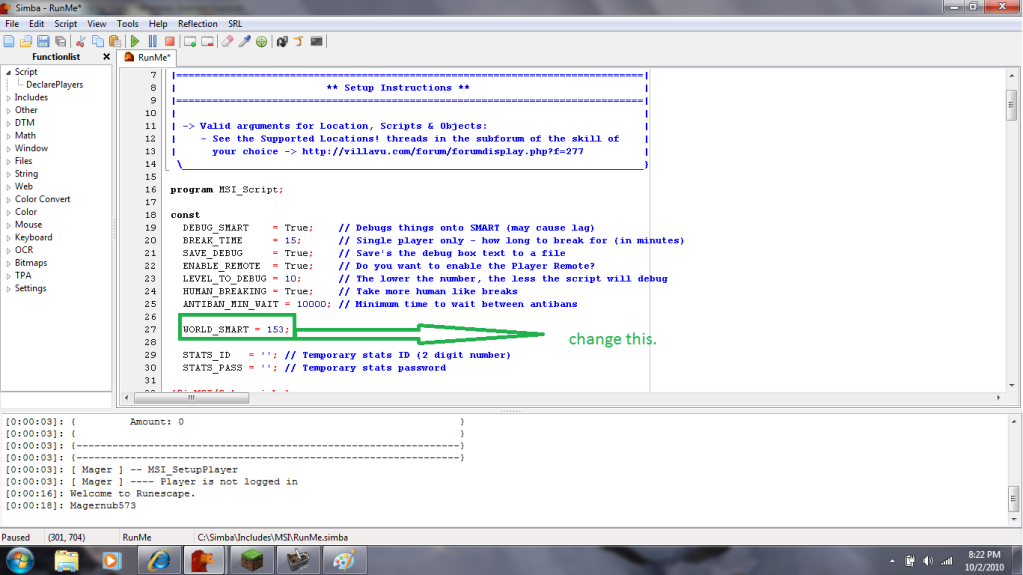
Coh3n
2010-10-03 19:42:37
From: realrocker00
I love Simba so far but my bots keep stopping because there are no current even solvers.. and downloads for this? I think im missing something.
If you mean random solvers, than no there isn't a download. They come with SRL. Most aren't working well, so that's why you're having issues.
From: realrocker00
I love Simba so far but my bots keep stopping because there are no current even solvers.. and downloads for this? I think im missing something.
From: Coh3n
If you mean random solvers, than no there isn't a download. They come with SRL. Most aren't working well, so that's why you're having issues.
I've fixed 4 or 5 over the past week-ish, so it should be getting better.
otavioafm
2010-10-06 14:30:59
anyone can post the simba working 100% and al updated for win7 in the 4shared?
otavioafm
2010-10-06 14:35:54
more one error =/
ERROR in TMThread.LoadFile
Exception in Script: Unable to find file 'C:\Simba\Includes\reflection\./Core/Bank.simba' used from 'C:\Simba\Includes\reflection/reflection.simba'
A restart is necessary to activate the new plugins.
Failed to update the plugins
Succesfully updated your SRL!
Coh3n
2010-10-06 19:47:42
From: otavioafm
more one error =/
ERROR in TMThread.LoadFile
Exception in Script: Unable to find file 'C:\Simba\Includes\reflection\./Core/Bank.simba' used from 'C:\Simba\Includes\reflection/reflection.simba'
A restart is necessary to activate the new plugins.
Failed to update the plugins
Succesfully updated your SRL!
Have you tried restarting Simba?
You may have missed a setup (or misunderstood), it doesn't sound like English is your first language.
Death-Magnetic
2010-10-09 12:02:17
Nice tutorial!
jumbosped
2010-10-12 00:03:00
when i try enter the code to enable smart i get this error message
error starting SMART, esnure the target page has an applet deceleration.
im new to this and i know this question is probably frequent but i tried for a while to figure it on my own but no luck.
i dont even know how to install wine. do i download it from
http://sourceforge.net/projects/wine/files/Source/ or sumthing?
I have all the updates from simba
sorry guys im very confused
i luffs yeww
2010-10-12 01:14:10
jumbo, are you on Windows? :) I assume you are, since most people are. (And you don't know how to install Wine, which most Linux users know.)
You followed the wrong guide. It's kinda confusing, quite honestly (hint to Coh3n ;)). To set it up on Windows, all you really need to do is download
this and open it up. Go through the install (just press next a bunch, really) and then when you're done, open it up (might open after it's done already; can't recall..), update Simba (it'll tell you to and there will be a little icon in the menu bar that shows up), update it, when it's done, close it, open it, and then enable extensions by going to view > extensions. They're for auto-updating SRL and reflection and what not. It's pretty simple, but if you want help I can talk on MSN or teamview you. :)
[email]panic._@live.com[/email]
Coh3n
2010-10-15 18:02:47
From: i luffs yeww
jumbo, are you on Windows? :) I assume you are, since most people are. (And you don't know how to install Wine, which most Linux users know.)
You followed the wrong guide. It's kinda confusing, quite honestly (hint to Coh3n ;)).
I don't see how it would be confusing? There are giant headings that say Windows and Linux. I honestly don't know how one could misunderstand. :unsure:
E: Nevertheless, I added a warning in the Linux section.
i luffs yeww
2010-10-15 23:27:31
Because Linux is first is all. You have to assume that the person doing it is dumber than a rock. And most people are going to assume the whole guide is for Windows, since that's what most things are for that they use.
Coh3n
2010-10-16 02:53:16
From: i luffs yeww
Because Linux is first is all. You have to assume that the person doing it is dumber than a rock. And most people are going to assume the whole guide is for Windows, since that's what most things are for that they use.
I guess. Anyway, the line I added should help. People don't have an excuse now other than they skipped passed the line. Lol.
Failpailirl
2010-10-16 12:12:07
No Reflection update
doesn't exist
Exception in Script: Unable to find file 'srl\srl.scar' used from ''
got this
Coh3n
2010-10-16 13:05:06
From: Failpailirl
No Reflection update
doesn't exist
Exception in Script: Unable to find file 'srl\srl.scar' used from ''
got this
Looks like you didn't download SRL. Review that part of the guide and you should be okay.
Klutch
2010-10-16 22:55:57
I keep getting this error after the new updates…
[Error] C:\Users\Richard Rapstine\Documents\Simba\Includes\reflection\./Core/Antirandoms\Antirandoms.simba(96:20): Unknown identifier 'r_InForester' at line 95
Compiling failed.
Coh3n
2010-10-17 01:44:36
From: Klutch
I keep getting this error after the new updates…
[Error] C:\Users\Richard Rapstine\Documents\Simba\Includes\reflection\./Core/Antirandoms\Antirandoms.simba(96:20): Unknown identifier 'r_InForester' at line 95
Compiling failed.
It looks like something in reflection was committed and never compiled. May be something else, but this would be something to post in the Reflection subforum.
smurg
2010-10-18 18:25:54
Getting a
[Error] (525:14): Unknown identifier 'IsFunctionKeyDown' at line 524
renafox
2010-10-18 19:36:14
"[0:00:44]: [ XXX ] – MSI_PerfomWalk
[0:00:44]: [ XXX ] —- No color path developed for Rimmington Iron Miner 1, please install Reflection"
already updated
"D:\Program Files\Simba\Includes\reflection"
from SVN "
http://simbareflection.googlecode.com/svn/trunk" and clicked on all the update buttons on simba still no work
Coh3n
2010-10-19 01:36:26
From: smurg
Getting a
[Error] (525:14): Unknown identifier 'IsFunctionKeyDown' at line 524
Does a file open up? Is there a line highlighted? That function could be called anywhere. More information would be helpful.
From: renafox
"[0:00:44]: [ XXX ] – MSI_PerfomWalk
[0:00:44]: [ XXX ] —- No color path developed for Rimmington Iron Miner 1, please install Reflection"
already updated
"D:\Program Files\Simba\Includes\reflection"
from SVN "http://simbareflection.googlecode.com/svn/trunk" and clicked on all the update buttons on simba still no work
The hooks may be outdated. Other than that, I don't see why it wouldn't work. Do any other reflection scripts work?
jakulinh
2010-10-28 07:25:38
Hello,
I cant update reflection or srl via simba, what should I do?
thanks in advance
I use windows 7
and when I try to use tortoise svn for the reflection it just says acess denied what should I do? :S
Thanks in advance
Coh3n
2010-10-28 22:47:42
From: jakulinh
Hello,
I cant update reflection or srl via simba, what should I do?
thanks in advance
I use windows 7
and when I try to use tortoise svn for the reflection it just says acess denied what should I do? :S
Thanks in advance
Do you have all the permissions set to allow for the folder you're trying to download to? If you don't know how to check, try Google, because I don't know how. :p
And do you get an error when you try to update via Simba?
jakulinh
2010-10-29 06:11:09
well it stops at uncompressing and it says something like could not update your SRL and the same with reflection. :[
the thing with windows 7 is ok I mean the thing with the limited acess I solved it.
So to the problem…I have installed java then I installed simba and when I tried to autoupdate the extensions i simply couldnt do it.. So I tried to do it all via tortoise svn but I forgot how to do it.. and now it throws out alot of errors when I try to start a script..
Could you just remind me of how to do it all with tortoise svn? I mean all the folders which I need and includes and all, thanks in advance and sorry to bother you,
Jakulinh
TomTuff
2010-10-29 21:54:59
I'm on ubuntu 10.10 and upon entering
sudo add-apt-repository ppa:ubuntu-wine/ppa
Into terminal, I get the following feedback:
Error reading https://launchpad.net/api/1.0/~ubuntu-win/+archive/ppa: HTTP Error 404: Not Found
=\
Coh3n
2010-10-30 17:42:58
From: jakulinh
well it stops at uncompressing and it says something like could not update your SRL and the same with reflection. :[
the thing with windows 7 is ok I mean the thing with the limited acess I solved it.
So to the problem…I have installed java then I installed simba and when I tried to autoupdate the extensions i simply couldnt do it.. So I tried to do it all via tortoise svn but I forgot how to do it.. and now it throws out alot of errors when I try to start a script..
Could you just remind me of how to do it all with tortoise svn? I mean all the folders which I need and includes and all, thanks in advance and sorry to bother you,
Jakulinh
You need an SRL and Reflection folder in Simba/Includes, so start by creating those, and deleting any other files (you only want to folders, SRL and Reflection). Once you've done that, right click on the SRL folder, choose SVN Checkout, enter this link and hit OK.
[url]http://www.villavu.com/repositories/srl-opendev[/url]
Wait for the files to download. Do the same with Reflection, except use this link.
[url]http://simbareflection.googlecode.com/svn/trunk[/url]
From: TomTuff
I'm on ubuntu 10.10 and upon entering
sudo add-apt-repository ppa:ubuntu-wine/ppaInto terminal, I get the following feedback:
Error reading https://launchpad.net/api/1.0/~ubuntu-win/+archive/ppa: HTTP Error 404: Not Found
=\
Sorry, I'm not too familiar with Ubu. I've been using Windows 7 since shortly after I wrote this guide.
jakulinh
2010-11-14 08:32:00
thanks alot, now I have another problem,
It says: Exception in Script: Plugin(libsmart32) has not been found
any idea?
sorry to bother you,
Jakulinh
Coh3n
2010-11-15 00:55:33
From: jakulinh
thanks alot, now I have another problem,
It says: Exception in Script: Plugin(libsmart32) has not been found
any idea?
sorry to bother you,
Jakulinh
Sorry, I forgot that part. :o
In both the folders you downloaded, there are subfolders called
"Place inside plugins folder" or something similar. First add the ones from SRL/Place inside plugins folder/Simba then add the ones from Reflection/Place inside plugins folder.
You plugins folder is in your Simba folder.
Mofared
2010-11-19 18:17:58
Thanks Coh3n's for this guide. May I suggest for you to add please wait for awhile until all the updates finished before running the copy/paste code of:
program new;
{$i srl/srl/misc/smart.scar}
{$i srl/srl.scar}
{$i reflection/reflection.simba}

begin
  SetupSRL;
  SetupReflectionEx(False);
end.
Coh3n
2010-11-19 18:47:40
From: Mofared
Thanks Coh3n's for this guide. May I suggest for you to add please wait for awhile until all the updates finished before running the copy/paste code of:
program new;
{$i srl/srl/misc/smart.scar}
{$i srl/srl.scar}
{$i reflection/reflection.simba}

begin
  SetupSRL;
  SetupReflectionEx(False);
end.
Added a line saying to wait for all the files to download. :)
w000t cat
2010-12-12 14:56:25
Exception in Script: Unable to find file 'srl/srl.scar' used from ''
doesn't exist
stfu?!
Does your extensions window look like this?:

From: w000t cat
Exception in Script: Unable to find file 'srl/srl.scar' used from ''
doesn't exist
stfu?!
w000t cat
2010-12-12 15:09:09
yes!
Do this, please:

From: w000t cat
yes!
Coh3n
2010-12-13 00:04:20
I occasionally get that error for some reason. When I just hit run again, it works.
w000t cat
2010-12-13 08:57:48
Now my simba works, thanks :)
Now i have working simba, but HOW i exatly use it?! Can someone help me how i can use it? What i need to put data? How i can use for example auto fighter?? Please help me! I'm not the best with english and computers :)
Coh3n
2010-12-13 11:46:59
From: w000t cat
Now my simba works, thanks :)
Now i have working simba, but HOW i exatly use it?! Can someone help me how i can use it? What i need to put data? How i can use for example auto fighter?? Please help me! I'm not the best with english and computers :)
You have to download a script and open it in Simba. :)
Scripts can be found
here. I suggest you check out MSI as there are a TON of different scripts to choose from. :)
w000t cat
2010-12-13 11:58:53
I only open script and then i run it? or??!
Coh3n
2010-12-13 20:32:58
From: w000t cat
I only open script and then i run it? or??!
Well there's setup steps for each script. The instructions are usually found on the thread (or a link in the thread) that has the script.
w000t cat
2010-12-14 08:02:03
From: Coh3n
Well there's setup steps for each script. The instructions are usually found on the thread (or a link in the thread) that has the script.
There are not good guide…
Gu3st...
2010-12-14 08:09:49
From: w000t cat
There are not good guide…
What script are you trying to run?
Coh3n
2010-12-14 16:11:03
From: w000t cat
There are not good guide…
The instructions are usually on the same thread you download the script from…
If you want MSI, the setup guide is
here.
w000t cat
2010-12-14 16:21:17
Can someone take video to youtube, how i can use example autofighter with simba??
Coh3n
2010-12-14 16:54:10
From: w000t cat
Can someone take video to youtube, how i can use example autofighter with simba??
Again, you have to look in the scripts section to see if there is an autofighter. Then, you open that thread, and follow the instructions set by the person who wrote the script.
w000t cat
2010-12-15 02:30:20
I Download script, then i add there what i need to. Then i Run it. Smart comes and login. Then i need to wait. If i write something sricpt write also: EEEEEEEEEEEEEEEEEEEEEEEEEEEEEEEEEEE…
Coh3n
2010-12-15 02:46:56
From: w000t cat
I Download script, then i add there what i need to. Then i Run it. Smart comes and login. Then i need to wait. If i write something sricpt write also: EEEEEEEEEEEEEEEEEEEEEEEEEEEEEEEEEEE…
I understood that the script opened SMART and logged you in. I don't know what you meant after that.
TomTuff
2010-12-15 02:51:27
w000t cat,
The script supplied in Coh3n's main post was simply put there to make sure that you have Smart, SRL, and Simba set up properly. To find an autofighter, or whatever other script you might need, check out the public scripts section (SRL-Forums -> Development -> Public scripts) and find a thread with the script you want. Open it, fill out the necessary information, hit run, and hope it works.
w000t cat
2010-12-15 08:23:13
From: Coh3n
I understood that the script opened SMART and logged you in. I don't know what you meant after that.
Smart DON'T log account in… I need do it myself and it is impossible…
w000t cat
2010-12-15 11:32:40
And what means green or yellow color near the line number?
From: w000t cat
And what means green or yellow color near the line number?
Green was something saved when you last saved the Script. Yellow is something you changed but hasn't been Saved. Also please don't double post at the lower left side of your post is the edit button please do use it. It looks alot neater to read and keeps to forums clean. Not to mention that double posting is against the forum rules.
~BraK
E: Also it might be that they haven't updated the login to work with Emails yet. I'm not sure about that right now as I don't use email accounts for it.
Coh3n
2010-12-15 14:42:39
From: w000t cat
Smart DON'T log account in… I need do it myself and it is impossible…
There's an "Disable SMART" button on the bottom left. You may have to Enable and Disable it a few times before you can type. And what script are you using that doesn't log you in?
w000t cat
2010-12-15 15:12:59
From: Coh3n
There's an "Disable SMART" button on the bottom left. You may have to Enable and Disable it a few times before you can type. And what script are you using that doesn't log you in?
All my scripts doesn't log me in…
Coh3n
2010-12-15 15:14:12
From: w000t cat
All my scripts doesn't log me in…
Well if you told us which ones you're trying to run, maybe we can help you. You could also post your player setup or give us a more detailed description of what it's actually doing.
Gu3st...
2010-12-15 17:02:57
w000t cat… We can't really help you when you don't even know how to tell us what the problem is… Right now all you're saying is "it wont log in". There could be lots of different things that's causing this:
1. You didn't enter username and password correctly / at all.
2. You are running a script that's outdated causing a runtime error after calling SetupSRL; or something
3. Probably some more, like script doesn't log you in / runescape is not in safe mode..
I suggest reading some tutorials on how to setup runescape for autoing.
KingKong
2010-12-20 21:58:28
The link for simba.zip doesn't work.
Coh3n
2010-12-21 01:02:53
From: kongking
The link for simba.zip doesn't work.
I just removed that part of the guide, seeing as I can't find a link to the .zip anywhere. Thanks. :)
jussp
2010-12-23 17:04:43
To double check, open your Includes folder (Simba/Includes/) and make sure there is an SRL folder and a Reflection folder.
I checked but i did not find any SRL or Reflection folder.
What should i do? sorry if this already has been asked but im to lazy to search.
**BANNED The Man
2010-12-23 17:07:39
From: jussp
I checked but i did not find any SRL or Reflection folder.
What should i do? sorry if this already has been asked but im to lazy to search.
Have you gone to:
View -> Extensions
Then a box should come up.
Click Reflection.sex and click the little tick box
and do the same for srl.sex
a little box should come up with a update button at top for each of them, click it :)
-Boom
skilrixx
2011-01-03 00:19:54
got:
[Error] C:\Simba\Includes\SRL/SRL/core/globals.scar(377:21): Unknown identifier 'DTM' at line 376
Compiling failed.
when I input the program you suggested after initial installation. What can I do?
Make sure all of the extensions are highlighted green. If so, restart Simba and try again, please.
From: skilrixx
got:
[Error] C:\Simba\Includes\SRL/SRL/core/globals.scar(377:21): Unknown identifier 'DTM' at line 376
Compiling failed.
when I input the program you suggested after initial installation. What can I do?
Nava2
2011-01-06 14:18:05
I just read the updated version, this is great, Cohen! Well done.
:)
I just used it to set up Simba for autoing, which I haven't done in a longgg time. :p
*notices his Simba is version 715..*
Coh3n
2011-01-06 15:23:08
From: Nava2
I just read the updated version, this is great, Cohen! Well done.
:)
I just used it to set up Simba for autoing, which I haven't done in a longgg time. :p
*notices his Simba is version 715..*
But it automatically updated, did it not?
I'll have to search for the updated downloader. I remember having trouble finding it earlier for some reason. :p
Bixby Sayz
2011-01-09 22:37:22
Nice guide, worked quite nicely, although unless I am going blind I don't see any mention of how to setup msi (as the title suggests)
But that's not the issue I'm concerned with. Unlikely anyone else will actually encounter this, but just in case:
Tried this on a clean machine (in a virtual machine). It had java installed BUT I had never actually loaded RS on it. Ever. :duh:
Simba would crash and burn when trying to initialize smart every single time.
On a hunch I loaded RS once in IE, ran the auto-config (not sure that part was required). After that everything worked like a charm.
Here's the code (taken from this thread):
program new;
{$i srl/srl/misc/smart.scar}
{$i srl/srl.scar}
{$i reflection/reflection.simba}
begin
SetupSRL;
SetupReflectionEx(False);
end.
Coh3n
2011-01-10 02:59:31
From: Bixby Sayz
Nice guide, worked quite nicely, although unless I am going blind I don't see any mention of how to setup msi (as the title suggests)
But that's not the issue I'm concerned with. Unlikely anyone else will actually encounter this, but just in case:
Tried this on a clean machine (in a virtual machine). It had java installed BUT I had never actually loaded RS on it. Ever. :duh:
Simba would crash and burn when trying to initialize smart every single time.
On a hunch I loaded RS once in IE, ran the auto-config (not sure that part was required). After that everything worked like a charm.
Here's the code (taken from this thread):
program new;
{$i srl/srl/misc/smart.scar}
{$i srl/srl.scar}
{$i reflection/reflection.simba}
begin
SetupSRL;
SetupReflectionEx(False);
end.
Oh yeah good call. I'll add that to Common Problems. I'll also make the MSI part a little more obvious. :p
Optionall
2011-01-16 05:02:25
when i enter the script to get everything started it says im missing MSVCR71.dll
how to fix?
Frement
2011-01-16 05:05:08
From: Optionall
when i enter the script to get everything started it says im missing MSVCR71.dll
how to fix?
Download this and it should fix it:
http://www.microsoft.com/downloads/details.aspx?FamilyID=9b2da534-3e03-4391-8a4d-074b9f2bc1bf
The Microsoft Visual C++ 2008 Redistributable Package (x86) installs runtime components of Visual C++ Libraries required to run applications developed with Visual C++ on a computer that does not have Visual C++ 2008 installed.
Optionall
2011-01-16 05:15:42
thanks but no thanks file is still missing
Check this
thread there's a few Idea on how to fix it there.
~BraK
Coh3n
2011-01-16 17:29:19
You should just have to download the missing .dll and you'll be fine. Be sure to restart Simba if you haven't.
grats
2011-01-21 06:19:06
One of my virtual machines is having this .dll problem too, the exact same one, I have no idea why.. the other two I've setup with simba work perfectly right now lol…
I'll be working on a fix for it I'll edit this with however I fix that
Alright got it:
The file linked above installs and places it in the wrong place
you have to manually place it into your C:\WINDOWS\system
I got this link from microsoft tech forums
http://www.dll-files.com/dllindex/dll-files.shtml?msvcr71I guess microsoft doesn't give you only the dll for whatever reason, but I scanned it, it's clean & it works 100% now simba & smart are loading fine
– strange that only 1 virtual machine didn't have it..?
elf5380
2011-02-01 16:07:22
great tut!!
Failure
2011-02-03 03:45:41
Nice Tutorial only I get this error if run a Script…
Exception in Script: Unable to find file 'SRL/SRL/Misc/Stats.scar' used from ''
 doesn't exist
What does that means? I updated everything.
KingKong
2011-02-03 04:31:49
From: Failure
Nice Tutorial only I get this error if run a Script…
Exception in Script: Unable to find file 'SRL/SRL/Misc/Stats.scar' used from ''
 doesn't exist
What does that means? I updated everything.
Just delete that line, its no longer being used.
CaptainCraven
2011-02-03 16:40:35
Hey, I am having a problem with simba. When ever i try to open a simba script, IE: select the link at the bottom of scrip pages, this error comes up.
————————————————————————————-
Unable to open file “C:\Users\My Name\AppData\Local\Microsoft\Windows\Temporary Internet Files\ Low\Content.IE5\G58CBKQN\Ess%20Miner%20[BOOM]%20V2%20RS[1].simba”.
Press OK to ignore and risk data corruption
Press cancel to kill the program
————————————————————————————-
If I press ok, nothing happens. I have tryed with more then one simba script and it keeps happening. Is there anything i am doing wrong? Simba works fine if i open the program, but i am not able to get to any of the super amazing scripts that you guys have made. Any help would be appreciated, and Thanks.
Gu3st...
2011-02-03 16:56:06
From: CaptainCraven
Hey, I am having a problem with simba. When ever i try to open a simba script, IE: select the link at the bottom of scrip pages, this error comes up.
————————————————————————————-
Unable to open file “C:\Users\My Name\AppData\Local\Microsoft\Windows\Temporary Internet Files\ Low\Content.IE5\G58CBKQN\Ess%20Miner%20[BOOM]%20V2%20RS[1].simba”.
Press OK to ignore and risk data corruption
Press cancel to kill the program
————————————————————————————-
If I press ok, nothing happens. I have tryed with more then one simba script and it keeps happening. Is there anything i am doing wrong? Simba works fine if i open the program, but i am not able to get to any of the super amazing scripts that you guys have made. Any help would be appreciated, and Thanks.
Save the script to another location. I.E Desktop instead :)
CaptainCraven
2011-02-03 17:08:29
From: Zyt3x
Save the script to another location. I.E Desktop instead :)
If I could, I would have your babys, I feal SOOOOOO stupid right now.
Thanks so much!
john wall
2011-02-03 17:53:24
thank you jesus… definitely just saved me lol
Laughinn
2011-02-05 19:16:38
I followed the guide , and i don't have reflection in the extension i copied the
rogram new;
{$i srl/srl/misc/smart.scar}
{$i srl/srl.scar}
{$i reflection/reflection.simba}
begin
SetupSRL;
SetupReflectionEx(False);
end.
when i pressed start it said
doesn't exist
Exception in Script: Unable to find file 'srl/srl/misc/smart.scar' used from ''
Coh3n
2011-02-05 19:19:25
From: Laughinn
I followed the guide , and i don't have reflection in the extension i copied the
rogram new;
{$i srl/srl/misc/smart.scar}
{$i srl/srl.scar}
{$i reflection/reflection.simba}
begin
SetupSRL;
SetupReflectionEx(False);
end.
when i pressed start it said
doesn't exist
Exception in Script: Unable to find file 'srl/srl/misc/smart.scar' used from ''
I know, I'm not sure what's wrong. The newest version of Simba/Extensions has SRL and Reflection extensions combined. I was trying to set it up on another computer and reflection wasn't being downloaded.
Did you enable srl.sex?
Laughinn
2011-02-05 19:23:53
Yes i did enable srl.sex but there is no reflection in the extension.
grats
2011-02-05 19:26:29
From: Coh3n
I know, I'm not sure what's wrong. The newest version of Simba/Extensions has SRL and Reflection extensions combined. I was trying to set it up on another computer and reflection wasn't being downloaded.
Did you enable srl.sex?
Is that the new one wizzup posted like a week ago.. now in your tutorial link?
I had the old installer for my friend because it doesn't 'install' the extensions correctly in the new one sometimes
idk what's up with it.. but the fix used was install old simba then install new one
Coh3n
2011-02-05 19:27:08
From: Laughinn
Yes i did enable srl.sex but there is no reflection in the extension.
I know. The reflection was combined with SRL one so they're both supposed to be downloaded when srl.sex is enabled; however, it doesn't seem to be working right now, and I'm not sure why.
E:@grats, yeah I updated the link in the guide to the newest release (0.96). So you're saying we have to download the old version, then download the new version over top of that? Seems like a pain to me. Did Wizzup say he was working on it?
grats
2011-02-05 19:54:26
From: Coh3n
I know. The reflection was combined with SRL one so they're both supposed to be downloaded when srl.sex is enabled; however, it doesn't seem to be working right now, and I'm not sure why.
E:@grats, yeah I updated the link in the guide to the newest release (0.96). So you're saying we have to download the old version, then download the new version over top of that? Seems like a pain to me. Did Wizzup say he was working on it?
Nope, I don't know if he knows.. I just figured out the glitch thing & fix when my friend was trying to install simba (I tested it on a different vmachine)
so.. as far as I know it's the on way it was working besides just putting the extensions in the folder manually
Laughinn
2011-02-05 19:57:18
so what do i do lol? im confused i just want to run multifighter , which i don't even know how to do…..fml
grats
2011-02-05 20:04:08
From: Laughinn
so what do i do lol? im confused i just want to run multifighter , which i don't even know how to do…..fml
What's in your \Simba\Extensions folder right now
I'll give you everything you don't have that I do..
edit:
actually, here's the whole folder
Laughinn
2011-02-06 00:41:39
Thanks , i copied your extension and updated my reflection .
now is it says
doesn't exist
Exception in Script: Unable to find file 'srl/srl/misc/smart.scar' used from ''
when i press start
Laughinn
2011-02-06 00:44:01
The previous post told the other person to delete the line becuase it's no longer being used this is what i got….
Exception in Script: Unable to find file 'srl/srl.scar' used from ''
[Error] C:\Simba\Includes\reflection\./Core/TileCore.simba(86:9): Unknown identifier 'SmartGetFieldObject' at line 85
Compiling failed.
Coh3n
2011-02-06 02:19:58
Those errors come when you don't have SRL installed, and when the SMART plugins haven't been moved. Simba is supposed to do both automatically AFAIK. My advise would be to hold tight until things get straightened out. I'm sure it won't be that long. Sorry for the inconvenience.
Laughinn
2011-02-06 09:51:21
Alright. let me know ill check this thread daily!
Coh3n
2011-02-07 16:51:58
From: Laughinn
Alright. let me know ill check this thread daily!
Everything should be working now. Wizzup said there was a problem with the server. You should just enable srl.sex, and both reflection and srl should download. I'll update the tutorial as soon as I can.
E: Tutorial updated. There aren't yet descriptions for CRov.sex and paster.sex as I'm not yet sure what they do. :p
Laughinn
2011-02-07 22:34:39
Thanks a millon Coh3n
I just have one last problem , everything worked and i tried to use multifghter
i typed in all the information and pressed start and it said
[Error] (60:5): 'BEGIN' expected at line 59
Compiling failed.
Please help your the best!
grats
2011-02-07 22:36:08
From: Laughinn
Thanks a millon Coh3n
I just have one last problem , everything worked and i tried to use multifghter
i typed in all the information and pressed start and it said
[Error] (60:5): 'BEGIN' expected at line 59
Compiling failed.
Please help your the best!
did you delete a begin out?
post a couple lines of the script
Laughinn
2011-02-07 22:54:57
ok there is no problems after i deleted the entire line , how do i run both of the them now that i have them both working?
Coh3n
2011-02-08 01:59:10
From: Laughinn
ok there is no problems after i deleted the entire line , how do i run both of the them now that i have them both working?
Both of what?
KingKong
2011-02-08 02:16:51
From: Coh3n
Everything should be working now. Wizzup said there was a problem with the server. You should just enable srl.sex, and both reflection and srl should download. I'll update the tutorial as soon as I can.
E: Tutorial updated. There aren't yet descriptions for CRov.sex and paster.sex as I'm not yet sure what they do. :p
CRov.sex is short for crash recovery, it save your files in case simba decides to make your life more difficult by giving an odd error. :D
E: I think Dgby knows something about paster, i think he made it, but im not sure.
Coh3n
2011-02-08 11:34:15
From: KingKong
CRov.sex is short for crash recovery, it save your files in case simba decides to make your life more difficult by giving an odd error. :D
E: I think Dgby knows something about paster, i think he made it, but im not sure.
Thanks, and okay. :)
Gu3st...
2011-02-08 12:20:10
From: Coh3n
Everything should be working now. Wizzup said there was a problem with the server. You should just enable srl.sex, and both reflection and srl should download. I'll update the tutorial as soon as I can.
E: Tutorial updated. There aren't yet descriptions for CRov.sex and paster.sex as I'm not yet sure what they do. :p
CRov is an extension for recovering un-saved scripts in case of Simba crashing.
For paster.sex, check out
http://paste.villavu.com/E: I see you already added CRov :)
Coh3n
2011-02-08 18:27:41
From: Zyt3x
CRov is an extension for recovering un-saved scripts in case of Simba crashing.
For paster.sex, check out http://paste.villavu.com/
E: I see you already added CRov :)
So it's just a Villavu Pastebin? What does the extension do when enabled then? Just add an option to Simba?
Gu3st...
2011-02-08 19:04:27
From: Coh3n
So it's just a Villavu Pastebin? What does the extension do when enabled then? Just add an option to Simba?
Test it out.. And by looking at the code; it seems like so, yeah.
Coh3n
2011-02-08 20:43:28
From: Zyt3x
Test it out.. And by looking at the code; it seems like so, yeah.
I like it. :)
http://villavu.com/forum/showthread.php?p=777189#post777189
FeldipFence
2011-02-21 06:09:03
Helped me thank you very much.
Laughinn
2011-02-25 02:01:33
Hey can anyone tell me why SMART keeps going to a non member world when ive selected Members??
salem
2011-02-25 22:26:50
when i play the script
program new;
{$i srl/srl/misc/smart.scar}
{$i srl/srl.scar}
{$i reflection/reflection.simba}
begin
SetupSRL;
SetupReflectionEx(False);
end.
It says
doesn't exist
Exception in Script: Unable to find file 'srl/srl/misc/smart.scar' used from ''
Im pretty sure i folowed every single step and checked multiple times but keep on getting the same error.
Got an solution?
Train
2011-02-25 22:29:11
replace it with {$DEFINE SMART}
salem
2011-02-25 22:37:26
Now i get this error
[Error] C:\Simba\Includes\SRL/SRL/core/simba.simba(345:14): Unknown identifier '' at line 344
Compiling failed.
HElp Xd
Coh3n
2011-02-26 17:43:58
From: Laughinn
Hey can anyone tell me why SMART keeps going to a non member world when ive selected Members??
RS probably loads a free world by default. I would bring this up in the Public SVN section.
From: salem
Now i get this error
[Error] C:\Simba\Includes\SRL/SRL/core/simba.simba(345:14): Unknown identifier '' at line 344
Compiling failed.
HElp Xd
What file opens? Have you tried restarting Simba and checking for updates for SRL?
Sgt Soul
2011-03-02 06:42:29
when I try to run any script I get
Exception in Script: Plugin(irokiplugin32) has not been found
just reformatted computer so I had to reinstall simba!! :)
EDIT: fixed, I stole the plugin from a simba folder I had saved on my external HDD :)
Coh3n
2011-04-03 01:56:15
Glad you got it working. :)
conspiracy
2011-04-03 19:22:18
Will Simba work for RSC? I am trying to figure out how to create bots to uncert/cert things in RSC. I see bots for almost everything in RSC, so I know they're somewhere out there. I think I recall reading something in a different post about the canvases being different in RSC and RS2, so current programs don't work or something, Idk
HarryJames
2011-04-03 19:24:46
It should do, as long as it is a colour bot :)
conspiracy
2011-04-03 19:28:56
Thanks for the quick response, and answer. Where can I start learning the basics of Simba? I currently know nothing about it :P
Edit: I'm currently looking at "Colour Finding" and it's confusing me. I don't understand which line to use and how to use it to find a color. Should I take a screenshot in-game and take the colors from paint? Thanks.
grats
2011-04-03 20:10:56
From: conspiracy
Thanks for the quick response, and answer. Where can I start learning the basics of Simba? I currently know nothing about it :P
Edit: I'm currently looking at "Colour Finding" and it's confusing me. I don't understand which line to use and how to use it to find a color. Should I take a screenshot in-game and take the colors from paint? Thanks.
http://villavu.com/forum/forumdisplay.php?f=191definitely start at this thread:
http://villavu.com/forum/showthread.php?t=58935
Covert
2011-04-12 08:02:48
I'm having major problems with Simba…
Firstly in the console window whenever I run a script it takes like 3 minutes to finish doing the transferring image thread thing. Then the script starts and ends after 5 minutes saying stopped because Runescape is not yet ready.
Any suggestions?
Check your RS video settings to make sure it's set to Fixed screen size. Help for that is in This
link.
~BraK
HarryJames
2011-04-12 09:20:28
600th post + Something useful here.
Coh3n
2011-04-12 16:17:42
From: Covert
I'm having major problems with Simba…
Firstly in the console window whenever I run a script it takes like 3 minutes to finish doing the transferring image thread thing. Then the script starts and ends after 5 minutes saying stopped because Runescape is not yet ready.
Any suggestions?
The update this morning broke some functions in SRL. They've since been fixed so once you SRL updates everything should work fine.
Mmmkile
2011-04-25 23:44:11
"Error in Simba extension (SRL Updater): Out of Proc Range"
I'm new! help me please!
Coh3n
2011-04-26 17:53:32
From: Mmmkile
"Error in Simba extension (SRL Updater): Out of Proc Range"
I'm new! help me please!
Have you tried restarting Simba and trying again?
Waterking
2011-05-02 20:52:22
Every time I go to download the Simba installer, I go to open it and it says that the file has moved, despite searching for it, I can't find it. I've downloaded it multiple times in various locations, no matter what I do, it hides. Can anyone help me find it/stop it from hiding?
Thanks,
~Waterking
Coh3n
2011-05-03 00:06:14
From: Waterking
Every time I go to download the Simba installer, I go to open it and it says that the file has moved, despite searching for it, I can't find it. I've downloaded it multiple times in various locations, no matter what I do, it hides. Can anyone help me find it/stop it from hiding?
Thanks,
~Waterking
I'm not sure what's going on, but you can right click in any Windows folder, go to properties and check off the "Hidden" box to show any files that may be hidden. I believe it's Ctrl + H in Linux.
rodnman1234
2011-05-29 21:40:10
Needing some help please, i did everything the tutorial said but after i put in the code and hit run;
program new;
{$i srl/srl/misc/smart.scar}
{$i srl/srl.scar}
{$i reflection/reflection.simba}
begin
SetupSRL;
SetupReflectionEx***40;False***41;;
end.
I get this error;
[Error] (9:20): Invalid number of parameters at line 8
Compiling failed.
Help please!
Dgby714
2011-05-29 22:08:07
From: rodnman1234
Needing some help please, i did everything the tutorial said but after i put in the code and hit run;
program new;
{$i srl/srl/misc/smart.scar}
{$i srl/srl.scar}
{$i reflection/reflection.simba}
begin
SetupSRL;
SetupReflectionEx***40;False***41;;
end.
I get this error;
[Error] (9:20): Invalid number of parameters at line 8
Compiling failed.
Help please!
program Untitled;
{$DEFINE SMART}
{$I SRL/SRL.scar}
{$I Reflection/Reflection.simba}

begin
  SetupSRL;
  SetupReflectionEx(False);
end.
hrocky101
2011-05-30 12:08:33
When I run this:
program Untitled;
{$DEFINE SMART}
{$I SRL/SRL.scar}
{$I Reflection/Reflection.simba}

begin
  SetupSRL;
  SetupReflectionEx(False);
end.
I get this error:
SMART Initialized.
Loaded: Server 74, Members: False, Signed: True, Super Detail: False.
Error: Exception: Access violation at line 94
The following DTMs were not freed: [SRL - Lamp bitmap, 1]
The following bitmaps were not freed: [SRL - Mod bitmap, SRL - Admin bitmap]
It highlights this in orange:
Result := (CountColor(0, MSCx - 20, MSCy - 20, MSCx + 20, MSCy + 20) < 20);
I've checked my include folders, reflection and SRL are both there…
Coh3n
2011-05-30 15:58:53
From: hrocky101
When I run this:
program Untitled;
{$DEFINE SMART}
{$I SRL/SRL.scar}
{$I Reflection/Reflection.simba}

begin
  SetupSRL;
  SetupReflectionEx(False);
end.
I get this error:
SMART Initialized.
Loaded: Server 74, Members: False, Signed: True, Super Detail: False.
Error: Exception: Access violation at line 94
The following DTMs were not freed: [SRL - Lamp bitmap, 1]
The following bitmaps were not freed: [SRL - Mod bitmap, SRL - Admin bitmap]
It highlights this in orange:
Result := (CountColor(0, MSCx - 20, MSCy - 20, MSCx + 20, MSCy + 20) < 20);
I've checked my include folders, reflection and SRL are both there…
Compiles fine for me. :confused:
I'm not sure why this would make a difference (I don't understand why you're getting that error or why anyone is getting these weird compiling errors), but have you tried editing the permissions of your Simba folder? You right click > Properties > Security > Edit, then set all the options to Allow for your user.
From: Coh3n
Compiles fine for me. :confused:
I'm not sure why this would make a difference (I don't understand why you're getting that error or why anyone is getting these weird compiling errors), but have you tried editing the permissions of your Simba folder? You right click > Properties > Security > Edit, then set all the options to Allow for your user.
Bet they are running Windows. Try Running Simba as an Administrator. See if that helps you any.
~BraK
Coh3n
2011-05-31 16:24:01
From: BraK
Bet they are running Windows. Try Running Simba as an Administrator. See if that helps you any.
~BraK
That's how you set permission in Windows, but yeah running as admin may help.
anoyarunin
2011-06-27 20:22:10
Hi, I just have some information for people running 64 bit systems. When installing, if you have windows 7 premium or ultimate, you will have to install it into the the folder program files(x86), you will also have to run simba as an administrator this way. Also if you don't have 7 there is an emulator for 32bit WOW64, I have never used it however it may work as well.
for added info when 64 bit is the problem the symptoms are simba will crash when you run a script, but only when you click on it. so in other words if you run a script it will work fine until you click on simba itself then windows will say it has stopped responding.
Coh3n
2011-06-27 22:51:57
From: anoyarunin
Hi, I just have some information for people running 64 bit systems. When installing, if you have windows 7 premium or ultimate, you will have to install it into the the folder program files(x86), you will also have to run simba as an administrator this way. Also if you don't have 7 there is an emulator for 32bit WOW64, I have never used it however it may work as well.
Mines installed in C:/ (same folder as my Program Files(x86) and it works find. I've never had to "Run as administrator" but I'm the only user on my computer.
From: anoyarunin
for added info when 64 bit is the problem the symptoms are simba will crash when you run a script, but only when you click on it. so in other words if you run a script it will work fine until you click on simba itself then windows will say it has stopped responding.
I've never had this issue. As far as I know it was the MSI form that was causing Simba to crash when clicked (this has since been fixed). Unless it happens with scripts other than MSI as well?
anoyarunin
2011-06-28 01:56:22
:duh:
My bad, I had the problem so I searched the forums and found a few threads that had the same problem with 64 bit systems. None of them had an answer though so I thought that was the problem.
But since its fixed it doesn't matter :redface:
Coh3n
2011-06-28 02:13:39
From: anoyarunin
:duh:
My bad, I had the problem so I searched the forums and found a few threads that had the same problem with 64 bit systems. None of them had an answer though so I thought that was the problem.
But since its fixed it doesn't matter :redface:
Well I don't know for sure if it's been fixed, but no one has said otherwise so I'm just assuming (I personally never encountered the error).
E: Upated the WINE install command.
E: Updated with a link to Silent SPY's portable version.
PotentPK
2011-07-30 04:09:15
Very useful guide. You might want to add how to give yourself permissions to run the .exe file on Linux.
chmod a+x jre-6u26-windows-i586-s.exe
Coh3n
2011-07-30 12:23:09
From: PotentPK
Very useful guide. You might want to add how to give yourself permissions to run the .exe file on Linux.
I'll add right now, thanks. :)
Wizzup?
2011-07-30 12:30:02
No! You don't want to make the .exe +x, as WINE simply does not require that. Making it executable should not matter. :)
Coh3n
2011-07-30 12:37:02
From: Wizzup?
No! You don't want to make the .exe +x, as WINE simply does not require that. Making it executable should not matter. :)
Does it do any harm if they do it anyway?
Silent
2011-08-01 03:59:04
From: Coh3n
Well I don't know for sure if it's been fixed, but no one has said otherwise so I'm just assuming (I personally never encountered the error).
E: Upated the WINE install command.
E: Updated with a link to Silent SPY's portable version.
Updated my portable version because of this :redface:
ssh0rty4
2011-08-01 18:25:46
guys, i'm kinda super now to all this and i have a question/problem.
At the end of the tutorial i have to make SMART is it? pop up with this code: ''
program Untitled;
{$DEFINE SMART}
{$I SRL/SRL.scar}
{$I Reflection/Reflection.simba}
begin
SetupSRL;
SetupReflectionEx(False);
end.
''
now when i do this i get this error message : doesn't exist
Exception in Script: Unable to find file 'srl/srl/misc/smart.scar' used from ''
Please go easy on me :D
And thanks!
Shuttleu
2011-08-01 18:33:17
did you get srl from the extension?
~shut
EDIT: something you could try, go to the SRL menu
Settings -> Override Update
KingKong
2011-08-01 19:38:52
From: ssh0rty4
guys, i'm kinda super now to all this and i have a question/problem.
At the end of the tutorial i have to make SMART is it? pop up with this code: ''
program Untitled;
{$DEFINE SMART}
{$I SRL/SRL.scar}
{$I Reflection/Reflection.simba}
begin
SetupSRL;
SetupReflectionEx(False);
end.
''
now when i do this i get this error message : doesn't exist
Exception in Script: Unable to find file 'srl/srl/misc/smart.scar' used from ''
Please go easy on me :D
And thanks!
Do you have Srl and reflection includes? Because you need them to run your script.
mrtripsis
2011-08-02 23:30:09
Hey, I'm stuck at the part which I run the script. I noticed my SRL Isn't letting me enable security.sex, any suggestion? I tried turning off firewall but didn't work.
Thanks 8)
Security.sex is temp broke at the moment for the new versions of SIMBA.
~BraK
E: Simba works best if you run as administrator as well. just a hint :)
Coh3n
2011-08-02 23:46:08
From: BraK
E: Simba works best if you run as administrator as well. just a hint :)
Added that to the first post. :)
mrtripsis
2011-08-03 07:45:49
thanks for letting me know! Fixed all my problem, great guide A+
New simba version… Maybe it would be good to lay off a static link and instead link to something like this:
http://wizzup.org/simba/#downloador
http://simba.villavu.com/bin/Release/Current/SimbaInstaller.exe
Coh3n
2011-08-04 15:56:07
From: Yago
New simba version… Maybe it would be good to lay off a static link and instead link to something like this: http://wizzup.org/simba/#download
or http://simba.villavu.com/bin/Release/Current/SimbaInstaller.exe
Good idea, I'll update it now.
ssh0rty4
2011-08-08 17:00:22
I have a question, for some scripts reflection2 is needed, only thing is i can't auto update it. How do i download and install it ?
Just have to say… beautiful tut. I used it to set up simba on ubuntu
Coh3n
2011-08-12 03:06:07
From: Yago
Just have to say… beautiful tut. I used it to set up simba on ubuntu
Thank you. :)
E: Put more emphasis on properly setting graphics and linked to BraK's tutorial.
pieapple
2011-08-24 22:33:13
What a lovely site. I just come here for the first day, thank you
i luffs yeww
2011-08-25 03:41:41
Just to share..
I was having some problems with 6u27, and it turns out it's a problem with Vista (and 7 as well, apparently) because of a function the installer uses for something. Changing the windows version to xp seemed to fix for me.
Jakkle
2011-08-25 10:27:15
From: i luffs yeww
Just to share..
I was having some problems with 6u27, and it turns out it's a problem with Vista (and 7 as well, apparently) because of a function the installer uses for something. Changing the windows version to xp seemed to fix for me.
Whats 6u27 ?
From: Jakkle
Whats 6u27 ?
Java?
i luffs yeww
2011-08-25 13:55:18
Java 6 update 27. ;)
Jakkle
2011-08-25 14:03:39
From: i luffs yeww
Java 6 update 27. ;)
Ahhhh ok, thanks. Know not to download that then :)
i luffs yeww
2011-08-25 18:35:50
From: Jakkle
Ahhhh ok, thanks. Know not to download that then :)
I would. I don't know what all was changed, but I'm sure it's about performance, security, etc.. Nothing that will mess anything up.
And there's no reason not to use it. :) Just make sure, if you're having problems, to use Windows XP as the Windows version. Should work in that case (and I may have been using an older version of Wine.. This can't be an issue that Wine just overlooks, as it's something that Vista and 7 use).
Jakkle
2011-08-26 00:10:38
I went to download 6u27 and I seen that Java SE 7 is out. Do you think its a good idea to go to 7 ?
i luffs yeww
2011-08-26 00:23:06
No. As the Java site says, it's mostly for developers at this point. There's been an awful lot of security problems, efficiency issues, and the like (as expected). And everything that you'll use is using Java 6. Java 7 probably won't be used much, as it's sort of a half release, from what I hear. Eight (read: nine) is supposed to be the 'full' release, expected next year (read: 2013).
Jakkle
2011-08-26 00:25:09
Ok cool I will stick to 6 then :p thanks for the info :)
i luffs yeww
2011-08-26 00:28:40
Yup. But yes, updating your stuff is always a good choice. Including browser, OS, etc.
otavioafm
2011-09-08 22:49:08
Error] (9:3): Unknown identifier 'SetupReflectionEx' at line 8
Compiling failed. idk what is happening =/.
i luffs yeww
2011-09-08 22:50:55
That's because whatever script your using isn't up-to-date, I believe.
Dgby714
2011-09-08 22:52:16
From: otavioafm
Error] (9:3): Unknown identifier 'SetupReflectionEx' at line 8
Compiling failed. idk what is happening =/.
This is completely a guess but, it might be that this guide is a "little" outdated.
As reflection 2 was recently "released?" and it doesn't have a SetupReflectionEx. (I think)
Coh3n
2011-09-09 01:29:46
From: Dgby714
This is completely a guess but, it might be that this guide is a "little" outdated.
As reflection 2 was recently "released?" and it doesn't have a SetupReflectionEx. (I think)
You're right. All fixed thanks. :)
ploxzor
2011-09-16 18:55:12
You have a new update available for Plugins!
Plugins Updater: Local Version - "12" | Remote Version = "14"
Plugins Updater: Update File - "
http://wizzup.org/static/srl/simba_plugins.tar.bz2"
Plugins Updater: Downloading…
Plugins Updater: Decompressing…
Plugins Updater: Extracting…
Plugins Update ERROR: Kill recieved from Updater.
No SRL update available.
Coh3n
2011-09-16 19:39:51
From: ploxzor
You have a new update available for Plugins!
Plugins Updater: Local Version - "12" | Remote Version = "14"
Plugins Updater: Update File - "http://wizzup.org/static/srl/simba_plugins.tar.bz2"
Plugins Updater: Downloading…
Plugins Updater: Decompressing…
Plugins Updater: Extracting…
Plugins Update ERROR: Kill recieved from Updater.
No SRL update available.
Looks like something may have interrupted the connection. Have you tried again.
ploxzor
2011-09-18 13:56:30
From: Coh3n
Looks like something may have interrupted the connection. Have you tried again.
yeh this has been happening for 3-4days now
Coh3n
2011-09-18 18:44:41
From: ploxzor
yeh this has been happening for 3-4days now
I honestly don't know, sorry. I did see you made another thread about it, so hopefully someone else knows. :)
From: ploxzor
yeh this has been happening for 3-4days now
You could update your file through Git manually if you'd like to just 'work-around' the issue.
cross i h 90
2011-09-29 22:33:48
i followed this step by step guide to set up simba because i am new to this stuff and when i ran the test script i get this:[Error] C:\Simba\Includes\SRL/SRL/core/simba.simba(359:14): Unknown identifier '' at line 358…. line 358 says this highlighted in orange:NPCChars = CharsNPC;
i was instructed to ho to Tools > Settings. Then expand Settings, then expand Fonts, then Path. Double click what's there and replace it with C:\Simba\Fonts\..
so i did that and then this still came up:The font directory specified in the Settings isn't valid. Can't load fonts now
[Error] C:\Simba\Includes\SRL/SRL/core/simba.simba(359:14): Unknown identifier '' at line 358
Compiling failed.
can anyone help :(
Coh3n
2011-09-29 22:36:22
I just thought, C:\Simba may not be where you installed Simba. Make sure that path matches where you installed it. For example, you may have installed in in C:\Users\Cohen\Desktop\Simba\Fonts\
Know what I mean? Also make sure there aren't any periods at the end of the font path.
cross i h 90
2011-09-29 22:50:28
From: Coh3n
I just thought, C:\Simba may not be where you installed Simba. Make sure that path matches where you installed it. For example, you may have installed in in C:\Users\Cohen\Desktop\Simba\Fonts\
Know what I mean? Also make sure there aren't any periods at the end of the font path.
i just checked. the file is installed in C:\simba. and there is no periods in the path.
oh well guess im out of luck then :(
Coh3n
2011-09-30 03:02:53
From: cross i h 90
i just checked. the file is installed in C:\simba. and there is no periods in the path.
oh well guess im out of luck then :(
No, that doesn't make sense. There has to be an explanation for it.
Does the folder C:/Simba/Fonts even exist?
cross i h 90
2011-09-30 10:28:26
From: Coh3n
No, that doesn't make sense. There has to be an explanation for it.
Does the folder C:/Simba/Fonts even exist?
i go to start>computer>simba and then these are what files are there:extensions,includes,plugins,scripts,settings,simba,unins000.dat,unins000
sf411
2011-09-30 10:56:21
Yeah, your missing your Font folder. That is a problem. Your folder tree should look like:
C:\SIMBA
|
|_Extensions
|
|_Fonts
|
|_Includes
|
|_Plugins
|
|_Scripts
|
|_settings, simba, unins000.dat, unins000
cross i h 90
2011-09-30 12:28:51
From: sf411
Yeah, your missing your Font folder. That is a problem. Your folder tree should look like:
Is there anyway get this folder?
From: cross i h 90
Is there anyway get this folder?
Ye, Re-install simba :)
~Home
Coh3n
2011-09-30 13:12:29
You can also download them manually from
here.
cross i h 90
2011-09-30 20:28:58
From: Coh3n
You can also download them manually from here.
i got it! i tried to delete simba off my computer but there were files i wasnt deleting so it wasnt installing as if it was the first time being on my computer. i feel so stupid. thank you all so much for your help in trying to walk me through this. i just have one more favor to ask…. could someone send me a high alcher scrip i could use. i am trying to achieve 99 magic! it would be greatly appreciated. thanks!
Coh3n
2011-09-30 21:03:50
From: cross i h 90
i got it! i tried to delete simba off my computer but there were files i wasnt deleting so it wasnt installing as if it was the first time being on my computer. i feel so stupid. thank you all so much for your help in trying to walk me through this. i just have one more favor to ask…. could someone send me a high alcher scrip i could use. i am trying to achieve 99 magic! it would be greatly appreciated. thanks!
MSI's alcher works really well. Extremely easy setup as well, everything you need to know is
here.
cross i h 90
2011-09-30 22:14:47
From: Coh3n
MSI's alcher works really well. Extremely easy setup as well, everything you need to know is here.
sorry i feel like such a noob here but where is the script from that page that i copy and paste into simba to start alching? i set up MSI and everything in simba
Coh3n
2011-09-30 22:25:58
From: cross i h 90
sorry i feel like such a noob here but where is the script from that page that i copy and paste into simba to start alching? i set up MSI and everything in simba
It should say in the setup guide, but all you need to do is go to you MSI menu and click Run MSI. ;) You can also go MSI > Open and run the script that opens.
cross i h 90
2011-09-30 22:44:17
From: Coh3n
It should say in the setup guide, but all you need to do is go to you MSI menu and click Run MSI. ;) You can also go MSI > Open and run the script that opens.
i got it working. i cant tell you enough how thankful i am for your help. your awesome!
Coh3n
2011-10-01 00:56:52
From: cross i h 90
i got it working. i cant tell you enough how thankful i am for your help. your awesome!
Glad I could help. :)
 doesn't exist
Exception in Script: Unable to find file 'srl/srl/misc/smart.scar' used from ''
i followed all the steps and i got…
Coh3n
2011-10-03 21:19:31
Try going to SRL > Update or Check for Update.
Harry
2011-10-26 01:37:54
Can you update the guide on how to do through browser, and explain why SMART crashes now after the update and what to do in the meantime? Also maybe move/hide the ubuntu related instructions as most users won't be using that?
brandonlol
2011-10-26 15:09:12
I just don't get what i'm doing wrong, i did everything as posted, i reloaded runescape in my browser but i'm still getting that applet declaration thing. help me? :(
Wizzup?
2011-10-26 15:17:15
SMART does not work at the moment, due to the update.
Coh3n
2011-10-27 17:05:26
Harry, yes I'll update as soon as I can (probably tomorrow). I'm just on my way home from Rhode Island. I'll move the Ubuntu section to the bottom, but I'm not removing it.
@brandonlol: Yes, SMART is currently broken and I'm not sure when it will be fixed, so for now you'll have to run Simba using your browser (it will take control of your mouse).
E: Updated. Harry, I didn't move the Ubuntu stuff because it needs to be done before the other setup steps. I updated the images, removed reflection stuff and added a quick guide for the lazy people.
danny2010
2011-10-27 17:23:45
[Error] C:\Simba\Includes\MSI/MSI/Core/Manipulation.simba(286:24): Unknown identifier 'SPS_TileToPos' at line 285
function MSI_ConvertTileBox(tileBox: TBox): TBox;
begin
  result := intToBox(0, 0, 0, 0);

  {$IFDEF SPS}   // yes, the Y values are supposed to be reversed
285:  result := pointToBox(SPS_TileToPos(point(tileBox.x1, tileBox.y2)),
                       SPS_TileToPos(point(tileBox.x2, tileBox.y1)));
  {$ENDIF}
end;
Yes, I did search and got tons of results unrelated to this even google doesn't have a clue what's going on.
kRATOS Kill9
2011-10-27 17:46:07
Hey I went through the thread about three times but when I type in the thing to test if it works I get this error:
[Error] (8:3): Unknown identifier 'SetupSRL' at line 7
Compiling failed.
Please help
Wizzup?
2011-10-27 17:47:04
SRL didn't install correctly. Use the extension to install it.
kRATOS Kill9
2011-10-27 17:57:48
SRL didn't install correctly. Use the extension to install it
how do you do that?
Coh3n
2011-10-27 18:25:54
From: danny2010
[Error] C:\Simba\Includes\MSI/MSI/Core/Manipulation.simba(286:24): Unknown identifier 'SPS_TileToPos' at line 285
function MSI_ConvertTileBox(tileBox: TBox): TBox;
begin
  result := intToBox(0, 0, 0, 0);

  {$IFDEF SPS}   // yes, the Y values are supposed to be reversed
285:  result := pointToBox(SPS_TileToPos(point(tileBox.x1, tileBox.y2)),
                       SPS_TileToPos(point(tileBox.x2, tileBox.y1)));
  {$ENDIF}
end;
Yes, I did search and got tons of results unrelated to this even google doesn't have a clue what's going on.
You need to download SPS. There's a link in the OP.
From: kRATOS Kill9
how do you do that?
Go to your SRL Menu > Settings > Override Update. Then go SRL > Update. Files should download.
kRATOS Kill9
2011-10-27 18:31:25
I still get the same error:
[Error] (8:3): Unknown identifier 'SetupSRL' at line 7
Compiling failed.
I installed it the way wizzup? and Coh3n told me to
Coh3n
2011-10-27 18:33:57
From: kRATOS Kill9
I still get the same error:
[Error] (8:3): Unknown identifier 'SetupSRL' at line 7
Compiling failed.
I installed it the way wizzup? and Coh3n told me to
Go to Simba/Includes/SRL, is there an SRL.simba file?
kRATOS Kill9
2011-10-27 18:40:34
there is an srl.scar, but no srl.simba
grats
2011-10-27 18:51:43
From: kRATOS Kill9
there is an srl.scar, but no srl.simba
yea .scar is correct
you have
program new;
{$DEFINE SMART}
{$i srl/srl.scar}

begin
  ClearDebug();
  SetupSRL();
end.
and it gives you these errors?
kRATOS Kill9
2011-10-27 18:56:02
Yes grats i got those errors
kRATOS Kill9
2011-10-27 18:57:48
I just copy and pasted that code and now it says
Exception in Script: Plugin(irokiplugin32) has not been found
grats
2011-10-27 18:59:22
From: kRATOS Kill9
Yes grats i got those errors
On the top click the SRL tab -> settings "override update"
then click the update button, that should fix it… if not something is broken!
From: kRATOS Kill9
I just copy and pasted that code and now it says
Exception in Script: Plugin(irokiplugin32) has not been found
oh ok, yea I installed it last night on a different machine, not sure why irokiplugin isn't there
go to your 'plugins' folder in /simba/plugins
put the attached in there
kRATOS Kill9
2011-10-27 19:00:16
I already did that Coh3n told me to do that
kRATOS Kill9
2011-10-27 19:01:17
and so i did it again and got the same error above
grats
2011-10-27 19:03:02
yea I'll message wizzup and tell him the irokiplugin is missing
nvm he is on the bottom of the thread lol
you can grab it here,
Wizzup?
2011-10-27 19:03:06
What is in the Plugins/ folder?
kRATOS Kill9
2011-10-27 19:05:32
In the plugins folder there is:
LibReflection.dll
libsmart.dll
RefCalculationsLib.dll
grats
2011-10-27 19:06:22
From: Wizzup?
What is in the Plugins/ folder?
Mine (last night) had only these circled ones:

kRATOS Kill9
2011-10-27 19:34:02
Kudos to you grats. ILY Man It worked. ILY MAN
grats
2011-10-27 19:45:20
From: kRATOS Kill9
Kudos to you grats. ILY Man It worked. ILY MAN
lol no problem, it should be back in the srl updater pretty fast when wizzup sees it isn't there
beeferer
2011-10-27 22:19:26
when i try to run scripts it pops up with smart but then smart just remains black… anyone know how to fix?
grats
2011-10-27 22:47:39
From: beeferer
when i try to run scripts it pops up with smart but then smart just remains black… anyone know how to fix?
make sure runescape is on minimum settings, safe mode and max brightness
danny2010
2011-10-28 04:30:59
From: Coh3n
You need to download SPS. There's a link in the OP.
I did download SPS and i moved the plugin to simba\plugins
Wizzup?
2011-10-28 06:01:43
Added irokuplugin to updaters.
Coh3n
2011-10-28 15:22:54
From: danny2010
I did download SPS and i moved the plugin to simba\plugins
Did you rename the folder to SPS and is it in your Includes folder?
danny2010
2011-10-28 17:32:44
From: Coh3n
Did you rename the folder to SPS and is it in your Includes folder?
Yes, i have placed it inside
C:\Simba\Includes\SRL\SRL\core
And for msi
C:\Simba\Includes\msi\MSI\Core
kingarabian
2011-10-28 17:39:42
From: danny2010
Yes, i have placed it inside
C:\Simba\Includes\SRL\SRL\core
And for msi
C:\Simba\Includes\msi\MSI\Core
There is a plugin inside your SPS folder, did you copy it and paste it in the main Simba plugin folder?
danny2010
2011-10-28 17:42:47
From: kingarabian
There is a plugin inside your SPS folder, did you copy it and paste it in the main Simba plugin folder?
Yes i already did that too i placed it inside
C:\Simba\Plugins
kingarabian
2011-10-28 17:46:56
Okay Danny. Follow my tutorial located in the MSI>Tutorial section from start to finish. Post there for anymore questions, if it doesn't work will talk over MSN and figure it out.
danny2010
2011-10-28 17:52:27
From: kingarabian
Okay Danny. Follow my tutorial located in the MSI>Tutorial section from start to finish. Post there for anymore questions, if it doesn't work will talk over MSN and figure it out.
I don't have/use msn, I have took screen shots below of the folders
Plugins Folder:

SRL\Core Folder:

MSI\Core Folder:

kingarabian
2011-10-28 18:00:09
Your plugin folder is wrong sir. I have to go now as I have a class.
http://villavu.com/forum/showthread.php?p=838031#post838031Follow that tutorial from start to finish. (delete everything etc)
Coh3n
2011-10-28 18:00:29
That's not right… SPS needs to be in Simba/Includes/ not Includes/MSI/MSI/Core/.
His plugins folder is fine, the Reflection plugins don't matter.
danny2010
2011-10-28 18:15:00
Hmm i'm sure the it said place it inside /Core folder
edit
I remove it from /Core to SRL and
Exception in Script: Unable to find file 'sps/sps.simba' used from 'C:\Simba\Includes\MSI/MSI/Core/Setup.simba'
Coh3n
2011-10-28 18:18:35
From: danny2010
Hmm i'm sure the it said place it inside /Core folder
If it did, the guide is outdated/wrong. You used to have to place it in /Core, but that was changed some time ago.
danny2010
2011-10-28 18:23:11
Ok there is no file named sps.simba in the zip archive downloaded from
http://villavu.com/forum/showthread.php?t=66266&highlight=setup
Edit:
I have tried both of these guide to install SPS same error: sps\sps.simba missing
This guide:
http://villavu.com/forum/showthread.php?t=67354 this one told me to put it in /SRL/Core
and this guide:
http://villavu.com/forum/showthread.php?t=57723 This one doesn't work either
No sps.simba anywhere
djborec
2011-10-29 06:19:03
What is this error:
Exception in Script: Unable to find file 'reflection2\reflection.simba' used from ''
When running script?
Heavenzeyez1
2011-10-29 06:59:40
From: djborec
What is this error:
Exception in Script: Unable to find file 'reflection2\reflection.simba' used from ''
When running script?
The script that you are trying to run is using reflection, but after the "bot nuke" update reflection is not working. You should use color based script, I suggest MSI. ;)
~Eerik.
danny2010
2011-10-29 07:01:03
From: djborec
What is this error:
Exception in Script: Unable to find file 'reflection2\reflection.simba' used from ''
When running script?
I don't think reflection works no more
you need to download reflection2
http://villavu.com/forum/showthread.php?t=65965
From: danny2010
Ok there is no file named sps.simba in the zip archive downloaded from
http://villavu.com/forum/showthread.php?t=66266&highlight=setup
Edit:
I have tried both of these guide to install SPS same error: sps\sps.simba missing
This guide: http://villavu.com/forum/showthread.php?t=67354 this one told me to put it in /SRL/Core
Actually if u read closely, that first link tells you to put it in Simba/INCLUDES after renaming it.
Heavenzeyez1
2011-10-29 09:14:26
From: danny2010
I don't think reflection works no more
you need to download reflection2
http://villavu.com/forum/showthread.php?t=65965
If reflection is not working at all, then why dod you think ref2 works?
Neither of them work, you must use color based scripts. :)
~Eerik.
alpha librae
2011-10-29 10:24:30
do you mind if i repost your tut on sythe?
euphemism
2011-10-29 10:57:34
From: alpha librae
do you mind if i repost your tut on sythe?
Off Topic: Oh god. The horde will come. Or, they are leeching, but not even joining SRL.
neeger
2011-10-30 19:49:13
EDIT: One problem solved, got SMART to work, yaay :)
If i drag crosshair to Rs client, trying to run a simple script to open bank, then everything compile fine, it opens bank in ~10 secouds, moves mouse around randomly, then when bank i open i should bank all, but it just ends script. using this:
program new;
//{$DEFINE SMART}
{$i srl/srl.scar}

begin
  ClearDebug();
  SetupSRL();
  Wait(2000 + Random(300));
  OpenBank('vwb', True, False);
  Wait(3000 + Random(300));
  if not (InvEmpty) then
    DepositAll;
end.
What could be wrong?
Coh3n
2011-10-31 00:19:05
From: alpha librae
do you mind if i repost your tut on sythe?
Why not just link to this thread in a thread on Sythe? Will ensure that thread is always updated as well. ;)
From: neeger
EDIT: One problem solved, got SMART to work, yaay :)
If i drag crosshair to Rs client, trying to run a simple script to open bank, then everything compile fine, it opens bank in ~10 secouds, moves mouse around randomly, then when bank i open i should bank all, but it just ends script. using this:
program new;
//{$DEFINE SMART}
{$i srl/srl.scar}

begin
  ClearDebug();
  SetupSRL();
  Wait(2000 + Random(300));
  OpenBank('vwb', True, False);
  Wait(3000 + Random(300));
  if not (InvEmpty) then
    DepositAll;
end.
What could be wrong?
OpenBank could be buggy, that may be why it took so long to open the bank. Some colours may need to be updated.
I know DepositAll works as MSI uses it for its banking. Try this:
OpenBank('vwb', True, False);
if (WaitFunc(@BankScreen, 50, 3000)) then
  if (not(InvEmpty)) then
    DepositAll;
neeger
2011-10-31 02:21:07
Thanks Coh3n, btw nice work with MSI :cool:
Looks like bank is buggy yes, and it doesn't empty inv also.
It knows when bank is open, but doesn't deposite all:
 if BankScreen then
    begin
     WriteLn('yay bank open');
    if (not(InvEmpty)) then
      DepositAll;
    end;
I tried "InvEmpty" function, took like 6-7 seconds :(
if InvEmpty then
     WriteLn('yay bank open');
So reason why it won't bank is something wrong with depositAll? Ok, tried this:
program new;
//{$DEFINE SMART}
{$i srl/srl.scar}

begin
  ClearDebug();
  SetupSRL();
  Wait(2000 + Random(300));
  DepositAll;
end.
Result(i had 10 shripms in inv :p):
SRL Compiled in 0 msec
** Warning in DepositAll: No items to deposit **
Successfully executed.
So any idea how long will it take to get SRL fixed? Sad, spent almost 2 days in scripting and then started to test and nothing works :(
But nice to be back-good old Pascal scripting :spot:
Coh3n
2011-10-31 02:25:35
It's working fine for me? :confused:
Try it in SMART. It shouldn't make a difference, but for some reason I think it may. Also make sure your graphics settings are set properly (lowest detail, highest brightness).
sahibjs
2011-10-31 20:40:34
Hey guys, I'm brand new, read through a couple tutorials, and VERY confused. It would be awesome if someone could teach me how to launch a script, I have simba all set up!
Coh3n
2011-10-31 21:09:26
From: sahibjs
Hey guys, I'm brand new, read through a couple tutorials, and VERY confused. It would be awesome if someone could teach me how to launch a script, I have simba all set up!
Try
MSI. :)
neeger
2011-11-01 07:01:18
From: Coh3n
It's working fine for me? :confused:
Try it in SMART. It shouldn't make a difference, but for some reason I think it may. Also make sure your graphics settings are set properly (lowest detail, highest brightness).
Yeah working with SMART! Thanks!
Browser settings:

Have Windows 7 Ultimate 64bit, Java verison 1.7.0
But no worries, if it's working with SMART I can continue testing :)
oudshoorn
2011-11-01 09:06:55
Thank you for this, I´m new to Simba but i like it already :D
Coh3n
2011-11-01 18:35:11
neeger, it may have been because you weren't in Safe Mode, but I'm not sure, and glad to hear it, oudshoorn. :)
sahibjs
2011-11-02 21:09:27
From: Coh3n
Try MSI. :)
I've already added it, I'm just not sure how to start scripts up.
Coh3n
2011-11-02 21:45:25
The green play button in SMART. For MSI, though, you can go to MSI > Run.
shstiger2009
2011-11-06 15:38:48
I'm very new to the forum and color scripting, and I'm having trouble with Simba. This is the error I'm getting…
[Error] C:\Simba\Includes\srl/srl/misc/Smart.scar(29:5): Unknown identifier 'SmartHoldMousePlus' at line 28
Can anyone give a little advice on what's wrong? Thanks!
Coh3n
2011-11-06 15:51:53
From: shstiger2009
I'm very new to the forum and color scripting, and I'm having trouble with Simba. This is the error I'm getting…
[Error] C:\Simba\Includes\srl/srl/misc/Smart.scar(29:5): Unknown identifier 'SmartHoldMousePlus' at line 28
Can anyone give a little advice on what's wrong? Thanks!
You need SMART 6.9. It should be included with SRL, so go to SRL > Settings > Override Update, then SRL > Update and your SMART plugin should update.
shstiger2009
2011-11-06 15:55:31
From: Coh3n
You need SMART 6.9. It should be included with SRL, so go to SRL > Settings > Override Update, then SRL > Update and your SMART plugin should update.
It updated, but I'm still getting the same error. :/
PremiumBotter
2011-11-07 00:34:41
How do you add a script?
Coh3n
2011-11-07 01:11:35
From: shstiger2009
It updated, but I'm still getting the same error. :/
Did you restart Simba?
From: PremiumBotter
How do you add a script?
What do you mean? You open the script in Simba just like you would open a file in Notepad. Once open, you hit Run (the green play button at the top of Simba).
s0rr0w
2011-11-07 14:12:26
Who can help me with MSI pm me Skype : needforspeederis
thomas123
2011-11-08 14:52:48
i looked through the guide and didn't see anything about it being able to work on the mac but maybe i missed something.
Coh3n
2011-11-09 01:46:38
From: s0rr0w
Who can help me with MSI pm me Skype : needforspeederis
What's the problem? Just post here and someone will help.
From: thomas123
i looked through the guide and didn't see anything about it being able to work on the mac but maybe i missed something.
You didn't miss anything. ;) I honestly have no idea how to get it working on a Mac. I don't even know anyone here who runs it one a Mac. Sorry. :o
Kyle Undefined
2011-11-09 02:10:10
From: Coh3n
What's the problem? Just post here and someone will help.
You didn't miss anything. ;) I honestly have no idea how to get it working on a Mac. I don't even know anyone here who runs it one a Mac. Sorry. :o
I believe RM runs Simba on a Mac, or at least he's asked about support.
From: Camo Developer
I believe RM runs Simba on a Mac, or at least he's asked about support.
Apparently he uses a cross-over program.
defender4353
2011-11-10 16:56:20
[Error] (29:5): Unknown identifier 'SmartHoldMousePlus' at line 28
Compiling failed.
I get that error, I updated everything I believe. Also I restarted Simba, what do I do?
Coh3n
2011-11-11 01:51:52
From: defender4353
[Error] (29:5): Unknown identifier 'SmartHoldMousePlus' at line 28
Compiling failed.
I get that error, I updated everything I believe. Also I restarted Simba, what do I do?
http://villavu.com/forum/showpost.php?p=843438&postcount=48
Gruntzer
2011-11-12 13:41:19
dare i say i love you
you are amazing :)
chicken chen
2011-11-19 20:00:28
Can someone help I try to run a script and it says: Exception in Script: Unable to find file 'srl/srl.scar' used from 'C:\Simba\Incluses\Msi/MSI/Cote/Setup.simba
???
Coh3n
2011-11-20 14:50:42
Did you enable the SRL extension and check for updates on the SRL, MSI, and SPS menu items.
E: Updated first post to include Harry's video tutorial.
Azhar
2011-11-21 02:35:26
Exception in Script: Unable to find file 'sps/sps.simba' used from 'C:\Simba\Includes\MSI/MSI/Core/Setup.simba'
No Extensions update available.
darrell
2011-11-21 19:03:38
Wow i was having some major problems i just uninstalled everything and re downloaded it and followed step by step and it worked. Thanks =)
oligofren
2011-11-21 19:13:36
when running MSI or any script I am getting this error:
this application has failed to start because MSVCR71.dll was not found. Re-installing the application may fix this problem
I tried reinstalling, but it did not help, what I am doing wrong?
Gu3st...
2011-11-21 19:22:35
From: oligofren
when running MSI or any script I am getting this error:
this application has failed to start because MSVCR71.dll was not found. Re-installing the application may fix this problem
I tried reinstalling, but it did not help, what I am doing wrong?
Try downloading MSVCR71.dll.
http://social.msdn.microsoft.com/forums/en-US/windowsgeneraldevelopmentissues/thread/7f5a39ee-e089-4330-a67c-e8e24090939c/From that page:
"The Solution I went with:
Went to dll-files.com and downloaded msvcp71 and msvcr71. Unziped and placed in the C:\Windows\SysWOW64 folder."
oligofren
2011-11-21 20:44:22
thank you very much, Zyt3x
everything working now and I want to write my own script
Revert
2011-11-21 20:48:07
I Get this error when i go to MSI > Run
Exception in Script: Unable to find file 'sps/sps.simba' used from 'C:\Simba\Includes\MSI/MSI/Core/Setup.simba'
Harry
2011-11-21 20:57:00
Click the green arrow in Simba after that message pops up and it should work.
Snakeye
2011-11-22 02:39:29
Hello guys
I am new to this sort of botting, as usual I am having trouble running the script. I have run through all the steps from Con3n, however after watching that video and filling in the form, the client does not run for me. This is the error it is showing at the moment:
[Error] (79:21): Unknown identifier 'GetLobbyTab' at line 78
Compiling failed.
Line 78 is highlighted in orange.
Any help please? Thanks in advance.
grats
2011-11-22 03:00:59
That sounds like a reflection script, reflection is broken and probably won't be around for a while. Try using a color script we got a pretty good selection, MSI has many different types of scripts you can run for leveling up skills
Snakeye
2011-11-22 03:17:48
I thought this whole site was color script based? Anyway can you give me the latest link to the colour one as I am lost at the moment.
Thanks
grats
2011-11-22 03:22:53
From: Snakeye
I thought this whole site was color script based? Anyway can you give me the latest link to the colour one as I am lost at the moment.
Thanks
No we used to have a huge mix of scripts, color and reflection.. in fact most scripts used both color and reflection to do things
http://villavu.com/forum/forumdisplay.php?f=64all of these should be color, most will say (color) in title, at the very bottom is reflection and broken scripts which both are pretty much broken at the moment
You can also check out MSI:
http://villavu.com/forum/forumdisplay.php?f=125Which is one huge script that has many different types of bots within it, here is a map with different bots inside of MSI:
http://villavu.com/forum/showthread.php?t=62396If you need any help with MSI you can check the tutorials section there which will usually answer all of your questions with setting up etc
Snakeye
2011-11-22 04:38:29
I did the setup using this vid
http://www.youtube.com/watch?v=w8AOMJ7voPk&hd=1but I have a problem. When he finishes filling the form and clicks run, I do the same but nothing happens and again this error shows up, I am using run under MSI.
result:= SmartGetColor(x, y); under line 86 is highlighted this time.
Can anyone else help please?
Now its showing this error after restarting it: Result := (CountColor(0, MSCx - 20, MSCy - 20, MSCx + 20, MSCy + 20) < 20);
Very confusing.
Any tips?
Coh3n
2011-11-22 15:45:19
Try not to double post, that's what the edit button is for. ;)
Also, that's not an error, that's the line that's giving an error. The actual error will show up in the debug box.
Snakeye
2011-11-22 22:31:19
From: Coh3n
Try not to double post, that's what the edit button is for. ;)
Also, that's not an error, that's the line that's giving an error. The actual error will show up in the debug box.
This is what I am getting at the moment, there seems to be no error showing on the debugg menu

Coh3n
2011-11-23 02:23:23
Have you tried just restarting Simba?
scrim
2011-11-23 15:59:47
My powerminer wont drop ores, for some unknow reason - it just rightclicks em and loops until it automatically shuts down. And is there any ivy scripts avaliable? Didnt find any of them from the list.
-scrim
Echo_
2011-11-23 16:26:12
From: scrim
My powerminer wont drop ores, for some unknow reason - it just rightclicks em and loops until it automatically shuts down. And is there any ivy scripts avaliable? Didnt find any of them from the list.
-scrim
Shuttleu's Vine Vanquisher comes to mind, I have no idea if it still works though.
Coh3n
2011-11-23 20:32:53
From: scrim
My powerminer wont drop ores, for some unknow reason - it just rightclicks em and loops until it automatically shuts down. And is there any ivy scripts avaliable? Didnt find any of them from the list.
-scrim
Wait for you SRL to update. Fonts needed to be changed. And no, MSI doesn't have an Ivy cutter. It is planned for the future though.
scrim
2011-11-24 10:01:02
Thanks for the reply, miner runs fine. Keep up the good work guys!
TrLoLoLoL
2011-11-24 11:54:57
guys are the new fonts up now? coz my msi dosent work :/ o and btw could someine tell me how to get an srl sript to run ?? iam haveing trouble….would be appriceated :DD <3
Coh3n
2011-11-24 13:24:02
From: i hate fagex
guys are the new fonts up now? coz my msi dosent work :/ o and btw could someine tell me how to get an srl sript to run ?? iam haveing trouble….would be appriceated :DD <3
Clearly MSI works, read the post above you. If it's not working for you, your includes are outdated.
To run a script? Open it in Simba and hit the green play button.
Clan buyer
2011-11-25 03:31:34
Running MSI…
ERROR in TMThread.LoadFile
Exception in Script: Unable to find file 'C:\Simba\Includes\SRL/SRL/core/login.scar' used from 'C:\Simba\Includes\srl/srl.scar'
what is this?
toomas1986
2011-11-25 11:26:10
I have plugin proplem :(
no idea how solve it

From: toomas1986
I have plugin proplem :(
no idea how solve it
Update SRL…
Weave
2011-11-25 20:48:34
hey i folowed the guids and did everything, but the SPS and MSI dont show up on the tool bar thing and the form never loads once i hit the green button :( help plz im new at this lol, i used to be rsbuddy :(
kingarabian
2011-11-25 20:55:19
From: Weave
hey i folowed the guids and did everything, but the SPS and MSI dont show up on the tool bar thing and the form never loads once i hit the green button :( help plz im new at this lol, i used to be rsbuddy :(
:( Try
this.
Weave
2011-11-25 21:31:28
i got it thanks, but when i run a script, i fill out the form and it takes me to the rs login but doesnt do anything and wont type anything, i logged in once and it just sat at the lobby, what do i do?
Weave
2011-11-25 21:50:07
ok, maybe i can be clearer cus i discovered somethings, the bot doesnt log in for me, so i use smart off and log in, then i put smart on and it chats my username and password and doesnt do anything, what am i doing wrong
Weave
2011-11-25 21:56:58
sorry for multiple posts, i just got it to work, i apologize again, loving this site :)
Clan buyer
2011-11-26 00:01:42
Weave, same thing happens to me
From: Weave
ok, maybe i can be clearer cus i discovered somethings, the bot doesnt log in for me, so i use smart off and log in, then i put smart on and it chats my username and password and doesnt do anything, what am i doing wrong
From: Weave
sorry for multiple posts, i just got it to work, i apologize again, loving this site :)
You can always edit the post instead of posting a new one.
From: Clan buyer
Weave, same thing happens to me
Read this:
http://villavu.com/forum/showthread.php?p=849840#post849840
Shilofax
2011-11-27 20:07:37
Hello, When I click Run to launch RS from the MSI window. I get a "missing msvcr71.dll" error. I installed the DLL file to Windows/System32 and restarted my PC and reinstalled Simba. But I still get the error..
Any help is greatly appreciated.
From: Shilofax
Hello, When I click Run to launch RS from the MSI window. I get a "missing msvcr71.dll" error. I installed the DLL file to Windows/System32 and restarted my PC and reinstalled Simba. But I still get the error..
Any help is greatly appreciated.
Use the search function. There are over 100 threads with this error all resolved…
Even google it if you want.
gunmage8
2011-11-28 15:43:03
Hey my simba is not working it says the program can't start because msvcr71.dll is missing from your computer. Try reinstalling the program to fix this problem. Can anyone help me?
Coh3n
2011-11-28 16:30:26
From: gunmage8
Hey my simba is not working it says the program can't start because msvcr71.dll is missing from your computer. Try reinstalling the program to fix this problem. Can anyone help me?
Read the two posts before yours… You have to download it manually for somewhere else.
truxo
2011-11-29 21:07:34
I have this problem when i try to start msi
Opening MSI…
[Error] C:\Simba\Includes\SRL/SRL/core/simba.simba(359:14): Unknown identifier '' at line 358
Compiling failed.
Help me pleasE!
Edit:
I copied the files from C:\Simba\Fonts\Fonts to C:\Simba\Fonts\ - and i received another error
[Error] C:\Simba\Includes\SRL/SRL/core/gametab.scar(976:70): Unknown identifier 'UpCharsEx' at line 975
Compiling failed.
Coh3n
2011-11-29 21:58:26
From: truxo
I have this problem when i try to start msi
Opening MSI…
[Error] C:\Simba\Includes\SRL/SRL/core/simba.simba(359:14): Unknown identifier '' at line 358
Compiling failed.
Help me pleasE!
Edit:
I copied the files from C:\Simba\Fonts\Fonts to C:\Simba\Fonts\ - and i received another error
[Error] C:\Simba\Includes\SRL/SRL/core/gametab.scar(976:70): Unknown identifier 'UpCharsEx' at line 975
Compiling failed.
Your fonts folder should look something like this:

truxo
2011-11-29 22:04:28
Is my error a problem with fonts folder??? Could i download fonts from some other place?
thanks for the help?
Coh3n
2011-11-29 22:07:34
Your error is because you don't have an UpCharsEx folder in Simba/Fonts. You have to restart Simba after moving the folders.
qizdipin
2011-11-29 23:32:56
[Error] C:\Simba\Includes\SRL/SRL/core/simba.simba(359:14): Unknown identifier '' at line 358
Compiling failed.
loser69
2011-11-30 00:33:26
how do I find SPS?
Coh3n
2011-11-30 00:52:16
From: qizdipin
[Error] C:\Simba\Includes\SRL/SRL/core/simba.simba(359:14): Unknown identifier '' at line 358
Compiling failed.
http://villavu.com/forum/showthread.php?t=68389
From: loser69
how do I find SPS?
It's downloaded with the SRL. You should have a menu item in Simba for SRL, MSI and SPS if you enabled the extension.
Opening MSI…
[Error] C:\Simba\Includes\SRL/SRL/core/gametab.scar(976:70): Unknown identifier 'UpCharsEx' at line 975
Compiling failed.
How do i fix this error?
truxo
2011-11-30 07:19:40
From: Ashx
Opening MSI…
[Error] C:\Simba\Includes\SRL/SRL/core/gametab.scar(976:70): Unknown identifier 'UpCharsEx' at line 975
Compiling failed.
How do i fix this error?
I received the same error, after i did the solution that coh3n wrotte (check the fonts folder) and i restarted the simba without solution.
Im running on a windows7 ,could be that the problem?
Coh3n
2011-11-30 22:28:54
From: Ashx
Opening MSI…
[Error] C:\Simba\Includes\SRL/SRL/core/gametab.scar(976:70): Unknown identifier 'UpCharsEx' at line 975
Compiling failed.
How do i fix this error?
Restart Simba and your fonts will automatically update if they haven't already. Should fix the issue.
truxo
2011-11-30 22:39:35
I have another insue. When i saved my account using MSI eg: [email]test@asd.com[/email] - the "@" was correctly saved. But when i start msi and the SMART try to log in its put "testQasd.com" instead "test@asd.com" I dont know why :S
does someone else have this insue?
Coh3n
2011-11-30 22:49:04
I've heard of typeing ` instead of @, but never a Q. It may be something to do with your Keyboard settings. I think it has to be set to American.
truxo
2011-11-30 23:00:19
From: Coh3n
I've heard of typeing ` instead of @, but never a Q. It may be something to do with your Keyboard settings. I think it has to be set to American.
I will try that. But it is strange, because my saved player list show me "@"
Thank you for the quick answer Coh3n! :D
qizdipin
2011-12-01 00:31:27
Exception in Script: Plugin(libsmart32) has not been found
Coh3n
2011-12-01 00:47:19
From: truxo
I will try that. But it is strange, because my saved player list show me "@"
Thank you for the quick answer Coh3n! :D
Yeah, that is odd.
From: qizdipin
Exception in Script: Plugin(libsmart32) has not been found
Check the FAQ link in my signature.
sahibjs
2011-12-01 21:02:07
I keep getting msvcr71.dl is missing from your computer any help?
Check this link out:
http://villavu.com/forum/showpost.php?p=851272&postcount=322Also check out the F.A.Q's for a quick reference guide to any pre-solved issues you might have:
villavu.com/forum/showthread.php?p=851555
From: sahibjs
I keep getting msvcr71.dl is missing from your computer any help?
c00ty
2011-12-02 01:34:36
Umm I always get this error every time I run PC BOT.
The following DTMs were not freed: [SRL - Lamp bitmap, 1] The following bitmaps were not freed: [SRL - Mod bitmap, SRL - Admin bitmap] [Error] (117:10): Unknown identifier 'GetColorToleranceSpeed' at line 116 Compiling failed.
Coh3n
2011-12-02 01:39:22
From: c00ty
Umm I always get this error every time I run PC BOT.
The following DTMs were not freed: [SRL - Lamp bitmap, 1] The following bitmaps were not freed: [SRL - Mod bitmap, SRL - Admin bitmap] [Error] (117:10): Unknown identifier 'GetColorToleranceSpeed' at line 116 Compiling failed.
That's not a function in Simba. You'll have to post on the thread where you downloaded the script.
c00ty
2011-12-02 02:46:37
Srry it was the wrong line. I Believe this associate with Simba?
The following DTMs were not freed: [SRL - Lamp bitmap, 1]
The following bitmaps were not freed: [SRL - Mod bitmap, SRL - admin bitmap]
and than it highlight this line
VectorArray := CreateVector(Point(543, 24), tpa, True);
truxo
2011-12-05 08:55:23
I have a problem after a few minutes to start simba


Uploaded with
ImageShack.us">
I tried reinstall but still receiving that error. What can i do?
juuby
2011-12-05 12:35:07
hello guys im new in using simba for rs, and i really want a good bot the 1 that im using right now is keeping logging me out and in… :( so please give a good bot script and.. where do i need to paste it so it'll run good??
ministone28
2011-12-05 15:53:02
I think im missing a file, i get an error stating its unable to load reflections/reflections.simba.
Coh3n
2011-12-05 16:01:02
From: c00ty
Srry it was the wrong line. I Believe this associate with Simba?
The following DTMs were not freed: [SRL - Lamp bitmap, 1]
The following bitmaps were not freed: [SRL - Mod bitmap, SRL - admin bitmap]
and than it highlight this line
VectorArray := CreateVector(Point(543, 24), tpa, True);
That's still not the error, but I'm going to guess and say it's an out of range. Make sure everything is updated, that was fixed a while ago.
From: truxo
I have a problem after a few minutes to start simba
Uploaded with ImageShack.us">
I tried reinstall but still receiving that error. What can i do?
That's a new one. Did you do what it said and run Simba as an administrator? You may have to set your permissions on the Simba/Includes/SPS folder so that, for you user, everything is set to "Allow."
From: juuby
hello guys im new in using simba for rs, and i really want a good bot the 1 that im using right now is keeping logging me out and in… :( so please give a good bot script and.. where do i need to paste it so it'll run good??
Post some debug please.
From: ministone28
I think im missing a file, i get an error stating its unable to load reflections/reflections.simba.
Reflection is broken. As far as I know there aren't any Reflection scripts in the Public Scripts section (except the outdated section). Download a script that isn't outdated.
truxo
2011-12-05 21:48:59
Thank Coh3n. I did, im starting like administrator but same insue. I gonna try the second advice and i will let u know .
truxo
2011-12-05 22:56:21
The problem still there. All the folder are "Allowed" Full access. May be is it because im running 2 Simba at same time? (for two different chars)
Coh3n
2011-12-06 00:22:00
From: truxo
The problem still there. All the folder are "Allowed" Full access. May be is it because im running 2 Simba at same time? (for two different chars)
I don't think that should matter. Does it work fine with just one Simba open?
truxo
2011-12-06 07:11:52
Just 1 from 2 accounts (random) show me that error. That s why i m thinking it is a reading problem when u r using two simba at same time. I don't know if some one else have my same issue:(.
May be must i wait for multiplayer option to use more than 1 account?
Coh3n
2011-12-06 15:33:47
From: truxo
Just 1 from 2 accounts (random) show me that error. That s why i m thinking it is a reading problem when u r using two simba at same time. I don't know if some one else have my same issue:(.
May be must i wait for multiplayer option to use more than 1 account?
Depends on the script you're using. A lot already have multiplayer options (MSI does for sure, I use it all the time), but I also have multiple Simba's running MSI all the time.
Is your user on the computer an adminstrator?
truxo
2011-12-06 15:43:50
im using vial script. And yes my user is an administrator.
Do u know another way to open MSI vial script for muotiple acounts?.???
Coh3n
2011-12-06 15:57:27
From: truxo
im using vial script. And yes my user is an administrator.
Do u know another way to open MSI vial script for muotiple acounts?.???
You can run multiple accounts in the same script, they just won't run at the same time. It'll cycle through the players every X minutes/loads (whatever you set it to). To run at the same time you need to run two Simbas which doesn't seem to work for whatever reason.
I suggest posting in the Public Help section since I'm really not sure what's wrong. Maybe someone else will have an idea.
Deadly Serious
2011-12-06 23:52:52
I've been trying to fix my Simba script for hours now. I've watched the video multiple times and followed every step but one error always occurs. I've downloaded it multiple times as well.
This is what happens.
When I click run a little pop up screen appears and says:
The program can't start because MSVCR71.dll is missing from your computer. Try reinstalling the program to fix this problem.
After I click okay down in the debug box it says:
Please wait. Runescape is being loaded.
News: Version 8 has multiple bugfixes. Get it ;)
You have the lastest version of this script.
Error: Exception: Access violation at line 86
This is what is in line 86: result:= SmartGetColor(x, y);
Coh3n
2011-12-06 23:55:48
For the missing .dll error, see the FAQ think at the bottom of the first post. Will probably fix the Access violation.
Deadly Serious
2011-12-07 00:05:08
From: Coh3n
For the missing .dll error, see the FAQ think at the bottom of the first post. Will probably fix the Access violation.
I downloaded the new msv as he suggested and I still have the same problem.
Coh3n
2011-12-07 00:08:32
Google the .dll file that you're missing. Download it and save it to C:/Windows/system32/ (replace the existing one if needed). Restart Simba.
Deadly Serious
2011-12-07 00:37:05
From: Coh3n
Google the .dll file that you're missing. Download it and save it to C:/Windows/system32/ (replace the existing one if needed). Restart Simba.
Cheers mate, you're very helpful :D
AnarchyNow
2011-12-08 00:51:50
Hey i'm new to this, so i followed to guide and i dont have a sps header, and i need sps for the runecrafting script i wish to use. if anyone could help that would be great
Coh3n
2011-12-08 01:02:21
From: AnarchyNow
Hey i'm new to this, so i followed to guide and i dont have a sps header, and i need sps for the runecrafting script i wish to use. if anyone could help that would be great
Go to View > SPS Menu. If you don't have it, you didn't enable the right srl.sex extension or your extensions are outdated. If that's the case, download and extract the extensions from
here to Simba/Extensions. Restart Simba, go to View > Extensions and enable srl.sex.
truxo
2011-12-08 19:11:52
COhen fast like always :D great !
Jordan155
2011-12-09 10:01:39
Hey….
So I just found out about Simba and RS Bots and I really want to use them.
I was following the instructions on downloading SIMBA and ran into a problem. When I download SIMBA and run it and update everything and then entend it fo srl.sex I am supposed to get 3 extension tabs : MSI, SRL and SPS but all I get is SRL?
I tried updating everything and closed and opened SIMBA many times after updates and I still only get the 1 header: SRL???
reapr tank
2011-12-09 11:27:33
well iam new here i have same k1ng's problem

edit:solved">">
reapr tank
2011-12-09 12:47:20
"SMART Initialized.
Loaded: Server 11, Members: False, Signed: True, Super Detail: False." wtf? followed everything have every thing help me please :(
Coh3n
2011-12-09 15:31:21
From: Jordan155
Hey….
So I just found out about Simba and RS Bots and I really want to use them.
I was following the instructions on downloading SIMBA and ran into a problem. When I download SIMBA and run it and update everything and then entend it fo srl.sex I am supposed to get 3 extension tabs : MSI, SRL and SPS but all I get is SRL?
I tried updating everything and closed and opened SIMBA many times after updates and I still only get the 1 header: SRL???
Look
here. There's a link if you don't have the menus. If that doesn't work you may have outdated extensions (there's also a link for that in the thread).
From: reapr tank
"SMART Initialized.
Loaded: Server 11, Members: False, Signed: True, Super Detail: False." wtf? followed everything have every thing help me please :(
That's exactly what's supposed to be printed. Does SMART just not load?
Weave
2011-12-09 21:50:24
hey could anyone help me, ive update msi and everythiing but whenever i hit "run", after i fill out the form (nothing works, miner, etc) this is highlighter " LoadFont('SmallCharsNS', true); " and this is at the bottom "The following bitmaps were not freed: [SRL - Mod bitmap, SRL - Admin bitmap]"
if anyone could pm me or just post help i would appretiate it
Coh3n
2011-12-10 00:54:26
From: Weave
hey could anyone help me, ive update msi and everythiing but whenever i hit "run", after i fill out the form (nothing works, miner, etc) this is highlighter " LoadFont('SmallCharsNS', true); " and this is at the bottom "The following bitmaps were not freed: [SRL - Mod bitmap, SRL - Admin bitmap]"
if anyone could pm me or just post help i would appretiate it
See manually updating your fonts in
this thread.
ConnectQ
2011-12-10 12:00:53
Hmm I seem to be getting this error

Coh3n
2011-12-10 14:22:00
From: ConnectQ
Hmm I seem to be getting this error
You have to update and/or reinstall Java Runtime Environment.
rpatel9
2011-12-10 23:12:29
hey guys i followed the steps exactly and i got this error
"Running MSI…
Exception in Script: Plugin(irokiplugin32) has not been found"
anyone know what the problem might be?
sorry i got it, a restart was all that was needed my bad xD
Glory Road
2011-12-11 12:08:23
This following code comes up were everything loads at the bottom when I run MSI.
Setting up MSI took 1529 ms.
Error: Out Of Range at line 2564
The following DTMs were not freed: [Bronze Pickaxe, Iron Pickaxe, Steel Pickaxe, Mithril Pickaxe, Adamant Pickaxe, Rune Pickaxe, Dragon Pickaxe, Bronze Hatchet, Iron Hatchet, Steel Hatchet, Mithril Hatchet, Adamant Hatchet, Rune Hatchet, Dragon Hatchet, Normal Logs, Oak Logs, Willow Logs, Maple Logs, Yew Logs, Magic Logs, Clay Ore, Copper Ore, Tin Ore, Iron Ore, Silver Ore, Coal Ore, Gold Ore, Mithril Ore, Adamantite Ore, Runite Ore, Small Fishing Net, Crayfish Cage, Fishing Rod, Fishing Bait, Fly Fishing Rod, Harpoon, Barb-Tail Harpoon, Lobster Pot, Raw Shrimps, Raw Crayfish, Raw Sardines, Raw Anchovies, Raw Herring, Raw Trout, Raw Pike, Raw Salmon, Raw Tuna, Raw Lobster, Raw Swordfish, Raw Monkfish, Raw Shark, Cooked Shrimps, Cooked Crayfish, Cooked Sardines, Cooked Anchovies, Cooked Herring, Cooked Trout, Cooked Pike, Cooked Salmon, Cooked Tuna, Cooked Lobster, Cooked Swordfish, Cooked Monkfish, Cooked Shark, Uncut Sapphire, Uncut Emerald, Uncut Ruby, Uncut Diamond, Bird'S Nest, Feather, Staff Of Air, Staff Of Water, Staff Of Earth, Staff Of Fire, Air Rune, Body Rune, Mind Rune, Earth Rune, Fire Rune, Water Rune, Chaos Rune, Law Rune, Cosmic Rune, Death Rune, Nature Rune, Rune Essence, Pure Essence, Soft Clay, Vial, Vial Of Water, Jug, Jug Of Water, Bowl, Bowl Of Water, Bucket, Bucket Of Water, Air Tiara, Body Tiara, Mind Tiara, Earth Tiara, Fire Tiara, Water Tiara, Dwarven Army Axe]
The following bitmaps were not freed: [0, 1, 2, 3, 4, 5, 6, 7, 8, 9, 10, 11, 12, 13, 14, 15, 16, 17, 18, 19, 20, 21, 22, 23, 24]
omegaangelz
2011-12-11 12:14:18
From: Glory Road
This following code comes up were everything loads at the bottom when I run MSI.
Setting up MSI took 1529 ms.
Error: Out Of Range at line 2564
The following DTMs were not freed: [Bronze Pickaxe, Iron Pickaxe, Steel Pickaxe, Mithril Pickaxe, Adamant Pickaxe, Rune Pickaxe, Dragon Pickaxe, Bronze Hatchet, Iron Hatchet, Steel Hatchet, Mithril Hatchet, Adamant Hatchet, Rune Hatchet, Dragon Hatchet, Normal Logs, Oak Logs, Willow Logs, Maple Logs, Yew Logs, Magic Logs, Clay Ore, Copper Ore, Tin Ore, Iron Ore, Silver Ore, Coal Ore, Gold Ore, Mithril Ore, Adamantite Ore, Runite Ore, Small Fishing Net, Crayfish Cage, Fishing Rod, Fishing Bait, Fly Fishing Rod, Harpoon, Barb-Tail Harpoon, Lobster Pot, Raw Shrimps, Raw Crayfish, Raw Sardines, Raw Anchovies, Raw Herring, Raw Trout, Raw Pike, Raw Salmon, Raw Tuna, Raw Lobster, Raw Swordfish, Raw Monkfish, Raw Shark, Cooked Shrimps, Cooked Crayfish, Cooked Sardines, Cooked Anchovies, Cooked Herring, Cooked Trout, Cooked Pike, Cooked Salmon, Cooked Tuna, Cooked Lobster, Cooked Swordfish, Cooked Monkfish, Cooked Shark, Uncut Sapphire, Uncut Emerald, Uncut Ruby, Uncut Diamond, Bird'S Nest, Feather, Staff Of Air, Staff Of Water, Staff Of Earth, Staff Of Fire, Air Rune, Body Rune, Mind Rune, Earth Rune, Fire Rune, Water Rune, Chaos Rune, Law Rune, Cosmic Rune, Death Rune, Nature Rune, Rune Essence, Pure Essence, Soft Clay, Vial, Vial Of Water, Jug, Jug Of Water, Bowl, Bowl Of Water, Bucket, Bucket Of Water, Air Tiara, Body Tiara, Mind Tiara, Earth Tiara, Fire Tiara, Water Tiara, Dwarven Army Axe]
The following bitmaps were not freed: [0, 1, 2, 3, 4, 5, 6, 7, 8, 9, 10, 11, 12, 13, 14, 15, 16, 17, 18, 19, 20, 21, 22, 23, 24]
Go into your simba folder. The includes folder, then MSI. Delete the player.txt file. You will need to reenter your player info and what scripts to use but thats the fix
Coh3n
2011-12-11 13:29:54
From: Glory Road
This following code comes up were everything loads at the bottom when I run MSI.
Setting up MSI took 1529 ms.
Error: Out Of Range at line 2564
The following DTMs were not freed: [Bronze Pickaxe, Iron Pickaxe, Steel Pickaxe, Mithril Pickaxe, Adamant Pickaxe, Rune Pickaxe, Dragon Pickaxe, Bronze Hatchet, Iron Hatchet, Steel Hatchet, Mithril Hatchet, Adamant Hatchet, Rune Hatchet, Dragon Hatchet, Normal Logs, Oak Logs, Willow Logs, Maple Logs, Yew Logs, Magic Logs, Clay Ore, Copper Ore, Tin Ore, Iron Ore, Silver Ore, Coal Ore, Gold Ore, Mithril Ore, Adamantite Ore, Runite Ore, Small Fishing Net, Crayfish Cage, Fishing Rod, Fishing Bait, Fly Fishing Rod, Harpoon, Barb-Tail Harpoon, Lobster Pot, Raw Shrimps, Raw Crayfish, Raw Sardines, Raw Anchovies, Raw Herring, Raw Trout, Raw Pike, Raw Salmon, Raw Tuna, Raw Lobster, Raw Swordfish, Raw Monkfish, Raw Shark, Cooked Shrimps, Cooked Crayfish, Cooked Sardines, Cooked Anchovies, Cooked Herring, Cooked Trout, Cooked Pike, Cooked Salmon, Cooked Tuna, Cooked Lobster, Cooked Swordfish, Cooked Monkfish, Cooked Shark, Uncut Sapphire, Uncut Emerald, Uncut Ruby, Uncut Diamond, Bird'S Nest, Feather, Staff Of Air, Staff Of Water, Staff Of Earth, Staff Of Fire, Air Rune, Body Rune, Mind Rune, Earth Rune, Fire Rune, Water Rune, Chaos Rune, Law Rune, Cosmic Rune, Death Rune, Nature Rune, Rune Essence, Pure Essence, Soft Clay, Vial, Vial Of Water, Jug, Jug Of Water, Bowl, Bowl Of Water, Bucket, Bucket Of Water, Air Tiara, Body Tiara, Mind Tiara, Earth Tiara, Fire Tiara, Water Tiara, Dwarven Army Axe]
The following bitmaps were not freed: [0, 1, 2, 3, 4, 5, 6, 7, 8, 9, 10, 11, 12, 13, 14, 15, 16, 17, 18, 19, 20, 21, 22, 23, 24]
See on the first post, where it said is big letters "BEFORE posting read SRL's FAQ"? Please do that, you'll find a lot of helpful links there, including the fix for you error.
omegaangelz
2011-12-11 13:35:13
lol coh3n you just told me the fix so thats why I told him. Probably should have directed him to the proper page to find it being his first post and all.
Coh3n
2011-12-11 13:42:32
From: omegaangelz
lol coh3n you just told me the fix so thats why I told him. Probably should have directed him to the proper page to find it being his first post and all.
I'm trying to teach people how to figure things out by themselves, and not ask questions that are clearly answered on the first post.
Slither1
2011-12-11 15:41:41
solved: by updating java
i'm getting an error
Please wait. Runescape is being loaded.
News: Version 9 is out. Shifter detection and 'lost' detection fixed.
You have the lastest version of this script.
Error: Exception: Access violation at line 86
and its highlighting the line: result:= SmartGetColor(x, y);
omegaangelz
2011-12-11 15:57:34
From: Coh3n
I'm trying to teach people how to figure things out by themselves, and not ask questions that are clearly answered on the first post.
Oh I agree completely, just glad I noticed you do this instead of handing out answers. I have been attempting to be more helpful with the community until I can manage to grasp scripting, so I will begin pointing to the answers instead of handing them out. Hopefully helps with the leechers :)
TheShuffleRobot
2011-12-11 19:03:57
when i try to run it script it can't find "reflection/reflection.simba" … help?
Coh3n
2011-12-11 21:08:49
From: Slither1
solved: by updating java
i'm getting an error
Please wait. Runescape is being loaded.
News: Version 9 is out. Shifter detection and 'lost' detection fixed.
You have the lastest version of this script.
Error: Exception: Access violation at line 86
and its highlighting the line: result:= SmartGetColor(x, y);
Post on the thread you found that script.
From: TheShuffleRobot
when i try to run it script it can't find "reflection/reflection.simba" … help?
http://villavu.com/forum/showthread.php?p=851555#post851555Reflection has been broken for a long time, so I don't know where you got that script, but it should have been in the outdated section.
i managed to get a script running and it's great!
but after like 10-20 mins smart freezes :S
im using:
CentOS (a Linux os. which runs on an OpenVZ virtualisation)
Wine (to execute the .exe)
any ideas?
davis_junior
2011-12-13 10:41:39
From: Topic
i managed to get a script running and it's great!
but after like 10-20 mins smart freezes :S
im using:
CentOS (a Linux os. which runs on an OpenVZ virtualisation)
Wine (to execute the .exe)
any ideas?
I have the same exact problem and can't seem to figure it out.
lake knight
2011-12-13 10:56:39
same issue
Coh3n
2011-12-13 13:46:54
Try running Simba through the command prompt through Wine (if you can do that). That way, when it freezes, the console will give some more information.
davis_junior
2011-12-13 15:49:29
From: Coh3n
Try running Simba through the command prompt through Wine (if you can do that). That way, when it freezes, the console will give some more information.
My VPS is currently down (I guess that's what happens when you buy cheap servers) but I'll try that as soon as it comes up.
From: Coh3n
Try running Simba through the command prompt through Wine (if you can do that). That way, when it freezes, the console will give some more information.
after ~20 mins the terminal showed me:
wine client error:1f: pipe: Too many open files
wine client error:38: pipe: Too many open files
note: assuming that the SMART client might be bugging in combo with WINE i tried running Simba in combo with Firefox to run RS without WINE(for which i had to create a strange symbolic link before Firefox finally saw java) but the selection tool didnt work properly and somehow, i think, selected the Simba client itself, and the script started typing my RS username and password into the code of the script itself LOL
another note: i can give access to my CentOS if that could help
ahrimaqe
2011-12-15 20:52:09
where can I find the terminal I have windows 7. I'm trying to get WINE
Kyle Undefined
2011-12-15 22:23:36
You don't need WINE, that's only if you are on Linux or Mac.
xsamwell
2011-12-16 04:02:11
[Error] C:\Simba\Includes\SRL/SRL/core/text.scar(387:6): Unknown identifier 'Option' at line 386
Compiling failed.
YoHoJo
2011-12-16 04:08:47
From: xsamwell
[Error] C:\Simba\Includes\SRL/SRL/core/text.scar(387:6): Unknown identifier 'Option' at line 386
Compiling failed.
http://villavu.com/forum/showthread.php?t=69315
Firefighter_Emt18
2011-12-16 04:51:04
I did everything right according to the video
abdul981
2011-12-16 05:30:53
Running MSI…
[Error] C:\Simba\Includes\MSI/MSI/Core/Antiban.simba(147:9): Unknown identifier 'chatWait' at line 146
heeeeeelllllp
Kyle Undefined
2011-12-16 09:06:51
Search is your friend, young one.
Eletrix
2011-12-16 12:49:40
When starting MSI i get this problem " Exception in Script: Plugin(irokiplugin32) has not been found "
Google gets no results for that plugin and a few people here has had the same problem.
But i cant find a solution for this problem..
Please someone help :)
Unicorn
2011-12-16 18:33:29
"The program can't start because MSCVY71.dll is missing from your computer. Try reinstalling the program to fix this problem." Wut?:L I completely removed simba, and reinstalled with this tutorial, and i still git this. Suggestions? Btw, not sure if it helps, im tyring to use the "Seers Village Magics" that was there when i downloaded simba.
Shady89
2011-12-17 11:22:06
look on youtube theres a step by step video , dunno how anyone cant set it up takes 30 secs.
From: Unicorn
"The program can't start because MSCVY71.dll is missing from your computer. Try reinstalling the program to fix this problem." Wut?:L I completely removed simba, and reinstalled with this tutorial, and i still git this. Suggestions? Btw, not sure if it helps, im tyring to use the "Seers Village Magics" that was there when i downloaded simba.
This is a known issue and it's in the FAQ:
From: Coh3n
Google the .dll file that you're missing. Download it and save it to C:/Windows/system32/ (replace the existing one if needed). Restart Simba.
;)
From: Eletrix
When starting MSI i get this problem " Exception in Script: Plugin(irokiplugin32) has not been found "
Google gets no results for that plugin and a few people here has had the same problem.
But i cant find a solution for this problem..
Please someone help :)
I've had a similar issue and I believe I solved it with SRL > check for updates, but I suggest you just update everything to be sure. If it doesnt help then idk. :/
Muzzi
2011-12-17 21:16:58
Nvm found it!
Nebula
2011-12-17 22:03:07
Thanks for writing this guide. Everything works fine now :)
OwainJones
2011-12-17 23:19:50
I cannot get mine to work, installed it twice, everything is IDENTICAL to how it's set in the video. I'm getting this debug
Error: Exception: Access violation at line 86
lines 85-87
begin
result:= SmartGetColor(x, y);
end;
and a fuckload of other stuff, including
MSI_Debug: Failed to write to file
The following bitmaps were not freed: [SRL - Mod bitmap, SRL - Admin bitmap]
and when trying to run another script I get
SMART Initialized.
Loaded: Server 1, Members: True, Signed: True, Super Detail: False.
Error: Exception: Access violation at line 86
The following DTMs were not freed: [SRL - Lamp bitmap, 1]
The following bitmaps were not freed: [SRL - Mod bitmap, SRL - Admin bitmap]
when i copied and pasted that code i got this error
Exception in Script: Plugin(libsmart32) has not been found
stray247
2011-12-18 17:59:48
From: Topic
This is a known issue and it's in the FAQ:
;)
i tried doing this and the error still appears. id be more interested in learning about this problem i just want simba running first.
*EDIT: i tried dloading the missing files from here:
http://www.addictivetips.com/?attachment_id=38105am i doing this correctly?
stray
From: stray247
i tried doing this and the error still appears. id be more interested in learning about this problem i just want simba running first.
*EDIT: i tried dloading the missing files from here: http://www.addictivetips.com/?attachment_id=38105
am i doing this correctly?
stray
The .dll you donwloaded seems fine since it's exact the same size as mine,
but if your interested, here's the one I downloaded:
http://www.dll-files.com/msvcr71.zip?0WEgPFbEkS (drag the .dll out of the zip to the map you want(C:\Windows\System32), and check if it's really there once done)
From: Myke
when i copied and pasted that code i got this error
Exception in Script: Plugin(libsmart32) has not been found
Copy and pasted what code?
Plugins are downloaded/updated with 'SRL' > 'Check for updates' in Simba.
From: OwainJones
I cannot get mine to work, installed it twice, everything is IDENTICAL to how it's set in the video. I'm getting this debug
Error: Exception: Access violation at line 86
lines 85-87
begin
result:= SmartGetColor(x, y);
end;
and a fuckload of other stuff, including
MSI_Debug: Failed to write to file
The following bitmaps were not freed: [SRL - Mod bitmap, SRL - Admin bitmap]
and when trying to run another script I get
SMART Initialized.
Loaded: Server 1, Members: True, Signed: True, Super Detail: False.
Error: Exception: Access violation at line 86
The following DTMs were not freed: [SRL - Lamp bitmap, 1]
The following bitmaps were not freed: [SRL - Mod bitmap, SRL - Admin bitmap]
Did you try running another script (One of the public scipts) without using MSI?
lilcmp1
2011-12-20 10:24:46
Awesome guide. This made it really quick and easy :D
OwainJones
2011-12-20 12:09:41
From: Topic
Did you try running another script (One of the public scipts) without using MSI?
yes, I've installed it twice. Real pain in the ass, was hoping to have this running last week.
OwainJones
2011-12-20 12:30:16
Wanna know what really grinds my gears. I got it to work in 5 minutes on my laptop. But my laptop only has 4 cores and my desktop has 16 :(
Is it a windows xp 64 bit problem..?
OwainJones
2011-12-21 11:26:52
All I want is to use my server

kRATOS Kill9
2011-12-21 15:38:17
How do you update simba? I've been using it and remember someone mentioned an update. How do i do it?
From: kRATOS Kill9
How do you update simba? I've been using it and remember someone mentioned an update. How do i do it?
Tools > Update
(extensions will not update by doing this I believe, just simba)
Aimostfamous
2011-12-22 09:10:32
I get this problem:
Exception in Script: Unable to find file 'C:\Simba\Includes\SRL/SRL/core/color.scar' used from 'C:\Simba\Includes\srl/srl.scar'
Someone know what's up?
Thanks
aruder
2011-12-22 13:12:31
cant believe i cant use this because im on a mac, anymone got any ideas for mac users or are we just screwed
Gaston7eze
2011-12-22 18:38:10
I have the SPS folder but i dont have the .DLL file.What should i do?
hutt132
2011-12-22 20:19:15
This guide helped me so much. Very well put together guide. Thanks!
OwainJones
2011-12-23 11:51:24
From: aruder
cant believe i cant use this because im on a mac, anymone got any ideas for mac users or are we just screwed
set up a windows virtual machine.
That is if your hardware is powerful enough.
OwainJones
2011-12-23 16:49:50
Honestly, why won't this work on windows xp (32 or 64 bit) or vista. This is driving me nuts. I am doing nothing wrong and have the bots working on my windows 7 laptop.
Tomijojo
2011-12-23 17:30:01
hey, i can run the it. It says this. Exception in Script: Plugin(libsmart32) has not been found
Surfer
2011-12-26 00:15:45
Thanks so much for the guide! :) Helping me so much, i'm new to the whole simba thing but I love the program!
From: Tomijojo
hey, i can run the it. It says this. Exception in Script: Plugin(libsmart32) has not been found
SRL > Check for Update
should update your plugins ;)
Benzarzen
2011-12-26 18:47:42
So is there nothing for macs ? :'( I have WineHelper but it's not letting me save the file anywhere…. D:
Adderall
2011-12-27 20:12:16
Thank you for this, If anyone has problems with the written guide I'd suggest watching the video guide as it is a lot easier to figure out via the video guide.
losman3602
2011-12-28 13:31:36
Everythings working fine, I have all the default scripts like the wcing ones and the rcing ones but i would like a prayer bot that i found on the forums in here. How do I add scripts that I find on the forums to this list in here. I really need this prayer bot :S. Please answer back ASAP!
ANinja
2011-12-28 20:27:23
I am brand new to Simba and I have done everything up to starting MSI, when I try to start it, it gives me this:
Opening MSI…
Exception in Script: Plugin(libsmart32) has not been found
bryce7
2011-12-30 18:43:48
i get this error when i try to goto MSI-> Run (i followed the whole tutorial)
my error:
The program can't start becuase MSVCR71.dll is missing from your computer. Try reinstalling the program to fix this problem.
I reinstalled multiple times AND followed tutorial multiple times, nothing :( please help me:(
Coh3n
2011-12-30 21:42:57
From: OwainJones
Honestly, why won't this work on windows xp (32 or 64 bit) or vista. This is driving me nuts. I am doing nothing wrong and have the bots working on my windows 7 laptop.
From: Tomijojo
hey, i can run the it. It says this. Exception in Script: Plugin(libsmart32) has not been found
From: Gaston7eze
I have the SPS folder but i dont have the .DLL file.What should i do?
From: Aimostfamous
I get this problem:
Exception in Script: Unable to find file 'C:\Simba\Includes\SRL/SRL/core/color.scar' used from 'C:\Simba\Includes\srl/srl.scar'
Someone know what's up?
Thanks
From: ANinja
I am brand new to Simba and I have done everything up to starting MSI, when I try to start it, it gives me this:
Opening MSI…
Exception in Script: Plugin(libsmart32) has not been found
From: bryce7
i get this error when i try to goto MSI-> Run (i followed the whole tutorial)
my error:
I reinstalled multiple times AND followed tutorial multiple times, nothing :( please help me:(
All of you, read
this thread. There's also a link on the first post.
limitless
2011-12-31 03:12:20
i know this is a dumb question but whats the terminal?
Coh3n
2011-12-31 03:21:59
It's the console/cmd used in Linux. If you don't know what it is, you're probably not using Linux, and need to follow the Windows part of the guide.
maomaochong
2011-12-31 06:36:21
Why am I not working miners of all random? Do I set up a problem?
Coh3n
2011-12-31 16:31:13
From: maomaochong
Why am I not working miners of all random? Do I set up a problem?
That didn't make any sense. :o
Trickinhwd
2012-01-02 15:07:07
I cant get it working i downloaded java all over again and still it dosent work.
It says i need irokiplugin32.
Please help idk wtf to do.
stonersrock69
2012-01-02 21:00:40
How to fix common problems
SMART Error "… Applet Declaration"If this happens (sometimes followed by a Simba crash), simply load Runescape in your internet browser, then try again. :) This process sometimes needs to be repeated after a Runescape update.
i have loaded runescape in the browser and tried to run msi again but i still get the error.
any ideas on how to fix this?
Coh3n
2012-01-02 22:04:18
From: Trickinhwd
I cant get it working i downloaded java all over again and still it dosent work.
It says i need irokiplugin32.
Please help idk wtf to do.
http://villavu.com/forum/showthread.php?p=851555#post851555
From: stonersrock69
How to fix common problems
SMART Error "… Applet Declaration"
If this happens (sometimes followed by a Simba crash), simply load Runescape in your internet browser, then try again. :) This process sometimes needs to be repeated after a Runescape update.
i have loaded runescape in the browser and tried to run msi again but i still get the error.
any ideas on how to fix this?
Search for SMART_SERVER in the script you're running, change it to 1 and try again.
stonersrock69
2012-01-02 23:19:18
coh3n i just did that and it didnt work i still get the same error message :(
Coh3n
2012-01-03 01:52:33
From: stonersrock69
coh3n i just did that and it didnt work i still get the same error message :(
Try a few different numbers.
I'm having a problem, the client dont show up..

what do i do?
Edit: i'm running Windows 7 Enterprise SP1 64bit
Glory Road
2012-01-03 14:21:00
Thank you. I just saw this was answered.
Coh3n
2012-01-03 15:25:18
Seeq: Not sure why that happens for some people. Setup MSI without the form (it's in the MSI setup tutorial). I'm working on a new, better form that will hopefully be finished in the near future.
stonersrock69
2012-01-03 19:43:25
so it stopped saying the applet declaration error and now it gives me this error
ERROR in TMThread.LoadFile
Exception in Script: Unable to find file 'C:\Simba\Includes\SRL/SRL/core/mouse.scar' used from 'C:\Simba\Includes\srl/srl.scar'
Coh3n
2012-01-03 20:38:02
Try reinstalling Java.
print
2012-01-04 16:32:40
Exception in Script: Unknown declaration "FreeSRLBitmaps" at line 107, column 3 in file "C:/Simba/Includes/srl/srl.scar"
wtf is that i cant logg on
slischi
2012-01-04 21:00:44
Hey guys
when I try to run msi i get this error:
Opening MSI…
Exception in Script: Unable to find file 'srl/srl.scar' used from 'C:\Simba\Includes\MSI/MSI/Core/Setup.simba'
how do i fix it? :-o
SpetsnazCCCP
2012-01-04 23:17:50
SRL Updater: Local Version - "1000" | Remote Version = "1000"
SRL Updater: Update File - "
http://wizzup.org/static/srl/srl.tar.bz2"
SRL Updater: Downloading…
No SPS update available.
SPS Updater: Local Version - "63" | Remote Version = "63"
SPS Updater: Update File - "
http://wizzup.org/static/srl/sps.tar.bz2"
SPS Updater: Downloading…
MSI Updater: Local Version - "1216" | Remote Version = "1216"
MSI Updater: Update File - "
http://wizzup.org/static/srl/msi.tar.bz2"
MSI Updater: Downloading…
MSI Updater: Decompressing…
MSI Updater: Extracting…
MSI Update Successful!
SPS Updater: Decompressing…
SPS Updater: Extracting…
SPS Update Successful!
SRL Updater: Decompressing…
SRL Updater: Extracting…
SRL Update Successful!
No SPS update available.
No MSI update available.
Exception in Script: Unable to find file 'srl/srl.scar' used from 'C:\Simba\Includes\MSI/MSI/Core/Setup.simba'
:(
Coh3n
2012-01-05 01:48:12
You both need the latest version of MSI.
slischi
2012-01-05 05:02:46
How do I get the newest one? Checking for Update @ msi gives me the message "No MSI update available." ;o
From: slischi
How do I get the newest one? Checking for Update @ msi gives me the message "No MSI update available." ;o
I'm not sure what you mean by 'The newest one', but to update Simba do: Tools > Update
slischi
2012-01-05 09:06:26
uhm i ment the latest one sry. :b english isn't my native language and I mess up sometimes :b but thanks I will try this
Tools > Update:
"No Updates Available"
hmm :@
Edit: Idk why but it works now. Thanks for you help tho ^-^
From: SpetsnazCCCP
SRL Updater: Local Version - "1000" | Remote Version = "1000"
SRL Updater: Update File - "http://wizzup.org/static/srl/srl.tar.bz2"
SRL Updater: Downloading…
No SPS update available.
SPS Updater: Local Version - "63" | Remote Version = "63"
SPS Updater: Update File - "http://wizzup.org/static/srl/sps.tar.bz2"
SPS Updater: Downloading…
MSI Updater: Local Version - "1216" | Remote Version = "1216"
MSI Updater: Update File - "http://wizzup.org/static/srl/msi.tar.bz2"
MSI Updater: Downloading…
MSI Updater: Decompressing…
MSI Updater: Extracting…
MSI Update Successful!
SPS Updater: Decompressing…
SPS Updater: Extracting…
SPS Update Successful!
SRL Updater: Decompressing…
SRL Updater: Extracting…
SRL Update Successful!
No SPS update available.
No MSI update available.
Exception in Script: Unable to find file 'srl/srl.scar' used from 'C:\Simba\Includes\MSI/MSI/Core/Setup.simba'
:(
On top of your script there's probably a line: {$i SRL/SRL.scar}
Chnage it to: {$i SRL/SRL.simba}
and try again
Vishnu
2012-01-06 00:16:06
Exception in Script: Unable to find file 'SRL/SRL/Misc/stats.simba' used from ''
Am getting this error on running the scripts.
Coh3n
2012-01-06 01:11:24
From: Vishnu
Exception in Script: Unable to find file 'SRL/SRL/Misc/stats.simba' used from ''
Am getting this error on running the scripts.
The script hasn't been updated to use SRL5.
ItsTHC
2012-01-06 01:14:10
From: Surfer
Thanks so much for the guide! :) Helping me so much, i'm new to the whole simba thing but I love the program!
You registered in 2006 but you only have 3 posts. LOLWUT
MaxPayne619
2012-01-06 02:05:12
Dear Coh3n the guide needs to be updated. the part were it says the code for testing if SMART loads has to be updated to SRL5.
program new;
{$DEFINE SMART}
{$i srl/srl.scar}
begin
ClearDebug();
SetupSRL();
end.
SHOULD BE
program new;
{$DEFINE SMART}
{$i srl/srl.simba}
begin
ClearDebug();
SetupSRL();
end.
Coh3n
2012-01-06 02:40:06
Ah yes, thanks, Max, I'll fix that now. :)
iamnib
2012-01-09 15:02:24
how do i use SRL Stats in MSI scripts??
serexcety
2012-01-09 15:37:52
it wouldnt work for me it says " the program can't start because MSVCR71.dll is missing from your computer try reinstalling the program to fix this problem."…whats msvcr71.dll?????
nevermind think i got it. thank you.
fuck i take that back…can anyone give me a video of everything i need to download to make simba/msi work?
kocke
2012-01-09 17:03:37
From: serexcety
fuck i take that back…can anyone give me a video of everything i need to download to make simba/msi work?
it it's a windows file you are missing.
If you don't want to download it from me go google it.
It goes into \Windows\System32
Hope this helped.
Virusscan of file
serexcety
2012-01-09 18:12:45
ljki
From: serexcety
it wouldnt work for me it says " the program can't start because MSVCR71.dll is missing from your computer try reinstalling the program to fix this problem."…whats msvcr71.dll?????
how do i still fix this though?:duh:
i have fixed all my problems. thanks community for being arround so long :3
Coh3n
2012-01-09 22:25:02
Double posting is against the rules, so please don't triple post. Use the edit button instead.
serexcety
2012-01-10 09:31:49
Exception in Script: Unable to find file 'srl/srl.scar' used from 'C:\Simba\Includes\MSI/MSI/Skills/RuneCrafting.simba'
after clicking run msi this happens in my log.
iamnib
2012-01-10 09:35:14
How to setup SRL stats in the MSI scripts??
:)
sniffer
2012-01-10 16:27:04
thanks working for me, can i open a second screen for a second bot or not?
vidal
2012-01-10 21:01:02
i keep on having this error please help
Exception in Script: Plugin(libsmart32) has not been found
Jess3
2012-01-12 21:17:08
SMART doesn't load up for me,
SRL Compiled in 15 msec
SMART Initialized.
Loaded: Server 8, Members: False, Signed: True, Super Detail: False.
jayanth
2012-01-12 23:47:53
Nice guide and it helps many new members flowing to simba because of the stop of java bot s and the survival of simba.
and
From: Jess3
SMART doesn't load up for me,
SRL Compiled in 15 msec
SMART Initialized.
Loaded: Server 8, Members: False, Signed: True, Super Detail: False.
U should wait some minutes to load the smart it will take 1-2minutes to load smart,
hope it helped u jess3:)
XxNightmare127xX
2012-01-14 14:29:14
The steps were clear, the instructions were easy to understand, i can now bot freely once more. Thank you ^ -^
Edit: I may have spoken too soon. When i setup everything it works up until it enters my bank pin. It says i have no items and logs out. It puts this up "Reason: Failed to setup player" and im not sure what to do since i am completely new at MSI and Color Bots.
wolkano
2012-01-15 07:46:08
guy can you please help me? ''MSI problem''
please chek the picture
http://imageshack.us/photo/my-images/46/sdsif.png/
Djent
2012-01-15 19:23:11
Very well explained, thank you! :P
farmer jack
2012-01-15 20:10:39
I'm haveing the same trouble as wolkano, everything is updated, please help :)
Harry
2012-01-15 20:41:51
From: farmer jack
I'm haveing the same trouble as wolkano, everything is updated, please help :)
No it's not, because that was fixed earlier today.
Nikomans
2012-01-16 12:18:03
Doesn't work on Windows 7 Ultimate, doesn't check for updates and can't run.:fiery:
jamchiz
2012-01-16 17:26:13
exception in script unable to find file srl/includes/antirandom????
ugotownt
2012-01-16 19:09:47
Exception in Script: Unable to find file 'C:\APP\Includes\SRL/SRL/core/math.simba' used from 'C:\APP\Includes\srl/srl.simba' ?
master_drops
2012-01-18 17:14:42
Running MSI…
Exception in Script: Plugin(irokiplugin32) has not been found
A new update of Simba is available!
Current version is 980. Latest version is 982
henri1234
2012-01-23 05:29:39
Hmm downloaded simba from wizzup.org, scanning with firefox showed that its clean. Anyways im really careful with stuff like this and scanned it with f-secure. It showed 1 virus inside of installer. After cleaning the objective i checked report from it and it said it had trojan in it. Just warning everyone.
freefall
2012-01-23 11:17:07
Running MSI…
Exception in Script: Plugin(irokiplugin32) has not been found
how do i fix that?
my operating system is windows 7 ultimate.
c00l84
2012-01-23 20:23:33
i get a "Exception in Script: Plugin(sps32) has not been found" help me :/ and "SMART Initialized.
Loaded: Server 10, Members: False, Signed: True, Super Detail: False."
HELP ME :/
Okay so when ever I try to run a script even the test one it says MSVCR100.dll was not found. Re-installing the application may fix this problem. But even when I do re-install it still gives this error and so I've put it upon myself to download the .dll but do not know where to put it please help.
sand gueen
2012-01-26 12:36:07
^ I got same problem with my windows 7
Justin 1337
2012-01-26 17:14:40
im gettinng this problem when i try to run MSI
Opening MSI…
"Exception in Script: Plugin(libsmart32) has not been found"
How do i fix this , do i need to re-install?
Also have the same problem of the people above me ^
Coh3n
2012-01-26 17:37:27
You guys all need to read the first post. There's a link at the top AND bottom that says check the SRL FAQ (with link) before posting. All your problems can be found there.
arrow
2012-02-01 13:47:05
thank you guys who psted on to fix little end and odds to fix the bot it worked for other people whos having issues just copy and paste the errors and do it step by step if anyone needs help you can private message me i just reformatted my comp and i had plugin errors and this one (Plugin(sps32) has not been found) and several others
Dragonrider
2012-02-01 23:51:38
I have this problem: Exception in Script: Unable to find file 'SRL/SRL/core/simba.simba' used from 'C:\Simba\Includes\srl/srl.simba'
I looked in SRL/SRL/core/
I didnt find simba.simba'
Coh3n
2012-02-02 00:59:09
Override you SRL. See FAQ link in my signature if you don't know how.
BarackOBieber
2012-02-04 14:51:04
I was told that my SRL was not updated, and my Simba is not setup properly. So I tried to update my SRL and I got this: You have a new update available for Plugins!
Plugins Updater: Local Version - "1" | Remote Version = "19"
Plugins Updater: Update File - "
http://wizzup.org/static/srl/simba_plugins.tar.bz2"
Plugins Updater: Downloading…
Plugins Updater: Decompressing…
Plugins Updater: Extracting…
Plugins Update ERROR: Kill recieved from Updater.
No SRL update available.
Can you tell me what's wrong and how to fix it?
EDIT: The reason why I found out about my SRL is because I was getting this error: [Error] C:\Simba\Includes\SRL/SRL/misc/paintsmart.simba(560:12): Unknown identifier 'TPAFromEllipse' at line 559
Compiling failed.
and posted it onto a thread.
Coh3n
2012-02-04 17:28:50
Have you tried again since? The webhost could have been temporarily down.
xKYLESTEGALx
2012-02-04 19:43:15
I've been working on trying to find a fix for my own before I came here, but my knowledge of scripting is little to none and I'm sort of having a hard time. I've updated everything like the video shows you how, but it's just wanting to be stubborn I guess. I always get this error when I try to compile msi.
[Error] (41:3): Unknown identifier 'SmartSetDebug' at line 40
Compiling failed.
Forgive me if it's a dumb mistake but it has been forever since I have been around. Thanks to whoever may stumble upon this and help me out! :)
Coh3n
2012-02-05 03:12:45
Make sure everything (MSI/SRL) is up to date. Override the repositories if you have to.
xKYLESTEGALx
2012-02-05 14:26:57
Well, I uninstalled it and redid everything. It got past the line that I was having trouble with and now it's getting stuck here
[Error] C:\Simba\Includes\srl/srl/misc/paintsmart.simba(560:12): Unknown identifier 'TPAFromEllipse' at line 559
Compiling failed.
Could you explain just a bit on what you might think is wrong?
Coh3n
2012-02-05 16:22:30
From: xKYLESTEGALx
Well, I uninstalled it and redid everything. It got past the line that I was having trouble with and now it's getting stuck here
[Error] C:\Simba\Includes\srl/srl/misc/paintsmart.simba(560:12): Unknown identifier 'TPAFromEllipse' at line 559
Compiling failed.
Could you explain just a bit on what you might think is wrong?
Your version of Simba is outdated.
polska94
2012-02-05 19:55:04
getting same error, i downloaded new version but it still says i have simba 980 instead of 982 ffs…
nvm downloaded new version :P
xKYLESTEGALx
2012-02-05 23:02:33
Thank you so much! It was an easy mistake and it's all fixed, I'm sorry for being such a noob and I really do appreciate you taking your time to help me. Thanks ;)
dNy1337
2012-02-06 09:50:15
Please help me how to put a script on it I want a fighter script but where do I have to put it didn't see good guides to download script and put it in a destinated folder
takeapieandrun
2012-02-07 00:44:34
Thank you very much for the tutorial
wemakegp
2012-02-10 22:35:52
how do i get the
Running MSI…
Exception in Script: Plugin(sps32) has not been found
to work?
goodyou
2012-02-11 02:03:40
Very supportive of everyone

Bardia Saeedi
2012-02-11 09:02:05
nice and thnx!
xPrivate
2012-02-11 14:58:06
How do i update Simba, and i don't mean the extensions :P
I couldn't find any thread about it…
NickMystre
2012-02-11 14:59:59
In Simba, go to the TOOLS menu, then UPDATE.
xPrivate
2012-02-11 15:04:59
Thanks alot!
Deathcomeseasy
2012-02-12 00:07:41
Thanks so much, worked perfectly.:)
skillrang3r
2012-02-13 14:45:35
im using windows xp i did all the steps and when i click run, this message appears: ''This application has failed to start because MSVCR100.dll was not found. Re-installing this aplication may fix this problem.''
Which java which do we need to run the scripts?
The simba program; when i run a script like Vine Vanquisher, it says about; Error: Exception: Access violation at line 89
The following DTMs were not freed: [SRL - Lamp bitmap, 1, 2, 3, 4, 5, 6, 7, 8, 9, 10]
The following bitmaps were not freed: [SRL - Mod bitmap, SRL - Admin bitmap, SRL - Flag bitmap]
Really annoying me, PLEASE HELP!!:sasmokin:
flambint
2012-02-17 10:46:36
Tyvm for this, Simba's a bit more complicated than RiD or Nexus was :P U've got me though it nicely.
willistheman
2012-02-17 17:28:14
Whenever I click MSI>OPEN Then click play button i get an "error in like 559"
Line 559 says: SMART_DrawEllipse
I've reinstalled, re-did, re-done, and re-done-did it all a few times :D any help is appreciated
shavuth1
2012-02-18 23:41:31
I've noticed my scripts from MSI (karamja stiles fisher & varrock east miner) have been messing up and stopping because of random events? Why is that
JAC3N5010
2012-02-20 15:49:49
hi, i recently downloaded simba and nothing comes up in the extensions list
milo11
2012-02-20 16:21:59
[Error] C:\Simba\Includes\SRL/SRL/core/simba.simba(340:14): Unknown identifier '' at line 339
From: skillrang3r
im using windows xp i did all the steps and when i click run, this message appears: ''This application has failed to start because MSVCR100.dll was not found. Re-installing this aplication may fix this problem.''
I personally had this problem. Download the
Alternative Version of MSVCR100.dll from the following link:
http://www.dll-files.com/dllindex/dll-files.shtml?msvcr100Then Place in your Windows\system32 Folder and Restart your computer
hawaiianpunch
2012-02-21 04:44:44
hi i got all my things setup i think but all it does it run around all over and sit and run again,
could you tell me in more detail on the step 2,4,5 on the msi window page? and does this bot auto bank?
EnviousPride
2012-02-23 03:28:05
Check for all updates and i get this? :l
No Plugins update available.
No SRL update available.
No SPS update available.
No MSI update available.
Running MSI…
[Error] D:\Simba\Includes\srl/srl/misc/paintsmart.simba(560:12): Unknown identifier 'TPAFromEllipse' at line 559
Compiling failed.
From: EnviousPride
Check for all updates and i get this? :l
No Plugins update available.
No SRL update available.
No SPS update available.
No MSI update available.
Running MSI…
[Error] D:\Simba\Includes\srl/srl/misc/paintsmart.simba(560:12): Unknown identifier 'TPAFromEllipse' at line 559
Compiling failed.
Have you tried to locate that line from paintsmart?
EnviousPride
2012-02-23 20:57:51
From: abu_jwka
Have you tried to locate that line from paintsmart?
Then what would i do? I'm clueless lol.
skillrang3r
2012-02-23 23:57:25
Hey! i had windows xp cus i was just fooling around seeing which windows was best… and i tryed setting up simba…. i failed and i got mad and i quit, then used other bots like rarebot, runedream and epicbot today…. but later on i reinstalled my laptop back to its original state with windows 7 and installed java, c++ and then did all the steps from the video and then a msvcr71.dll error appeared… i did the java replacement thing and boom i finnaly got simba to work… thanks alot! this seems soo much better!
Runescape3
2012-02-24 01:06:14
hey, i get a errorException in Script: Plugin(libsmart32) has not been found plz help:confused:
RyGuy
2012-02-24 01:10:01
Runescape3
2012-02-24 01:15:18
heres another error for me [Error] C:\Simba\Includes\srl/srl/misc/paintsmart.simba(560:12): Unknown identifier 'TPAFromEllipse' at line 559
Runescape3
2012-02-24 01:39:32
nevermind i got it
Zackeri
2012-02-24 19:52:03
what do i do to fix this error?

So where do I find this "includes'??? I cant find it at all?
Aimostfamous
2012-02-25 19:10:41
Compiling failed
Dragonrider
2012-02-27 01:56:11
I'm trying to run simba on osx with Wine. When I run MSI it comes up with an error about wine and it says it needs to be closed. I'm also wondering how can I add a script to simba so I can run it?
volkan027
2012-02-27 16:58:17
i get this when i want to run MSI
[Error] C:\Simba\Includes\srl/srl/misc*/paintsmart.simba(560:12): Unknown identifier 'TPAFromEllipse' at line 559
Compiling failed.
Dragonrider
2012-02-27 23:33:46
Man, I wish wine would work:/
Coh3n
2012-02-27 23:57:12
From: volkan027
i get this when i want to run MSI
[Error] C:\Simba\Includes\srl/srl/misc*/paintsmart.simba(560:12): Unknown identifier 'TPAFromEllipse' at line 559
Compiling failed.
You need to update your version of Simba.
I added that error to the SRL FAQ.
Imanoobbot
2012-02-28 18:02:55
I got that error:
Setting up MSI took 822 ms.
SRL Compiled in 10 msec
SMART Initialized.
Loaded: Server 10, Members: False, Signed: True, Super Detail: False.
Error: Exception: Access violation at line 101
Any suggestions? In line 101 there is just end;
'Toxin
2012-02-28 18:03:37
It's probably something internal, just close Simba, and re-open/re-run.
Hadley
2012-02-29 02:35:26
thanks for the guide, everything is working good now.
although at first i had that weird 'msvcr71.dll' problem, but its fixed now.
Snowskate
2012-03-01 00:13:58
Not sure what this error is when I begin MSI to run a script in there after I fill out the feilds, this pops up. The script runs, however in the Debug it does not run properly and says it's not responding. Once I X out of the RS Client where the script is running, then the Simba screen with the script is useable and does not say (Not responding) anymore.
I've tried closing and re-opening but that does not work. I restarted my computer and it worked the first time I ran it but the script I chose messed up, so then I tried running the same settings again but this error appears again. Sometimes it says bitmap[12] as well. I cannot click anything on the Simba screen while the script is running, the only things I can click are the buttons on the RS Client screen that comes up, the other screen stays frozen for some reason. Any ideas?
Sorry for a crappy description..

elmotheskaat
2012-03-01 15:24:14
From: Snowskate
Not sure what this error is when I begin MSI to run a script in there after I fill out the feilds, this pops up. The script runs, however in the Debug it does not run properly and says it's not responding. Once I X out of the RS Client where the script is running, then the Simba screen with the script is useable and does not say (Not responding) anymore.
I've tried closing and re-opening but that does not work. I restarted my computer and it worked the first time I ran it but the script I chose messed up, so then I tried running the same settings again but this error appears again. Sometimes it says bitmap[12] as well. I cannot click anything on the Simba screen while the script is running, the only things I can click are the buttons on the RS Client screen that comes up, the other screen stays frozen for some reason. Any ideas?
Sorry for a crappy description..
Right-click simba, choose "run as admin"
See the
FAQ if anything doesn't work.
x Deluxe
2012-03-03 05:00:48

This appears when I run Simba through Mac, I've tried re-installing it and following the steps and it still seems to happen, can anyone help?
I click "Close" and go through with the MSI > Run then when I've finished with the MSI and click run a message comes up, "The bitmap[10] does not exist.
Press OK to ignore and risk data corruption.
Press Cancel to kill the program."
Help people? Really need a working bot.
Snowskate
2012-03-04 01:57:07
From: elmotheskaat
Right-click simba, choose "run as admin"
See the FAQ if anything doesn't work.
I've tried the FAQ section for this problem but it still continues. I do not understand why this is happening but now instead of bitmap 10, its saying bitmap 18 now. I've tried running as an administrator but that does not work. Not sure what to do here.
aart1
2012-03-05 12:02:18
[Error] C:\Simba\Includes\SRL/SRL/core/simba.simba(340:14): Unknown identifier '' at line 339
Compiling failed.
No Plugins update available.
No SRL update available.
No SPS update available.
No MSI update available.
no updates, i got this with all scripts..
what am i doing wrong?
zebada
2012-03-07 19:51:26
Uninstalled Simba, updated Java, reinstalled Simba… did this 4 times, and still get this…
Error: Exception: Access violation at line 101
The following DTMs were not freed: [Bronze Pickaxe, Iron Pickaxe, Steel Pickaxe, Mithril Pickaxe, Adamant Pickaxe, Rune Pickaxe, Dragon Pickaxe, Bronze Hatchet, Iron Hatchet, Steel Hatchet, Mithril Hatchet, Adamant Hatchet, Rune Hatchet, Dragon Hatchet, Normal Logs, Oak Logs, Willow Logs, Maple Logs, Yew Logs, Magic Logs, Clay Ore, Copper Ore, Tin Ore, Iron Ore, Silver Ore, Coal Ore, Gold Ore, Mithril Ore, Adamantite Ore, Runite Ore, Small Fishing Net, Crayfish Cage, Fishing Rod, Fishing Bait, Fly Fishing Rod, Harpoon, Barb-Tail Harpoon, Lobster Pot, Raw Shrimps, Raw Crayfish, Raw Sardines, Raw Anchovies, Raw Herring, Raw Trout, Raw Pike, Raw Salmon, Raw Tuna, Raw Lobster, Raw Swordfish, Raw Monkfish, Raw Shark, Cooked Shrimps, Cooked Crayfish, Cooked Sardines, Cooked Anchovies, Cooked Herring, Cooked Trout, Cooked Pike, Cooked Salmon, Cooked Tuna, Cooked Lobster, Cooked Swordfish, Cooked Monkfish, Cooked Shark, Uncut Sapphire, Uncut Emerald, Uncut Ruby, Uncut Diamond, Bird'S Nest, Feather, Staff Of Air, Staff Of Water, Staff Of Earth, Staff Of Fire, Air Rune, Body Rune, Mind Rune, Earth Rune, Fire Rune, Water Rune, Chaos Rune, Law Rune, Cosmic Rune, Death Rune, Nature Rune, Rune Essence, Pure Essence, Soft Clay, Vial, Vial Of Water, Jug, Jug Of Water, Bowl, Bowl Of Water, Bucket, Bucket Of Water, Air Tiara, Body Tiara, Mind Tiara, Earth Tiara, Fire Tiara, Water Tiara, Dwarven Army Axe, Coal Bag, SRL - Lamp bitmap, 105]
The following bitmaps were not freed: [SRL - Mod bitmap, SRL - Admin bitmap, SRL - Flag bitmap]
joshj
2012-03-07 21:25:42
So I just set up Simba on my Ubuntu and when I try to use the select a client feature it tries to select the whole screen rather than whatever I am trying to select. Anyone know how to fix this?
AGE DEE
2012-03-07 21:47:45
still have no idea what im doing lol
Szatan
2012-03-10 08:51:16
PLEASE help me .When istart the script it isnt going to altar just standing in one place.I have downloaded and set up everything like it should be.banking works,crafts runes at altar but it didnt go to the rc altar from eniola.Please help me guys.
Wubby1
2012-03-10 12:19:01
Exception in Script: Plugin(libsmart32) has not been found
I did everything, then get this? :S what's wrong?
bot errday
2012-03-10 13:27:32
When I check for updates, it starts downloading the update then says:
"Could not extract tar archive"
How can I fix this???
Chachie
2012-03-12 17:15:12
I followed the instruction accordingly and i get this error.
Running MSI…
Exception in Script: Plugin(irokiplugin32) has not been found
[Error] C:\Simba\Includes\srl/srl/misc/paintsmart.simba(560:12): Unknown identifier 'TPAFromEllipse' at line 559
Compiling failed.
Any help at all would be appreciated, thanks.
o0stacey0o
2012-03-14 13:46:13
[0:00:02]: Draynor Chop N' Bank ~ Revision 75!
Exception: Error while reading stream: File "C:\Users\o0Jonboy0o\AppData\Local\Temp\Temp1_Draynor Chop N' Bank (Rev. 75).zip\DCnB - Copy\Bitmaps\BGND.png" does not exist at line 1970
how do i fix this Error?
Simba used to work for me now it wont. i dont know if its the update or not but i need help fixing it
yerrakhunt
2012-03-17 06:28:29
I keep getting this error
Exception in Script: Plugin(sps32) has not been found
I searched other threads and the only advice i got was "re install using the guide" so i did exactly that, and now i get the same fuckin error
From: yerrakhunt
I keep getting this error
Exception in Script: Plugin(sps32) has not been found
I searched other threads and the only advice i got was "re install using the guide" so i did exactly that, and now i get the same fuckin error
try 'SPS>check for update'
From: o0stacey0o
[0:00:02]: Draynor Chop N' Bank ~ Revision 75!
Exception: Error while reading stream: File "C:\Users\o0Jonboy0o\AppData\Local\Temp\Temp1_Draynor Chop N' Bank (Rev. 75).zip\DCnB - Copy\Bitmaps\BGND.png" does not exist at line 1970
how do i fix this Error?
maybe ask the scripter
From: Chachie
I followed the instruction accordingly and i get this error.
Running MSI…
Exception in Script: Plugin(irokiplugin32) has not been found
[Error] C:\Simba\Includes\srl/srl/misc/paintsmart.simba(560:12): Unknown identifier 'TPAFromEllipse' at line 559
Compiling failed.
Any help at all would be appreciated, thanks.
try SRL>check for updates
terki
2012-03-18 11:59:47
can somebody send me a script for fishing at karajama and banking
From: terki
can somebody send me a script for fishing at karajama and banking
http://villavu.com/forum/forumdisplay.php?f=423
chowtkd
2012-03-18 23:24:48
hey i get this when i try to run a script or anything really…
Exception in Script: Unable to find file 'srl/srl.simba' used from ''
help would be appreciated
From: chowtkd
hey i get this when i try to run a script or anything really…
Exception in Script: Unable to find file 'srl/srl.simba' used from ''
help would be appreciated
then you probably didnt install SRL via extensions? (follow video)
blondys5
2012-03-21 22:37:17
When starting MSI i get this problem " Exception in Script: Plugin(irokiplugin32) has not been found "
Google gets no results for that plugin and a few people here has had the same problem.
But i cant find a solution for this problem..
Please someone help
who23
2012-03-23 14:20:57
Can someone link me to a place where i could manually download the plugins and extract to the plugins folder, the plugins in mine did not download for some reason. Thanks
pedro000006
2012-03-23 21:31:43
same here help! :)
tiger12418
2012-03-24 02:31:24
Hey can someone help please tried to fix this idk what to do already someone help

Harry
2012-03-24 02:33:41
From: tiger12418
Hey can someone help please tried to fix this idk what to do already someone help
Exit Simba, delete the settings.xml file in your main Simba directory, then follow rest of setup as normal.
tiger12418
2012-03-24 03:07:51
Need help again someone plz, now got these 2 problems im new at this.


Dark_Yaz
2012-03-25 05:07:49
Not sure if this is the right section.. But basically yesterday I started having problems with SIMBA loading? Like yesterday I logged out while botting, restarted the client (token failure) and it said please ensure it has a target declaration yada yada.. Restarted comp and it worked, this morning tried logging on on one script and smart doesn't load at all? So tried with another and it's doing the same thing, please ensure it has a declaration? Any ideas :S
EDIT: Wonderin if it has anything to do with rs itself? Tried loading on a browser and it's taking AGESSSSSSS anyone else having this problem?
EDIT: Still down…
Elite Star
2012-03-25 16:00:46
When I want to run the program I keep getting a window saying:
Windows cannot access the specified device, path, or file. You may not have the appropriate permissions to access the item.
I'm on an administrator account with full rights and I have tried to run it as administrator. I've even installed, uninstalled and installed again but I can't get it to run.
From: Dark_Yaz
Not sure if this is the right section.. But basically yesterday I started having problems with SIMBA loading? Like yesterday I logged out while botting, restarted the client (token failure) and it said please ensure it has a target declaration yada yada.. Restarted comp and it worked, this morning tried logging on on one script and smart doesn't load at all? So tried with another and it's doing the same thing, please ensure it has a declaration? Any ideas :S
EDIT: Wonderin if it has anything to do with rs itself? Tried loading on a browser and it's taking AGESSSSSSS anyone else having this problem?
EDIT: Still down…
I also have rs loading slow sometimes (it redownloads rs I believe) but once it's loaded I set the settings back to right and it works. Not sure about you problem, but maybe try reinstall java?
From: Elite Star
When I want to run the program I keep getting a window saying:
Windows cannot access the specified device, path, or file. You may not have the appropriate permissions to access the item.
I'm on an administrator account with full rights and I have tried to run it as administrator. I've even installed, uninstalled and installed again but I can't get it to run.
And if you install in in a diff. directory or on a diff. partition if you have multiple partitions? (mine is installed on D and not on C).
Elite Star
2012-03-25 21:09:49
I only have C and D though it's for cds/dvds. I'll try a different directory.
Dank Weed
2012-03-26 12:55:36
I apologize but i obviously missing a simple mistake… after following video tutorial, i cant select a script for my toon, nor can i download a specefic one and try to run it because it tells me i there is a newer simba available, yet im sure i've updated the latest one.
bail organa3
2012-03-26 21:27:26
Hello. Recently found simba and am growing quite the fascination, but first out of curiosity is there any advantage/ disadvantage for disabling graphics in SMART?
From: Dank Weed
I apologize but i obviously missing a simple mistake… after following video tutorial, i cant select a script for my toon, nor can i download a specefic one and try to run it because it tells me i there is a newer simba available, yet im sure i've updated the latest one.
Make sure: Tools > Update >
UpdateAlso, upon starting up Simba it will tell you if it's up to date in the debug box.
From: bail organa3
Hello. Recently found simba and am growing quite the fascination, but first out of curiosity is there any advantage/ disadvantage for disabling graphics in SMART?
No.
Although it can be used as a tool when making a script. It's like a print screen but then in the client so you get the right coordinates.
And welcome to SRL ;]
grats
2012-03-27 17:53:14
There is barely a graphics and CPU time improvement by disabling graphics.. what you gain barely gain in those categories doesn't make up for the fact you don't get to see your player and whether or not it's doing well.
thersboy33
2012-03-28 13:28:40
when i ever i go to run a script for agility it would say msvcr71.dll or something is missing from my compter and iv tryed other scripts asswell and they dont work either need help :O
From: thersboy33
when i ever i go to run a script for agility it would say msvcr71.dll or something is missing from my compter and iv tryed other scripts asswell and they dont work either need help :O
Read the
FAQThe Fix on the error can be found within that thread.
From: thersboy33
when i ever i go to run a script for agility it would say msvcr71.dll or something is missing from my compter and iv tryed other scripts asswell and they dont work either need help :O
Ill point you towards some help –>
http://villavu.com/forum/showthread.php?t=36939
Fadedd
2012-03-31 15:36:57
Exception in Script: Plugin(irokiplugin32) has not been found
getting this error
re-Downloaded JRE and restarted my cpu still getting error.
EDIT: fixed
bozzman
2012-04-04 20:59:27
ever get this fixed?
i have the exact same problem..
was running fine last week, now i get this
From: aart1
[Error] C:\Simba\Includes\SRL/SRL/core/simba.simba(340:14): Unknown identifier '' at line 339
Compiling failed.
No Plugins update available.
No SRL update available.
No SPS update available.
No MSI update available.
no updates, i got this with all scripts..
what am i doing wrong?
From: Fadedd
Exception in Script: Plugin(irokiplugin32) has not been found
getting this error
re-Downloaded JRE and restarted my cpu still getting error.
EDIT: fixed
Posting how you did the fix may be helpfull to others ;)
spicbomber
2012-04-09 02:14:12
From: Topic
Posting how you did the fix may be helpfull to others ;)
Very helpful indeed
alypta
2012-04-09 23:38:36
can you tell me how to add my account to a script when i download a script that isn't on the main client for example an alcher, how do i add my account so it alchs for me on there.. sorry new :3
Neznam
2012-04-10 14:13:01
From: alypta
can you tell me how to add my account to a script when i download a script that isn't on the main client for example an alcher, how do i add my account so it alchs for me on there.. sorry new :3
Usually a public script will have how to SETUP the script, all you have to do is read a little bit.
yente666
2012-04-11 14:01:29
Hey guys!
I'm just new to this forum :)
But I keep getting this error:
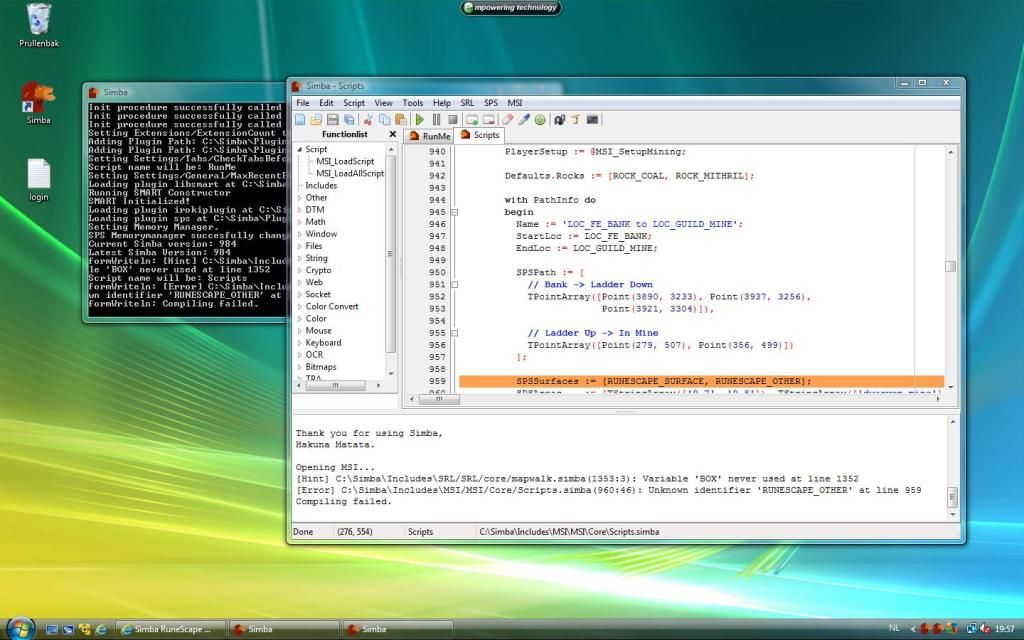
Does anybody know what I'm doing wrong / how to fix it?
Punanii
2012-04-11 15:10:02
I got exactly the same error!
I'd like to know how to fix this
iboughtall
2012-04-11 18:27:47
I've got the same problem, yet everyone here loves to post a link to a guide on how to use the search feature.
Coh3n
2012-04-11 19:35:05
From: iboughtall
I've got the same problem, yet everyone here loves to post a link to a guide on how to use the search feature.
Then maybe you should try using it. You'd find several threads on how to fix it.
yente666
2012-04-12 04:02:41
Luke L
2012-04-17 19:04:13
edit: I got simba installed and followed all the stuff to do. I get to where I put in my user pass, and I picked one of the random precompiled scripts just to see it work, and then i went through all the stuff and hit run. It's saying
"The program can not start because MSVCR71.dll is missing from your computer. Try reinstalling the program to fix this problem."
whats going wrong / what am I doing wrong o.o?
And sorry i'm such a newbie, just getting started! I have tried searching, just need some help. I promise once I figure stuff out, i'll give back to the community and help the noobies after me =).
cbennett89
2012-04-27 22:48:51
Where do I found out how to use other people's scripts posted on the forums? Like instead of what's already in MSI? And how to add their updates.
sorry I'm new :/
Soranova
2012-04-28 21:26:37
It says Exception in Script: Plugin(libsmart32) has not been found when I try to run MSI
Why is this? How do I fix it?
From: Luke L
edit: I got simba installed and followed all the stuff to do. I get to where I put in my user pass, and I picked one of the random precompiled scripts just to see it work, and then i went through all the stuff and hit run. It's saying
"The program can not start because MSVCR71.dll is missing from your computer. Try reinstalling the program to fix this problem."
whats going wrong / what am I doing wrong o.o?
If you tried searching you will have found the solution.
Here it is:
1. Google MSVCR71.dll free download
2. Download it.
3. Depending on whether you have Windows XP or not. The .dll should go in the following folders accordingly:
For Windows XP, Vista, 7 – C:\Windows\System32
For Windows 95/98/Me – C:\Windows\System
For Windows NT/2000 – C:\WINNT\System32
5. Reload Simba or restart computer just to make sure.
6. If problem persists, find the
alternative version of the .dll and then follow steps 2 to 5.
From: cbennett89
Where do I found out how to use other people's scripts posted on the forums? Like instead of what's already in MSI? And how to add their updates.
sorry I'm new :/
Download the script and when you open it, it should open in Simba.
Enter you
Player InfoPress the Green Arrow to run the script, or f9 if you have trouble finding it.
From: Soranova
It says Exception in Script: Plugin(libsmart32) has not been found when I try to run MSI
Why is this? How do I fix it?
You can solve this error by doing
this.
pking_legend
2012-05-03 18:29:17
helped me alot cheers
Skellyhell
2012-05-06 02:35:30
Uninstalled and reinstalled serveral times, getting the same problem each time.
Running MSI...
Exception in Script: Plugin(irokiplugin32) has not been found
[Hint] D:\Simba\Includes\SRL/SRL/core/mapwalk.simba(1353:3): Variable 'BOX' never used at line 1352
[Error] D:\Simba\Includes\srl/srl/misc/paintsmart.simba(560:12): Unknown identifier 'TPAFromEllipse' at line 559
Compiling failed.
line 559 is "SMART_DrawEllipse"
cant find 1352 though :p
not a clue what im doing wrong :/
Neznam
2012-05-06 02:54:01
From: Skellyhell
Uninstalled and reinstalled serveral times, getting the same problem each time.
Running MSI...
Exception in Script: Plugin(irokiplugin32) has not been found
[Hint] D:\Simba\Includes\SRL/SRL/core/mapwalk.simba(1353:3): Variable 'BOX' never used at line 1352
[Error] D:\Simba\Includes\srl/srl/misc/paintsmart.simba(560:12): Unknown identifier 'TPAFromEllipse' at line 559
Compiling failed.
line 559 is "SMART_DrawEllipse"
cant find 1352 though :p
not a clue what im doing wrong :/
Nothing to do with the line mate.
You need to update your version of simba.
chenpoooo
2012-05-07 04:05:39
What software are you using? Someone might be able to help you convert your own image… Barring that, what file format do you need?
air jordan max fusion coogi mens jacket gucci clothing outlet
chenpoooo
2012-05-07 04:07:37
Anyway, I am a UH and Keenum fan. If Keenum ever sees the field for us, the Texans are in deep
wholesale true religion jeansreplica burberry handbags cheap oakley sunglasses cheap coogi jeans
12leeaj1
2012-05-07 06:17:20
sorry if this was mentioned before but does this work with mac?
From: Skellyhell
Uninstalled and reinstalled serveral times, getting the same problem each time.
Running MSI...
Exception in Script: Plugin(irokiplugin32) has not been found
[Hint] D:\Simba\Includes\SRL/SRL/core/mapwalk.simba(1353:3): Variable 'BOX' never used at line 1352
[Error] D:\Simba\Includes\srl/srl/misc/paintsmart.simba(560:12): Unknown identifier 'TPAFromEllipse' at line 559
Compiling failed.
line 559 is "SMART_DrawEllipse"
cant find 1352 though :p
not a clue what im doing wrong :/
http://villavu.com/forum/showpost.php?p=856110&postcount=474You will need
winrar
Fanboys
2012-05-09 21:14:09
I get this when I paste the code:
Exception in Script: Plugin(libsmart32) has not been found
Inheaven
2012-05-10 14:27:05
Great script! already running for 5 hours without any problems! Even when i was at my work it didn't crash. 422k XP Earned in those 5 hours! (LVL: 86)
Maybe you can add other places? because Soul Wars is a bit risky because all bots are @ soulwars. Maybe GE/pest control could be added? this locations you have a smaller change to get banned. (or i'm wrong) :)
the goods
2012-05-18 01:20:32
Error: Exception: Access violation at line 101
The following DTMs were not freed: [SRL - Lamp bitmap, 1]
The following bitmaps were not freed: [SRL - Mod bitmap, SRL - Admin bitmap, SRL - Flag bitmap]
This keeps happening please help
Prongs
2012-05-19 08:44:27
What do I do if this is happening?
http://prntscr.com/9f9ls
YesMan
2012-05-19 08:52:16
When I open MSI and then run MSI this appears:
[Hint] C:\Simba\Includes\SRL/SRL/core/animation.simba(257:3): Variable 'X' never used at line 256
[Hint] C:\Simba\Includes\SRL/SRL/core/animation.simba(257:3): Variable 'Y' never used at line 256
[Error] C:\Simba\Includes\SRL/SRL/core/antirandoms\certers.simba(122:165): Closing square bracket (']') expected at line 121
Compiling failed.
What am I doing wrong?
smahon
2012-05-21 10:07:38
I can open msi and get the script ready
but as soon as i try and run smart, i get confronted with:
Setting up MSI took 2294 ms.
SRL Compiled in 16 msec
SMART Initialized.
Loaded: Server 10, Members: False, Signed: True, Super Detail: False.
Error: Exception: Access violation at line 101
The following DTMs were not freed: [Bronze Pickaxe, Iron Pickaxe, Steel Pickaxe, Mithril Pickaxe, Adamant Pickaxe, Rune Pickaxe, Dragon Pickaxe, Bronze Hatchet, Iron Hatchet, Steel Hatchet, Mithril Hatchet, Adamant Hatchet, Rune Hatchet, Dragon Hatchet, Normal Logs, Oak Logs, Willow Logs, Maple Logs, Yew Logs, Magic Logs, Clay Ore, Copper Ore, Tin Ore, Iron Ore, Silver Ore, Coal Ore, Gold Ore, Mithril Ore, Adamantite Ore, Runite Ore, Small Fishing Net, Crayfish Cage, Fishing Rod, Fishing Bait, Fly Fishing Rod, Harpoon, Barb-Tail Harpoon, Lobster Pot, Raw Shrimps, Raw Crayfish, Raw Sardines, Raw Anchovies, Raw Herring, Raw Trout, Raw Pike, Raw Salmon, Raw Tuna, Raw Lobster, Raw Swordfish, Raw Monkfish, Raw Shark, Cooked Shrimps, Cooked Crayfish, Cooked Sardines, Cooked Anchovies, Cooked Herring, Cooked Trout, Cooked Pike, Cooked Salmon, Cooked Tuna, Cooked Lobster, Cooked Swordfish, Cooked Monkfish, Cooked Shark, Uncut Sapphire, Uncut Emerald, Uncut Ruby, Uncut Diamond, Bird'S Nest, Feather, Staff Of Air, Staff Of Water, Staff Of Earth, Staff Of Fire, Air Rune, Body Rune, Mind Rune, Earth Rune, Fire Rune, Water Rune, Chaos Rune, Law Rune, Cosmic Rune, Death Rune, Nature Rune, Blood Rune, Soul Rune, Astral Rune, Rune Essence, Pure Essence, Soft Clay, Vial, Vial Of Water, Jug, Jug Of Water, Bowl, Bowl Of Water, Bucket, Bucket Of Water, Air Tiara, Body Tiara, Mind Tiara, Earth Tiara, Fire Tiara, Water Tiara, Dwarven Army Axe, Coal Bag, SRL - Lamp bitmap, 108]
The following bitmaps were not freed: [SRL - Mod bitmap, SRL - Admin bitmap, SRL - Flag bitmap]
any ideas? don't say delete player text tried that, also completely uninstalled java and reinstalled. likewise with simba itself.
WinterDream
2012-05-21 15:09:13
From: k1ng duffy
I get "This application has failed to start because bass.dll was not found. Re-installing the application may fix this problem"
Tried reinstalling numerous times.
Did you read this?
http://villavu.com/forum/showthread.php?p=883116#post883116
ClasicPKname
2012-05-23 15:02:17
Where do you get Simba 984? I'm only finding .98
matty521521
2012-05-23 20:06:29
How do i start a script, the bot loads and i log in. Then i have no clue what to do or click -.-
lorenzo
2012-05-24 04:41:12
ps i got the same java as i used to run on my old pc and that worked fine
it also says – this cant be started cause msvcr100.dll cant be found if u reinstall it it might can work —- idk what it means u got skype and can help me plzz add me lorenzo.woerdman plz help me out
hi there i just bought a new computer and did what i think all the installs good but now i got this is there someone who can help me fix this and i can do botting agian thanks
Compiled successfully in 859 ms.
SRL Compiled in 0 msec
SMART Initialized.
Loaded: Server 10, Members: True, Signed: True, Super Detail: False.
Error: Exception: Access violation at line 101
The following DTMs were not freed: [SRL - Lamp bitmap, 1]
The following bitmaps were not freed: [SRL - Mod bitmap, SRL - Admin bitmap, SRL - Flag bitmap]
plzz add me on skype lorenzo.woerdman and help me i pay u if u need plz
perpfection
2012-05-24 10:18:32
I've followed the guide and pasted
program new;
{$DEFINE SMART}
{$i srl/srl.simba}
begin
ClearDebug();
SetupSRL();
end.
I recieved the Hakuna Matata.
When I try to run scripts through MSI I don't get a window popping up with runescape running.
Where is my problem?
From: ClasicPKname
Where do you get Simba 984? I'm only finding .98
Search the forums in future :)
Latest Simba here
From: matty521521
How do i start a script, the bot loads and i log in. Then i have no clue what to do or click -.-
You need to fill in your info in the script correctly, the script should do the rest for you. Search the tutorials here to learn how to setup your script and RS for autoing:
How to Auto[QUOTE=lorenzo;1029011
hi there i just bought a new computer and did what i think all the installs good but now i got this is there someone who can help me fix this and i can do botting agian thanks
Compiled successfully in 859 ms.
SRL Compiled in 0 msec
SMART Initialized.
Loaded: Server 10, Members: True, Signed: True, Super Detail: False.
Error: Exception: Access violation at line 101
The following DTMs were not freed: [SRL - Lamp bitmap, 1]
The following bitmaps were not freed: [SRL - Mod bitmap, SRL - Admin bitmap, SRL - Flag bitmap]
You need to uninstall your Java
completely (including folders), preferably with Revo Uninstaller.
Then install Java6u32
From: perpfection
When I try to run scripts through MSI I don't get a window popping up with runescape running.
Where is my problem?
Same as above.
You need to uninstall your Java
completely (including folders), preferably with Revo Uninstaller.
Then install Java6u32
doorsftw
2012-05-26 14:14:31
i get this error when running msi
[Error] C:\Simba\Includes\srl/srl/misc/paintsmart.simba(560:12): Unknown identifier 'TPAFromEllipse' at line 559
perpfection
2012-05-26 19:57:14
From: abu_jwka
Search the forums in future :)
Latest Simba here
You need to fill in your info in the script correctly, the script should do the rest for you. Search the tutorials here to learn how to setup your script and RS for autoing:
How to Auto
You need to uninstall your Java completely (including folders), preferably with Revo Uninstaller.
Then install Java6u32
Same as above.
You need to uninstall your Java completely (including folders), preferably with Revo Uninstaller.
Then install Java6u32
Can I install the samples instead of the first section? oracle is giving me a hell of a time registering.
is that single download all I need?
Also there are two options for windows Java 6u 32 one of which is 64-bit the other is 32-bit which is correct?
From: perpfection
Can I install the samples instead of the first section? oracle is giving me a hell of a time registering.
is that single download all I need?
Also there are two options for windows Java 6u 32 one of which is 64-bit the other is 32-bit which is correct?
You don't need to register. When that page comes just click off it.
That should be the only download you need.
Download the 32 bit
Cinkupis
2012-05-28 11:10:21
http://www.java.com/en/download/manual.jspthis link gives me java7u4, people say it's unstable.
Should I still download it on a VPS?
if no, maybe you know where to find java6u32 offline version?
perpfection
2012-05-28 15:58:38
Still having issues—
progress as of now is:
completely uninstalled java with revo and downloaded the windows 32 bit JU whatever.
tried to run simba after this and still no cigar. anyone have any suggestions?
If you'll let me know what I need to copy and paste from my simba to make the problem more clear let me know please.
Thanks for any help!
E: After downloading the 32bit I wasn't able to run epicbot so I went to rs homepage and couldn't run the game there either. I downloaded the link from the game's page (java) and was able to run epic bot and the game itself in a browser. I tried running simba like this and failed over and over until one random time got through and was able to pop open a smart window. 1/7 tries it worked. Where's my problem?
Stanger
2012-05-29 16:04:33
My Simba is loading really really slow. Sometimes is stucks and don't go further. Any Id's to solve?
sothisiswhereiputmyname
2012-06-01 15:49:10
A new update of Simba is available!
Current version is 980. Latest version is 984
Opening MSI…
[Error] C:\Simba\Includes\srl/srl/misc/paintsmart.simba(560:12): Unknown identifier 'TPAFromEllipse' at line 559
Compiling failed.
h3d0nic
2012-06-03 00:10:34
thanks for the help
Clairvoyance
2012-06-03 19:26:49
I followed your guide and it works like a charm :) thank you. Everything is installed.
IzzYKinG
2012-06-07 17:13:18
Very easy guide to follow for a first time user - thanks Coh3n.
mn gat jeukt
2012-06-11 13:52:20
I keep getting this error, i don't know how to fix it and i can't find it anywhere too!
SRL Compiled in 0 msec
SMART Initialized.
Loaded: Server 4, Members: False, Signed: True, Super Detail: False.
Error: Exception: Access violation at line 101
The following DTMs were not freed: [SRL - Lamp bitmap, 1]
The following bitmaps were not freed: [SRL - Mod bitmap, SRL - Admin bitmap, SRL - Flag bitmap]
PeterGrayson
2012-06-12 04:01:55
When I try to start a script I get this message:
Error: Exception: Access violation at line 101
The following DTMs were not freed: [SRL - Lamp bitmap, 1]
The following bitmaps were not freed: [SRL - Mod bitmap, SRL - Admin bitmap, SRL - Flag bitmap]
Please help me someone?
For both of you above.
You need to uninstall your Java completely (including folders), preferably with Revo Uninstaller.
Then install Java6u32 (32 bit)
godsblade22
2012-06-13 10:24:12
Running MSI…
[Error] C:\Simba\Includes\srl/srl/misc/paintsmart.simba(560:12): Unknown identifier 'TPAFromEllipse' at line 559
Compiling failed.
Ezio Auditore da Firenze
2012-06-13 10:45:40
From: godsblade22
Running MSI…
[Error] C:\Simba\Includes\srl/srl/misc/paintsmart.simba(560:12): Unknown identifier 'TPAFromEllipse' at line 559
Compiling failed.
Search around and you might find an answer in the future. Your problem is that your Simba is outdated. Open Simba>Tools>Update.
redwall777
2012-06-14 02:00:00
I'm trying to run it on Ubuntu but it keeps crashing when I Check for Updates.
Ezio Auditore da Firenze
2012-06-14 04:22:10
From: redwall777
I'm trying to run it on Ubuntu but it keeps crashing when I Check for Updates.
Followed this under "Setting up your Ubuntu for Simba" to detail:
http://villavu.com/forum/showthread.php?t=47714
Fortune
2012-06-16 18:59:57
When I try to use this script
http://villavu.com/forum/showthread.php?t=74508 with SMARTmanager, I get an error, the script doesn't start. &when i press the green play button I get this error.
Exception in Script: Unable to find file 'SRL/SRL/misc/SMART.simba' used from ''
I used to never get this error. Can someone please help me? I've tried the "fix" mentioned in some guide but I still can't get it to work. Can someone break it down for me?
Please message me with a fix to this?
jayzarks95
2012-06-22 16:22:00
Hey guys, after quitting runescape for a couple years im back and I want to start scripting again. However theres a small problem! getting Simba to work..
ive followed all of the steps in the video how to, but the problem is when I try and run MSI I get errors..
c:\simba\includes\srl/srl/misc/paintsmart.simba<560:12>:unknown identifier TPAFromEllipse' at line 559
please help, I just try to get JRE but idk if I WINE or not and im having trouble understanding how to find out if i do have it!
thanks
-Jeremy
EDIT: PROBLEM SOLVED
marshallcolin71
2012-06-23 13:10:30
alright so I start the script, set all the graphics right, and it stops on the loading screen. I assumed it would log me in automatically, but it doesn't. So I disable smart and log in manually. I then re-enable smart, and hit run on my script (catherby fisher), I am in catherby standing by the seaside, and my character does absolutely nothing but stand there. No red dot, no automation, no fishing, nothing.
Am I doing something wrong?
Also the console keeps saying "1 minute has passed… Debug: 231"
EDIT: Ok, finally after about 10 of those debugging messages it logged me in. Still waiting for it to start caging lobsters though….
cbennett89
2012-06-24 19:58:36
PLEASE, don't just post a link to another post or forum. I've been all over this site and all over other sites… I know it's annoying for these questions…
Exception in Script: Plugin(irokiplugin32) has not been found
I've reinstalled simba up to 984. I've updated and over-ride updated all three. I cannot get this to go away. I can close and reopen Simba 100 times and still get the same error.
On top of that, if I ignore it and try to continue running it. Smart will not find tool "harpoon" in Karmaja Stiles Fisher.
Anything can help…
Silent
2012-06-28 15:22:53
From: cbennett89
PLEASE, don't just post a link to another post or forum. I've been all over this site and all over other sites… I know it's annoying for these questions…
Exception in Script: Plugin(irokiplugin32) has not been found
I've reinstalled simba up to 984. I've updated and over-ride updated all three. I cannot get this to go away. I can close and reopen Simba 100 times and still get the same error.
On top of that, if I ignore it and try to continue running it. Smart will not find tool "harpoon" in Karmaja Stiles Fisher.
Anything can help…
Try updating your java runtime, and restarting your computer. Also make sure your graphics are set up correctly. (check out the faq for more info)
skanny
2012-07-03 17:30:14
"This application has failed to start because MSVCR100.dll was not found. Re-instaling the application may fix this problem"
YouFig123
2012-07-03 22:09:11
I'm curious does this work for Windows 7 without changing the theme at all?
dhall6491
2012-07-12 00:12:48
im using a mac with lion os x, i am also have windows 7 as a virtual drive so i downloaded simba and installed it and tried to open a script in the windows 7 and i keep getting this error
Exception in Script: Unable to find file 'SRL/SRL/Misc/Smart.simba' used from '\\vmware-host\Shared Folders\Documents\FantasticFletcherV0.70BETA_dev.simba'
any help?
grats
2012-07-12 00:20:17
From: skanny
"This application has failed to start because MSVCR100.dll was not found. Re-instaling the application may fix this problem"
a lot of fixes for this all around this thread and other threads, search.
From: YouFig123
I'm curious does this work for Windows 7 without changing the theme at all?
Yes it should, what error do you have?
From: dhall6491
im using a mac with lion os x, i am also have windows 7 as a virtual drive so i downloaded simba and installed it and tried to open a script in the windows 7 and i keep getting this error
Exception in Script: Unable to find file 'SRL/SRL/Misc/Smart.simba' used from '\\vmware-host\Shared Folders\Documents\FantasticFletcherV0.70BETA_dev.simba'
any help?
Have you enabled the extensions? How exactly is your install working
make sure you have updated your SRL etc
dhall6491
2012-07-12 00:56:31
From: grats
a lot of fixes for this all around this thread and other threads, search.
Yes it should, what error do you have?
Have you enabled the extensions? How exactly is your install working
make sure you have updated your SRL etc
this is going to sound dumb, but how do i enable the extensions? also as far as the updating, i went to tools > update. and it updated successfuly…
dhall6491
2012-07-12 01:04:34
i think i got that to work but now i just got the MSVCR100.dll is missing form your computer..
grats
2012-07-12 01:06:29
From: dhall6491
i think i got that to work but now i just got the MSVCR100.dll is missing form your computer..
http://villavu.com/forum/showthread.php?t=68398&highlight=MSVCR100ctrl F for the msvcr
http://www.microsoft.com/en-us/download/details.aspx?id=5555
dhall6491
2012-07-12 01:14:06
mynameisgeorge
2012-07-12 06:09:28
So i have used a few scripts (banking scripts) where the player just alches / cuts chocolate and then banks ….. but for some reason, it keeps logging me out after a few loads. It says it 'cannot find the item' , even though i place the item correctly and do everything the instructions say….
Many people on the threads i have downlaoded scripts from have no problem whatsoever.
Am i doing something wrong ? i have correctly installed simba with no problems, all settings are 100% correct also.
From: mynameisgeorge
So i have used a few scripts (banking scripts) where the player just alches / cuts chocolate and then banks ….. but for some reason, it keeps logging me out after a few loads. It says it 'cannot find the item' , even though i place the item correctly and do everything the instructions say….
Many people on the threads i have downlaoded scripts from have no problem whatsoever.
Am i doing something wrong ? i have correctly installed simba with no problems, all settings are 100% correct also.
A Jagex update has broken all scripts.
http://villavu.com/forum/showthread.php?t=86107&page=1
wolfex16
2012-07-17 18:56:43
i get this error.
Exception in Script: Unable to find file 'srl/srl.simba' used from 'C:\Simba\Includes\MSI/MSI/Core/Setup.simba'
Silent
2012-07-17 22:08:15
From: wolfex16
i get this error.
Exception in Script: Unable to find file 'srl/srl.simba' used from 'C:\Simba\Includes\MSI/MSI/Core/Setup.simba'
Your SRL is either missing or not setup correctly.
adam016
2012-07-18 05:37:56
help me please!!!
when im running the script on simba i can just see the mouse move itself it doesnt click the spot…. what can i do?
start of script:
Wait(21600000);
Mouse(1058,7,3,3,mouse_Left);
Wait(500);
Mouse(639,413,3,3,mouse_Left);
Wait(1000);
Mouse(676,491,3,3,mouse_Left);
Wait(100);
Mouse(676,491,3,3,mouse_Left);
Wait(40000);
pm me or something someone i want to bot! :(
Smurf From RiD
2012-07-29 18:27:46
Was being horrible stupid, my bad, sorry.
Smurf.
lona93
2012-08-01 15:16:42
[Error] C:\Users\Test\AppData\Local\Temp\SoulWarsHumidifierV3.simba(148:3): Unknown identifier 'Smart_Server' at line 147
Compiling failed.
wht does this mean?
Robinhotje
2012-08-15 08:41:25
I had Simba working a couple of weeks ago but than I had a time that I didn't use my computer so I didn't use Simba either. When I tried to use it again, yesterday, I saw I had to update. So I did.
But now when I try to start my script I get this message:
Error: Exception: Access violation at line 311
The following DTMs were not freed: [SRL - Lamp bitmap, 1]
The following bitmaps were not freed: [SRL - Mod bitmap, SRL - Admin bitmap, SRL - Flag bitmap, SRL - NavBar Bitmap, 4, 5]
Anyone knows how to fix this?
Thanks in advance
Extensions Updater: Local Version - "1" | Remote Version = "7"
Extensions Updater: Update File - "
http://wizzup.org/static/srl/exten.tar.bz2"
Extensions Updater: Downloading…
Extensions Updater: Decompressing…
Extensions Updater: Extracting…
Extensions Update ERROR: Couldn't extract the tar archive.
I get this when i try to update the extentions. What do i do?
GuthixBoss1
2012-08-23 13:11:10
Hi there. I've tried everything from reinstalling, to checking forums for fixes, and chanting spells to get it to work, but it keeps giving me the same error. I'm confident I have followed every single guide out there to the T, but I'm still having this same problem when I run the MSI.
Here is the problem: Running MSI…
[Error] C:\Simba\Includes\SRL/SRL/core/globals.simba(605:5): Unknown identifier 'ImageSetClientArea' at line 604
Compiling failed.
And yes, I have already set the client area to the RS client thingummy. :O
I would really appreciate the help!! Thank you so much in advance. :D :D
WOW I'M SUCH A DUMBASS. Updated, and it's good to go…… Apparently the download link provided is 0.99, whereas the latest is 0.991
GuthixBoss1
2012-08-23 13:12:10
From: lona93
[Error] C:\Users\Test\AppData\Local\Temp\SoulWarsHumidifierV3.simba(148:3): Unknown identifier 'Smart_Server' at line 147
Compiling failed.
wht does this mean?
Yes and I get this problem too!:( :(
denart
2012-08-26 19:56:14
I get this after hitting "Run" in MSI:
MSI_Debug: Failed to write to file
[ "my acc" ] – Loaded material: Pure essence <- same thing with every other object (long list)
SRL Compiled in 0 msec
** Fatal Error: Pairing Clients; Terminating Script **
Successfully executed.
The following DTMs were not freed: [Bronze Pickaxe, Iron Pickaxe, Steel Pickaxe, Mithril Pickaxe, Adamant Pickaxe, Rune Pickaxe, Dragon Pickaxe, Bronze Hatchet, Iron Hatchet, Steel Hatchet, Mithril Hatchet, Adamant Hatchet, Rune Hatchet, Dragon Hatchet, Normal Logs, Oak Logs, Willow Logs, Maple Logs, Yew Logs, Magic Logs, Clay Ore, Copper Ore, Tin Ore, Iron Ore, Silver Ore, Coal Ore, Gold Ore, Mithril Ore, Adamantite Ore, Runite Ore, Small Fishing Net, Crayfish Cage, Fishing Rod, Fishing Bait, Fly Fishing Rod, Harpoon, Barb-Tail Harpoon, Lobster Pot, Raw Shrimps, Raw Crayfish, Raw Sardines, Raw Anchovies, Raw Herring, Raw Trout, Raw Pike, Raw Salmon, Raw Tuna, Raw Lobster, Raw Swordfish, Raw Monkfish, Raw Shark, Cooked Shrimps, Cooked Crayfish, Cooked Sardines, Cooked Anchovies, Cooked Herring, Cooked Trout, Cooked Pike, Cooked Salmon, Cooked Tuna, Cooked Lobster, Cooked Swordfish, Cooked Monkfish, Cooked Shark, Uncut Sapphire, Uncut Emerald, Uncut Ruby, Uncut Diamond, Bird'S Nest, Feather, Staff Of Air, Staff Of Water, Staff Of Earth, Staff Of Fire, Air Rune, Body Rune, Mind Rune, Earth Rune, Fire Rune, Water Rune, Chaos Rune, Law Rune, Cosmic Rune, Death Rune, Nature Rune, Blood Rune, Soul Rune, Astral Rune, Rune Essence, Pure Essence, Soft Clay, Vial, Vial Of Water, Jug, Jug Of Water, Bowl, Bowl Of Water, Bucket, Bucket Of Water, Air Tiara, Body Tiara, Mind Tiara, Earth Tiara, Fire Tiara, Water Tiara, Dwarven Army Axe, Coal Bag]
Yes I reinstalled Java (3times) and I also delete the player.txt file for about 3 times now. Restarted pc. Nothing seems to help. Btw do I need to have rs runningin my browser? (no, I guess?)
Thanks in advance.
tazer bager
2012-08-27 16:24:37
I'm trying to run the srl.sex file and it's not working :(
I keep gettig this message..
Loading extension C:\Simba\Extensions\srl.sex
Extension Disabled - Did not compile
[Error] (57:12): Unknown identifier 'RenameFile' at line 57
any ideas on how to fix this please?
Solar
2012-08-27 16:30:22
In Simba go to View, Extensions and enable srl.sex. Then restart Simba.
tazer bager
2012-08-27 16:38:42
It won't enable though that's my problem :( i just keep getting that message
Solar
2012-08-27 16:42:02
Have you tried going to Extensions, Check for Update?
If the Extension menu isn't there, then go to View, Extension Menu.
tazer bager
2012-08-27 16:42:55
yep, updates no problem, i restart it and still not running
minimarley0
2012-08-28 22:16:29
i used simba about a month ago and it worked fine now when i start a script it just says
SRL Compiled in 0 msec
and doesn't load another window at all ? any help?
Tomazino
2012-08-30 14:25:27
omg guys, i cant understand, anytime i try to run the script it keeps crashing and it says [Error] C:\Simba\Includes\SRL/SRL/Misc/Smart.simba(57:21): Invalid number of parameters at line 56
Compiling failed.
and also it marks the line SmartSendKeys( S );
Can anyone help me?
alucard123
2012-09-04 02:54:25
~ SRL ~ |
| Randoms Report |
|────────────────────────────────────|
| |
| |
|────────────────────────────────────|
|====================================|
{—————————————————————-}
{ MSI Phoenix Short Report }
{—————————————————————-}
{ Time Running: 2 Minutes and 10 Seconds }
{—————————————————————-}
{ }
{ Totals: }
{ - Players: 1 }
{ - Player Time: 13s }
{ - Loads: 2 }
{ }
{—————————————————————-}
{—————————————————————-}
{—————————————————————-}
{ MSI Phoenix Player Report }
{—————————————————————-}
{ Time Running: 2 Minutes and 10 Seconds }
{—————————————————————-}
{ }
{ Player 0: [email]G9@HCom[/email] }
{ Location: Draynor Village Bank }
{ Time: 13s }
{ Active: False }
{ Reason: Failed walk from Draynor Village Bank to Draynor Village Fishing Spots}
{ }
{ Script: Draynor Village Fisher }
{ Time: 13s }
{ Skill: Fishing }
{ Exp: 0 }
{ Level: 37 }
{ Loads: 2 }
{ }
{—————————————————————-}
{—————————————————————-}
[0:02:14]: [ [email]Gimtmail.Com[/email] ] —— All players inactive
[0:02:14]: Thank-you for using MSI Phoenix scripts!
[0:02:14]: Successfully executed.
|
well thats the result any idea? is the script broken :P
grats
2012-09-04 02:57:21
what is your question?
Seems you got MSI running, I'm pretty sure it isn't working very well currently.. there are plenty of other scripts in the public scripts section
carnag3
2012-09-04 11:32:03
i cant run it and i updated simba it says "the program cant start because MSVCR100.dll is missing from your computer.try reinstalling the program to fix this problem. what do i doo?
YesMan
2012-09-08 06:30:50
I changed laptops…so, I installed Simba, enabled extensions.sex, srl.sex and associate.sex…but when I open and Run MSI this appears after I set up the MSI Script:
The following DTMs were not freed: [Bronze Pickaxe, Iron Pickaxe, Steel Pickaxe, Mithril Pickaxe, Adamant Pickaxe, Rune Pickaxe, Dragon Pickaxe, Bronze Hatchet, Iron Hatchet, Steel Hatchet, Mithril Hatchet, Adamant Hatchet, Rune Hatchet, Dragon Hatchet, Normal Logs, Oak Logs, Willow Logs, Maple Logs, Yew Logs, Magic Logs, Clay Ore, Copper Ore, Tin Ore, Iron Ore, Silver Ore, Coal Ore, Gold Ore, Mithril Ore, Adamantite Ore, Runite Ore, Small Fishing Net, Crayfish Cage, Fishing Rod, Fishing Bait, Fly Fishing Rod, Harpoon, Barb-Tail Harpoon, Lobster Pot, Raw Shrimps, Raw Crayfish, Raw Sardines, Raw Anchovies, Raw Herring, Raw Trout, Raw Pike, Raw Salmon, Raw Tuna, Raw Lobster, Raw Swordfish, Raw Monkfish, Raw Shark, Cooked Shrimps, Cooked Crayfish, Cooked Sardines, Cooked Anchovies, Cooked Herring, Cooked Trout, Cooked Pike, Cooked Salmon, Cooked Tuna, Cooked Lobster, Cooked Swordfish, Cooked Monkfish, Cooked Shark, Uncut Sapphire, Uncut Emerald, Uncut Ruby, Uncut Diamond, Bird'S Nest, Feather, Staff Of Air, Staff Of Water, Staff Of Earth, Staff Of Fire, Air Rune, Body Rune, Mind Rune, Earth Rune, Fire Rune, Water Rune, Chaos Rune, Law Rune, Cosmic Rune, Death Rune, Nature Rune, Blood Rune, Soul Rune, Astral Rune, Rune Essence, Pure Essence, Soft Clay, Vial, Vial Of Water, Jug, Jug Of Water, Bowl, Bowl Of Water, Bucket, Bucket Of Water, Air Tiara, Body Tiara, Mind Tiara, Earth Tiara, Fire Tiara, Water Tiara, Dwarven Army Axe, Coal Bag]
What am I doing wrong?
alucard123
2012-09-16 11:56:45
thx,it helped 2-3x already
asduf
2012-09-18 00:54:35
I've followed all the steps, I get the bot to type it's own user name and pass, but once in the game it can't take the axe from the toolbelt so it glitches and proceeds to log out.
Can I get some tips? Tried the search function and google but nothing :/
Kburg711
2012-09-18 22:37:52
Hey Im new here and just downloaded simba and followed the tutorial to set it up. I wanted to run some scripts that weren't in the MSI so I read the thread to find out how to do so and all was going well until I ran the scripts, I tried 3 or 4 scripts all from different people to make sure it wasn't a problem with their script but what happens is when its in and info is plugged in and I hit the run button near the bottom it highlights a line and says "Unknown identifier 'Smart_Server'" some scripts have numbers have smart_server others didn't. Is there a quick fix or did I miss a step in the setup?
Thanks for your time!
Ashaman88
2012-09-18 23:41:07
From: Kburg711
Hey Im new here and just downloaded simba and followed the tutorial to set it up. I wanted to run some scripts that weren't in the MSI so I read the thread to find out how to do so and all was going well until I ran the scripts, I tried 3 or 4 scripts all from different people to make sure it wasn't a problem with their script but what happens is when its in and info is plugged in and I hit the run button near the bottom it highlights a line and says "Unknown identifier 'Smart_Server'" some scripts have numbers have smart_server others didn't. Is there a quick fix or did I miss a step in the setup?
Thanks for your time!
http://villavu.com/forum/showthread.php?t=88578
i did all steps correctly and when i did Msi>Run i got this:
SPS Updater: Decompressing…
SPS Updater: Extracting…
SPS Update Successful!
Running MSI…
[Error] C:\Simba\Includes\SRL/SRL/misc/SmartParams.Simba(278:133): comma (',') expected at line 277
Compiling failed.
please help =)
Ashaman88
2012-09-20 17:21:26
From: 7x7x
i did all steps correctly and when i did Msi>Run i got this:
SPS Updater: Decompressing…
SPS Updater: Extracting…
SPS Update Successful!
Running MSI…
[Error] C:\Simba\Includes\SRL/SRL/misc/SmartParams.Simba(278:133): comma (',') expected at line 277
Compiling failed.
please help =)
Another bad update was pushed, replace line 287 with
Result:= SmartSpawnClient(ReplaceWrap(PluginPath, '\', '/', [rfReplaceAll]), Params[0], ',' + Params[1], 765, 553, 's', '', '', -1);
if you are using the smart 7.2 or this:
Result:= SmartSpawnClient(ReplaceWrap(PluginPath, '\', '/', [rfReplaceAll]), Params[0], ',' + Params[1], 765, 553, 's', '', '');
if using 8.0
From: Ashaman88
Another bad update was pushed, replace line 287 with
Result:= SmartSpawnClient(ReplaceWrap(PluginPath, '\', '/', [rfReplaceAll]), Params[0], ',' + Params[1], 765, 553, 's', '', '', -1);
if you are using the smart 7.2 or this:
Result:= SmartSpawnClient(ReplaceWrap(PluginPath, '\', '/', [rfReplaceAll]), Params[0], ',' + Params[1], 765, 553, 's', '', '');
if using 8.0
ok so after i replace line 287 do i run msi again?
Ashaman88
2012-09-20 17:34:28
From: 7x7x
ok so after i replace line 287 do i run msi again?
yeah save it and then try running it again
From: Ashaman88
yeah save it and then try running it again
wow works perfect. thanks for the help =)
rsplayer001
2012-10-15 15:03:57
I haven't run scripts in a few months now but I want to get a few levels and am having the same problem on every script.
when I launch any script I get to the login screen but script never logs me in. If I log myself in the script won't move. So far I've uninstalled the previous versions of simba, downloaded and installed the newest version. Updated everything but still no go and these are scripts that many users are using without issue. So I'm pretty sure it's a config issue on my part.
I really appreciate any help I can get with this.
BobGiles
2012-10-21 16:20:00
ERROR in TMThread.LoadFile
Exception in Script: Unable to find file 'C:\Simba\Includes\SRL/SRL/core/text.simba' used from 'C:\Simba\Includes\srl/srl.simba'
What do I do??
mehxz
2012-11-16 10:16:13
[Error] C:\Simba\Includes\SRL/SRL/misc/paintsmart.simba(42:33): Unknown identifier 'SmartGetDebugDC' at line 41
Compiling failed.
any clue what the problem is?
When i try update SRL
Plugins Update ERROR: Kill recieved from Updater.
No SRL update available.
When i try run MSI
Running MSI…
Exception in Script: Plugin(sps32) has not been found
http://villavu.com/forum/archive/index.php/t-74155.htmlTried this^
Didn't work
http://villavu.com/forum/archive/index.php/t-74155.htmlSPS shit didn't work^
Just saying plugins not found and i search and installed them manually and still didn't work
So tried and everything and just didn't work can any1 help me?
When i first time installed simba to this computer it runned msi but not any script and now it doesn't even run msi-.-
Farcefii
2012-11-25 16:18:12
First I had this:
[Error] C:\Simba\Includes\SRL/SRL/core/gametab.simba(101:6): Unknown identifier 'isActionBarActive' at line 100
Compiling failed.
Then Le Jingle suggested:
the last update to the SRL5 git is at fault.
update found here;
https://github.com/SRL/SRL-5/commit/...3b737cae255c62the error;
…is caused because there's an 'is' prefix on the unknown identifier that should not be there. Deleting 'is', from 'isActionBarOpen' fixes the error.
so I deleted the "is" and renamed it "ActionBarOpen" and now I'm having another error.
Now I have this:
[Error] C:\Simba\Includes\SRL\SRL\core\gametab.simba(74:57): Unknown identifier 'MSX1' at line 73
Compiling failed.
Help?
Ashaman88
2012-11-25 16:43:09
Close out of simba and then reopen your script
ShadowGod
2012-12-05 19:00:19
I get the error
"[Error] C:\Simba\Includes\SRL/SRL/core/globals.simba(611:5): Unknown identifier 'ImageSetClientArea' at line 610
Compiling failed."
any help?
dring219
2012-12-08 15:20:33
this is my first post , i have searched for same problem , but for some reason Simba wont pair with client .
i have read all the tuts and watched setup videos , and nothing explains thy i am getting this after script to check to see if Simba is working … here is output message
SRL Compiled in 0 msec
** Fatal Error: Pairing Clients; Terminating Script **
Successfully executed.
After that there are no windows that pop up asking if i would like to allow access and no second or third windows for S.M.A.R.T. , and of course , RS isnt coming up
:google:just because i am posting this does not mean i will stop looking for answers , there ARE 46 pages in this post alone , just because i didnt see it off hand doesnt mean it isnt there . :google: i am still looking so please dont flame me on this
http://villavu.com/forum/showthread.php?t=87406 shows most of what i have already done also
and after reinstalling Java SDK AGAIN , i get …
ERROR in TMThread.LoadFile
Exception in Script: Unable to find file 'C:\Simba\Includes\SRL/SRL/core/globalstats.simba' used from 'C:\Simba\Includes\srl/srl.simba'
gonna reinstall Simba AGAIN also
what fun trying new software out , and working the bugs out .
after reinstall , i again get the
SRL Compiled in 0 msec
** Fatal Error: Pairing Clients; Terminating Script **
Successfully executed.
I really want to thank this community for what i see is a lot of really hard work , time , and also effort into making working scripts for automation to make their and others lives easier .
edit: ok think i found the problem , with Simba v.991 S.M.A.R.T. is not included , there is a separate DL for that that has to go into the Plugins directory of Simba folder . i now have a new problem and am searching for an answer for :
[Error] C:\Simba\Includes\SRL/SRL/misc/SmartParams.Simba(275:145): Invalid number of parameters at line 274
Compiling failed.
that is the new problem i am dealing with at the moment ,
i will also be editing my reply on the Fatal Error post also for people that may have same problem in the future .
I searched keywords and I couldnt find anything so im sorry for that but when I try to run the livid farmer im told it couldnt find sps/sps.simba. Any ideas? thank you
eduardo230
2012-12-11 11:59:36
[Error] C:\Simba\Includes\SRL/SRL/misc/SmartParams.Simba(275:145): Invalid number of parameters at line 274
Compiling failed.
i got this error any help? i can make it work :/
Ashaman88
2012-12-11 13:02:55
From: eduardo230
[Error] C:\Simba\Includes\SRL/SRL/misc/SmartParams.Simba(275:145): Invalid number of parameters at line 274
Compiling failed.
i got this error any help? i can make it work :/
What script are you using? Are you using smart8.0?
Coh3n
2012-12-11 13:11:37
Sorry guys for not replying, I sort of forgot about this thread. I'm not sure why you guys are getting these errors. I just updated my Simba and SRL and I can run scripts and load SMART just fine (and I haven't tried to do that in a long time). That being said, I'd still like to help you guys out.
Could you please tell me which version of Simba you have (go to Help > About to get the exact version number). For SRL, I'm assuming you're using the built in SRL updater? By the way, when you use the SRL updater, it should also update your plugins (i.e. SMART) automatically.
So basically, this is what I need:
- Simba version
- Image of Simba/Plugins folder
- Version of SMART you think you have (and if you downloaded from this site, please post the link)
Hopefully we can get to the bottom of all these errors, and I can update the first post to be a little more helpful. :)
E: Also, since I'm not very up-to-date with the latest setup problems, I would really appreciate if someone went through the first post and see if all the setup steps actually work properly. Make sure I'm not missing anything. I will do it myself as well, but another opinion would be great. :)
Austin
2012-12-12 09:38:37
From: Coh3n
Sorry guys for not replying, I sort of forgot about this thread. I'm not sure why you guys are getting these errors. I just updated my Simba and SRL and I can run scripts and load SMART just fine (and I haven't tried to do that in a long time). That being said, I'd still like to help you guys out.
Could you please tell me which version of Simba you have (go to Help > About to get the exact version number). For SRL, I'm assuming you're using the built in SRL updater? By the way, when you use the SRL updater, it should also update your plugins (i.e. SMART) automatically.
So basically, this is what I need:
- Simba version
- Image of Simba/Plugins folder
- Version of SMART you think you have (and if you downloaded from this site, please post the link)
Hopefully we can get to the bottom of all these errors, and I can update the first post to be a little more helpful. :)
E: Also, since I'm not very up-to-date with the latest setup problems, I would really appreciate if someone went through the first post and see if all the setup steps actually work properly. Make sure I'm not missing anything. I will do it myself as well, but another opinion would be great. :)
I had to re-install Simba 2-3 weeks ago and basically did everything in those steps, so I believe they still work (For Windows). I'm on Debian right now, so I'm not sure about the Ubuntu steps.
Coh3n
2012-12-12 13:57:21
Okay, thanks Austin. :)
Faab68
2012-12-12 17:42:47
Hey there, I have linux on my VPS, and i wanted to use Simba.
And I run Simba trough wine.
When i click run with script below (used for testing) it says:
Srl compiled in 5 msec.
Loading Smart:
Http://blabla.
Succesfully executed.
So it doesn't start up Smart, and will say succesfully executed.
Using this:
program new;
{$DEFINE SMART8}
{$i srl/srl.simba}

begin
  ClearDebug();
  SetupSRL();
end.
Could really use some help,
thanx
Simba version
Image of Simba/Plugins folder
Version of SMART you think you have (and if you downloaded from this site, please post the link)
Simba 991.
Can't take screenshot on VPS (didn't yet figure out how)
Smart dl:
https://github.com/BenLand100/SMART/downloads8.0
Austin
2012-12-12 18:08:26
From: Faab68
Hey there, I have linux on my VPS, and i wanted to use Simba.
And I run Simba trough wine.
When i click run with script below (used for testing) it says:
Srl compiled in 5 msec.
Loading Smart: Http://blabla.
Succesfully executed.
So it doesn't start up Smart, and will say succesfully executed.
Using this:
program new;
{$DEFINE SMART8}
{$i srl/srl.simba}

begin
  ClearDebug();
  SetupSRL();
end.
Could really use some help,
thanx
Simba version
Image of Simba/Plugins folder
Version of SMART you think you have (and if you downloaded from this site, please post the link)
Simba 991.
Can't take screenshot on VPS (didn't yet figure out how)
Smart dl:
https://github.com/BenLand100/SMART/downloads
8.0
What Linux distro do you got?
@Coh3n: There's your answer for the Linux set up :D
Coh3n
2012-12-13 01:20:19
From: eduardo230
[Error] C:\Simba\Includes\SRL/SRL/misc/SmartParams.Simba(275:145): Invalid number of parameters at line 274
Compiling failed.
If you're using SMART 8 or higher, you need to edit the SMART define at the top of the script.
Change
{$DEFINE SMART}
to
{$DEFINE SMART8}
Coh3n
2012-12-13 01:27:36
@Faab68: I really don't know much about the Linux setup, but I just setup SMART8 on my computer and Windows asked me for permission to run SMART (the same warning you get the first time you run RS on your computer), so your issue may lie in your Wine settings. Try running Firefox through Wine and loading RS, then try starting SMART.
And yes, I realized I double posted. I linked my last post to the FAQ thread and I don't want this post to interfere.
Faab68
2012-12-13 04:05:51
From: Coh3n
@Faab68: I really don't know much about the Linux setup, but I just setup SMART8 on my computer and Windows asked me for permission to run SMART (the same warning you get the first time you run RS on your computer), so your issue may lie in your Wine settings. Try running Firefox through Wine and loading RS, then try starting SMART.
And yes, I realized I double posted. I linked my last post to the FAQ thread and I don't want this post to interfere.
I tryed that, couldn't get firefox to work for me :(.
Coh3n
2012-12-13 11:03:11
From: Faab68
I tryed that, couldn't get firefox to work for me :(.
Again, I don't know much about Linux, but I bet that's part of the problem. Remember you have to download and install the Windows version of Firebox to the Wine directory for it to work properly (unless Firefox comes with Wine).
ProHellz
2012-12-17 11:57:55
Is it possible to run different kind of boots at the same time ? if so how to do it?
From: ProHellz
Is it possible to run different kind of boots at the same time ? if so how to do it?
Yes. Open a new Simba window or tab then open the script you want to use.
Or if you mean different botting clents, I don't see why it wouldn't work.
ProHellz
2012-12-17 12:05:59
the problem was that i was running the scripts withou opening simba first thanks, by the way is it difficult to lear how to code/program in simba? i usualy use c# or html or even notepad is it very different?
ProHellz
2012-12-17 12:07:07
however i do not use html or c# for rs scripts
Coh3n
2012-12-17 14:11:20
It's not difficult if you have previous programming experience. I have a beginner's tutorial in the Tutorial Island section that will probably help you out.
ProHellz
2012-12-17 18:00:17
I get this error every time i run a script and smart wont open error:can not load SQLite Client library "sqlite3.ddl" Check your installation, you can find the library at
www.sqlite.org.
PLEASE HELP !
Coh3n
2012-12-18 01:40:41
From: ProHellz
I get this error every time i run a script and smart wont open error:can not load SQLite Client library "sqlite3.ddl" Check your installation, you can find the library at www.sqlite.org.
PLEASE HELP !
Can you run the following script and tell me if you get the same error?
program new;
{$DEFINE SMART}
{$i srl/srl.simba}

begin
  setupSRL();
end.
bot2stake1
2012-12-21 17:09:43
I am getting this same error with every script that I try to run:
[Error] C:\Simba\Includes\SRL/SRL/core/globals.simba(696:5): Unknown identifier 'ImageSetClientArea' at line 695
Compiling failed.
I have searched through the forums but have not found a solution, or even any mention of this problem. I would appricate any suggestions, thanks!
Coh3n
2012-12-22 00:28:39
From: bot2stake1
I am getting this same error with every script that I try to run:
[Error] C:\Simba\Includes\SRL/SRL/core/globals.simba(696:5): Unknown identifier 'ImageSetClientArea' at line 695
Compiling failed.
I have searched through the forums but have not found a solution, or even any mention of this problem. I would appricate any suggestions, thanks!
You need to update your Simba! Go to Tools > Update. If it says there's no update available, go to Help > About, and tell me what version of Simba you have.
If you just updated Simba, make sure you restart it before trying to run any scripts.
Angel Heart
2013-01-06 00:53:26
Very nice guide, easy to understand and follow.
I would suggest adding a section for installing Smart8 and fixing the -1 error.
DannyRS
2013-01-06 00:58:10
From: drknes
Very nice guide, easy to understand and follow.
I would suggest adding a section for installing Smart8 and fixing the -1 error.
Smart 8 will be in the Install soon i believe :p
nrp rec
2013-01-08 13:00:23
[Error] C:\Simba\Includes\SRL/SRL/core/globals.simba(696:5): Unknown identifier 'ImageSetClientArea' at line 695
Compiling failed.
Whats problem?
Coh3n
2013-01-08 17:31:01
From: nrp rec
[Error] C:\Simba\Includes\SRL/SRL/core/globals.simba(696:5): Unknown identifier 'ImageSetClientArea' at line 695
Compiling failed.
Whats problem?
You need to update your Simba. You can do so by going to Tools > Update.
Thehjullis
2013-01-15 12:23:09
Compiled successfully in 468 ms.
SRL Compiled in 0 msec
** Fatal Error: Pairing Clients; Terminating Script **
Successfully executed.
EVERY.FUCKING.TIME.
Sorry^^^^^^^
I have tried reinstalling it about 17 times, I have tried downloading and replacing plugin things etc etc, I have restarted my computer countless times. But no, it won't work ?
PLEASE help. I'm trying to run a autotalker script.
oh yes, and I have updated simba from Tools->Update
I also have tried it with this:
program new;
{$DEFINE SMART}
{$i srl/srl.simba}
begin
setupSRL();
end.
This down here is the autotalker script
————————————————————————-
program AutoTyper;
{$Define Smart}
{$i srl/srl.simba}
procedure DeclarePlayers;
Begin
HowManyPlayers := 1;
NumberOfPlayers(HowManyPlayers);
CurrentPlayer := 0;
End;
Begin
SetupSRL
Declareplayers
LoginPlayertoLob();
SelectWorld(2);
LoginPlayer;
Activateclient
Repeat
Wait(1000+Random(500));
TypeSendEx('text here',true)
TypeSendEx('text here',true)
until(false)
if not (LoggedIn) then
LoginPlayer;
end.
begin
end.
Coh3n
2013-01-15 21:20:31
@Thehjullis, there's a few things wrong with you script. You don't define your player, so the script won't be able to login, you're missing several semi-colons, your if (not loggedIn) then check won't do anything unless it's in the loop, and you have one too many "mainloop" begin..end nests. See what happens when you run this script.
program AutoTyper;
{$DEFINE SMART}
{$i srl/srl.simba}

procedure DeclarePlayers;
begin
  HowManyPlayers := 1;
  NumberOfPlayers(HowManyPlayers);
  CurrentPlayer := 0;

  with Players[0] do
  begin
    Name := ''; // login name
    Pass := ''; // password
    Active := true;
  end;
end;

begin
  SetupSRL;
  Declareplayers;
  LoginPlayertoLob();
  SelectWorld(2);
  LoginPlayer;
  ActivateClient;

  repeat
    Wait(1000+Random(500));
    TypeSendEx('text here', true);
    TypeSendEx('text here', true);

    if not (LoggedIn) then
      LoginPlayer;
  until(false);
end.
twills
2013-01-15 22:32:10
once I click run nothing happens!! iv done everything on the tutorials. but my mouse doesnt move or anything when i click run. it just stands still. the program says its walking to willows but it doesnt. What am I doing wrong here?
Thehjullis
2013-01-16 01:48:40
From: Coh3n
@Thehjullis, there's a few things wrong with you script. You don't define your player, so the script won't be able to login, you're missing several semi-colons, your if (not loggedIn) then check won't do anything unless it's in the loop, and you have one too many "mainloop" begin..end nests. See what happens when you run this script.
program AutoTyper;
{$DEFINE SMART}
{$i srl/srl.simba}

procedure DeclarePlayers;
begin
  HowManyPlayers := 1;
  NumberOfPlayers(HowManyPlayers);
  CurrentPlayer := 0;

  with Players[0] do
  begin
    Name := ''; // login name
    Pass := ''; // password
    Active := true;
  end;
end;

begin
  SetupSRL;
  Declareplayers;
  LoginPlayertoLob();
  SelectWorld(2);
  LoginPlayer;
  ActivateClient;

  repeat
    Wait(1000+Random(500));
    TypeSendEx('text here', true);
    TypeSendEx('text here', true);

    if not (LoggedIn) then
      LoginPlayer;
  until(false);
end.
Well, now I get this :
Compiled successfully in 452 ms.
SRL Compiled in 0 msec
** Fatal Error: Pairing Clients; Terminating Script **
Successfully executed.
Aaand nothing happens. SMART doesn't load, nothing.. :/ Any ideas ?
drewfillius
2013-01-17 14:39:45
So im pretty much brand new to this. I followed the install guide on this site - I updated simba - updated every thing else that the guide said to update - when I try and run this (from guide) -
program new;{$DEFINE SMART}{$i srl/srl.simba}begin ClearDebug(); SetupSRL();end.
I get a Error message (coppied from Simba) -
SRL Compiled in 0 msec
** Fatal Error: Pairing Clients; Terminating Script **
Successfully executed.
What am I doing wrong here?!?!
Any help would be greatly appreciated, Thanks in Advance - DREW
Coh3n
2013-01-17 21:37:18
@Thehjullis and drewfillius, from what I've learned, SMART creates a file in your Simba directory when it is initialized. SRL is misleading in it's error result and the problem is that the file SMART uses isn't being created. This is likely due to permission issues.
Go to the folder your script is in and make sure all the permissions are set to Allow (Right click > Properties > Security).
drewfillius
2013-01-18 13:04:34
Im not trying to run any saved scripts. Simply trying to follow the guide and when i copy/paste the sampe script to make sure verything is fine thats the error i get. same exact message as his
drewfillius
2013-01-18 13:05:50
im pasting this —-program new;
{$DEFINE SMART}
{$i srl/srl.simba}
begin
ClearDebug();
SetupSRL();
end.
and im getting this as a error—
SRL Compiled in 16 msec
** Fatal Error: Pairing Clients; Terminating Script **
Successfully executed.
Coh3n
2013-01-18 16:47:12
From: drewfillius
Im not trying to run any saved scripts. Simply trying to follow the guide and when i copy/paste the sampe script to make sure verything is fine thats the error i get. same exact message as his
Then edit the permissions on your Simba folder.
Nipovlsen
2013-01-23 15:57:40
I done all you said but it keep saying the same [Error] C:\Simba\Includes\SRL/SRL/core/globals.simba(696:5): Unknown identifier 'ImageSetClientArea' at line 695
Compiling failed.
:/ hope you got a solution
dcervone92
2013-01-24 08:52:43
Been getting the same error the previous people have.
SRL Compiled in 0 msec
** Fatal Error: Pairing Clients; Terminating Script **
Successfully executed.
[ATTACH]18810[/ATTACH]
——————————————-
EDIT: Got it up and running just had to re-read all tutorials and threads and use the search to find specifically what i was looking for and eventually with persistence got it to work. Thumbs up to the community for having pretty much every bug and fix on the forum.
SlimShadyy96
2013-01-26 09:49:06
When evver i try to run
program new;
{$DEFINE SMART}
{$i srl/srl.simba}

begin
  ClearDebug();
  SetupSRL();
end.
I keep getting this error
[Error] C:\Simba\Includes\SRL\SRL\core\globals.simba(751:13): Unknown identifier 'GetColorToleranceSpeed' at line 750
Compiling failed.
Coh3n
2013-01-28 17:09:19
From: Nipovlsen
I done all you said but it keep saying the same [Error] C:\Simba\Includes\SRL/SRL/core/globals.simba(696:5): Unknown identifier 'ImageSetClientArea' at line 695
Compiling failed.
:/ hope you got a solution
You need to update your Simba. It should be at version 991+ when you go to Help > About.
From: dcervone92
Been getting the same error the previous people have.
SRL Compiled in 0 msec
** Fatal Error: Pairing Clients; Terminating Script **
Successfully executed.
[ATTACH]18810[/ATTACH]
——————————————-
EDIT: Got it up and running just had to re-read all tutorials and threads and use the search to find specifically what i was looking for and eventually with persistence got it to work. Thumbs up to the community for having pretty much every bug and fix on the forum.
Mind telling us exactly what you did to fix it? I'd like to add it to the SRL FAQ. Was it a folder permissions issue?
From: SlimShadyy96
When evver i try to run
program new;
{$DEFINE SMART}
{$i srl/srl.simba}
begin
ClearDebug();
SetupSRL();
end.
I keep getting this error
[Error] C:\Simba\Includes\SRL\SRL\core\globals.simba(751:13): Unknown identifier 'GetColorToleranceSpeed' at line 750
Compiling failed.
That function is in simba.simba. I'm not sure why you would get this error, but I suggest overriding your SRL folder so all the files are redownloaded.
dcervone92
2013-01-31 17:23:38
From: Coh3n
Mind telling us exactly what you did to fix it? I'd like to add it to the SRL FAQ. Was it a folder permissions issue?
Yeah no problem, i made sure i had all requires updates, java, service packs, and windows updates, then after all the updates were downloaded and installed, i uninstalled simba then proceded to install the program that gives you MSVCR100.dll which i stated here how to get.
From: dcervone92
Sorry for bumping a dead thread for over a year ago but i just too had this problem and all you need to do is download The Microsoft Visual C++ 2010 Redistributable Package x?? (Whatever is the compatible one for your OS mine was x64 not the x86 one , which if you download the wrong version it will still give you the error saying the .dll is missing.)
If it fails use search on your computer to search for MSVCR100.dll open the file location and delete the file then re run the install of Microsoft Visual C++ 2010 Redistributable Package as repair and that should fix your problem.
This is also stated in this thread if anyone else is having the issue:
http://villavu.com/forum/showthread.php?t=68398&page=8&p=1152551&postcount=196#post1152551
:spongebob:
After toying around with it for awhile, that was all i needed to do to get it up and running. I tried the permission settings but it didn't seem to affect it either way.
So i dont believe its a problem with the permission settings but this was just the case for me and i'm not entirely sure if it'll be the same for everyone. Also another thing i did just to be safe (
I actually did this before installing anything and checking for updates for the things i had listed above) Search Device Manager and make sure all your drivers are up to date and there was no hardware changes in your computer. Then procede with the steps i had listed above. I am currently in class but when i get out ill actually make this cleaner so i apologize for the inconvient layout.
Paradox The Divine
2013-02-01 21:01:39
Compiled successfully in 31 ms.
Successfully executed.
[Error] C:\Simba\Includes\SRL/SRL/misc/SmartParams.Simba(293:131): Invalid number of parameters at line 292
Compiling failed.
I keep getting this all of a sudden and I have no idea why
wayne1994
2013-02-02 08:53:47
[Error] C:\Simba\Includes\SRL/SRL/core/globals.simba(696:5): Unknown identifier 'ImageSetClientArea' at line 695
Compiling failed.
help please
Paradox The Divine
2013-02-02 09:41:37
^^^ Update your Simba
Coh3n
2013-02-02 17:24:39
From: Paradox The Divine
Compiled successfully in 31 ms.
Successfully executed.
[Error] C:\Simba\Includes\SRL/SRL/misc/SmartParams.Simba(293:131): Invalid number of parameters at line 292
Compiling failed.
I keep getting this all of a sudden and I have no idea why
From: wayne1994
[Error] C:\Simba\Includes\SRL/SRL/core/globals.simba(696:5): Unknown identifier 'ImageSetClientArea' at line 695
Compiling failed.
help please
You both should read this thread.
http://villavu.com/forum/forumdisplay.php?f=448
cxmoney
2013-02-04 21:07:58
i keep getting the [Error] C:\Simba\Includes\SRL/SRL/misc/SmartParams.Simba(293:131): Invalid number of parameters at line 292 as well. cant seem to find a fix for it. please help a noob out! i cannot get any scripts to work because of this error.
Coh3n
2013-02-05 23:23:40
From: cxmoney
i keep getting the [Error] C:\Simba\Includes\SRL/SRL/misc/SmartParams.Simba(293:131): Invalid number of parameters at line 292 as well. cant seem to find a fix for it. please help a noob out! i cannot get any scripts to work because of this error.
Read the post above yours. ;)
cxmoney
2013-02-06 18:17:17
thanks, but it actually didnt help me at all.
however i did get it to work by deleting simba completely off my computer and following some dircetions i found on Sythe. so at least it works! =)
Coh3n
2013-02-06 19:38:30
From: cxmoney
thanks, but it actually didnt help me at all.
however i did get it to work by deleting simba completely off my computer and following some dircetions i found on Sythe. so at least it works! =)
The thread didn't help you? Or the link of your error on that thread didn't help you?
KEVlN
2013-02-07 10:18:59
need some help, using
Ashman's Arctic Pines script and I just had a blue screen, now
this happened(the multiple codes are from when i retested to make sure it was a steady issue). i did not change anything to the script it just wont start. thanks for any help!
Coh3n
2013-02-07 12:48:17
From: KEVlN
need some help, using Ashman's Arctic Pines script and I just had a blue screen, now this happened(the multiple codes are from when i retested to make sure it was a steady issue). i did not change anything to the script it just wont start. thanks for any help!
I've never seen that error before. Have you tried reinstalling Simba? It fixes a lot more problems than you would think. When I say reinstall, I mean delete your entire Simba folder and reinstall.
From: KEVlN
need some help, using Ashman's Arctic Pines script and I just had a blue screen, now this happened(the multiple codes are from when i retested to make sure it was a steady issue). i did not change anything to the script it just wont start. thanks for any help!
I get that sometimes, reloading simba helps for me.
daddyshome
2013-02-10 16:00:07
I keep getting this when I run the test to see if my simba works after I downloaded it
SRL Compiled in 16 msec
** Fatal Error: Pairing Clients; Terminating Script **
Successfully executed.
pennengr
2013-02-10 17:24:17
I'm not new to SRL/Simba but I haven't used it in quite a while.
I am running 992.
I have manually downloaded the SMART8 binaries just in case.
All extensions have been force updated, SRL is at 1697 in particular.
Upon compilation of any script that includes SRL, I get this:
Exception in Script: Operator expected at line 453, column 93 in file "C:\Simba\Includes\SRL\SRL\core\gametab.simba"
If I manually fix what I think is the error, I run into many more ad infinitum. What's the fix?
Coh3n
2013-02-10 20:43:11
From: daddyshome
I keep getting this when I run the test to see if my simba works after I downloaded it
SRL Compiled in 16 msec
** Fatal Error: Pairing Clients; Terminating Script **
Successfully executed.
Try setting the permissions on your Simba folder to "Allow".
From: pennengr
I'm not new to SRL/Simba but I haven't used it in quite a while.
I am running 992.
I have manually downloaded the SMART8 binaries just in case.
All extensions have been force updated, SRL is at 1697 in particular.
Upon compilation of any script that includes SRL, I get this:
Exception in Script: Operator expected at line 453, column 93 in file "C:\Simba\Includes\SRL\SRL\core\gametab.simba"
If I manually fix what I think is the error, I run into many more ad infinitum. What's the fix?
I've never seen that error before. Have you tried reinstalling Simba?
waderose
2013-02-10 22:39:16
I downloaded Simba and sat through both walkthroughs. I also followed your guide word for word. I've went through other parts of the forum to see if I couldn't find a solution to my problem. Simba runs fine, as well as smart. Yes, I am not at all experienced with scripting or all this, but it doesn't seem too hard to understand. My problem is S.M.A.R.T. isn't responding to my clicks until I press deactivate, in which I must still manually put my info in and select a world. Even when I re enable smart my character just stands motionless. If anyone wouldn't mind helping walk me through my mistakes, I'm a very quick learner and your time would be greatly appreciated. Thank you
Coh3n
2013-02-10 22:44:33
From: waderose
I downloaded Simba and sat through both walkthroughs. I also followed your guide word for word. I've went through other parts of the forum to see if I couldn't find a solution to my problem. Simba runs fine, as well as smart. Yes, I am not at all experienced with scripting or all this, but it doesn't seem too hard to understand. My problem is S.M.A.R.T. isn't responding to my clicks until I press deactivate, in which I must still manually put my info in and select a world. Even when I re enable smart my character just stands motionless. If anyone wouldn't mind helping walk me through my mistakes, I'm a very quick learner and your time would be greatly appreciated. Thank you
It sounds like you haven't set your graphics properly. Make sure they're set to fixed screen and as low as possible.
pennengr
2013-02-12 01:24:14
From: Coh3n
I've never seen that error before. Have you tried reinstalling Simba?
Yes, twice now. I am installing to my root directory. Is there a 1.00 version around somewhere that I can try? (am on 992 now)
i luffs yeww
2013-02-12 01:37:54
From: pennengr
Yes, twice now. I am installing to my root directory. Is there a 1.00 version around somewhere that I can try? (am on 992 now)
Yes, there is a "1.0" version of Simba, but it's not official yet. Go to Script > Interpreter and select PascalScript and try again.
pennengr
2013-02-12 11:08:45
From: i luffs yeww
Yes, there is a "1.0" version of Simba, but it's not official yet. Go to Script > Interpreter and select PascalScript and try again.
Tried that, didn't work, deleted everything simba-related, reinstalled, still have the problem with lape, but pascalscript now works. Any ideas as to why I can't use the lape interpreter?
Coh3n
2013-02-12 15:02:11
From: pennengr
Tried that, didn't work, deleted everything simba-related, reinstalled, still have the problem with lape, but pascalscript now works. Any ideas as to why I can't use the lape interpreter?
It's possible SRL won't compile with Lape as I'm sure all the updates that are made are for PascalScript. People often forget that they need to make sure it compiles in Lape as well.
daddyshome
2013-02-13 17:42:09
hello there,
I have windows 8 and im trying to run the test script to get smart and simba up and running and I keep getting this error
SRL Compiled in 47 msec
** Fatal Error: Pairing Clients; Terminating Script **
Successfully executed.
can anyone give me the step by step on what to do to fix this? It's really agitating.
Coh3n
2013-02-13 20:10:28
I'm pretty sure that error happens when the SMART file can't be created or doesn't exist. Try setting the permissions to Allow on your Simba folder. If that doesn't work, I've heard of a fresh install fixing this issue as well.
waderose
2013-02-14 18:51:32
From: Coh3n
It sounds like you haven't set your graphics properly. Make sure they're set to fixed screen and as low as possible.
yes I set the graphics accordingly. But when smart starts up it does nothing, just stays on the log in screen waiting for me to type. I tried using a different script but its still the same problem. I don't understand what I'm doing wrong….because I still don't really understand the whole scripting process that well xD Iif you wouldn't mind throwing this rook a few pointers, I'm sure you could point me in the right directions for the basics, correct?
Coh3n
2013-02-15 10:07:32
From: waderose
yes I set the graphics accordingly. But when smart starts up it does nothing, just stays on the log in screen waiting for me to type. I tried using a different script but its still the same problem. I don't understand what I'm doing wrong….because I still don't really understand the whole scripting process that well xD Iif you wouldn't mind throwing this rook a few pointers, I'm sure you could point me in the right directions for the basics, correct?
The only time I'm ever heard of that problem is when users don't set their RS graphics to "Fixed Screen". I can't think of any reason why it would happen otherwise.
Follow this post and see if it helps:
http://villavu.com/forum/showthread.php?t=60510(Also, if you run into another problem, see
http://villavu.com/forum/showthread.php?p=851555 for more solutions)
waderose
2013-02-15 13:38:25
I got it up and running. Now that I've seen a few scripts actually run with my own eyes, you guys have me wanting to learn a lot more about this whole "scripting" process. I've seen a few things about anti-leeching so far, but I still had to have it explained to me. Believe me when I say, Anti is an intricate way to keep you're work to yourself unless the person is knowledgeable and/or educated with scripting. Awesome way to learn something more along the lines of programming. I hope by at least this coming Friday I'll be somewhat educated in how scripts are made.
mrrogers
2013-02-15 23:27:00
My Simba wont run! I was lucky the first time, but I keep trying and been unsuccessful ever since. I'm getting this error:
** Smart Cannot Spawn Clients **
Successfully executed.
Could someone please help me!
think
2013-02-17 17:58:20
can some one help me i downloaded simba ages ago sorted it all out but could never got to work so i gave up but i recently wanted to try get it back to work so i could use the account maker bot can some one help me via message on her or skype screen share
From: think
can some one help me i downloaded simba ages ago sorted it all out but could never got to work so i gave up but i recently wanted to try get it back to work so i could use the account maker bot can some one help me via message on her or skype screen share
Post your errors here?
EDIT:
us this tutorial to search to forums. Problem u had, probably's been answered once :)
http://villavu.com/forum/showthread.php?t=92288
think
2013-02-17 18:04:55
i cant remember how to use this program but i was watching videos following and ddint work ill check my messages to see what was wrong i sent some one for help
think
2013-02-17 18:05:59
i couldnt get simba to work saying some stuff wasnt working so i uninstalled it reinstalled it was fine untill it said use this script to see if it works for s.m.a.r.t it came up with this m just going to ask about it here…. erm i clicked run then msi to try open smart window thing another way it doesnt work just comes up with Running MSI…
ERROR in TMThread.LoadFile
Exception in Script: Unable to find file 'C:\Simba\Includes\MSI/MSI/Core/Extras.simba' used from 'C:\Simba\Includes\MSI/MSI/Core/Setup.simba'
then i thought maybe ill try open it the other way right click msi then run and it came up with this Running MSI…
ERROR in TMThread.LoadFile
Exception in Script: Unable to find file 'C:\Simba\Includes\MSI/MSI/Core/Extras.simba' used from 'C:\Simba\Includes\MSI/MSI/Core/Setup.simba'
Exception in Script: Unable to find file 'SRL/SRL/Misc/Smart.scar' used from '' i dont s'pose you can help me with simba its been really annoying i had it for 2 weeks couldnt find any one to help. maybe help via skype or fb or something or just a reply on this would do
think
2013-02-17 18:22:39
proberly other stuff i have no clue so if some one could talk me through etc so the scrip[ts in that section work if you just put the thing in
From: think
proberly other stuff i have no clue so if some one could talk me through etc
Could u not triple post in the future please? just edit your original post.
Get familiar with our rules please, we don't like it here :p
And MSI is
OUTDATED , None of the scripts will work.
I suggest using scripts that are currently in the Runescape Script section.
think
2013-02-17 20:03:23
and i tried to use a script from runescape section says failed to work because msv or w/e is missing from your thing where do i reinstall it
Coh3n
2013-02-17 20:07:36
From: waderose
I got it up and running. Now that I've seen a few scripts actually run with my own eyes, you guys have me wanting to learn a lot more about this whole "scripting" process. I've seen a few things about anti-leeching so far, but I still had to have it explained to me. Believe me when I say, Anti is an intricate way to keep you're work to yourself unless the person is knowledgeable and/or educated with scripting. Awesome way to learn something more along the lines of programming. I hope by at least this coming Friday I'll be somewhat educated in how scripts are made.
Good luck. :)
From: mrrogers
My Simba wont run! I was lucky the first time, but I keep trying and been unsuccessful ever since. I'm getting this error:
** Smart Cannot Spawn Clients **
Successfully executed.
Could someone please help me!
I'm not sure on this, but I think that can happen if the RS servers are down. Does it still not work now? You could try setting the permissions on your Simba folder as well. It may help.
From: think
i couldnt get simba to work saying some stuff wasnt working so i uninstalled it reinstalled it was fine untill it said use this script to see if it works for s.m.a.r.t it came up with this m just going to ask about it here…. erm i clicked run then msi to try open smart window thing another way it doesnt work just comes up with Running MSI…
ERROR in TMThread.LoadFile
Exception in Script: Unable to find file 'C:\Simba\Includes\MSI/MSI/Core/Extras.simba' used from 'C:\Simba\Includes\MSI/MSI/Core/Setup.simba'
then i thought maybe ill try open it the other way right click msi then run and it came up with this Running MSI…
ERROR in TMThread.LoadFile
Exception in Script: Unable to find file 'C:\Simba\Includes\MSI/MSI/Core/Extras.simba' used from 'C:\Simba\Includes\MSI/MSI/Core/Setup.simba'
Exception in Script: Unable to find file 'SRL/SRL/Misc/Smart.scar' used from '' i dont s'pose you can help me with simba its been really annoying i had it for 2 weeks couldnt find any one to help. maybe help via skype or fb or something or just a reply on this would do
MSI doesn't work right now, so trying to run it wouldn't work anyway.
You'll have to download a script from the Runescape Scripts section.
From: think
and i tried to use a script from runescape section says failed to work because msv or w/e is missing from your thing where do i reinstall it
Try reading the FAQ thread, it has your solution. The link is in big letters in the first post, or in my signature.
think
2013-02-18 10:27:37
Exception in Script: Unable to find file 'SRL/SRL/Misc/Smart.scar' used from 'C:\Users\krystahl\Downloads\CreateAccount 1.20.simba'
Coh3n
2013-02-18 15:11:23
That's a problem with the script. It still uses .scar files. We switched to Simba a long time ago. It's likely that script is very very outdated.
Millenium
2013-02-19 19:57:13
anyone have some ideas on hwo to set up simba for debian 6.0
does imba still work for soulsplit scripts?, or not because of the MSI thing?
Coh3n
2013-02-20 11:23:08
From: body
does imba still work for soulsplit scripts?, or not because of the MSI thing?
Simba is a program, not a script. Whether or not a SoulSplit script works has nothing to do with Simba; it has all to do with the script. MSI has nothing to do with SoulSplit.
tallmantreee
2013-02-22 03:23:06
Okay so i just updated everything, simba should work when i load the test script in i get this error:
[Error] C:\Simba\Includes\SRL/SRL/core/globals.simba(696:5): Unknown identifier 'ImageSetClientArea' at line 695
Compiling failed.
I tried to go to the common problems link on this thread and it says its an invalid link. Im guessing with the forum reconstruction the link is down.
Am i just messing this up or am i looking over a common problem? lemme know thanks
Coh3n
2013-02-22 11:10:01
From: tallmantreee
Okay so i just updated everything, simba should work when i load the test script in i get this error:
[Error] C:\Simba\Includes\SRL/SRL/core/globals.simba(696:5): Unknown identifier 'ImageSetClientArea' at line 695
Compiling failed.
I tried to go to the common problems link on this thread and it says its an invalid link. Im guessing with the forum reconstruction the link is down.
Am i just messing this up or am i looking over a common problem? lemme know thanks
You need to update your Simba. I've fixed the link in the first post, thanks for pointing that out. :)
Rogue Sniper
2013-02-22 23:11:07
ok so im having the same problem as tallmantreee – i get the ImageSetClientArea
i beleive ive updated simba .. im at 992 … and the common problems link is still broken as of 10:10pm 2/22/13
what do i need to do to get simba and srl running again
Coh3n
2013-02-23 12:07:52
From: Rogue Sniper
ok so im having the same problem as tallmantreee – i get the ImageSetClientArea
i beleive ive updated simba .. im at 992 … and the common problems link is still broken as of 10:10pm 2/22/13
what do i need to do to get simba and srl running again
The link works fine for me?
ImageSetClientArea is in Simba 992, so I'm not sure why you're getting that error. Can you post the entire error message for me please?
Rogue Sniper
2013-02-23 12:25:56
From: Coh3n
ImageSetClientArea is in Simba 992, so I'm not sure why you're getting that error. Can you post the entire error message for me please?
ok so im not getting the ImageSetClientArea now .. im getting 'Error starting SMART, ensure the target page has an applet declaration'
i got it to work briefly by running the downloadable runescape client and then using the select a client feature on Simba.
Coh3n
2013-02-23 12:53:43
That should be fixed after you load RS in your browser.
joshuamoore
2013-02-23 18:01:54
** Fatal Error: Pairing Clients; Terminating Script **
Successfully executed.
getting that when i try to check if its working useing that small code on tut page ?
help me
Coh3n
2013-02-23 18:46:24
From: joshuamoore
** Fatal Error: Pairing Clients; Terminating Script **
Successfully executed.
getting that when i try to check if its working useing that small code on tut page ?
help me
After searching around, I have a few things for you to try. Can you let me know which (if) one works? Thanks.
- Run Simba as an administrator. In windows right click Simba > Run as Admin.
- End the smartremote32.exe process. This can be achieved by logging in and out of your Windows user if you don't know how do it the proper way.
- If you have Java 7+, downgrade to Java 6 Update 33.
- Delete any SMART files in your script's path. In this case it'll be your Simba folder.
joshuamoore
2013-02-24 07:41:29
none of it helped :/ and when i try tunner miner3.00.simba i get this
Exception in Script: Unable to find file 'SRL/SRL.Simba' used from 'C:\Users\User\AppData\Local\Microsoft\Windows\Temporary Internet Files\Content.IE5\A3CEDCFH\Miner3.00.simba'
Coh3n
2013-02-24 13:04:46
From: joshuamoore
none of it helped :/ and when i try tunner miner3.00.simba i get this
Exception in Script: Unable to find file 'SRL/SRL.Simba' used from 'C:\Users\User\AppData\Local\Microsoft\Windows\Temporary Internet Files\Content.IE5\A3CEDCFH\Miner3.00.simba'
Have you enabled the SRL extension?
h3l3nk3ll3r
2013-02-25 19:35:28
I'm New to Simba and properly installed everything. However, I cannot copy and paste the sample script into simba. I copy it but I can't paste it into simba. Am I dumb? or is something not right?
Coh3n
2013-02-25 21:53:09
From: h3l3nk3ll3r
I'm New to Simba and properly installed everything. However, I cannot copy and paste the sample script into simba. I copy it but I can't paste it into simba. Am I dumb? or is something not right?
I wouldn't say you're dumb… close, though. :p
Naa, I'm sure it's something small. Are you highlighting just the text inside the code box? Or are you highlighting the entire box when you copy it?
[*]Your problem is most likely outlined in
this thread
the link doesnt work anymore
mscrv100.dll error i got Found a helping post for it
h3l3nk3ll3r
2013-02-26 12:44:11
Being completely honest with you I am copying just the words and "attempting" to paste to simba, doesn't work. Also it says MSI is down. Idk what to do..
Coh3n
2013-02-26 21:44:40
From: MrCM
[*]Your problem is most likely outlined in this thread
the link doesnt work anymore
mscrv100.dll error i got Found a helping post for it
Fixed the link; not sure how it broke, but thanks. :)
From: h3l3nk3ll3r
Being completely honest with you I am copying just the words and "attempting" to paste to simba, doesn't work. Also it says MSI is down. Idk what to do..
What says MSI is down? When you open Simba, you shouldn't get any message like that. You should only get that message if you try to run MSI.
GetHyper
2013-02-27 13:29:14
Thank you for this guide, the video was informative too.
rainbow_soft
2013-02-28 05:04:33
I was watching a video guide, the one Harry made and he went to run MSI, so did I but I got an error see image below
[ATTACH=CONFIG]19433[/ATTACH]
Coh3n
2013-02-28 12:25:36
From: rainbow_soft
I was watching a video guide, the one Harry made and he went to run MSI, so did I but I got an error see image below
[ATTACH=CONFIG]19433[/ATTACH]
Yeah. It's saying MSI doesn't work right now. That's exactly what's supposed to happen.
Rapidz
2013-02-28 12:53:38
From: Coh3n
Yeah. It's saying MSI doesn't work right now. That's exactly what's supposed to happen.
OMG brobeans does that mean I need to turn off my firewall? or reset my pc?!?!?!1
earthline
2013-03-01 11:36:21
From: Coh3n
Your problem is most likely outlined in this thread. The same thread will be helpful for a lot of things.
checked ur guide and this thread and did not found some advice for my error:
Exception in Script: Unable to find file 'P07Include.simba' used from 'C:\Users\*******\Desktop\srl.simba'
how can i fix it?
Coh3n
2013-03-01 13:48:24
Looks like you haven't downloaded the 2007 include. This guide if for Simba and SRL, not SRL-2007. You'll have to check the 2007 forum section for more information on that.
Bad Processor
2013-03-01 14:57:18
Hi there, noobish problem here. I have Xubuntu i386 and I have Simba all set up fine, along with Firefox in WINE (for autoing with Simba in WINE too.) However the WINE Firefox isn't detecting the WINE JRE I also installed. Can anyone point me in the right direction for this? Do you need to do some manual tweaking to get the RS applet to load in the browser? I'm planning on writing an RS 2007 script but because SMART isn't out for it yet I'm going to auto without SMART. I'd appreciate help doing this. Many thanks. :)
-BP
jgkilian777
2013-03-01 17:58:30
i tried to run a script and the 2nd and 3rd line is red
program SilkStealer;
{$I SRL/SRL.Simba} <—
{$I P07Include.Simba} <— these two
they are red so im assuming it isnt working because it isnt clicking silk on runescape, sorry if this is a stupid question :/
Coh3n
2013-03-01 23:22:39
From: Bad Processor
Hi there, noobish problem here. I have Xubuntu i386 and I have Simba all set up fine, along with Firefox in WINE (for autoing with Simba in WINE too.) However the WINE Firefox isn't detecting the WINE JRE I also installed. Can anyone point me in the right direction for this? Do you need to do some manual tweaking to get the RS applet to load in the browser? I'm planning on writing an RS 2007 script but because SMART isn't out for it yet I'm going to auto without SMART. I'd appreciate help doing this. Many thanks. :)
-BP
It should work if you have JRE installed. Are you sure you installed the Windows version to the right Wine directory?
From: jgkilian777
i tried to run a script and the 2nd and 3rd line is red
program SilkStealer;
{$I SRL/SRL.Simba} <—
{$I P07Include.Simba} <— these two
they are red so im assuming it isnt working because it isnt clicking silk on runescape, sorry if this is a stupid question :/
Those are supposed to be red. It's the syntax highlighting of Simba for lines that begin with {$. It sounds like you're having an issue with the script, and you should post in the script's thread.
Bad Processor
2013-03-02 07:44:16
From: Coh3n
It should work if you have JRE installed. Are you sure you installed the Windows version to the right Wine directory?
Yup, positive. I've uninstalled the JRE and several different browsers many times but they just don't realize Java is installed.
Coh3n
2013-03-02 11:49:01
Hm I'm sorry I don't really know. There's
this page on the WineHQ website that may be helpful. You may need an older version of JRE; I don't know. :unsure:
Nameguy
2013-03-03 12:55:11
When I try to run this code on simba
program new;
{$DEFINE SMART}
{$i srl/srl.simba}
begin
ClearDebug();
SetupSRL();
end.
I get this:
SRL Compiled in 0 msec
** Smart Cannot Spawn Clients **
Successfully executed.
How do I fix it :o? Thanks nameguy
catastrophe777
2013-03-03 15:32:58
okay, it wont let me copy paste anything into simba… why not?
Coh3n
2013-03-03 19:47:41
From: Nameguy
When I try to run this code on simba
program new;
{$DEFINE SMART}
{$i srl/srl.simba}

begin
  ClearDebug();
  SetupSRL();
end.
I get this:
SRL Compiled in 0 msec
** Smart Cannot Spawn Clients **
Successfully executed.
How do I fix it :o? Thanks nameguy
I think that means runescape.com timed out when you tried to load SMART. Make sure you load RS in your browser first, and then try again.
From: catastrophe777
okay, it wont let me copy paste anything into simba… why not?
Sorry, but you must be doing something wrong. :unsure: There's no reason why you wouldn't be able to paste something into Simba. If you can't figure it out, just type the code in manually.
catastrophe777
2013-03-03 20:17:34
From: Coh3n
I think that means runescape.com timed out when you tried to load SMART. Make sure you load RS in your browser first, and then try again.
Sorry, but you must be doing something wrong. :unsure: There's no reason why you wouldn't be able to paste something into Simba. If you can't figure it out, just type the code in manually.
Lol i dont know how i can mess up copy paste. i try to copy something and ive tried to ctr-c and then ctr-v in it and it doesnt work. i've tried to right click copy and right click paste there and nothing pops up. ive tried the paste button at the top of simba (the little paste icon) and it still doesnt pop up… i suppose i'll be writing a lot of code then eh?
and the only thing that i could think of would be that it might be my computer for whatever reason…. not sure why my computer wouldnt let me copy paste something because it lets me any other time… idk tho, could be wrong.
Coh3n
2013-03-03 21:10:43
From: catastrophe777
Lol i dont know how i can mess up copy paste. i try to copy something and ive tried to ctr-c and then ctr-v in it and it doesnt work. i've tried to right click copy and right click paste there and nothing pops up. ive tried the paste button at the top of simba (the little paste icon) and it still doesnt pop up… i suppose i'll be writing a lot of code then eh?
and the only thing that i could think of would be that it might be my computer for whatever reason…. not sure why my computer wouldnt let me copy paste something because it lets me any other time… idk tho, could be wrong.
It sounds like when you're "copying" it's not actually coping to the clipboard. Try testing it with another text program.
shoot_65
2013-03-04 06:40:06
I have an error:
Exception in Script: Unable to find file 'P07Include.Simba' used from 'C:\Simba\Scripts\ThievStal_V1.3.simba'
From: shoot_65
I have an error:
Exception in Script: Unable to find file 'P07Include.Simba' used from 'C:\Simba\Scripts\ThievStal_V1.3.simba'
U don't have the include.
Follow this exactly :
http://villavu.com/forum/showthread.php?t=96863&page=17&p=1185860#post1185860
shoot_65
2013-03-04 06:45:58
sprinter
2013-03-04 14:58:37
Can someone tell me the code to test SMART V8? In YoHoJoSRL's video it isn't clear what he's typing in
Dont Blink
2013-03-04 19:46:10
Just have a problem when trying to load SMART…
[Error] C:\Simba\Includes\SRL/SRL/core/login.simba(956:8): Unknown identifier 'VariantIsBoolean' at line 955
aidanbrown
2013-03-04 22:06:13
How do i get simba to log in with my username and password?
catastrophe777
2013-03-05 17:51:22
okay, when i try to run this
program new;
{$DEFINE SMART}
{$i srl/srl.simba}
begin
ClearDebug();
SetupSRL();
end.
Then i get this message… any help?
SRL Compiled in 16 msec
** Fatal Error: Pairing Clients; Terminating Script **
Successfully executed.
mn gat jeukt
2013-03-06 09:41:46
Please help i get this error
SRL Compiled in 15 msec
** Fatal Error: Pairing Clients; Terminating Script **
Successfully executed.
phantom1
2013-03-06 20:53:52
When I press start on Simba this error pops up. " The program can't start because MSVCR100.dll is missing from your computer. Try re-installing the program to fix this problem." how to fix?
Justin
2013-03-06 23:38:32
From: phantom1
When I press start on Simba this error pops up. " The program can't start because MSVCR100.dll is missing from your computer. Try re-installing the program to fix this problem." how to fix?
http://villavu.com/forum/showthread.php?t=71261Should solve your problem :)
hehehayhay
2013-03-07 10:32:39
[Error] C:\Simba\Includes\SRL/SRL/misc/SmartParams.Simba(293:131): Invalid number of parameters at line 292
Compiling failed.
Tried everything :(
Followed all the video tut's.. nothing.
hehehayhay
2013-03-07 10:57:59
And yes, I have used google search.
swag4life
2013-03-08 02:26:26
{$DEFINE SMART} change to {$DEFINE SMART8} or vice versa
The following bitmaps were not freed: [SRL - Mod bitmap, SRL - Admin bitmap, SRL - Flag bitmap, SRL - NavBar Bitmap, SRL - Options Bitmap] , no clue how to sort this at all
Smidqe
2013-03-08 03:03:43
From: swag4life
{$DEFINE SMART} change to {$DEFINE SMART8} or vice versa
The following bitmaps were not freed: [SRL - Mod bitmap, SRL - Admin bitmap, SRL - Flag bitmap, SRL - NavBar Bitmap, SRL - Options Bitmap] , no clue how to sort this at all
This is not an error, as it's just telling you that these bitmaps were not freed during the script, this usually occurs if you terminate script prematurely or the script encounters an error. The real error is usually one to three lines above this. So if you could post them then I can help you better.
Cookiezzz
2013-03-08 06:36:00
From: hehehayhay
[Error] C:\Simba\Includes\SRL/SRL/misc/SmartParams.Simba(293:131): Invalid number of parameters at line 292
Compiling failed.
Tried everything :(
Followed all the video tut's.. nothing.
Same stuff here
Albelxp
2013-03-11 20:31:03
Thank you so much for the guide! EXTREMELY helpful :D!
Sick0
2013-03-13 15:48:26
yay i actually got it working, only took me all day :smile:
thebob142
2013-03-16 23:56:44
error starting smart make ensure the target page has an applet declaration. help me?
jimmmy01
2013-03-19 18:12:43
hello i was wondering if i could get any help here, i've been botting on the 07 and smart was working for the 07 version but somehow randomly it stopped working and now when i start bots again it opens up the eoc version of runescape, can anyone help :S? i need to open rs07 with smart.
Aterrell
2013-03-20 10:00:16
I had installed simba and i tried to load it and it doesnt work says "Exception in Script: Unable to find file 'srl/srl.simba' used from ''" so i looked on youtube and went to the folders and they have nothing in them i tried to reinstall but they are still empty.
happy hippo
2013-03-20 10:38:35
From: k1ng duffy
I get "This application has failed to start because bass.dll was not found. Re-installing the application may fix this problem"
Tried reinstalling numerous times.
Try Downloadin The Bass.dll file off google or sumthin and install it into you simba directory manualy, That should fix the problem this happend to me
Jetsx
2013-03-21 06:57:28
Exception in Script: Unable to find file 'P07Include.Simba' used from 'C:\Simba\Scripts\FlaxPicker.simba'
why?..
DirupT
2013-03-23 23:53:24
[Error] C:\Simba\Includes\SRL/SRL/core/mouse.simba(166:36): Invalid number of parameters at line 165
Compiling failed.
Simba was working good,now i get this error out of nowhere.
Reinstalled simba and overrided update
Please help
DirupT
2013-03-24 00:01:21
From: core
This issue was fixed in the latest commit on github.
Get the latest mouse.simba here: https://github.com/SRL/SRL-5/blob/master/SRL/core/mouse.simba
You should copy paste the code from your browser into mouse.simba. If you download the file it will have html tags embedded in it that can introduce errors.
You can also download the entire SRL archive by clicking the ZIP button, then you can just copy paste the file from the archive over top of the existing mouse.simba.
Thanks so much man, I love you ! :D
awesomem8
2013-03-24 00:03:36
From: core
This issue was fixed in the latest commit on github.
Get the latest mouse.simba here: https://github.com/SRL/SRL-5/blob/master/SRL/core/mouse.simba
You should copy paste the code from your browser into mouse.simba. If you download the file it will have html tags embedded in it that can introduce errors.
You can also download the entire SRL archive by clicking the ZIP button, then you can just copy paste the file from the archive over top of the existing mouse.simba.
thank you!
moneyman331
2013-03-24 11:02:28
I have set up simba and everything properly to use smart 8 minimized on oldschool rs. I have been using it for about two weeks. All of a sudden when I run a simba script, it opens up the EOC runescape. I deleted SIMBA folder from my computer and re installed everything and it was working properly again. Now after 3 days I am having the same issue, the Simba now opens smart 8 with EOC runescape again. Is there a quicker solution to this problem than deleting simba from the C drive and having to reinstall everything over?
zenzox
2013-03-24 23:10:27
Using Windows 7..
When I compile this:
program new;
{$DEFINE SMART8}
{$i srl/srl.simba}
begin
ClearDebug();
SetupSRL();
end.
I get this..
[Error] C:\Simba\Includes\SRL/SRL/misc/SmartParams.Simba(281:149): Invalid number of parameters at line 280
Compiling failed.
I have force updated my Simba to the latest version, my extensions, SRL, SPS, and MSI are all updated, and I have followed numerous guides. Clueless.
spindlychilli
2013-03-25 04:30:34
Hey i get this problem please help!
[Error] D:\Simba\Includes\SRL/SRL/core/globals.simba(696:5): Unknown identifier 'ImageSetClientArea' at line 695
Compiling failed.
hey guys so i don't get how to do it without msi??? i checked all the updates and everything. what now plz help plz plz plz
reziliant
2013-03-25 18:50:36
application has failed to start because MSVCR100.dll was not found. Re-installing the application may fix this problem.
what the heck does this mean?!?!
Andy3207
2013-03-26 21:55:40
So I copy and paste the sample script, then click run. I get the following error
SRL Compiled in 5 msec
** Fatal Error: Pairing Clients; Terminating Script **
Successfully executed.
I'm not sure if it matters, but I am running this on a Mac through Wine.
djmargus
2013-03-28 05:56:28
why caant no1 make a good tutorial video guide ? :S i need help :S can some1 explain hot to install it and how to but wokr 07 scape ? :S
djmargus
2013-03-28 06:38:56
SRL Compiled in 0 msec
** Fatal Error: Pairing Clients; Terminating Script **
Successfully executed.
[Error] C:\Simba\Includes\SRL/SRL/misc/SmartParams.Simba(281:149): Invalid number of parameters at line 280
Compiling failed.
Whats is wrong ? :S
runskittles3
2013-03-30 02:14:11
[Error] C:\Simba\Includes\SRL/SRL/misc/SmartParams.Simba(293:131): Invalid number of parameters at line 292
Compiling failed. can anyone help?
Xerotic
2013-03-30 22:20:18
From: runskittles3
[Error] C:\Simba\Includes\SRL/SRL/misc/SmartParams.Simba(293:131): Invalid number of parameters at line 292
Compiling failed. can anyone help?
PM me if you need help via team viewer.
runskittles3
2013-03-30 22:49:24
From: Xerotic
PM me if you need help via team viewer.
thanks got it working :)
principes
2013-03-31 14:17:22
When I run the test script, this error message pops up: "The program can't start because MSVCR100.dll is missing from your computer. Try reinstalling the program to? fix this problem."
any ideas how to fix?
Mad Max
2013-04-01 04:57:54
Great little tutorial,
Thanks very much!
crilz
2013-04-02 08:14:04
I did everything it says here , i tried with smart 7.2 and it worked when i tried to open runescape with simba.BUT now i just a gre box when i start itup with simba and in the log no errors occur.
Im running simba on mac with winebottler does anyone have an idea about what to do? Please reply
rolyroly1
2013-04-02 13:57:46
Error: Exception: Font [P07UpChars] not found. at line 226
The following DTMs were not freed: [0, 1, 2, 3]
HELP?!
PrevailGFX
2013-04-02 22:52:11
Few questions…
1, how do I get Simba to run the 07 Runescape? & My SPS never finishes updating? Does it matter?
cold token
2013-04-04 18:23:56
fixed
xMorrigan
2013-04-06 03:52:15
Hi , please how do i , or where can i download SRL OSR to put in my Simba/includes folder so my scripts can start working i have absolutely everything else installed and working exept this , I had it on my other computer and i botted there thanks alot but i can't seem to find it now
SRL OSR? srl oldschool runescape include
Yoguys
2013-04-06 21:16:05
** Smart Cannot Spawn Clients **
Successfully executed.
Plugin libsmartremote32 already loaded: 0
The DLL "libsmartremote" doesn't set a memory
formWriteln: Compiled successfully in 1794 ms.
formWriteln: SRL Compiled in 16 msec
Polling for SMARTs
C:/Simba/Plugins/smartremote32.exe
Shared Memory mapped to 0x6c
Attempting to connect to localhost:0
Could not connect socket: 10049
Attempting to connect to localhost:0
Could not connect socket: 10049
Attempting to connect to localhost:0
Could not connect socket: 10049
Attempting to connect to localhost:0
Could not connect socket: 10049
Attempting to connect to localhost:0
Could not connect socket: 10049
Attempting to connect to localhost:0
Could not connect socket: 10049
Attempting to connect to localhost:0
Could not connect socket: 10049
Attempting to connect to localhost:0
Could not connect socket: 10049
Attempting to connect to localhost:0
Could not connect socket: 10049
Attempting to connect to localhost:0
Could not connect socket: 10049
formWriteln: ** Smart Cannot Spawn Clients **
formWriteln: Successfully executed.
Trying port 4200
Remote socket listening
Failed initial socket pairing
eficabuddy
2013-04-08 20:28:45
http://wizzup.org/simba/ when im on that website and try to download there is nothing highlighted for me to click.
braison
2013-04-09 04:45:50
I'm having trouble instelling/downloading.
First of all I installed the installer, I then did the quick-setup guide. I moved the documents 'P07Include" to the include folder within the Simba file.
I also moved the font to the font folder.
What am i supposed to do now? I just don't get it. Kinda new to the botting world.
Also note that this is for 2007 botting.
Please help.
Thanks in advance.
strength
2013-04-09 15:00:47
I'm having trouble by installing MSI,
Did all steps at the video but then I had to run MSI but it says it says; MSI development has temporarily been closed.
Help me please?
'm
happy hippo
2013-04-09 15:02:32
MSI dosent work no more its only srl and sps
I've done everything correctly and old school rs opens up in a separate screen and atempts to log in just like in the video tutorials but now how do I set up a bot?
Vaisey
2013-04-10 12:35:24
MSI temporarily closed? :(
mr vegard3
2013-04-10 13:39:14
CAN anyone fina a magic tree script to me?
adrian38
2013-04-10 20:07:01
SRL Compiled in 0 msec
** Smart Cannot Spawn Clients **
Successfully executed.
that's the message I get :l
pedo15
2013-04-14 12:02:35
I am getting this error while trying to start a 07 script
[Error] C:\Simba\SRL-OSR/SRL/misc/SmartParams.Simba(347:7): Unknown identifier 'SRL_SixHourFix' at line 346
HELP PLEASE
SuicideLeecher
2013-04-14 19:40:59
I don't know where to download simba,
http://wizzup.org/simba/#download, there is no links to nothing, just alink to here : //
github.com/MerlijnWajer/Simba.git, and it wsn't the installer of the porgram, theres somehting i missing? Help.
Coh3n
2013-04-14 20:31:49
From: pedo15
I am getting this error while trying to start a 07 script
[Error] C:\Simba\SRL-OSR/SRL/misc/SmartParams.Simba(347:7): Unknown identifier 'SRL_SixHourFix' at line 346
HELP PLEASE
Please try searching the forums/Google first. This is the first thing that came up after typing your error into Google:
http://villavu.com/forum/showthread.php?t=100835
From: SuicideLeecher
I don't know where to download simba,http://wizzup.org/simba/#download, there is no links to nothing, just alink to here : //github.com/MerlijnWajer/Simba.git, and it wsn't the installer of the porgram, theres somehting i missing? Help.
The link to the installer is on that page. The word "installer" is highlighted under the Windows heading.
hockeyrox499
2013-04-14 23:43:09
I was unsure wear to post this, but I'm not sure if it's Simba related, if I missed something while setting up, but I'm trying to run the AIO Powerminer script and it works… sporadically. As close as I can describe it, there's an issue with the script identifying the SMART window, and so it doesn't type in the login details it just sits there. But if I click in the screen, and log in to the in-game lobby, then the script starts running, so it clicks on where the 'username' text box would be, (presumably) attempts to type my username, clicks where the 'password' text box would be, (again, probably) tries to type my password, and then repeatedly clicks on where the Login button would be, but instead just clicks on the 'become a member' part of the lobby and opens up webpages over and over again.
Like I said earlier, I have no idea whether the issue is communication from Simba to the SMART window or what, but any ideas would be welcomed.
And sometimes (rarely), it all works fine.
hockeyrox499
2013-04-15 00:02:05
Ok, I apologize, I'm a noob, I figured it out.
Is there a place with tutorials, maybe videos, on learning to script?
pedo15
2013-04-15 10:34:31
From: Coh3n
Please try searching the forums/Google first. This is the first thing that came up after typing your error into Google:
http://villavu.com/forum/showthread.php?t=100835
The link to the installer is on that page. The word "installer" is highlighted under the Windows heading.
Yes and i did, but i solved it before you even posted, but thanks anyways, einstein.
Coh3n
2013-04-15 10:44:10
From: hockeyrox499
Ok, I apologize, I'm a noob, I figured it out.
Is there a place with tutorials, maybe videos, on learning to script?
Mind explaining what you did to fix it? I'd like to add it to my FAQ page if it's not already there. :)
And yes, there's a scripting tutorial forum
here.
From: pedo15
Yes and i did, but i solved it before you even posted, but thanks anyways, einstein.
Wasn't trying to be rude; was just suggesting a faster way to solve your problem.
pedo15
2013-04-15 11:13:37
From: Coh3n
Mind explaining what you did to fix it? I'd like to add it to my FAQ page if it's not already there. :)
And yes, there's a scripting tutorial forum here.
Wasn't trying to be rude; was just suggesting a faster way to solve your problem.
Haha why did you give me a warning? how was my attitude bad? xD
Coh3n
2013-04-15 13:34:08
From: pedo15
Haha why did you give me a warning? how was my attitude bad? xD
It wasn't a warning, it was a "de-rep". "Thanks anyways, einstein" is usually used as a type of mockery when someone says something that may seem obvious. If that's not how you intended it, then I apologize.
hockeyrox499
2013-04-15 16:21:06
From: Coh3n
Mind explaining what you did to fix it? I'd like to add it to my FAQ page if it's not already there. :)
… sadly, I can't. One thing that isn't apparently obvious at first is that clicking the 'Disable SMART' button allows the user mouse control inside of the SMART window. But after I've logged in, everything runs smoothly when SMART is re-enabled. Sorry :P
Coh3n
2013-04-15 18:23:58
From: hockeyrox499
… sadly, I can't. One thing that isn't apparently obvious at first is that clicking the 'Disable SMART' button allows the user mouse control inside of the SMART window. But after I've logged in, everything runs smoothly when SMART is re-enabled. Sorry :P
Not a problem. I'm glad you got it working. :)
The Who
2013-04-16 02:42:27
Hello, new user here.
I'm having trouble installing Simba or the MSI stuff rather. After I've copied and pasted the code into Simba to start up this "SMART" program, I'm getting the following error: "The program can't start because MSVCR100.dll is missing from your computer. Try re-installing the program to fix the problem"
Now before I'm told to read the forums for the answer, I've tried doing so. Apparently I don't have the privileges to look at the thread. I've as well re-installed Simba three times.
I've gone through the text version of the guide and gone through the video twice as well. I'm doing everything correctly.
Either help on accessing the forums would be helpful or a direct answer would be quite helpful as well.
Regards,
The Who
pedo15
2013-04-16 07:42:45
From: Coh3n
It wasn't a warning, it was a "de-rep". "Thanks anyways, einstein" is usually used as a type of mockery when someone says something that may seem obvious. If that's not how you intended it, then I apologize.
Seems like you trouble on words too much. Wouldn't you take "einstein" as a compliment?
Coh3n
2013-04-16 10:14:39
From: The Who
Hello, new user here.
I'm having trouble installing Simba or the MSI stuff rather. After I've copied and pasted the code into Simba to start up this "SMART" program, I'm getting the following error: "The program can't start because MSVCR100.dll is missing from your computer. Try re-installing the program to fix the problem"
Now before I'm told to read the forums for the answer, I've tried doing so. Apparently I don't have the privileges to look at the thread. I've as well re-installed Simba three times.
I've gone through the text version of the guide and gone through the video twice as well. I'm doing everything correctly.
Either help on accessing the forums would be helpful or a direct answer would be quite helpful as well.
Regards,
The Who
The fix to that error is on the SRL FAQ thread (link in my signature). Is that the thread you don't have permission to view?
From: pedo15
Seems like you trouble on words too much. Wouldn't you take "einstein" as a compliment?
Not in the context you used it, no.
delejon
2013-04-16 13:43:42
Hi!
So basically I got everything working while using a combat script, however when I minimize the bot it seems to back pop up every now and then which is kind of annoying when you're doing other things. Is there a way to prevent this?
Thanks!
Coh3n
2013-04-16 13:52:36
From: delejon
Hi!
So basically I got everything working while using a combat script, however when I minimize the bot it seems to back pop up every now and then which is kind of annoying when you're doing other things. Is there a way to prevent this?
Thanks!
I haven't heard of this happening before, but it may be caused by the RS client "refreshing", in which case there isn't much you can do unless something is changed inside SMART. I do not know for sure, though.
From: delejon
Hi!
So basically I got everything working while using a combat script, however when I minimize the bot it seems to back pop up every now and then which is kind of annoying when you're doing other things. Is there a way to prevent this?
Thanks!
That's something to do with the newer versions of java, I believe if you install j6u32 (i think) you won't have smart wanting focus every second :p
The Who
2013-04-17 02:43:56
Another question I'm not seeing an answer for;
I can not seem to update to 991 or 992 (Whatever is the latest version) it says i'm up-to-date and the basic script given in the tut is giving me that 656:5 error. It seems all my problems lead to someone saying updating Simba to the current version, but it doesn't look like i'm having luck with that.
Unlock
2013-04-17 07:46:21
when i try to run MSI it says its "MSI development has been temporarily closed" how do i get past this?
Ashaman88
2013-04-17 07:52:21
From: Unlock
when i try to run MSI it says its "MSI development has been temporarily closed" how do i get past this?
Don't try to run MSI, just download individual scripts and run those
Coh3n
2013-04-17 20:13:54
From: The Who
Another question I'm not seeing an answer for;
I can not seem to update to 991 or 992 (Whatever is the latest version) it says i'm up-to-date and the basic script given in the tut is giving me that 656:5 error. It seems all my problems lead to someone saying updating Simba to the current version, but it doesn't look like i'm having luck with that.
Sorry, I'm unfamiliar with that error. Can you give the whole error, please?
cinyk
2013-04-27 12:21:19
Thanks.
1manarmy
2013-04-29 14:17:56
thanks for the info
Rune Demon
2013-04-29 19:26:33
Question: Can I dl and use simba on Mac OS via Wine or do I need to use a linux sandbox to run wine+ simba?
Jcowz
2013-04-29 23:47:28
I'm using the linux thing to run on my mac and the SMART loads, but I can't open it. Like it's a tiny unclickable box you can't see or do anything with it but it says everything has been a success. Anyone Help?
Coh3n
2013-04-30 20:18:07
From: Rune Demon
Question: Can I dl and use simba on Mac OS via Wine or do I need to use a linux sandbox to run wine+ simba?
You should be able to use Wine natively on Mac OS.
From: Jcowz
I'm using the linux thing to run on my mac and the SMART loads, but I can't open it. Like it's a tiny unclickable box you can't see or do anything with it but it says everything has been a success. Anyone Help?
If by "Linux thing" you mean a Linux Sandbox, then you shouldn't need one. Like I said above, you should be able to run Wine natively on Mac OS.
Jcowz
2013-05-01 19:22:45
From: Coh3n
You should be able to use Wine natively on Mac OS.
If by "Linux thing" you mean a Linux Sandbox, then you shouldn't need one. Like I said above, you should be able to run Wine natively on Mac OS.
That's what I did. When SMART opens it has this really tiny box that you can't click anything on it. I can screen shot it.
Coh3n
2013-05-01 21:15:33
Please do.
guyz i have seen many posts regarding this error without any solutions?.. what should i think?..
i have mac…
error is:
Compiled successfully in 422 ms.
[0:00:00]: SRL Compiled in 3 msec
[0:00:02]: ** Fatal Error: Pairing Clients; Terminating Script **
[0:00:02]: Successfully executed.
i hope to expect a solution please…
Coh3n
2013-05-07 08:18:20
From: F49
guyz i have seen many posts regarding this error without any solutions?.. what should i think?..
i have mac…
error is:
Compiled successfully in 422 ms.
[0:00:00]: SRL Compiled in 3 msec
[0:00:02]: ** Fatal Error: Pairing Clients; Terminating Script **
[0:00:02]: Successfully executed.
i hope to expect a solution please…
I believe that happens when SMART can't create the required file because of the folder's permissions. I'm not sure how it works on a Mac, but be sure that your user has write access to the folder your script is in.
From: Coh3n
I believe that happens when SMART can't create the required file because of the folder's permissions. I'm not sure how it works on a Mac, but be sure that your user has write access to the folder your script is in.
It can't be given those rites.. ig uess it already has it
Coh3n
2013-05-07 10:08:17
You're running all this through Wine, correct? Make sure the script is in Simba/Scripts/ and make sure that you have the Windows version of Simba installed in your Wine directory.
i aps i ftw
2013-05-07 16:08:05
Could anyone help me through team wiewer? Not able to send any pm to people beucase i'm at less than 10 posts but could ya add me on skype? "Dyrjin" Thanks guys and i hope i'm allowed to write my skype name, if not then i'm sorry to the staff. I'm new here.
Coh3n
2013-05-08 08:29:42
From: i aps i ftw
Could anyone help me through team wiewer? Not able to send any pm to people beucase i'm at less than 10 posts but could ya add me on skype? "Dyrjin" Thanks guys and i hope i'm allowed to write my skype name, if not then i'm sorry to the staff. I'm new here.
It's up to you what personal information you give out. Skype is fine. You can actually set your Skype name in your profile settings so everyone can see it.
just2g
2013-05-08 21:09:30
I had the same problem just fixed it, what you need to do is delete all the files, there is still a c:simba folder and it has the old srl, search for the simba foldar go into it and delete all those files, then re install the simba and you'll be good to go.
joerogan
2013-05-08 22:30:47
when im updating simba from 7.2 too 8.0 i get this error message
Please help as i am only new [Error] C:\Simba\Includes\SRL/SRL/misc/SmartParams.Simba(281:149): Invalid number of parameters at line 280
joerogan
2013-05-08 22:40:03
please help. I am using code program new;
{$DEFINE SMART8}
{$i srl/srl.simba}
begin
ClearDebug();
SRL_SIXHOURFIX := TRUE;
SMART_FIXSPEED := TRUE;
SetupSRL();
end
and i get this error message
[Error] C:\Simba\Includes\SRL/SRL/misc/SmartParams.Simba(281:149): Invalid number of parameters at line 280
Compiling failed.
i aps i ftw
2013-05-09 06:02:46
Could you add me on skype? So you can help me through team wiewer please? if you got some time
"Dyrjin" on skype
Coh3n
2013-05-09 09:28:09
From: joerogan
when im updating simba from 7.2 too 8.0 i get this error message
Please help as i am only new [Error] C:\Simba\Includes\SRL/SRL/misc/SmartParams.Simba(281:149): Invalid number of parameters at line 280
From: joerogan
please help. I am using code program new;
{$DEFINE SMART8}
{$i srl/srl.simba}
begin
ClearDebug();
SRL_SIXHOURFIX := TRUE;
SMART_FIXSPEED := TRUE;
SetupSRL();
end
and i get this error message
[Error] C:\Simba\Includes\SRL/SRL/misc/SmartParams.Simba(281:149): Invalid number of parameters at line 280
Compiling failed.
You both need to read SRL's FAQ thread. There's a link at the top of the first post. The fix to your problem is there.
From: i aps i ftw
Could you add me on skype? So you can help me through team wiewer please? if you got some time
"Dyrjin" on skype
It would be much easier if you posted your error here.
i aps i ftw
2013-05-09 17:40:47
[ATTACH=CONFIG]21166[/ATTACH][ATTACH=CONFIG]21167[/ATTACH]Yeh so this is what comes up.. any ideas man?
Coh3n
2013-05-09 23:13:39
Yeah, you're running MSI. MSI doesn't currently work, so even if it compiled, it wouldn't work. That error is because you don't have the MSI files, though.
i aps i ftw
2013-05-10 06:34:35
From: Coh3n
Yeah, you're running MSI. MSI doesn't currently work, so even if it compiled, it wouldn't work. That error is because you don't have the MSI files, though.
How can i get the msi files so it can work? or how can it work at all? I'm sorry but i'm not good at this as you see :/ Please help?
MSI is outdated and doesn't work ATM
Coh3n
2013-05-10 21:17:03
From: i aps i ftw
How can i get the msi files so it can work? or how can it work at all? I'm sorry but i'm not good at this as you see :/ Please help?
Like t4q said, it doesn't work.
The only way to fix it is to fix the code. The plan is to eventually have it up and running again, but I don't know how likely that is at the moment.
Coh3n can you please tell me ur skype?.. so that we can talk or use team viewer?.. i found no solution yet for fatal error pairing clients….. help me out please!
Coh3n
2013-05-12 09:16:19
I don't give out my Skype name, sorry. It won't matter anyway, I don't know the solution for that problem. The only thing I know is that it's caused by SMART not being able to make the temporary file needed to run.
I've investigated the problem in the past and I was still unable to find the fix. It's hard when I can't reproduce the error.
xxdonexx
2013-05-13 18:45:05
thanks!!
gucci guwap
2013-05-14 11:15:03
hey guys quick question, I have simba running perfect om my new comp, i have an old comp that I just got working (sony vaio)I want to use simba on the old one bc its killing my battery leaving it on all the time on my new comp. would it be possible to transfer simba to a flash drive and send it straight to my old comp or do I have to go through with the installation process again?
Thanks,
jbrar21
2013-05-14 15:56:11
Im retarded as hell and cannot find a download link for Simba
Coh3n
2013-05-14 18:36:06
From: gucci guwap
hey guys quick question, I have simba running perfect om my new comp, i have an old comp that I just got working (sony vaio)I want to use simba on the old one bc its killing my battery leaving it on all the time on my new comp. would it be possible to transfer simba to a flash drive and send it straight to my old comp or do I have to go through with the installation process again?
Thanks,
That should work, yes. If you just copy your entire Simba folder to the flash drive you can copy it to your new old computer.
From: jbrar21
Im retarded as hell and cannot find a download link for Simba
It happens. :p
http://simba.villavu.com/bin/Release/Current/SimbaInstaller.exe
gucci guwap
2013-05-14 19:23:15
It worked. just copied the whole simba folder to flash drive. Easy money!
Thanks for the quick response
bot under radar
2013-05-16 19:10:39
[Error] D:\Simba\Includes\SRL-OSR/SRL/misc/SmartParams.Simba(229:202): Invalid number of parameters at line 228
Compiling failed.
This keep happening to me. I've tried what the guide says, yet it still doesnt work.
From: bot under radar
[Error] D:\Simba\Includes\SRL-OSR/SRL/misc/SmartParams.Simba(229:202): Invalid number of parameters at line 228
Compiling failed.
This keep happening to me. I've tried what the guide says, yet it still doesnt work.
Do you have SMART 8?
bot under radar
2013-05-16 21:19:12
I've put the 8 there and it does the same thing. It doesnt like it either way i try to run it. help?
1man1army
2013-05-18 05:34:30
thanks for this information helped a lot
lilterrell
2013-05-18 16:24:10
Alright so I setup simba accoring to this guide, can anyone point me in the direction to adding a script and getting it running?
jabark
2013-05-20 14:06:32
Hi,
I've been using a script fine over the past week or so, but I decided to try another script out that needed SMART 8, so I downloaded it and put it in the right place, but now I've updated to SMART 8 I get this error:
Compiled successfully in 640 ms.
SRL Compiled in 16 msec
** Smart Cannot Spawn Clients **
Successfully executed.
I've tried everything suggested on these forums that I could find so this is a last resort as a plea for help really… Anyone know how this is fixed?
jabark
2013-05-20 14:33:20
Never mind, I worked it out!!
Make sure you don't save Simba into Program Files everyone :p
And, if you have and take it out and put it straight on your C drive, you'll need to update the paths in settings.xml (use notepad to edit)
Hope this helps someone :spot:
Coh3n
2013-05-20 22:27:02
From: jabark
Never mind, I worked it out!!
Make sure you don't save Simba into Program Files everyone :p
And, if you have and take it out and put it straight on your C drive, you'll need to update the paths in settings.xml (use notepad to edit)
Hope this helps someone :spot:
Hm that's the first I've heard of that solution. I'm going to link to your post on the FAQ thread. Thanks!
pasta
2013-05-21 18:11:35
Compiled successfully in 655 ms.
SRL Compiled in 0 msec
** Smart Cannot Spawn Clients **
Successfully executed.
I get that error trying to run smart8, i've downloaded simba and it worked fine with eoc but now I can't get 07 to work, any ideas?
Coh3n
2013-05-21 20:49:15
From: pasta
Compiled successfully in 655 ms.
SRL Compiled in 0 msec
** Smart Cannot Spawn Clients **
Successfully executed.
I get that error trying to run smart8, i've downloaded simba and it worked fine with eoc but now I can't get 07 to work, any ideas?
The post above yours has a possible fix to that problem.
"Exception in Script: Unable to find file 'SRL/SRL.simba' used from 'C:\Users\BLOCKED\Desktop\Easy SRL-OSR\SRL-OSR\[07] AIO Fighter Release [0.2].simba'"
I get this on multiple scripts
Coh3n
2013-05-24 22:24:52
From: 2ape
"Exception in Script: Unable to find file 'SRL/SRL.simba' used from 'C:\Users\BLOCKED\Desktop\Easy SRL-OSR\SRL-OSR\[07] AIO Fighter Release [0.2].simba'"
I get this on multiple scripts
Following
this tutorial will probably help you. :)
PsychoticPk
2013-05-28 19:54:10
Exception in Script: Plugin(libsmartremote32) has not been found
I watched that video and followed it when he was setting everything up and such, I noticed he got the same error except cut out how to fix it.. somebody help?
Coh3n
2013-05-28 22:17:15
From: PsychoticPk
Exception in Script: Plugin(libsmartremote32) has not been found
I watched that video and followed it when he was setting everything up and such, I noticed he got the same error except cut out how to fix it.. somebody help?
The fix to that problem is outlined here:
http://villavu.com/forum/showthread.php?t=68398.
PsychoticPk
2013-05-29 11:04:10
From: Coh3n
The fix to that problem is outlined here: .
I see th download links to download a all. The post that contains the "Fix" isn't very specific as to how you go about fixing it? Simba has changed alot since I've last used it, sorry if I'm not seeing something
Coh3n
2013-05-29 17:39:06
From: PsychoticPk
I see th download links to download a all. The post that contains the "Fix" isn't very specific as to how you go about fixing it? Simba has changed alot since I've last used it, sorry if I'm not seeing something
Try this. In Simba, go to SRL > Settings > Override update, then SRL > Update. Restart Simba and try again.
PsychoticPk
2013-05-29 21:15:11
From: Coh3n
Try this. In Simba, go to SRL > Settings > Override update, then SRL > Update. Restart Simba and try again.
So I did that, tried the test script
program new;
{$DEFINE SMART}
{$i srl/srl.simba}
begin
ClearDebug();
SetupSRL();
end.
Same problem, I tried it with removing define smart:
program new;
{$i srl/srl.simba}
begin
ClearDebug();
SetupSRL();
end.
And it worked, it appears Smart may be giving me a hard time?
Coh3n
2013-05-29 23:33:35
From: PsychoticPk
So I did that, tried the test script
program new;
{$DEFINE SMART}
{$i srl/srl.simba}
begin
ClearDebug();
SetupSRL();
end.
Same problem, I tried it with removing define smart:
program new;
{$i srl/srl.simba}
begin
ClearDebug();
SetupSRL();
end.
And it worked, it appears Smart may be giving me a hard time?
Yeah. The error you were getting is SMART related, so completely removing it from the script will fix it. You can auto without SMART easily enough, but that's rather inconvenient. Have you tried updating to SMART 8.0?
PsychoticPk
2013-05-30 23:06:44
From: Coh3n
Yeah. The error you were getting is SMART related, so completely removing it from the script will fix it. You can auto without SMART easily enough, but that's rather inconvenient. Have you tried updating to SMART 8.0?
I just updated to SMART 8.0, it appears I was missing files when I downloaded Simba somehow, Loaded it up and all went well. Thanks for the help!
Coh3n
2013-05-31 12:11:15
Glad you got it working. :)
Hans Moleman
2013-06-01 15:03:29
For me the client pops up for 2 seconds, and then just disappears. Any suggestions?
From: Hans Moleman
For me the client pops up for 2 seconds, and then just disappears. Any suggestions?
I heard using java 6 fixes this, can't be 100% sure though
zachemicals
2013-06-11 19:12:42
Very helpful, I would have no idea how to do any of this without it. Thanks
exilednoob
2013-06-12 15:52:43
It will not let met re-download the installer.
When i try to click on the link that is supposed to automatically start intalling the Simba Installer, it gives me the infamous "HTTP 403 FORBIDDEN"
Link to the installer is currently broken.
"This error (HTTP 403 Forbidden) means that Internet Explorer was able to connect to the website, but it does not have permission to view the webpage."
mxman498
2013-06-19 12:20:21
can some one give me a skype walk through of how to get my 07 scape bot working ill pay rs gp
jesuswuzcool
2013-06-21 02:30:56
Thanks a lot. This guide was simply, but to the point and helpful.
drunkhokie
2013-06-21 19:21:07
I'm receiving this error:
[Error] C:\Simba\Includes\SRL/SRL/misc/SmartParams.Simba(281:149): Invalid number of parameters at line 280
Compiling failed.
After running this script:
program new;
{$DEFINE SMART8}
{$i srl/srl.simba}
begin
ClearDebug();
SRL_SixHourFix:=True;
SMART_FIXSPEED := TRUE;
SetupSRL();
end.
I've read about 15 different other people having this problem and followed links to other threads but have found no working fix. So do not refer me somewhere unless you're 100% it's working as I have most likely been there.
Thank you.
EDIT: I fixed this by rebooting and retransferring includes, there is a problem with administrator rights when copying from the file you download. The unresponsive one was like somethingremote32.dll I believe
lolwutdood
2013-06-24 10:17:43
I'm compiling the "TheAutoCurser" script and it says completed successfully but nothing shows up. What's the deal?
godzila_thc
2013-06-26 07:18:58
NEED HELP PLZ!!!!
ok can someone plz just send me a predownload and setup virsion of simba plz all i want to do is just bot on 07 rs plz!!! dieing to make my skills better but ive tryed to watch the tutoril on how to download and install it but got very confused if u can help me plz do or message me on skype (mucenti) and my name should say cameron with skrillex on both sides of my name) plz help me someone plz im kinda stupid when it comes to this stuff just wanna bot 07 rs thats all
p.s ive been trying to find a bot for 07 rs for a week now and have gotten lots of viruses but luckly my anti-virus works well except i need help with one thing i ended up getting a generic back.door virus and its in the virus volt but i cant get rid of it if u can help with that too plz let me kno wat to do
ps. i kno a lil bout computers but not coding and stuff like that with making programs…..
lolk556
2013-06-28 22:53:44
I'm getting this error:
Loading extension C:\Simba\Extensions\srl.sex
Extension Disabled - Did not compile
[Error] (57:12): Unknown identifier 'RenameFile' at line 57
jordanc112
2013-06-30 17:46:55
So I downloaded simba and followed this guide, but when i run SMART v8, it starts and asks for access but doesn't open a new window with runescape loading?
denart5
2013-06-30 19:37:23
From: jordanc112
So I downloaded simba and followed this guide, but when i run SMART v8, it starts and asks for access but doesn't open a new window with runescape loading?
Allow it for the rs url. You might also wanna run Simba as Admin.
i can't access to the post that help setting up msi,any idea?
Coh3n
2013-07-01 22:57:26
From: to15
i can't access to the post that help setting up msi,any idea?
MSI doesn't work right now, so there's no need to set it up. :)
deadproof
2013-07-03 07:57:54
** Smart Cannot Spawn Clients **
i followed what the person said to fix it but my simba is already in the c: drive so is there anything else i could try doing to fix this problem?
lorenzo
2013-07-17 05:01:33
simba bot not working when i try to run elvy pc bot for example it says error starting smart : ensure the target page has an applet declaration ::: this happen to the most scripts and when it finaly loads it goes to eoc? any1 know whats going wrong? it used to run good yesterday so idk please help
thanks - lorenzo
** Smart Cannot Spawn Clients **
- windows 8
- downloaded and reinstalled simba following every step
- tried running admin
- it is saved outside of program files
- updated to smart8
trying to run Ashaman88 lrc minner
E:sorry didn't deadproof post
E2: Found fix myself; make sure when you the replace the old smart for smart8 make sure you add all the files in the zip. i missed the jar file
lololsqrrl
2013-07-18 18:37:27
Hi one of the bots i use was working perfectly and then an in game update came and so i restarted the script and now it wont load oldschool runescape like it used to. It always loads the live game and i have no idea why. Please Help!!!!!!!!!
nugget1556
2013-07-19 00:20:14
From: lololsqrrl
Hi one of the bots i use was working perfectly and then an in game update came and so i restarted the script and now it wont load oldschool runescape like it used to. It always loads the live game and i have no idea why. Please Help!!!!!!!!!
Same thing happened to me.
colorme
2013-07-20 14:20:29
When I try to run the SMART test script it says "The program can't start because MSVCR100.dll is missing from your computer."
How would I fix this?
Life Stinks
2013-07-31 11:54:05
help please? it worked before but now nothing is working anymore I keep getting this error: Exception in Script: Unable to find file 'SRL-OSR/SRL.Simba'
Bot_Mit
2013-08-01 13:05:09
[Error] C:\Simba\Includes\SRL/SRL/misc/SmartParams.Simba(282:145): Type mismatch at line 281
Compiling failed.
I'm so confused, what is this and how do I fix it… I'm assuming it is something rather simple?
Life Stinks
2013-08-02 16:01:59
what do I do with this error? : Plugin(libsmartremote32) has not been found
From: Life Stinks
what do I do with this error? : Plugin(libsmartremote32) has not been found
did you install re-installing smart:
http://villavu.com/forum/showthread.php?t=87801
Life Stinks
2013-08-02 16:15:11
From: Officer Barbrady
did you install re-installing smart: http://villavu.com/forum/showthread.php?t=87801
I just did and I keep getting the same error… last week every bot worked now none works
From: Life Stinks
I just did and I keep getting the same error… last week every bot worked now none works
Have you tried deleting all of the smart files and re installing it?
Also very few scripts are going to work because of RS3 being updated..
Life Stinks
2013-08-02 16:26:50
From: Officer Barbrady
Have you tried deleting all of the smart files and re installing it?
Also very few scripts are going to work because of RS3 being updated..
Well I'm botting on RS07 so that shouldn't be a problem and I tried to delete them but didn't really find them..
Life Stinks
2013-08-03 14:43:19
i'm getting this error: ** Smart Cannot Spawn Clients **
Successfully executed.
After doing everything without any problems.. Can someone help me please?
cupids
2013-08-06 05:22:45
:google:Now cheater, really damn
arotane
2013-08-10 11:41:56
Okay so I have windows 7. I have used every guide on this website and im still lost on how to setup samba it wont work. and msi is down right? so if its down how do I bring up a client to run my script on? I was wondering if someone could give me a link to go too or make a new guide or in some way point me in the right direction cause I have the new srl6 and it doesn't seem to be working either………..very very very confused
From: arotane
Okay so I have windows 7. I have used every guide on this website and im still lost on how to setup samba it wont work. and msi is down right? so if its down how do I bring up a client to run my script on? I was wondering if someone could give me a link to go too or make a new guide or in some way point me in the right direction cause I have the new srl6 and it doesn't seem to be working either………..very very very confused
SRL6 has not been officially released yet, so it's probably not ready. All of the currently working public scripts that I know of use a modified SRL5.
Yes, MSI is down.
I'm not sure how to set up Samba but I'm assuming you mean Simba? :)
As for editing your SRL5 to work with the current working public scripts, First get Simba/SRL set up by following the guide in the OP of this thread. One it is set up follow this guide to make your edits to your include:
http://villavu.com/forum/showthread.php?t=104919
arotane
2013-08-10 12:13:57
okay so now what do I type in to pull it cause I have seen define smart8 and {$define smart} I have seen so many diff ones what is the right one? lol can u give me another link plz
From: arotane
okay so now what do I type in to pull it cause I have seen define smart8 and {$define smart} I have seen so many diff ones what is the right one? lol can u give me another link plz
What SMART version do you have?
arotane
2013-08-10 12:19:44
8.2 do I need to get 7.2 like that guy had on the link? cause he said it would work with any version of smart
From: arotane
8.2 do I need to get 7.2 like that guy had on the link? cause he said it would work with any version of smart
No, 8.2 will be fine. Because you have 8.2, you need to have
{$DEFINE SMART8}
instead of
{$DEFINE SMART}
arotane
2013-08-10 12:27:30
okay im being kind of difficult I know sorry bro but can I get the link to the full script to run so I can just copy and paste sorry again the full simba code
From: arotane
okay im being kind of difficult I know sorry bro but can I get the link to the full script to run so I can just copy and paste sorry again the full simba code
You're going to have to be more specific. Which script do you want?
arotane
2013-08-10 12:39:32
the full simba code after {$DEFINE SMART8} there is more isn't there or do I run just that? then open my script file?
From: arotane
the full simba code after {$DEFINE SMART8} there is more isn't there or do I run just that? then open my script file?
The {$DEFINE SMART8} will be in the script that you download already, so you can just run the script. Make sure you follow the directions in the thread I linked earlier though or else the includes will not work with RS3.
I need to go out now, but when I get back this evening I can help more :)
arotane
2013-08-10 13:41:01
okay so if I want to run the tear collector script then do I pull runescape website on explorer or is slr suppose to pop up a client? I believe im having trouble with srl it doesn't pop up a client to run the script off of
From: arotane
okay so if I want to run the tear collector script then do I pull runescape website on explorer or is slr suppose to pop up a client? I believe im having trouble with srl it doesn't pop up a client to run the script off of
The SMART client should pop up even if your include hasn't been edited. Does it give any error messages in the debug box?
arotane
2013-08-10 21:06:57
yeah it says it cant get sqlite3.dll so srl has replaced msi am I correct?
arotane
2013-08-10 21:08:13
could we just Skype about this and u walk me through this like from installing samba to adding srl5 master zip and adding smart
From: arotane
could we just Skype about this and u walk me through this like from installing samba to adding srl5 master zip and adding smart
Sure, my skype is
srl.bmwxi . Btw it's Simba :)
E: Problem fixed through TeamViewer. The sqlite3.dll thing was just an advisory or something, only problem was that SmartParams had not been adjusted for SMART8+
arotane
2013-08-10 21:29:50
its the check spell I type simba and it changes it to samba
WestCoast123
2013-08-26 20:00:03
Before, entering this code works..
program new;
{$DEFINE SMART}
{$i srl/srl.simba}
begin
setupSRL();
end.
Now, I get
[Error] Includes\SRL/SRL/misc/SmartParams.Simba(293:136): Type mismatch at line 292
Compiling failed.
Help?
tylerwow3
2013-08-30 10:46:34
[Error] C:\Simba\Includes\SRL/SRL/core/globals.simba(696:5): Unknown identifier
'ImageSetClientArea' at line 695
Compiling failed.
above is the error i get when i try to run.
program new;
{$DEFINE SMART}
{$i srl/srl.simba}
begin
ClearDebug();
SetupSRL();
end
tylerwow3
2013-08-30 10:53:34
{$DEFINE SMART}
{$i srl/srl.simba}
begin
setupSRL();
end.
smart starts right up
Rogue Sniper
2013-09-05 03:17:17
OK so i updated my computer from Windows Vista to Windows 7 Ultimate.
Reinstalled Simba. Before updating to SMART 8 i was getting a fatal error.
Updated to SMART 8. Got the Cant Spawn Client Error.
Problem was i didnt have Java installed. Runs perfectly now.
monster_eyes
2013-09-14 08:19:28
After a little research I've fixed it.
Thanks.
scribby
2013-09-15 14:35:06
I need a guide on downloading smart v8.2 and the new params.
Coh3n
2013-09-25 20:14:48
Updated for SRL-6! :)
CreaShun
2013-09-25 22:49:44
Program exception!
Stacktrace:
Exception class: EAccessViolation
Message: Access violation
$00403EE1
$005EC927
$0043313A
$00435243
$0042E03C
$004323E2
$0041ACA0
$00418FEA
$00420386
$00427CB8
Simba Version: 1000
Getting this error, Any ideas why?
b0bzilla
2013-09-26 08:54:22
First off, thanks for the release and hard work!
I followed the guide and had some issues. I installed twice and ended up with no SRL6 folder.
When I set the interpreter to LAPE as step 2a it worked.
NBD but I never saw explore_folders.sex in the extensions dialog.
Coh3n
2013-09-26 11:51:54
From: CreaShun
Program exception!
Stacktrace:
Exception class: EAccessViolation
Message: Access violation
$00403EE1
$005EC927
$0043313A
$00435243
$0042E03C
$004323E2
$0041ACA0
$00418FEA
$00420386
$00427CB8
Simba Version: 1000
Getting this error, Any ideas why?
Not really sure, I've never seen that one before. Make sure you install the 32-bit version.
From: b0bzilla
First off, thanks for the release and hard work!
I followed the guide and had some issues. I installed twice and ended up with no SRL6 folder.
When I set the interpreter to LAPE as step 2a it worked.
NBD but I never saw explore_folders.sex in the extensions dialog.
Explore folders probably isn't shipped with Simba; I'll remove it from the first post. Also, make sure you click SRL > Check for Update, and make sure the files download.
arturiccc
2013-09-26 11:58:18
Hmh what about Script using on new Simba and SRL-6 im constantly getting errors.
When I'm trying to start or compile script it shows duplicate identifier 'TCharArray' at line 13
[Error] D:\Simba\Includes\SRL-OSR\SRL\misc\SmartParams.Simba(69:26): Invalid number of parameters at line 69
GREEN GIANT
2013-09-26 12:47:50
Since updating to Simba 1.0 i get the following error "Exception in Script: Plugin(sps32) has not been found"
I've checked and SPS32.so is there so i don't understand why i'm getting the error?
Coh3n
2013-09-26 13:48:58
From: arturiccc
Hmh what about Script using on new Simba and SRL-6 im constantly getting errors.
When I'm trying to start or compile script it shows duplicate identifier 'TCharArray' at line 13
[Error] D:\Simba\Includes\SRL-OSR\SRL\misc\SmartParams.Simba(69:26): Invalid number of parameters at line 69
That has nothing to do with SRL-6. That is an SRL-OSR issue.
From: GREEN GIANT
Since updating to Simba 1.0 i get the following error "Exception in Script: Plugin(sps32) has not been found"
I've checked and SPS32.so is there so i don't understand why i'm getting the error?
Also, nothing to do with SRL-6. SPS and SRL-6 are completely separate. And you want to make sure you have SPS32.dll, not .so (on Windows, I think).
GREEN GIANT
2013-09-26 13:53:03
From: Coh3n
That has nothing to do with SRL-6. That is an SRL-OSR issue.
Also, nothing to do with SRL-6. SPS and SRL-6 are completely separate. And you want to make sure you have SPS32.dll, not .so (on Windows, I think).
But it could have something to do with the Simba 1.0 update right? I thought SRL-6 and Simba 1.0 are seperate things?
As for the SPS32.so, there is also a file called SPS.dll.bak. I tried renaming this to SPS32.dll.bak but to no avail :(
arturiccc
2013-09-26 14:01:16
From: Coh3n
That has nothing to do with SRL-6. That is an SRL-OSR issue.
Also, nothing to do with SRL-6. SPS and SRL-6 are completely separate. And you want to make sure you have SPS32.dll, not .so (on Windows, I think).
Hmh thanks for explanation but how to fix that?
Coh3n
2013-09-26 14:09:20
From: GREEN GIANT
But it could have something to do with the Simba 1.0 update right? I thought SRL-6 and Simba 1.0 are seperate things?
As for the SPS32.so, there is also a file called SPS.dll.bak. I tried renaming this to SPS32.dll.bak but to no avail :(
I'm not sure why it has the .bak extension. Is there also a file called sps.dll or sps32.dll? If not, just remove the .bak from the file name.
From: arturiccc
Hmh thanks for explanation but how to fix that?
If I knew I would have told you. ;) My guess is SRL-OSR hasn't been updated for Simba 1.0, so you'll either have to revert back to Simba 992 or wait for an update.
GREEN GIANT
2013-09-26 15:04:16
From: Coh3n
I'm not sure why it has the .bak extension. Is there also a file called sps.dll or sps32.dll? If not, just remove the .bak from the file name.
A plugin update has been pushed that updated them :) Although now i'm getting SMART param problems but i'll address that later ;)
Coh3n
2013-09-26 15:05:41
From: GREEN GIANT
A plugin update has been pushed that updated them :) Although now i'm getting SMART param problems but i'll address that later ;)
If you're using SRL-OSR, you'll need to wait for it to be updated to work with Simba 1.0. Other people have been posting about the same thing.
Hoodz
2013-09-26 15:09:28
From: Coh3n
If you're using SRL-OSR, you'll need to wait for it to be updated to work with Simba 1.0. Other people have been posting about the same thing.
why cant we use the 0.99 for now..?
Coh3n
2013-09-26 15:15:12
From: hoodz
why cant we use the 0.99 for now..?
You can use whatever version you want. SRL-6 just won't work on versions < 1.0. If you don't plan on using SRL-6 then there shouldn't be a problem. :)
E: Unless there's an issue with compatibility between Simba 0.99 and the new plugins (which I am not sure about).
serajin
2013-09-26 15:18:44
Thank you for the new install info Coh3n.
Hoodz
2013-09-26 15:19:28
From: Coh3n
You can use whatever version you want. SRL-6 just won't work on versions < 1.0. If you don't plan on using SRL-6 then there shouldn't be a problem. :)
E: Unless there's an issue with compatibility between Simba 0.99 and the new plugins (which I am not sure about).
okay this is what happens: i download version 0.99 it opens as 0.99. now i close simba and try to open it again its version 1.0
can we disable the auto updater?
Coh3n
2013-09-26 15:27:38
From: hoodz
okay this is what happens: i download version 0.99 it opens as 0.99. now i close simba and try to open it again its version 1.0
can we disable the auto updater?
Have you removed 1.0 from your computer? Or does it just automatically update to 1.0 every time you open 0.99?
Hoodz
2013-09-26 15:30:50
From: Coh3n
Have you removed 1.0 from your computer? Or does it just automatically update to 1.0 every time you open 0.99?
im sure i removed every other version of simba.
Coh3n
2013-09-26 15:41:45
From: hoodz
im sure i removed every other version of simba.
So what exactly happens when you open 0.99? Is there any notification of an update; does it prompt you to update?
Hoodz
2013-09-26 15:54:40
From: Coh3n
So what exactly happens when you open 0.99? Is there any notification of an update; does it prompt you to update?
nvm fixed it. but people have to re download simba..
Coh3n
2013-09-26 16:26:33
From: hoodz
nvm fixed it. but people have to re download simba..
You can't update Simba without redownloading it. Simba's autoupdater just downloads the new version and replaces the old one.
Hoodz
2013-09-26 16:37:48
From: Coh3n
You can't update Simba without redownloading it. Simba's autoupdater just downloads the new version and replaces the old one.
im going to upload all of my files for the people who wants to use simba for osr.
what happened: simba auto updated to simba 1.0 where osr script dont work on. so you need to install the old version, disable the updater and install all the fonts/smart/includes etc again.
CreaShun
2013-09-26 20:05:57
From: CreaShun
Program exception!
Stacktrace:
Exception class: EAccessViolation
Message: Access violation
$00403EE1
$005EC927
$0043313A
$00435243
$0042E03C
$004323E2
$0041ACA0
$00418FEA
$00420386
$00427CB8
Simba Version: 1000
Getting this error, Any ideas why?
I reformatted my computer, Fresh new install of Windows 7 and re-installed Simba and it works like a charm now. I tried googling for that error, Spent about 3 hours on it, After getting frustrated, I figured it's probably my computer which needed a new install anyways (Been about 2 years since and last), So if anyone else has this problem, Reformat if you can.
Coh3n
2013-09-26 20:26:15
From: CreaShun
I reformatted my computer, Fresh new install of Windows 7 and re-installed Simba and it works like a charm now. I tried googling for that error, Spent about 3 hours on it, After getting frustrated, I figured it's probably my computer which needed a new install anyways (Been about 2 years since and last), So if anyone else has this problem, Reformat if you can.
That's quite a pain, but I'm glad you got it working. :)
That set-up link for SRL-OSR is really outdated :p uses the P07Include
jakedk
2013-09-27 09:38:27
I get 'FATAL ERROR: Failed to spawn a SMART client' when I run that code. Any ideas?
Coh3n
2013-09-27 11:58:43
From: Sjoe
That set-up link for SRL-OSR is really outdated :p uses the P07Include
I know absolutely nothing about SRL-OSR, so if you or someone else could post a link to the right tutorial I can update it right away.
From: jakedk
I get 'FATAL ERROR: Failed to spawn a SMART client' when I run that code. Any ideas?
And this happens every time you try? Does SMART eventually spawn anyway?
From: Coh3n
I know absolutely nothing about SRL-OSR, so if you or someone else could post a link to the right tutorial I can update it right away.
http://villavu.com/forum/showthread.php?t=99992would be better, don't know if it'll work on the latest simba.
Hoodz
2013-09-27 12:15:31
From: Sjoe
http://villavu.com/forum/showthread.php?t=99992
would be better, don't know if it'll work on the latest simba.
is it possible to upload just my whole simba folder?
From: hoodz
is it possible to upload just my whole simba folder?
make a thread on how to install srl-osr on simba 1.00?
Hoodz
2013-09-27 12:33:16
From: Sjoe
make a thread on how to install srl-osr on simba 1.00?
i dont know how to get it working on 1.00, flight knows how to do it. but i got a version with smart 8.2 all the newest includes without compiling errors
From: hoodz
i dont know how to get it working on 1.00, flight knows how to do it. but i got a version with smart 8.2 all the newest includes without compiling errors
oh but that uses simba 0.993-4 then :s?
Hoodz
2013-09-27 13:05:53
From: Sjoe
oh but that uses simba 0.993-4 then :s?
yes but it still will solve all the compiling errors for people using osr
From: hoodz
yes but it still will solve all the compiling errors for people using osr
that guide pretty covers it up then. with Smart 8.0 though
Hoodz
2013-09-27 13:08:17
From: Sjoe
that guide pretty covers it up then. with Smart 8.0 though
and still, everyday, millions of questions about errors :P
edit: buddies? haha
From: hoodz
and still, everyday, millions of questions about errors :P
edit: buddies? haha
That's cause 80% of the script users don't read instructions -.-
(what ya mean with buddies)
Hoodz
2013-09-27 13:17:22
From: Sjoe
That's cause 80% of the script users don't read instructions -.-
(what ya mean with buddies)
you will notice that in 1 second
kattepoot123
2013-09-27 18:26:40
Error: Exception: ResetPersistentMemory: Bitmap is not persistent (FExternData = False) at line 124
The following DTMs were not freed: [SRL - Lamp bitmap, 1, 2, 3, 4, 5]
The following bitmaps were not freed: [SRL - Mod bitmap, SRL - Admin bitmap, SRL - Flag bitmap, SRL - NavBar Bitmap, SRL - Options Bitmap, 5]
Keep getting this error every time i click on play script it starts up starts compiling.in cmd screen.and.when it.should open the smart client it says this error and then succssfully execute (My client doesnt even open)
It also only can find the srl.sex - 0.1 and extension.sex - 1.0 but the apr.sex (third1) - keeps saying n/a
In the vieuw?extension tab
My opinion.. because it cant find the third .sex file it gives this error cuz its the msi i need help.to.fix.this
Its not my first time i installed simva rs07 did it serveral time but this is the first time i got an error please helpme i really dont understand it anymore grtz kattepoot
From: Coh3n
I know absolutely nothing about SRL-OSR, so if you or someone else could post a link to the right tutorial I can update it right away.
http://villavu.com/forum/showthread.php?t=106039 probably better now :) Flight made srl-osr srl6 compatible :p
RlagkRud
2013-09-27 23:35:58
From: CreaShun
I reformatted my computer, Fresh new install of Windows 7 and re-installed Simba and it works like a charm now. I tried googling for that error, Spent about 3 hours on it, After getting frustrated, I figured it's probably my computer which needed a new install anyways (Been about 2 years since and last), So if anyone else has this problem, Reformat if you can.
Have the same error. I'm unable to get rid of it, so I just went back to version .99 until hopefully someone finds a fix for it.
Can't seem to use .99 either. SRL won't compile.
Loading extension Extensions\srl.sex
Extension Disabled - Did not compile
Just realized I need Simba 1.00 to use SRL-6. Hopefully someone will find a fix to that error soon.
Here's the Error Log. I run Windows 7. I've also tried running it with my computer in safe mode.
Program exception!
Stacktrace:
Exception class: EAccessViolation
Message: Access violation
$00403EE1
$005EC927
$0043313A
$00435243
$0042E03C
$004323E2
$0041ACA0
$00418FEA
$00420386
$00427CB8
Simba Version: 1000
Coh3n
2013-09-28 14:11:04
From: RlagkRud
Have the same error. I'm unable to get rid of it, so I just went back to version .99 until hopefully someone finds a fix for it.
Can't seem to use .99 either. SRL won't compile.
Loading extension Extensions\srl.sex
Extension Disabled - Did not compile
Just realized I need Simba 1.00 to use SRL-6. Hopefully someone will find a fix to that error soon.
Here's the Error Log. I run Windows 7. I've also tried running it with my computer in safe mode.
Program exception!
Stacktrace:
Exception class: EAccessViolation
Message: Access violation
$00403EE1
$005EC927
$0043313A
$00435243
$0042E03C
$004323E2
$0041ACA0
$00418FEA
$00420386
$00427CB8
Simba Version: 1000
Try Simba 1001. Just go to Tools > Update.
RlagkRud
2013-09-28 18:58:33
From: Coh3n
Try Simba 1001. Just go to Tools > Update.
Still getting the error :crying::crying::crying::crying:
Program exception!
Stacktrace:
Exception class: EAccessViolation
Message: Access violation
$00403EE1
$005EC937
$0043314A
$00435253
$0042E03C
$004323E2
$0041ACA0
$00418FEA
$00420386
$00427CB8
Simba Version: 1001
scapewalker
2013-09-29 16:38:15
I did everything the guide said and when i test wether my srl is working i get this message.
Program exception!
Stacktrace:
Exception class: EAccessViolation
Message: Access violation
$0060CC80
$0042CCC4
$005777F8
$0045B796
$0054D637
$00523731
$00521DF0
$0054C9AD
$0054D3F7
$0040C3C6
$0054B6E8
$0053EBDB
$005402C6
$0059FDCB
$0050681E
$76C762FA
$76C76D3A
Simba Version: 1001
I dont this message on my other computer tho for some reason.
But if i try to run it their it says FATAL ERROR: Failed to spawn a SMART client.
Coh3n
2013-09-29 18:14:24
Both of you – are you running a 32 or 64-bit machine?
Could you guys also replace your Simba.exe with
this one, and let me know if you still get the error.
scapewalker
2013-09-30 08:07:28
Still doesnt work for me.
I am running a 64 bit machine btw
RlagkRud
2013-09-30 13:50:57
From: Coh3n
Both of you – are you running a 32 or 64-bit machine?
Could you guys also replace your Simba.exe with this one, and let me know if you still get the error.
still get an error.
I have 64bit windows 7 running.
Coh3n
2013-09-30 18:03:01
Where did you install Simba? Make sure it's in C:/. I'm also running a 64-bit machine, and I've always had it installed in C:/ and haven't had any issues.
RlagkRud
2013-09-30 18:47:23
From: Coh3n
Where did you install Simba? Make sure it's in C:/. I'm also running a 64-bit machine, and I've always had it installed in C:/ and haven't had any issues.
I have it installed in C:/. The path to my Simba.exe is C:/Simba/Simba.exe
Coh3n
2013-09-30 18:53:43
From: RlagkRud
I have it installed in C:/. The path to my Simba.exe is C:/Simba/Simba.exe
Alright, now I'm just grasping at straws because I can't think of anything else – have you tried running Simba as an administrator?
exceedinglife
2013-09-30 19:15:11
i am having the same issues with the update of simba i downloaded it and now my simba does not work anymore
right now i have 2 folders the original simba and then the simba update(Simba-simba-1.0) do i copy or cut everything out of the simba update folder and put it in the orginal update? i see that alot of the folder names are the same but in the simba update there is no "Scripts" folder and i have the [SimbaDir]/Fonts/UpCharsEx in both of my simba folders
RlagkRud
2013-09-30 19:17:40
From: Coh3n
Alright, now I'm just grasping at straws because I can't think of anything else – have you tried running Simba as an administrator?
Yes I have.
I'll try listing all the thigns I've done
Running Windows 7 x64
Tried running it while in Windows Safe Mode
Tried running as admin
Tried running in Windows XP compatibility
File is in C:/Simba
From: exceedinglife
i am having the same issues with the update of simba i downloaded it and now my simba does not work anymore
right now i have 2 folders the original simba and then the simba update(Simba-simba-1.0) do i copy or cut everything out of the simba update folder and put it in the orginal update? i see that alot of the folder names are the same but in the simba update there is no "Scripts" folder and i have the [SimbaDir]/Fonts/UpCharsEx in both of my simba folders
I would just open your old Simba version, and update the program from there. It'll do everything for you.
exceedinglife
2013-09-30 19:30:56
From: RlagkRud
Yes I have.
I'll try listing all the thigns I've done
Running Windows 7 x64
Tried running it while in Windows Safe Mode
Tried running as admin
Tried running in Windows XP compatibility
File is in C:/Simba
I would just open your old Simba version, and update the program from there. It'll do everything for you.
how do u do that run update on extension SRL and that stuff? the multiple tabs on the top
exceedinglife
2013-09-30 19:43:50
i checked extentions , SRL, and SPS for updates and none of them have updates so im a lil confused on how to let it update itself
Coh3n
2013-09-30 23:46:54
From: RlagkRud
Yes I have.
I'll try listing all the thigns I've done
Running Windows 7 x64
Tried running it while in Windows Safe Mode
Tried running as admin
Tried running in Windows XP compatibility
File is in C:/Simba
Very odd. Sorry if you already answered this somewhere, but does this happen when you open Simba, or run a script? This shouldn't matter, but make sure your interpreter is set to Lape, not Pascal Script (Script > Interpreter > Lape).
From: exceedinglife
i checked extentions , SRL, and SPS for updates and none of them have updates so im a lil confused on how to let it update itself
Those are includes. You want to update Simba itself. Go to Tools > Update, and go through the steps. You can delete the Simba-simba-1.0 folder you made.
RlagkRud
2013-09-30 23:50:08
From: Coh3n
Very odd. Sorry if you already answered this somewhere, but does this happen when you open Simba, or run a script? This shouldn't matter, but make sure your interpreter is set to Lape, not Pascal Script (Script > Interpreter > Lape).
It happens when I try to open Simba. I double click Simba.exe and bam, a command prompt window with a bunch of errors pops out. I don't even get a chance to change the interpreter to Lape.
Coh3n
2013-09-30 23:56:46
From: RlagkRud
It happens when I try to open Simba. I double click Simba.exe and bam, a command prompt window with a bunch of errors pops out. I don't even get a chance to change the interpreter to Lape.
Okay, since I've been basically useless, I'm going to get a hold of one of the Simba devs, and see if they can help.
E: Try
this version.
@Dgby714; is confident it's fixed in that version. Be sure to replace your current Simba.exe with that one.
RlagkRud
2013-10-01 02:02:06
From: Coh3n
Okay, since I've been basically useless, I'm going to get a hold of one of the Simba devs, and see if they can help.
E: Try this version. @Dgby714; is confident it's fixed in that version. Be sure to replace your current Simba.exe with that one.
Nope still doesn't work. I feel like I'm just being a downer… I wanna bring some positive news D:
I appreciate all your help though! Once we get this ironed out for me, hopefully it won't affect any future users!
Coh3n
2013-10-01 11:07:00
From: RlagkRud
Nope still doesn't work. I feel like I'm just being a downer… I wanna bring some positive news D:
I appreciate all your help though! Once we get this ironed out for me, hopefully it won't affect any future users!
That's the idea. :)
Try saving the version in my last post to a separate folder, then run it from there.
E: Try 1.0.2. :)
http://villavu.com/forum/showthread.php?t=106110
RlagkRud
2013-10-01 13:48:54
From: Coh3n
That's the idea. :)
Try saving the version in my last post to a separate folder, then run it from there.
E: Try 1.0.2. :) http://villavu.com/forum/showthread.php?t=106110
OHHHDANGGG. It works!
Getting FATAL ERROR: Failed to spawn a SMART client hmm…
From: RlagkRud
OHHHDANGGG. It works!
Getting FATAL ERROR: Failed to spawn a SMART client hmm…
Got the latest java? running simba in admin?
RlagkRud
2013-10-01 19:23:22
From: Olly
Got the latest java? running simba in admin?
Woops I forgot to post here that I got it working. Thanks.
SMART wasn't using my JAVA 7.
YoHoJo
2013-10-04 05:41:58
Video Tutorial Created:
http://youtu.be/j3a-TkIC0xMAlso edited OP with link!
@cohen; Thanks :)
Hoodz
2013-10-04 05:46:02
From: YoHoJo
Video Tutorial Created:
http://youtu.be/j3a-TkIC0xM
Also edited OP with link! @cohen Thanks :)
gj. still need to sub with my srl youtube account btw
edit:
[video=youtube_share;j3a-TkIC0xM]
http://youtu.be/j3a-TkIC0xM[/video]
Coh3n
2013-10-04 12:00:46
Thanks @YoHoJo; I updated it with an embedded link. :)
harkat013
2013-10-12 10:07:01
ok ty
Nufineek
2013-10-14 17:02:35
When I try to add players to Rafiki Players Manager, it either closes Simba or I fill the information, safe but it doesn't remember it.
I will appreciate any help!
Coh3n
2013-10-15 12:19:30
From: Nufineek
When I try to add players to Rafiki Players Manager, it either closes Simba or I fill the information, safe but it doesn't remember it.
I will appreciate any help!
After you've saved the players once, you have to use the File > Open button to open a saved list.
smurg
2013-10-16 00:41:41
From: Coh3n
After you've saved the players once, you have to use the File > Open button to open a saved list.
The open prompt does a browse in windows explorer and I can't find the army file anywhere.
Also, is it possible to just input login information with the login procedures or is the player manager required?
bonsai
2013-10-16 01:58:21
The player files are in SIMBADIR/includes/players
You don't have to use the player manager, it loads the players array for you. You can set things in there manually.
Example in the code (SIMBADIR/includes/srl-6/lib/core/players.simba)
    with players[0] do
    begin
      loginName := 'example@example.com';
      displayName := 'Sir Example III';
      nickname := 'fighter1';
      password := 'thisismypassword12345';
    end;
Coh3n
2013-10-16 11:54:02
From: smurg
The open prompt does a browse in windows explorer and I can't find the army file anywhere.
Also, is it possible to just input login information with the login procedures or is the player manager required?
@bonsai; is exactly right. :)
I think there's a way to set a default directory for the Open dialog. Will have to look into that. Also need to look into loading the previous player list on start up.
smurg
2013-10-17 00:30:56
From: bonsai
The player files are in SIMBADIR/includes/players
You don't have to use the player manager, it loads the players array for you. You can set things in there manually.
Example in the code (SIMBADIR/includes/srl-6/lib/core/players.simba)
    with players[0] do
    begin
      loginName := 'example@example.com';
      displayName := 'Sir Example III';
      nickname := 'fighter1';
      password := 'thisismypassword12345';
    end;
Exception in Script: Runtime error: "Access violation" at line 37, column 15
@ the loginName line.
bonsai
2013-10-17 02:15:49
Sorry, that was just a snippet, not complete.
You get that error if you access an array outside of its set length. In this case the array was never initialized.
Here is a complete login program. I'm not sure the isActive is required but a number of functions use it so it seems prudent to set it.
program new;
{$DEFINE SMART}
{$i srl-6/srl.simba}

begin
  ClearDebug();
  SetupSRL();
  setLength(players,1);
  with players[0] do
    begin
      loginName := 'user@example.com';
      password := 'secret';
      isActive := true;
    end;
  currentPlayer := 0;

  players[currentPlayer].login();
end.
Coh3n
2013-10-17 08:33:04
@bonsai; isActive is required. The SRL login functions check each player's isActive field before logging them in. If it is set to false, it will skip to the next player whose isActive field is set to true.
smurg
2013-10-17 15:01:32
It seems prudent that sixHourFix() would finish after waitClientReady() is true and not login using .login(). I have a custom login procedure.
Coh3n
2013-10-18 17:14:00
From: smurg
It seems prudent that sixHourFix() would finish after waitClientReady() is true and not login using .login(). I have a custom login procedure.
I agree.
@Olly; wrote that function. It might be so the script just continues from where it left off. You can open a feature request in the bugs section if you want.
From: Coh3n
I agree. @Olly; wrote that function. It might be so the script just continues from where it left off. You can open a feature request in the bugs section if you want.
I don't see why it shouldn't log you in it's a login action at the end of the day it logs in the player.
smurg
2013-10-18 23:47:49
From: Olly
I don't see why it shouldn't log you in it's a login action at the end of the day it logs in the player.
I was talking about having the login procedure inside of sixHourFix;
I felt that sixHourFix should just reload the client (and not login) and let the scripter decide what to do next (in case they have a custom login procedure).
jerzq
2013-10-19 17:02:21
Sorry I'm new here but how I can run Simba as admin?
YoHoJo
2013-10-19 17:48:54
From: jerzq
Sorry I'm new here but how I can run Simba as admin?
Assuming you're on Windows, right click the Simba icon, and click 'Run as Administrator'.
jerzq
2013-10-19 18:21:19
Okay thanks. For some reason I'm still getting this: 'Fatal Error: Unable to spawn a SMART client'. I'm trying to run RS 07 script.
Hoodz
2013-10-19 18:33:40
From: jerzq
Okay thanks. For some reason I'm still getting this: 'Fatal Error: Unable to spawn a SMART client'. I'm trying to run RS 07 script.
java version?
rage age16
2013-10-19 18:51:53
Exception in Script: Unknown declaration "bmpMinimapMask" at line 115, column 20 in file "C:\Simba\Includes\SRL-OSR\SRL\core\flag.simba"
i keep getting that trying to run a script
jerzq
2013-10-20 04:33:36
From: hoodz
java version?
My java version should be newest one. I updated it yesterday.
Ok i got it working no ty for help
Coh3n
2013-10-22 22:45:41
From: Olly
I don't see why it shouldn't log you in it's a login action at the end of the day it logs in the player.
From: smurg
I was talking about having the login procedure inside of sixHourFix;
I felt that sixHourFix should just reload the client (and not login) and let the scripter decide what to do next (in case they have a custom login procedure).
We could just add a new variable, smartLoginOnRestart, set default to true.
EtherFreak
2013-10-23 19:58:30
Compiled successfully in 3744 ms.
Script started
-- setupSRL()
---- Setting up SRL...
---- initSmart():
------ Attempting to pair to a previously spawned client
------ smartPairToExistingClient():
-------- Found 1 free client(s), attempting to pair to one...
-------- Failed to pair to SMART[24364]
------ smartPairToExistingClient(): result = false
------ Attempting to spawn a new client..
------ smartCreateClient():
---------- smartGetParameters(): Succesfully grabbed paramters
-------- getJavaPath():
---------- Attempting to search for your Java path
---------- Found your java path @ C:\Program Files (x86)\Java\jre7\bin\java.exe
-------- getJavaPath()
-------- Using parameters [http://world30.runescape.com/, f7089400963193946469]
-------- Using plugins "OpenGL32.dll"
-------- Succesfully spawned a client, attempting to target
---------- smartSetAsTarget(): Succesfully set SMART[24924] as Simba's target
------ smartCreateClient(): result = true
------ Succesfully initialized via spawning a new client
---- initSmart()
---- Waiting up to 5 minutes for RS to load...
---- 1 minute(s) have passed, client is not ready yet
---- 2 minute(s) have passed, client is not ready yet
---- 3 minute(s) have passed, client is not ready yet
---- 4 minute(s) have passed, client is not ready yet
---- Client is taking too long to load, terminating...
-- setupSRL(): False
-- Freeing gametabs bitmaps..
-- Succesfully freed SMART[24364]
Successfully executed.
So I am having an issue with the new smart, and a search of the forums turned up outdated information. Has anyone else come across this issue. The smart window opens, but just sits there with the waiting up to 5 minutes. it goes for the 5 minutes, and then terminates the scripts.
From: EtherFreak
Compiled successfully in 3744 ms.
Script started
-- setupSRL()
---- Setting up SRL...
---- initSmart():
------ Attempting to pair to a previously spawned client
------ smartPairToExistingClient():
-------- Found 1 free client(s), attempting to pair to one...
-------- Failed to pair to SMART[24364]
------ smartPairToExistingClient(): result = false
------ Attempting to spawn a new client..
------ smartCreateClient():
---------- smartGetParameters(): Succesfully grabbed paramters
-------- getJavaPath():
---------- Attempting to search for your Java path
---------- Found your java path @ C:\Program Files (x86)\Java\jre7\bin\java.exe
-------- getJavaPath()
-------- Using parameters [http://world30.runescape.com/, f7089400963193946469]
-------- Using plugins "OpenGL32.dll"
-------- Succesfully spawned a client, attempting to target
---------- smartSetAsTarget(): Succesfully set SMART[24924] as Simba's target
------ smartCreateClient(): result = true
------ Succesfully initialized via spawning a new client
---- initSmart()
---- Waiting up to 5 minutes for RS to load...
---- 1 minute(s) have passed, client is not ready yet
---- 2 minute(s) have passed, client is not ready yet
---- 3 minute(s) have passed, client is not ready yet
---- 4 minute(s) have passed, client is not ready yet
---- Client is taking too long to load, terminating...
-- setupSRL(): False
-- Freeing gametabs bitmaps..
-- Succesfully freed SMART[24364]
Successfully executed.
So I am having an issue with the new smart, and a search of the forums turned up outdated information. Has anyone else come across this issue. The smart window opens, but just sits there with the waiting up to 5 minutes. it goes for the 5 minutes, and then terminates the scripts.
Are you on OpenGl resizeable mode with maximum brightness?
scrip writer1
2013-10-29 17:16:28
Good guide thanks
leeds4eva
2013-10-30 12:14:50
im gettin this error any ideas ?:Exception in Script: Unknown declaration "upCharsEx" at line 202, column 82 in file "C:\Simba\Includes\SRL-OSR\SRL\core\antirandoms\rewards.simba"
someone make a guide please the amount of errors is pathetic
JustSomeGuy1
2013-10-30 20:44:37
Great guide.
Dannyssss
2013-11-02 18:55:20
Hey guys fairly new to the bot followed all steps getting this error :/
Exception in Script: Duplicate declaration "procedure((False=0, True=1))" at line 273, column 51 in file "C:\Simba\Includes\srl-6\lib\misc\smart.simba"
From: Dannyssss
Hey guys fairly new to the bot followed all steps getting this error :/
Exception in Script: Duplicate declaration "procedure((False=0, True=1))" at line 273, column 51 in file "C:\Simba\Includes\srl-6\lib\misc\smart.simba"
Set interpreter as lape.
if that doesnt work then re-install from scratch, delete c:\simba and start over.
dec1122
2013-11-03 18:37:47
I'm trying to Simba for 07 and I get this error when using any script
Exception in Script: Unknown declaration "bmpMinimapMask" at line 115, column 20 in file "C:\Simba\Includes\SRL-OSR\SRL\core\flag.simba"
I have tried re-downloading the file from the one linked at the top of DannyRS's include post but I'm still getting the error.
I setup Simba by following the 07 guide. I used the easy install program, but I updated to SMART 8.2 and changed the files your told to change in Grukans guide as I also had previous errors with those.
Any help would be appreciated.
grasshopper1494
2013-11-04 16:31:43
Very helpful guide, thanks!
Zorgatone
2013-11-05 05:41:51
my fonts are not good, The uptext is so wrong!!! :C what can i do?
kordinski
2013-11-10 16:40:01
Exception in Script: Unknown declaration "SmartGetAvailablePID" at line 81, column 20 in file "C:\Simba\Includes\SRL-OSR\SRL\misc\SmartParams.Simba"
Exception in Script: Duplicate declaration "procedure((False=0, True=1))" at line 273, column 51 in file "C:\Simba\Includes\srl-6\lib\misc\smart.simba"
I have seen tutorials that tell me I need to get the 07 fonts yet whenever i install them nothing changes.
kordinski
2013-11-10 16:41:02
I have done clean installs.
kordinski
2013-11-10 17:14:45
plz leave a message on my profile if you have any tips.
kordinski
2013-11-10 19:00:53
getting 10 posts so i can ask someone for help
icecap666
2013-11-18 03:18:10
Exception in Script: Unknown declaration "statChars" at line 23, column 32 in file "C:\Simba\Includes\srl-6\lib\interfaces\lobby\worlds.simba"
I get this error when attempting to run this…
program new;
{$DEFINE SMART}
{$i srl-6/srl.simba}
begin
clearDebug();
setupSRL();
end.
I haven't used any scripts in a few years, and have recently learned that I have an interest in programming, and i figured that this would be a great, fun place to learn. Now if only I could get past initial setup to learn something more advanced.:duh: Like how to automate login. (that was a sorry attempt at humor.)
Coh3n
2013-11-18 20:22:49
From: icecap666
I get this error when attempting to run this…
I haven't used any scripts in a few years, and have recently learned that I have an interest in programming, and i figured that this would be a great, fun place to learn. Now if only I could get past initial setup to learn something more advanced.:duh: Like how to automate login. (that was a sorry attempt at humor.)
It looks like you need the updated fonts, which Simba should download automatically. Do you have the most up to date Simba? Go to Tools > Update and see if there's one available.
icecap666
2013-11-19 10:24:48
From: Coh3n
It looks like you need the updated fonts, which Simba should download automatically. Do you have the most up to date Simba? Go to Tools > Update and see if there's one available.
Boom goes the dynamite. That worked thanks. When I went to update it said "Simba seems to be up to date", but I updated anyways and it worked. Also, for my edification, what do the "fonts" do?
Coh3n
2013-11-19 13:42:46
From: icecap666
Boom goes the dynamite. That worked thanks. When I went to update it said "Simba seems to be up to date", but I updated anyways and it worked. Also, for my edification, what do the "fonts" do?
If you go to Simba/Fonts/ you'll see a bunch of different folders. Each folder holds bitmaps of each character for that font. These fonts are just different Runescape fonts that Simba's OCR system uses to read text in Runescape.
icecap666
2013-11-19 22:12:11
From: Coh3n
If you go to Simba/Fonts/ you'll see a bunch of different folders. Each folder holds bitmaps of each character for that font. These fonts are just different Runescape fonts that Simba's OCR system uses to read text in Runescape.
OH I see, so because "StatChars" is a font, the error about the failed declaration indicated outdated fonts?
Coh3n
2013-11-20 13:57:52
From: icecap666
OH I see, so because "StatChars" is a font, the error about the failed declaration indicated outdated fonts?
Indicated that you didn't have the StatCars font set. I'm pretty sure StatChars is one of the default so it just means for whatever reason when you installed Simba, the fonts weren't downloaded.
Coh3n
2013-11-24 02:47:13
The guide has been updated to reflect the latest SRL-6 updates.
http://villavu.com/forum/showthread.php?t=106864
Coh3n
2013-11-25 21:50:53
Added a small section on how to setup a declarePlayers() procedure.
adoniss23
2013-11-26 17:11:57
Im back here after 6 months, and i've updated everything and followed tutorials.. but got nothing for this exception!!
Exception in Script: File "SRL/SRL/Misc/Debug.Simba" not found at line 14, column 5
when i go to debug.simba it shows me this:
Exception in Script: Unknown declaration "TheDate" at line 29, column 25
Coh3n
2013-11-26 19:32:28
From: adoniss23
Im back here after 6 months, and i've updated everything and followed tutorials.. but got nothing for this exception!!
Exception in Script: File "SRL/SRL/Misc/Debug.Simba" not found at line 14, column 5
when i go to debug.simba it shows me this:
Exception in Script: Unknown declaration "TheDate" at line 29, column 25
That isn't SRL-6. If you're trying to setup for Old School Runescape, there is a link at the top of the first post. If you're trying to setup for RS3, you need to enable the srl.sex extension.
You also need to run a script that is using SRL-6.
bobthehouse
2013-11-27 02:26:58
I'm finding this whole "setting up simba/smart" and trying to get it to load OSR EXTREMELY complicated, I've tried at least 2 or 3 tutorials on here and on youtube with yohojo, but his videos were incomplete. Is this the most updated/easiest guide to follow for someone like me? Maybe I could be more clear, I've followed the this guide once then ended up coming back, and I now can't even get it to load the eoc Runescape, it comes up with an error message stating
Exception in Script: Duplicate declaration "procedure((False=0, True=1))" at line 245, column 51 in file "C:\Simba\Includes\srl-6\lib\misc\smart.simba"
Not that I want to load eoc necessarily, I'm trying for osr still, but that was part of the tutorial.
Hoodz
2013-11-27 02:52:56
From: Coh3n
That isn't SRL-6. If you're trying to setup for Old School Runescape, there is a link at the top of the first post. If you're trying to setup for RS3, you need to enable the srl.sex extension.
You also need to run a script that is using SRL-6.
Isnt that osr guide not outdated..? Its asking you to install smart 8.0 but we need smart 8.3
Coh3n
2013-11-27 14:51:16
From: bobthehouse
I'm finding this whole "setting up simba/smart" and trying to get it to load OSR EXTREMELY complicated, I've tried at least 2 or 3 tutorials on here and on youtube with yohojo, but his videos were incomplete. Is this the most updated/easiest guide to follow for someone like me? Maybe I could be more clear, I've followed the this guide once then ended up coming back, and I now can't even get it to load the eoc Runescape, it comes up with an error message stating
Exception in Script: Duplicate declaration "procedure((False=0, True=1))" at line 245, column 51 in file "C:\Simba\Includes\srl-6\lib\misc\smart.simba"
Not that I want to load eoc necessarily, I'm trying for osr still, but that was part of the tutorial.
I'm not sure about OSR, but for RS3 you need to have the Simba interpreter set to Lape (Script > Interpreter > Lape).
From: hoodz
Isnt that osr guide not outdated..? Its asking you to install smart 8.0 but we need smart 8.3
It's very possible. I don't pay attention to anything OSR related. If there's an up to date guide I will add it to the OP if someone posts it. ;)
Hoodz
2013-11-27 15:19:15
From: Coh3n
I'm not sure about OSR, but for RS3 you need to have the Simba interpreter set to Lape (Script > Interpreter > Lape).
It's very possible. I don't pay attention to anything OSR related. If there's an up to date guide I will add it to the OP if someone posts it. ;)
my signature ;)
bobthehouse
2013-11-27 17:00:52
From: hoodz
Isnt that osr guide not outdated..? Its asking you to install smart 8.0 but we need smart 8.3
So do I need 8.0 or 8.3 then…? And also, where is a sample or perhaps a list of OSR scripts I could try to see if I completed the installation guides correctly?
Hoodz
2013-11-27 17:02:45
From: bobthehouse
So do I need 8.0 or 8.3 then…? And also, where is a sample or perhaps a list of OSR scripts I could try to see if I completed the installation guides correctly?
8.3, but if you follow my guide you will notice that.
you can try to compile one of my scripts
bobthehouse
2013-11-27 17:04:21
Ah okay, this is all very new to me so half the stuff I have no idea what's happening lol, I will try to click on your profile and search for a script then I suppose.
Coh3n
2013-11-27 23:00:22
From: hoodz
my signature ;)
Thanks, I've updated the OP.
E: Something I accidentally left out of the OP – You need to have "Slim Headers" checked off in the interface settings.
Coh3n
2013-11-29 01:27:47
Another step I forgot to add to the OP:
Make sure the transparency bar in the interface settings is slid all the way to to left (so there is 0% transparency).
The Spark
2013-11-29 16:01:46
Hey, When I put my graphics on fixed, when i log out, it makes me click Auto Setup which messes up the graphics :( What can I do to fix this?
Coh3n
2013-11-29 23:55:11
From: sparkyownage
Hey, When I put my graphics on fixed, when i log out, it makes me click Auto Setup which messes up the graphics :( What can I do to fix this?
Try putting it in fixed while at the login screen. If you have to do auto-setup first that's fine.
Tlachtli
2013-12-02 18:03:48
I'm back after a few months, and I'm getting the same Fatal Error message trying to set up SRL6 that a few others have mentioned. I have java 7.45 x32 installed, and there's no trace of any other java version (neither in my x86 nor my x64 program folders). My path variable settings are correct. Simba is as updated as it gets, and I have SMART 8.3. My AV/firewall is set to allow OpenGL32.dll, and I'm running Simba as admin. I'm really not sure what the problem is.
Compiled successfully in 795 ms.
-- setupSRL()
---- Setting up SRL...
---- initSmart():
------ Attempting to pair to a previously spawned client
------ smartPairToExistingClient():
-------- Found no free clients to pair to
------ smartPairToExistingClient(): result = false
------ Attempting to spawn a new client..
------ smartCreateClient():
---------- smartGetParameters(): Succesfully grabbed paramters
-------- getJavaPath():
---------- Attempting to search for your Java path
---------- Found your java path @ C:\Program Files (x86)\Java\jre7\bin\java.exe
-------- getJavaPath()
-------- Using parameters [http://world18.runescape.com/, f190100718817890660]
-------- Using plugins "OpenGL32.dll"
-------- FATAL ERROR: Failed to spawn a SMART client
-------- Freeing the minimap mask
Successfully executed.
Coh3n
2013-12-02 20:04:37
From: Tlachtli
I'm back after a few months, and I'm getting the same Fatal Error message trying to set up SRL6 that a few others have mentioned. I have java 7.45 x32 installed, and there's no trace of any other java version (neither in my x86 nor my x64 program folders). My path variable settings are correct. Simba is as updated as it gets, and I have SMART 8.3. My AV/firewall is set to allow OpenGL32.dll, and I'm running Simba as admin. I'm really not sure what the problem is.
Compiled successfully in 795 ms.
-- setupSRL()
---- Setting up SRL...
---- initSmart():
------ Attempting to pair to a previously spawned client
------ smartPairToExistingClient():
-------- Found no free clients to pair to
------ smartPairToExistingClient(): result = false
------ Attempting to spawn a new client..
------ smartCreateClient():
---------- smartGetParameters(): Succesfully grabbed paramters
-------- getJavaPath():
---------- Attempting to search for your Java path
---------- Found your java path @ C:\Program Files (x86)\Java\jre7\bin\java.exe
-------- getJavaPath()
-------- Using parameters [http://world18.runescape.com/, f190100718817890660]
-------- Using plugins "OpenGL32.dll"
-------- FATAL ERROR: Failed to spawn a SMART client
-------- Freeing the minimap mask
Successfully executed.
I don't think this should make a difference, but I tell people to do it as a precaution anyway: install the 64-bit version of Java as well as the 32-bit.
Tlachtli
2013-12-02 20:47:38
From: Coh3n
I don't think this should make a difference, but I tell people to do it as a precaution anyway: install the 64-bit version of Java as well as the 32-bit.
After installing the x64 java just now, I tried it again twice (once with PATH pointing to the x64 folder, once with it pointing to the x32 one) and still no dice :confused:
Coh3n
2013-12-02 21:06:51
From: Tlachtli
After installing the x64 java just now, I tried it again twice (once with PATH pointing to the x64 folder, once with it pointing to the x32 one) and still no dice :confused:
And you restarted Simba after installing/retrying with PATH settings? I'm not sure what else would cause this.
Haider
2013-12-02 21:58:24
Im getting the same error as the person above
Coh3n
2013-12-02 23:21:13
From: Haider
Im getting the same error as the person above
Have you tried everything he has (and what's in the SRL FAQ)?
Tlachtli
2013-12-03 01:02:29
From: Coh3n
And you restarted Simba after installing/retrying with PATH settings? I'm not sure what else would cause this.
Yeah, I restart it after making any change. I also tried going back to SMART 8.2, same error. It's a clean install of Simba (uninstalled/deleted everything from pre-1.0 before installing), so I'm at a loss here.
thebob142
2013-12-03 08:55:22
i keep getting this error Exception in Script: File "srl-6/srl.simba" not found at line 3, column 5. i followed the script can someone help me?
kevin33
2013-12-03 09:27:04
From: thebob142
i keep getting this error Exception in Script: File "srl-6/srl.simba" not found at line 3, column 5. i followed the script can someone help me?
Make sure your SRL is updated (and you can see the SRL tab in Smart) to SRL 6. Force an update and then try. If all else fails then re-install Smart (I had the same problem and that solved it for me).
Tlachtli
2013-12-03 16:33:54
I think I've narrowed it down to something is going wrong with OpenGL32.dll. Something is happening to stop SMART from spawning a client, so the debug tells me. Still have no idea what would cause (or fix) that.
formWriteln: ---------- smartGetParameters(): Succesfully grabbed paramters
formWriteln: -------- getJavaPath():
formWriteln: ---------- Attempting to search for your Java path
formWriteln: ---------- Found your java path @ C:\Program Files (x86)\Java\jre7\bin\java.exe
formWriteln: -------- getJavaPath()
formWriteln: -------- Using parameters [http://world27.runescape.com/, f2930126111206084501]
formWriteln: -------- Using plugins "OpenGL32.dll"
SMART: Located 0 clients
SMART: Failed to pair - No client by that ID
SMART: Failed to pair - No client by that ID
SMART: Failed to pair - No client by that ID
SMART: Failed to pair - No client by that ID
SMART: Failed to pair - No client by that ID
SMART: Failed to pair - No client by that ID
SMART: Failed to pair - No client by that ID
SMART: Failed to pair - No client by that ID
SMART: Failed to pair - No client by that ID
SMART: Failed to pair - No client by that ID
formWriteln: -------- FATAL ERROR: Failed to spawn a SMART client
formWriteln: -------- Freeing the minimap mask
formWriteln: Successfully executed.
Coh3n
2013-12-04 00:12:10
From: Tlachtli
I think I've narrowed it down to something is going wrong with OpenGL32.dll. Something is happening to stop SMART from spawning a client, so the debug tells me. Still have no idea what would cause (or fix) that.
formWriteln: ---------- smartGetParameters(): Succesfully grabbed paramters
formWriteln: -------- getJavaPath():
formWriteln: ---------- Attempting to search for your Java path
formWriteln: ---------- Found your java path @ C:\Program Files (x86)\Java\jre7\bin\java.exe
formWriteln: -------- getJavaPath()
formWriteln: -------- Using parameters [http://world27.runescape.com/, f2930126111206084501]
formWriteln: -------- Using plugins "OpenGL32.dll"
SMART: Located 0 clients
SMART: Failed to pair - No client by that ID
SMART: Failed to pair - No client by that ID
SMART: Failed to pair - No client by that ID
SMART: Failed to pair - No client by that ID
SMART: Failed to pair - No client by that ID
SMART: Failed to pair - No client by that ID
SMART: Failed to pair - No client by that ID
SMART: Failed to pair - No client by that ID
SMART: Failed to pair - No client by that ID
SMART: Failed to pair - No client by that ID
formWriteln: -------- FATAL ERROR: Failed to spawn a SMART client
formWriteln: -------- Freeing the minimap mask
formWriteln: Successfully executed.
Well I would think it's not supposed to try to pair if no other client exists. I don't have time to look into it right now, but maybe
@Olly; has an idea. He knows more about SMART than me anyway.
Tlachtli
2013-12-04 00:43:39
From: Coh3n
Well I would think it's not supposed to try to pair if no other client exists. I don't have time to look into it right now, but maybe @Olly; has an idea. He knows more about SMART than me anyway.
My point there was just that it seems like it was trying to spawn a client but couldn't, hence the inability to pair.
I managed to get it working again earlier today, so it's solely academic at this point anyways. I installed the x32 and x64 JDKs, changed the PATH setting to have references to all 4 possible java bin folders (in order: JDK7 x64, JRE7 x64, JDK7 x32, JRE7 x32), uninstalled Simba completely, then re-installed it under c:\ instead of C:\Program Files. Some combination of these must have fixed the problem, as it's working alright now.
Coh3n
2013-12-04 02:07:59
From: Tlachtli
My point there was just that it seems like it was trying to spawn a client but couldn't, hence the inability to pair.
I managed to get it working again earlier today, so it's solely academic at this point anyways. I installed the x32 and x64 JDKs, changed the PATH setting to have references to all 4 possible java bin folders (in order: JDK7 x64, JRE7 x64, JDK7 x32, JRE7 x32), uninstalled Simba completely, then re-installed it under c:\ instead of C:\Program Files. Some combination of these must have fixed the problem, as it's working alright now.
Lol, wow, that's a lot. I'm glad you got it working though. :) I'll refer your post to other users with similar issues. Thanks!
RSrevenge
2013-12-06 12:34:23
I'm having a problem with Simba when I try to select the SMART client. I'm running Ubuntu 12.04(32bit). So far everything works, except when I try and select the SMART client, then Simba crashes. I can select any part of Simba, or the rest of the screen(Just selects the whole screen with Ubuntu, can't select individual things, except for SMART, which crashes it).
Here's the error log it saves after crash:
Program exception!
Stacktrace:

Exception class: EAccessViolation
Message: Access violation
  $00000000
  $68B7F1E7
  $68B849F2
  $68B73BCC
  $68BAB6D9
  $6845CF87
  $68B93DE3
  $770F5F35
  $770F6A18
  $770F728D
  $005FB856
  $005FC5B9
  $00552125
  $00521B9B
  $0054C8A4
  $0054CD15
  $0040C3C6
Simba Version: 1003
Any ideas on how to fix?
Edit: Just noticed on the wizzup page that Simba is broken on Linux as of 1.0, so I'm assuming I'll just have to use windows for now :(
sinamaster
2013-12-08 06:03:38
From: Tlachtli
My point there was just that it seems like it was trying to spawn a client but couldn't, hence the inability to pair.
I managed to get it working again earlier today, so it's solely academic at this point anyways. I installed the x32 and x64 JDKs, changed the PATH setting to have references to all 4 possible java bin folders (in order: JDK7 x64, JRE7 x64, JDK7 x32, JRE7 x32), uninstalled Simba completely, then re-installed it under c:\ instead of C:\Program Files. Some combination of these must have fixed the problem, as it's working alright now.
can u make a more tutorial like comment. i'm not that good with java :( i dont know how to change the PATH settings
having the same issue with: No free clients to pair to.
Tlachtli
2013-12-08 10:25:29
From: sinamaster
can u make a more tutorial like comment. i'm not that good with java :( i dont know how to change the PATH settings
having the same issue with: No free clients to pair to.
Sure thing. In Windows systems, the Path variable is usually used to tell programs where to find the java directory. You'll first need to make sure you have the latest Java for your system installed (if you have java 6 on your computer,
uninstall it first. This has been what caused issues for a lot of people here, although my problem was different). There are two Java packages you can get, the Java Runtime Environment (JRE) for end-users, and the Java Development Kit (JDK) for developers. I installed the x32 and x64 versions of both, although that may not be necessary. Start by just installing the latest (7u45) x32
JRE and
JDK linked here. If you don't trust provided links (usually a smart idea), both can be found easily on the Oracle website. Their site lists 32-bit downloads as x86 instead of x32, but they're the same thing. If you have a 64-bit system and think you'll need x64 java as well, those downloads can also be found on their website.
To change the Path variable once java's installed, do the following:
-Open the Start menu
-Right Click Computer, select Properties
-On the left of the window that just popped up, click Advanced System Settings (may require admin rights to open)
-On the System Properties window that pops up, go to the Advanced tab and at the bottom click Environment Variables
-The top half isn't important, just look at the bottom window labeled System Variables
-Scroll through until you find a variable called Path, and click Edit. If it doesn't exist, click New and create it.
-The Value field will be where you input the file path to the bin folder of your java install. This will be based on where you had java installed to. For me, my x32 JDK is at "C:\Program Files (x86)\Java\jdk1.7.0_45\bin" and my JRE is at "C:\Program Files (x86)\Java\jre7\bin\"
-To specify a folder, simply type (or copy/paste) the location into the field.
-To specify multiple different folders (like if you have the JRE and the JDK), separate the paths by a semicolon. It will look in the first listed location first.
-If you installed both the x32 JRE and JDK, it should look like:
Variable name:  Path
Variable value:  C:\Program Files (x86)\Java\jdk1.7.0_45\bin\;C:\Program Files (x86)\Java\jre7\bin\
(In a 64-bit system, "Program Files (x86)" is used for 32-bit programs. In a 32-bit system, it will just use the "Program Files" folder.)
If that doesn't work, try switching the order the java paths are listed in (so that the JRE will be listed before the JDK). If you still have issues, check to see where Simba is installed. If it is in your Program Files (or somewhere else other than C:\), try uninstalling Simba and reinstall it to C:\ instead of C:\Program Files
Changing the Path settings and reinstalling Simba to C:\ got it to work for me, let me know how it does for you.
sinamaster
2013-12-08 16:17:13
ty man!!! but i solved my problem in an other way. my problem was windows 8.1 update. somehow 8.1 has problems with java so i set back to 8. and it was solved! but ty for your nice answer :)
So i'm running into a problem with Simba, most likely user error as most are. But Simba keeps going back to default every time i open it back up. I.E no extensions are set and some times there is no extensions at all listed when I go to check them on and re-update them. Additionally, i run into another frequent problem when i try to use the Player Manager app, once i open it sometimes it will crash Simba. Any help would be appreciated thanks in advance.
StickToTheScript
2013-12-14 16:45:34
@Coh3nIm not sure if this is my fault or not, but when I attempt to download the windows installer from
here i run into a problem while opening it.
I get a popup saying
The setup files are corrupted. Please obtain a new copy of the program.
I am just trying to do a fresh install, but its been giving me these issues lately.
Does this happen for anyone else?
Solar
2013-12-14 17:14:33
From: StickToTheScript
@Coh3n
Im not sure if this is my fault or not, but when I attempt to download the windows installer from here i run into a problem while opening it.
I get a popup saying The setup files are corrupted. Please obtain a new copy of the program.
I am just trying to do a fresh install, but its been giving me these issues lately.
Does this happen for anyone else?
Fairly sure this is a known problem with its own thread. I'll link if I find it.
Edit: Didn't take long, first search;
http://villavu.com/forum/showthread.php?t=107071&highlight=corrupted :p
StickToTheScript
2013-12-14 17:22:48
From: Solar
Fairly sure this is a known problem with its own thread. I'll link if I find it.
Edit: Didn't take long, first search; http://villavu.com/forum/showthread.php?t=107071&highlight=corrupted :p
Thanks man. Should have searched for it. My bad.
bmxerke
2013-12-15 08:17:28
Hi,
I just came back to srl on a new computer and I have difficulties installing Simba again.
I'm also running Windows 8 (on a 64bit laptop), like the guy above I can't install because the install file is corrupted.
Using this link I'm able to download the 64bit installer, when installed, there is no exstensions menu.
When I download the 32 bit version (according to the guide) the exstension menu is there, but there are no extensions. After forcing Simba to update, it gives a message that there is an error loading the program after restarting.
I don't know what else I can try.
Thanks in advance.
muffinheadstatus
2013-12-16 14:49:52
i downloaded and installed simba, i updated it and such and i dont have a SRL-6 folder in the includes, just a SRL.
Exception in Script: File "srl-6/srl.simba" not found at line 3, column 5
thats my error, i tried to rename the folder and such and nothing happens.
muffinheadstatus
2013-12-16 14:51:02
bmxerke, i had the same issue, i just downloaded a previous version then updated it and i had all my extensions again.
bmxerke
2013-12-16 18:36:21
From: muffinheadstatus
bmxerke, i had the same issue, i just downloaded a previous version then updated it and i had all my extensions again.
Thanks, this worked, although I'm not able to run any script atm, getting some errors I never heard about.
Coh3n
2013-12-17 19:20:35
From: bmxerke
Thanks, this worked, although I'm not able to run any script atm, getting some errors I never heard about.
What kind of errors?
bmxerke
2013-12-18 15:00:22
From: Coh3n
What kind of errors?
After updating the exstensions and restarting Simba it gave an error that the program was damaged and closed.
It seems that the installer for version 1.0 isn't corrupted anymore and I succesfully installed Simba now, and updated everything.
I'm going to try and run a script, I'll post if I run into any errors.
Thanks for replying anyway :)
Edit: Yo Coh3n The only thing I have issues with now is selecting Open gl.
I can click on it, it says: "Your graphics have been changed, Do you want to keep this setting?" I click yes, but DirectX is still active.
None of the guides could really help me, I made a Path with jre(1st) and jdk(2nd) but still no open gl.
Spartan 117
2013-12-20 23:43:44
I run a 32-bit version of windows and have no way to install Simba right now!
Coh3n
2013-12-21 10:57:39
From: bmxerke
Edit: Yo Coh3n The only thing I have issues with now is selecting Open gl.
I can click on it, it says: "Your graphics have been changed, Do you want to keep this setting?" I click yes, but DirectX is still active.
None of the guides could really help me, I made a Path with jre(1st) and jdk(2nd) but still no open gl.
So you're not given any error? That's odd. Have you tried loading it in OpenGL in your browser?
From: grahambr
I run a 32-bit version of windows and have no way to install Simba right now!
I'm confused. Is having 32-bit Windows somehow preventing your from installing Simba? Because it shouldn't.
bmxerke
2013-12-21 12:29:26
From: Coh3n
So you're not given any error? That's odd. Have you tried loading it in OpenGL in your browser?
Like I told you in a PM I'm not able to run any script in SMART and I won't be able to run unless Intel releases a graphic driver updat for my Windows 8.
I'm not a complete fool when it comes to computers, but I know there is no solution for my problem.
Anyways, I'm running my script in browser mode useing DirectX.
Coh3n
2013-12-21 12:34:04
From: bmxerke
Like I told you in a PM I'm not able to run any script in SMART and I won't be able to run unless Intel releases a graphic driver updat for my Windows 8.
I'm not a complete fool when it comes to computers, but I know there is no solution for my problem.
Anyways, I'm running my script in browser mode useing DirectX.
Oh, sorry! I get a lot of PMs and don't always remember them. :p
Brandon is working on a DirectX plugin for SMART, so hopefully you'll be able to use SMART soon. :)
relics
2013-12-21 14:37:47
Hopefully this is the right place to post this.
Is there a way to not use SMART with the new updates? I've updated everything and the scripts i've tried work with SMART, but before the SRL6 update, I was able to run simba without SMART if I wanted to, is this not possible yet with the new updates?
When I comment out the appropriate lines in the scripts and tell simba to use either the actual runescape client or a web brower using the "select a client" button, I get this every time:
Compiled successfully in 1965 ms.
– setupSRL()
—- Setting up SRL…
—- HINT: You are not using SMART, be sure to use Simba's crosshairs to select the RS client.
—- Waiting up to 5 minutes for RS to load…
then it counts down the 5 mins then ends the script.
Am I missing something?
Coh3n
2013-12-21 14:51:44
From: relics
Hopefully this is the right place to post this.
Is there a way to not use SMART with the new updates? I've updated everything and the scripts i've tried work with SMART, but before the SRL6 update, I was able to run simba without SMART if I wanted to, is this not possible yet with the new updates?
When I comment out the appropriate lines in the scripts and tell simba to use either the actual runescape client or a web brower using the "select a client" button, I get this every time:
Compiled successfully in 1965 ms.
– setupSRL()
—- Setting up SRL…
—- HINT: You are not using SMART, be sure to use Simba's crosshairs to select the RS client.
—- Waiting up to 5 minutes for RS to load…
then it counts down the 5 mins then ends the script.
Am I missing something?
Did you load RS in your browser and select the client using Simba's crosshairs?
You also need to be in DirectX graphics mode. We just recently found out that this works, and I haven't had the chance to add it to this guide.
relics
2013-12-21 14:54:21
From: Coh3n
Did you load RS in your browser and select the client using Simba's crosshairs?
You also need to be in DirectX graphics mode. We just recently found out that this works, and I haven't had the chance to add it to this guide.
Yes, I've used the crosshairs after rs was loaded, but i've been on opengl this whole time so I'm going to try directx now, thanks!
relics
2013-12-21 15:07:31
From: relics
Yes, I've used the crosshairs after rs was loaded, but i've been on opengl this whole time so I'm going to try directx now, thanks!
And directx fixed it! thanks! :)
bmxerke
2013-12-21 15:11:36
From: Coh3n
Oh, sorry! I get a lot of PMs and don't always remember them. :p
Brandon is working on a DirectX plugin for SMART, so hopefully you'll be able to use SMART soon. :)
Haha ok no problem :)
Good luck with adding the plugin, but I just need a few levels so I'll be using Simba for a short term period.
The only stupid thing is that I can't use my laptop to work on anything else while running Simba :P
Coh3n
2013-12-21 15:28:08
From: relics
And directx fixed it! thanks! :)
Good. :)
From: bmxerke
Haha ok no problem :)
Good luck with adding the plugin, but I just need a few levels so I'll be using Simba for a short term period.
The only stupid thing is that I can't use my laptop to work on anything else while running Simba :P
Yeah that's kind of a pain. You could use a virtual machine if you wanted to work at the same time, but if you're only using Simba for a short period it might not be worth it.
Spartan 117
2013-12-22 03:05:45
From: Coh3n
So you're not given any error? That's odd. Have you tried loading it in OpenGL in your browser?
I'm confused. Is having 32-bit Windows somehow preventing your from installing Simba? Because it shouldn't.
well the 32-bit installer download link is broken right now and the 64-bit one does not work for 32-bit..
Coh3n
2013-12-22 11:38:59
From: bmxerke
After updating the exstensions and restarting Simba it gave an error that the program was damaged and closed.
It seems that the installer for version 1.0 isn't corrupted anymore and I succesfully installed Simba now, and updated everything.
I'm going to try and run a script, I'll post if I run into any errors.
From: grahambr
well the 32-bit installer download link is broken right now and the 64-bit one does not work for 32-bit..
Have you tried downloading it recently?
E: If it's still corrupt, you can download the latest version from
here.
dragonbotz
2013-12-22 18:16:38
So I'm getting the waiting for Rs to load like other people on here. I tried switching to DirectX for my browser and opengl for smart, but either way I still get the 5 minutes, and it terminates. Any help would be appreciated :)
Coh3n
2013-12-22 20:32:51
From: dragonbotz
So I'm getting the waiting for Rs to load like other people on here. I tried switching to DirectX for my browser and opengl for smart, but either way I still get the 5 minutes, and it terminates. Any help would be appreciated :)
Are you in fixed size?
Everything is working fine for me.
bmxerke
2013-12-23 08:26:48
From: Coh3n
Have you tried downloading it recently?
E: If it's still corrupt, you can download the latest version from here.
Yes, I downloaded it a couple of days ago and it wasn't corrupted anymore.
dragonbotz
2013-12-23 10:57:06
From: Coh3n
Are you in fixed size?
Everything is working fine for me.
Yea, I'm in fixed size. Not sure what I'm doing wrong, but I'm going to keep messing around with it. I'll let you know if I figure it out.
lerak
2014-01-02 03:59:14
Hy,
so, i'm new here, and i just installed simba, following the guidlines in this topic. However, when asked by the OP to check for the SPS and the SRL-6 folders, I can't find anything with that name. Coukd somebody assite me please?
Jaxom
2014-01-04 01:50:01
I keep getting this error when i start it up :(
———- Attempting to search for your Java path
———- Found your java path @ C:\Program Files (x86)\Java\jre1.7.0\bin\java.exe
——– getJavaPath()
——– Using parameters [
http://world15.runescape.com/, f7545484547629251268]
——– Using plugins "OpenGL32.dll"
——– FATAL ERROR: Failed to spawn a SMART client
——– Freeing the minimap mask
Successfully executed.
StickToTheScript
2014-01-04 23:24:05
Not sure why, but i am able to install it and get it working fine, but I have major issues with updates.
I have the ability to download the updates, which i do, but after I restart, it is almost as if it resets itself.
I open the extensions menu and open and update everything needed. I then close simba and re open it and all the extensions that I opened are closed, as well, i have to re-update the client each and every time I open it..
Anyone else have this issue or is it just me??? I have tried the troubleshooting, but still doesnt work..
Thoughts?
Edit: I forgot to mention that when I open any script downloaded from SRL, I cannot open any extensions.. The extension window is blank…
bmxerke
2014-01-05 05:40:42
From: StickToTheScript
Not sure why, but i am able to install it and get it working fine, but I have major issues with updates.
I have the ability to download the updates, which i do, but after I restart, it is almost as if it resets itself.
I open the extensions menu and open and update everything needed. I then close simba and re open it and all the extensions that I opened are closed, as well, i have to re-update the client each and every time I open it..
Anyone else have this issue or is it just me??? I have tried the troubleshooting, but still doesnt work..
Thoughts?
Edit: I forgot to mention that when I open any script downloaded from SRL, I cannot open any extensions.. The extension window is blank…
Yes I had the same problem, a blank extension window when opening a script and updates "resetting" themselves.
Idk how I fix the updates issue but I didn't seem to have it when I redownloaded Simba again.
I opened scripts in Simba (not just by clicking them), that worked for me.
Ashaman88
2014-01-05 09:32:09
From: bmxerke
Yes I had the same problem, a blank extension window when opening a script and updates "resetting" themselves.
Idk how I fix the updates issue but I didn't seem to have it when I redownloaded Simba again.
I opened scripts in Simba (not just by clicking them), that worked for me.
Yeah I do the same. Always open Simba from the C/simba folder and not directly from a script. Who knows why?
Coh3n
2014-01-05 12:12:53
From: lerak
Hy,
so, i'm new here, and i just installed simba, following the guidlines in this topic. However, when asked by the OP to check for the SPS and the SRL-6 folders, I can't find anything with that name. Coukd somebody assite me please?
Are you sure you're looking in the right folder? Simba/Includes/?
From: Jaxom
I keep getting this error when i start it up :(
———- Attempting to search for your Java path
———- Found your java path @ C:\Program Files (x86)\Java\jre1.7.0\bin\java.exe
——– getJavaPath()
——– Using parameters [http://world15.runescape.com/, f7545484547629251268]
——– Using plugins "OpenGL32.dll"
——– FATAL ERROR: Failed to spawn a SMART client
——– Freeing the minimap mask
Successfully executed.
There are a couple solutions to that in the SRL FAQ thread, I suggest you check there (link in my signature).
From: StickToTheScript
Not sure why, but i am able to install it and get it working fine, but I have major issues with updates.
I have the ability to download the updates, which i do, but after I restart, it is almost as if it resets itself.
I open the extensions menu and open and update everything needed. I then close simba and re open it and all the extensions that I opened are closed, as well, i have to re-update the client each and every time I open it..
Anyone else have this issue or is it just me??? I have tried the troubleshooting, but still doesnt work..
Thoughts?
Edit: I forgot to mention that when I open any script downloaded from SRL, I cannot open any extensions.. The extension window is blank…
From: bmxerke
Yes I had the same problem, a blank extension window when opening a script and updates "resetting" themselves.
Idk how I fix the updates issue but I didn't seem to have it when I redownloaded Simba again.
I opened scripts in Simba (not just by clicking them), that worked for me.
From: Ashaman88
Yeah I do the same. Always open Simba from the C/simba folder and not directly from a script. Who knows why?
I have a similar problem. It seems every time I restart my computer, all my extensions get disabled. Why this happens, I do not know, but it is really annoying.
StickToTheScript
2014-01-05 13:33:10
From: Coh3n
I have a similar problem. It seems every time I restart my computer, all my extensions get disabled. Why this happens, I do not know, but it is really annoying.
Any idea on how we can fix this? It gets really stupid…
bmxerke
2014-01-05 14:11:06
From: StickToTheScript
Any idea on how we can fix this? It gets really stupid…
I never shut down my computer, always used hibernate or sleep mode so it wasn't that annoying for me.
Coh3n
2014-01-05 16:24:41
From: StickToTheScript
Any idea on how we can fix this? It gets really stupid…
It's a problem within Simba, so we'll have to wait until one of the Simba developers has the chance to take a look at it.
StickToTheScript
2014-01-05 23:23:03
From: Coh3n
It's a problem within Simba, so we'll have to wait until one of the Simba developers has the chance to take a look at it.
Ok. Good to know!
Thanks.
ts 19
2014-01-06 11:32:50
hey i used to use simba alot as ive returned to osr i want to return to this and maybe start making scripts but i cant get simba/SMART to work
i followed this guidehttp://
villavu.com/forum/showthread.php?t=47714&p=600976#post600976whats happening when i try to run this command
program new;
{$DEFINE SMART} // comment this line out if you don't want to use SMART
{$i srl-6/srl.simba}
begin
clearDebug();
setupSRL();
end.
i get this – setupSRL()
—- Setting up SRL…
—- initSmart():
—— Attempting to pair to a previously spawned client
—— smartPairToExistingClient():
——– Found no free clients to pair to
—— smartPairToExistingClient(): result = false
—— Attempting to spawn a new client..
—— smartCreateClient():
———- smartGetParameters(): Succesfully grabbed paramters
——– getJavaPath():
———- Attempting to search for your Java path
———- ERROR: Failed To Find Path: C:\Program Files (x86)\Java\
———- WARNING: Failed to find your Java path
———- HINT: If RS is failing to switch to OpenGL mode, add JRE to your systems path before JDK (if you have JDK)
——– getJavaPath()
——– Using parameters [
http://world25.runescape.com/, f5347096490042786756]
——– Using plugins "OpenGL32.dll"
——– FATAL ERROR: Failed to spawn a SMART client
——– Freeing the minimap mask
Successfully executed.
and it bring up my C:\simba folder can anyone help me
Coh3n
2014-01-06 13:05:32
Make sure you have JRE (Java) installed correctly. That debug is saying it can't find your java files in C:\Program Files (x86)\Java\. Do you perhaps have it installed in another location?
ts 19
2014-01-06 15:10:34
From: Coh3n
Make sure you have JRE (Java) installed correctly. That debug is saying it can't find your java files in C:\Program Files (x86)\Java\. Do you perhaps have it installed in another location?
i downloaded it said i already havee it and still not working.
ts 19
2014-01-06 15:19:16
From: Coh3n
Make sure you have JRE (Java) installed correctly. That debug is saying it can't find your java files in C:\Program Files (x86)\Java\. Do you perhaps have it installed in another location?
i think my java is in program files not x86
Coh3n
2014-01-06 19:54:20
Then you'll probably need to download the 64-bit version.
Riskybeaver201
2014-01-07 18:05:04
So I start up the simba script and it logs me in fine when I receive this: Please wait……………..loading
Couldn't find nature runes in backpack - terminating
Successfully executed.
I have the script set with the action bar as '1' for high alch and I have over 1500 nature runes at the very bottom of my backpack.
The Mayor
2014-01-07 19:07:29
From: Riskybeaver201
So I start up the simba script and it logs me in fine when I receive this: Please wait……………..loading
Couldn't find nature runes in backpack - terminating
Successfully executed.
I have the script set with the action bar as '1' for high alch and I have over 1500 nature runes at the very bottom of my backpack.
E: replied
here
ts 19
2014-01-08 16:31:33
From: Coh3n
Then you'll probably need to download the 64-bit version.
hey sorry for the miss of a day or two i had college and im getting an error when i try and run jre jdk and saying there not win 32 aplication
Coh3n
2014-01-08 18:49:58
From: ts 19
hey sorry for the miss of a day or two i had college and im getting an error when i try and run jre jdk and saying there not win 32 aplication
You aren't supposed to run the jre and jdk applications. You should be fine by just installing the 32 and 64 bit versions.
NotReligious
2014-01-11 07:08:07
From: Coh3n
Oh, sorry! I get a lot of PMs and don't always remember them. :p
Brandon is working on a DirectX plugin for SMART, so hopefully you'll be able to use SMART soon. :)
I have the same problem as the person that you replied to. (won't switch to OpenGL, but no error message) Have any solutions come up or is DiretecX closer to be released for SMART?
Coh3n
2014-01-11 22:30:30
From: NotReligious
I have the same problem as the person that you replied to. (won't switch to OpenGL, but no error message) Have any solutions come up or is DiretecX closer to be released for SMART?
I'm not sure how close the plugin is to being finished, and as far as I know there is no other solution.
Coh3n
2014-01-12 14:48:41
Added a section on setting up the SRL player form.
NotReligious
2014-01-13 06:44:02
From: Coh3n
I'm not sure how close the plugin is to being finished, and as far as I know there is no other solution.
All right, thanks for the information.
Coh3n
2014-01-13 10:28:14
From: NotReligious
All right, thanks for the information.
I actually found this
http://villavu.com/forum/showthread.php?t=107256&highlight=plugin.
I'm not sure how well it works, but you can give it a try.
NotReligious
2014-01-16 06:08:14
From: Coh3n
I actually found this http://villavu.com/forum/showthread.php?t=107256&highlight=plugin.
I'm not sure how well it works, but you can give it a try.
Thanks a lot! I'll try that at some point and report if it works for me.
evolutionist
2014-01-19 20:36:45
My SRL folder has nothing in it… Also i live in Marquette also… Small world i guess :P
Coh3n
2014-01-19 23:51:04
From: evolutionist
My SRL folder has nothing in it… Also i live in Marquette also… Small world i guess :P
Lol, that's funny. I'm just here for school and hockey. :)
Try overriding your SRL folder. Go to SRL > Settings > Override update (make sure it's checked). Then go to SRL > Check for update and it should download the files.
evolutionist
2014-01-20 01:00:00
From: Coh3n
Lol, that's funny. I'm just here for school and hockey. :)
Try overriding your SRL folder. Go to SRL > Settings > Override update (make sure it's checked). Then go to SRL > Check for update and it should download the files.
Thanks! Going to NMU? Also do you still play oldschool?
Coh3n
2014-01-20 01:17:16
From: evolutionist
Thanks! Going to NMU? Also do you still play oldschool?
Yes I am, and no I don't. I haven't legitimately played RS in years.
evolutionist
2014-01-20 01:31:18
It's cool to find someone on here thats that close to me haha. What you going for?
Coh3n
2014-01-20 13:12:10
From: evolutionist
It's cool to find someone on here thats that close to me haha. What you going for?
Computer science.
evolutionist
2014-01-20 15:44:36
From: Coh3n
Computer science.
Nice you got a skype?
Coh3n
2014-01-20 18:49:55
From: evolutionist
Nice you got a skype?
Yes, but I only use it for personal calls. If you want to chat I'm always on IRC. :)
evolutionist
2014-01-21 00:29:25
From: Coh3n
Yes, but I only use it for personal calls. If you want to chat I'm always on IRC. :)
Alright
Bearzs
2014-01-22 12:26:50
The download link for Simba is broken, Can a mod please look into this. thankyou!
Spartan 117
2014-01-22 13:26:08
From: Bearzs
The download link for Simba is broken, Can a mod please look into this. thankyou!
http://simba.villavu.com/bin/Release/Current/SimbaInstaller.exeThis link works for me.
Bearzs
2014-01-22 13:41:42
It says the webpage is unavailable and that it may be interupted? :( i hope it comes back soon my wrists are getting soar and i need simba to take over :P
Bearzs
2014-01-22 13:47:08
Alright i got it i had to disable A.V for it to start, Thanks for the help though! :)
solidus
2014-01-30 12:57:59
Having an issue with simba where it forgets all my settings when loading via script and then overrights them all. The next time you load simba up first you have to set it up all again and re update all the extensions as they've been put back to old versions.
[ATTACH=CONFIG]22828[/ATTACH][ATTACH=CONFIG]22829[/ATTACH]
it's particularly unavoidable when using Footballjds
Divination script since it has to be loaded from the folder. I have the scripts in the simba script folder too.
I'm also having the same issue mentioned
here where the player list doesnt load correctly and has to be manually opened, after a few tries it throws out an error message then closes simba.
I've watched the installation video, re installed simba 4 times and followed the guide but every time it runs into the same issues.
What am I missing?
Thanks
Coh3n
2014-01-30 23:35:55
From: solidus
Having an issue with simba where it forgets all my settings when loading via script and then overrights them all. The next time you load simba up first you have to set it up all again and re update all the extensions as they've been put back to old versions.
[ATTACH=CONFIG]22828[/ATTACH][ATTACH=CONFIG]22829[/ATTACH]
it's particularly unavoidable when using Footballjds Divination script since it has to be loaded from the folder. I have the scripts in the simba script folder too.
I'm also having the same issue mentioned here where the player list doesnt load correctly and has to be manually opened, after a few tries it throws out an error message then closes simba.
I've watched the installation video, re installed simba 4 times and followed the guide but every time it runs into the same issues.
What am I missing?
Thanks
Your first issue is with Simba. It's a known bug and I do not know if someone is working on it or not. For now just open Simba by clicking the .exe (not by double clicking a script) and you should be fine. Your second issue was fixed a very long time ago, but for whatever reason that update hasn't made it into the auto-updater. You can download the updated extension file here (just copy it to Simba/Extensions, replacing the current one).
https://dl.dropboxusercontent.com/u/33256273/PlayerManager.sei
I was reading through the thread, and I noticed a typo:
"this is where you will the progress of everything"
I think you are missing the word see after the word will.
Anyhow great tut Coh3n, I can't give you anymore rep.
Coh3n
2014-02-14 14:54:43
From: Yago
I was reading through the thread, and I noticed a typo:
"this is where you will the progress of everything"
I think you are missing the word see after the word will.
Anyhow great tut Coh3n, I can't give you anymore rep.
Fixed, thanks!
protocol_chan
2014-02-22 07:14:24
Yesterday I updated extensions, SRL, Extensions and SPS and now I enter and I noticed they're not there and when i go to view extensions associate.sex and srl.sex aren't checked []
do I have to update and check everytime I open simba?
Coh3n
2014-02-22 13:07:22
From: protocol_chan
Yesterday I updated extensions, SRL, Extensions and SPS and now I enter and I noticed they're not there and when i go to view extensions associate.sex and srl.sex aren't checked []
do I have to update and check everytime I open simba?
That's a bug in Simba. Don't open Simba by double clicking a script. Open it first, then open the script via File > Open.
protocol_chan
2014-02-22 14:29:08
From: Coh3n
That's a bug in Simba. Don't open Simba by double clicking a script. Open it first, then open the script via File > Open.
I'm doing that, and I can't seem to open a script a hunter script.
I mean I complete the setup, Rs loads then it says this
—- Waiting up to 5 minutes for RS to load…
—- 1 minute(s) have passed, client is not ready yet
—- 2 minute(s) have passed, client is not ready yet
—- 3 minute(s) have passed, client is not ready yet
—- 4 minute(s) have passed, client is not ready yet
—- Client is taking too long to load, terminating…
– setupSRL(): False
– Succesfully freed SMART[2812]
Successfully executed.
Sorry I just registered yesterday I'm really newbie :C
And RS loads before the ''5mins'' and then nothing happends should it login to a world/fill my username,password automatically then start the script?
The runescape tab just gets stuck there in the fill password and username, if i disable smart i can enter ofcourse but how do i make it work sorry im new D: thanks alot!
Coh3n
2014-02-22 16:41:14
From: protocol_chan
I'm doing that, and I can't seem to open a script a hunter script.
I mean I complete the setup, Rs loads then it says this
—- Waiting up to 5 minutes for RS to load…
—- 1 minute(s) have passed, client is not ready yet
—- 2 minute(s) have passed, client is not ready yet
—- 3 minute(s) have passed, client is not ready yet
—- 4 minute(s) have passed, client is not ready yet
—- Client is taking too long to load, terminating…
– setupSRL(): False
– Succesfully freed SMART[2812]
Successfully executed.
Sorry I just registered yesterday I'm really newbie :C
And RS loads before the ''5mins'' and then nothing happends should it login to a world/fill my username,password automatically then start the script?
The runescape tab just gets stuck there in the fill password and username, if i disable smart i can enter ofcourse but how do i make it work sorry im new D: thanks alot!
Make sure you've set your graphics settings correctly (there are instructions in the first post). You're probably not on "Fixed Scren" size, so it's not recognizing that the client has loaded.
protocol_chan
2014-02-23 07:39:07
From: Coh3n
Make sure you've set your graphics settings correctly (there are instructions in the first post). You're probably not on "Fixed Scren" size, so it's not recognizing that the client has loaded.
I am in Fixed, still not working i keep getting —- Waiting up to 5 minutes for RS to load…
—- 1 minute(s) have passed, client is not ready yet etc..
Coh3n
2014-02-23 13:47:14
From: protocol_chan
I am in Fixed, still not working i keep getting —- Waiting up to 5 minutes for RS to load…
—- 1 minute(s) have passed, client is not ready yet etc..
Right, well you can't just be in fixed mode. You need to be in OGL as well. Make sure you follow all the steps in the first post.
protocol_chan
2014-02-23 16:54:23
From: Coh3n
Right, well you can't just be in fixed mode. You need to be in OGL as well. Make sure you follow all the steps in the first post.
Yeah Now its Working but when I want to select the world (by disabling smart) it just says ''freed smart'' and some errors etc, I need to select the world because red salamanders spots are always with people. So I just don't know how to make the script work -.-
Coh3n
2014-02-23 19:14:00
From: protocol_chan
Yeah Now its Working but when I want to select the world (by disabling smart) it just says ''freed smart'' and some errors etc, I need to select the world because red salamanders spots are always with people. So I just don't know how to make the script work -.-
What are the errors? Can you just post what is written in the debug box?
If you need to keep switching worlds until one is empty, just stop the script, disable SMART, find the world, then start the script with your player logged in.
protocol_chan
2014-02-23 21:46:34
From: Coh3n
What are the errors? Can you just post what is written in the debug box?
If you need to keep switching worlds until one is empty, just stop the script, disable SMART, find the world, then start the script with your player logged in.
yeah i already figured this out thanks anyways :p
Coh3n
2014-02-24 10:50:39
From: protocol_chan
yeah i already figured this out thanks anyways :p
No, problem. :) Glad you got it working.
jayman19981
2014-02-25 17:49:07
im having problems running any script.. all the graphics are right i filled put the forms and smart loads up but once at the login screen it just stops.. please help me out with this.
Coh3n
2014-02-25 18:48:12
From: jayman19981
im having problems running any script.. all the graphics are right i filled put the forms and smart loads up but once at the login screen it just stops.. please help me out with this.
You're sure your graphics are set right?
Countless people have had this problem and the only solution I know of it to set your graphics properly. Make sure you're in OpenGL mode (unless you've downloaded and the script is setup for DirectX).
jayman19981
2014-02-25 21:20:32
From: Coh3n
You're sure your graphics are set right?
Countless people have had this problem and the only solution I know of it to set your graphics properly. Make sure you're in OpenGL mode (unless you've downloaded and the script is setup for DirectX).
how do i check if i am in openGL mode. im sorry but i am completely new to this
Coh3n
2014-02-25 23:08:03
From: jayman19981
how do i check if i am in openGL mode. im sorry but i am completely new to this
It's in the first post under "Setting up in-game graphics and interfaces". I think it's Options > Custom.
kozak94
2014-02-26 15:30:56
Hello guys. Every time I add a new player to the Player Manager, I save and exit from the player manager. However, when I open the player manager again, the character name doesn't appear in the list. I also get an error upon trying to add a player again:
Program exception!
Stacktrace:
Exception class: Exception
Message: Out of bounds.
$006AAA2B
$006AA1CF
$0054D3C7
$0040C3C6
$0054B6C8
$0053EBBB
$005402A6
$0041BCEA
$0059FDAB
$005067FE
$005BBCCF
$754262FA
$75426D3A
$754277C4
$7542788A
$00509475
$0041F5A3
Simba Version: 1004
I re-installed and updated Simba but the error still appears. No scripts that use the player manager seem to work. Any advice would be greatly appreciated.
Thanks for the guide, got me up and running correctly.
blinkblink
2014-03-03 04:40:55
Who can I contact of developers for a login screen detection issue?
Clarity
2014-03-03 04:48:02
From: blinkblink
Who can I contact of developers for a login screen detection issue?
You can submit a bug report here:
http://villavu.com/forum/project.php?projectid=10Click on "Post New Issue" and explain the bug as best you can (screenshots help) and a dev will get back to you. Make sure your settings are all correct first though because this is probably user error and not a problem with SRL :)
Proper settings for using SRL:
http://villavu.com/forum/showthread.php?t=107365
blinkblink
2014-03-03 04:55:48
From: Clarity
You can submit a bug report here: http://villavu.com/forum/project.php?projectid=10
Click on "Post New Issue" and explain the bug as best you can (screenshots help) and a dev will get back to you. Make sure your settings are all correct first though because this is probably user error and not a problem with SRL :)
Proper settings for using SRL: http://villavu.com/forum/showthread.php?t=107365
Its my region which changes the
login screen, so it ain't detected unless I manually click the "Login To Jagex Account" button then re-enable Smart which afterwards it does the login fine.
Clarity
2014-03-03 05:00:45
From: blinkblink
Its my region which changes the login screen, so it ain't detected unless I manually click the "Login To Jagex Account" button then re-enable Smart which afterwards it does the login fine.
Oh, interesting. I had no idea that existed. You should still submit the bug report so the devs can look into accommodating for that.
blinkblink
2014-03-03 05:09:19
From: Clarity
Oh, interesting. I had no idea that existed. You should still submit the bug report so the devs can look into accommodating for that.
;) thanks, just did it.
Solar
2014-03-08 08:06:42
Invalid OSRS link in OP.
Coh3n
2014-03-08 22:51:23
It works fine for me?
hackingislol133
2014-03-18 02:35:13
I have a headless server without any hardware acceleration capabilities.
Is it still possible to use software mode as my hardware is not openGL compatible?
I can't find the include pre-openGL include or did it just default to software even without an include in the past?
From: hackingislol133
I have a headless server without any hardware acceleration capabilities.
Is it still possible to use software mode as my hardware is not openGL compatible?
I can't find the include pre-openGL include or did it just default to software even without an include in the past?
SRL-5 used safe mode, but with srl-6 we decided to move to a graphics mode due to the fact jagex may target us less, I have attempted to make srl-6 work in safe mode but it's very hard since for some reason literately every color changes.
Coh3n
2014-03-19 10:17:27
From: hackingislol133
I have a headless server without any hardware acceleration capabilities.
Is it still possible to use software mode as my hardware is not openGL compatible?
I can't find the include pre-openGL include or did it just default to software even without an include in the past?
Is Software mode still available in RS?
You could also try DirectX, but I have a feeling you'd run into the same problem.
Hoodz
2014-03-19 10:22:25
From: Coh3n
Is Software mode still available in RS?
You could also try DirectX, but I have a feeling you'd run into the same problem.
Off topic: i deleted my install guide thread for osr. So you might want to change the redirection link in the first post
Coh3n
2014-03-19 10:48:06
From: hoodz
Off topic: i deleted my install guide thread for osr. So you might want to change the redirection link in the first post
Okay thanks for letting me know. I'll update it right now.
robsworld6
2014-03-21 20:16:04
Hey guys, I am very new to this, but for some reason Rafiki is just not working for me, and I cannot use a lot of the scripts without out. I keep getting this error. I have re-installed a good three to four times. [ATTACH=CONFIG]23115[/ATTACH]
This is what was in the log:
Program exception!
Stacktrace:
Exception class: Exception
Message: TListBox Index 1 out of bounds 0 .. 0
$006AAA2B
$006AA1CF
$0054D3C7
$0040C3C6
$0054B6C8
$0053EBBB
$005402A6
$0041BCEA
$0059FDAB
$005067FE
$005BBCCF
$765262FA
$76526D3A
$765277C4
$7652788A
$00509475
$0041F5A3
Simba Version: 1004
Any ideas?
Coh3n
2014-03-22 11:27:34
From: robsworld6
Hey guys, I am very new to this, but for some reason Rafiki is just not working for me, and I cannot use a lot of the scripts without out. I keep getting this error. I have re-installed a good three to four times. [ATTACH=CONFIG]23115[/ATTACH]
This is what was in the log:
Program exception!
Stacktrace:
Exception class: Exception
Message: TListBox Index 1 out of bounds 0 .. 0
$006AAA2B
$006AA1CF
$0054D3C7
$0040C3C6
$0054B6C8
$0053EBBB
$005402A6
$0041BCEA
$0059FDAB
$005067FE
$005BBCCF
$765262FA
$76526D3A
$765277C4
$7652788A
$00509475
$0041F5A3
Simba Version: 1004
Any ideas?
There's been an updated Rafiki file for quite some time that (I think) has fixed that, it's just not yet in the updater. Here's what I want you to do:
- Close any instances of Simba you have open.
- Navigate to your Simba/Extensions/ folder.
- Save this file to that folder (replace the current one that's there).
- Start Simba and try running Rafiki again.
Let me know how it goes. :)
robsworld6
2014-03-22 18:09:08
Hmmm, I will try and walk you through the problems as best as I can.
So I downloaded the file (was I supposed to just right-click and save it from the website?). I tried to use Rafiki again, but had the exact same error. So opened up the playermanager.sei file and noticed that it said "<!– saved from url=(0062)
https://dl.dropboxusercontent.com/u/33256273/PlayerManager.sei –>"
Is that a problem at all? I'm also a little confused on how to differentiate between a text and a SEI file. If this is a TortoiseSVN problem I can fix it, but I really am not sure where to start.
Last problem is that I opened Simba back up and the SLR menu is not there, even after I checked it in extensions again, so thus I cannot open Rafiki to even try it. I also re-downloaded Simba and reset everything and the same exact thing happened. Sorry for all the questions, I am just trying to be as clear as possible.
Thank you for being so helpful so far!
Coh3n
2014-03-22 18:48:31
From: robsworld6
Hmmm, I will try and walk you through the problems as best as I can.
So I downloaded the file (was I supposed to just right-click and save it from the website?). I tried to use Rafiki again, but had the exact same error. So opened up the playermanager.sei file and noticed that it said "<!– saved from url=(0062)https://dl.dropboxusercontent.com/u/33256273/PlayerManager.sei –>"
Is that a problem at all? I'm also a little confused on how to differentiate between a text and a SEI file. If this is a TortoiseSVN problem I can fix it, but I really am not sure where to start.
Last problem is that I opened Simba back up and the SLR menu is not there, even after I checked it in extensions again, so thus I cannot open Rafiki to even try it. I also re-downloaded Simba and reset everything and the same exact thing happened. Sorry for all the questions, I am just trying to be as clear as possible.
Thank you for being so helpful so far!
Oh, sorry that was my mistake. I thought that link prompted you to download the file, not show all the text, so yes, the "<!– .." is the problem.
This link will work. Just extract the PlayerManager.sei file into Simba/Extensions.
The menu error is a bug in Simba and happens when you open Simba by right clicking a script. If you open Simba, THEN open the script via File > Open (or the Open file button), your menus won't disappear.
robsworld6
2014-03-22 19:11:06
That seemed to work!
Thanks man!
Coh3n
2014-03-22 20:15:57
From: robsworld6
That seemed to work!
Thanks man!
No problem! :)
foxfly1
2014-03-25 12:54:27
NOTIFICATION: Current script version: 2.42 | Online version: 2.42
NOTIFICATION: You have the latest version.
– TPlayerArray.setup()
—- Loaded player: player1
– TPlayerArray.setup(): Success
– setupSRL()
—- Setting up SRL…
—- initSmart():
—— Attempting to pair to a previously spawned client
—— smartPairToExistingClient():
——– Found 1 free client(s), attempting to pair to one…
———- smartSetAsTarget(): Succesfully set SMART[4284] as Simba's target
——– Succesfully paired to a existing client, SMART[4284]
—— smartPairToExistingClient(): result = true
—— Succesfully initialized via pairing to a previously spawned client
—- initSmart()
—— smartSetupDrawing(): Succesfully setup SMART drawing
—- Waiting up to 5 minutes for RS to load…
—— TRSActionBar.__findButton(): Found the actionbar button @ {X = 566, Y = 396}
—— TRSActionBar.__find(): result = true (height = 37)
—— Dynamic interfaces have been set.
—- Client is ready.
—- Setup SRL in 188ms.
– setupSRL(): True
– sps.init()
—- Path exists (C:\Simba\Includes\SPS\img\runescape_other\TMPB_01 .png)
—- Setup area "TMPB_01" in 47ms
– sps.init()
Exception in Script: Runtime error: "Error while reading stream: Wrong image format" at line 1145, column 30
The following DTMs were not freed: [0, 1]
The following bitmaps were not freed: [Minimap Mask, SMART Debug Image]
File[C:\Simba\Includes\SRL-6/logs/SRL log (26-03-14 at 12.15.05 AM).txt] has not been freed in the script, freeing it now.
All of my settings are correct, if it's any help, I'm using the plankbanker by the mayor. Im using the most recent Java 7 update 51. Simba is up to date. any ideas please?
Chrispyme
2014-03-28 21:55:51
How do I set this up to code bots for RSPS's. I had noticed a great guide on creating the bot itself, but how do i take the appropriate steps in order to get simba set up? I'm fairly new to coding. Wanted to do it in highschool went to technical school for it, then quit because I had a kid. Want to get back into it, and this looks like a nice place to start. I figured I would start by learning something that I enjoy doing, such as things regarding private servers. Feel free to shoot me a PM or reply here. I'm still looking over the entire forums and everything. Never used an SRL, only practiced in xhtml, html, javascript, css, etc. . . Thanks, Chrispy
Coh3n
2014-03-29 12:44:44
From: Chrispyme
How do I set this up to code bots for RSPS's. I had noticed a great guide on creating the bot itself, but how do i take the appropriate steps in order to get simba set up? I'm fairly new to coding. Wanted to do it in highschool went to technical school for it, then quit because I had a kid. Want to get back into it, and this looks like a nice place to start. I figured I would start by learning something that I enjoy doing, such as things regarding private servers. Feel free to shoot me a PM or reply here. I'm still looking over the entire forums and everything. Never used an SRL, only practiced in xhtml, html, javascript, css, etc. . . Thanks, Chrispy
To start coding, I recommend
this guide. It introduces you to the concepts needed to script for any version of RS. Since you have some previous programming knowledge it should be easy for you grasp. :)
If you have any questions about it don't be afraid to ask.
kzhang
2014-03-29 22:05:11
Hey there,
First of all, great guide! It's really helpful.
When I tried switching to opengl, the entire client just crashes. I'm not sure if that counts as RS giving you an error or not, but I tried the solution provided and it wouldn't work for me. I tried clearing all the RS caches, as well us updating my graphics drivers, so I'm not sure what's wrong.
Any advice?
Thanks
JDBORED
2014-03-31 09:06:27
Whenever I open up a script from the folder (such as AIODiv by footballjds) I get the following error(s):
Error in LoadPSExtension(Extensions\associate.sex): File Extensions\associate.sex could not be read
Error in LoadPSExtension(Extensions\CRov.sex): File Extensions\CRov.sex could not be read
Error in LoadPSExtension(Extensions\dtm_editor.sex): File Extensions\dtm_editor.sex could not be read
Error in LoadPSExtension(Extensions\extension.sex): File Extensions\extension.sex could not be read
Error in LoadPSExtension(Extensions\formatter.sex): File Extensions\formatter.sex could not be read
Error in LoadPSExtension(Extensions\paster.sex): File Extensions\paster.sex could not be read
Error in LoadPSExtension(Extensions\security.sex): File Extensions\security.sex could not be read
Error in LoadPSExtension(Extensions\srl.sex): File Extensions\srl.sex could not be read
Any ideas why this is/ how to fix it?
Frement
2014-03-31 09:11:11
From: JDBORED
Whenever I open up a script from the folder (such as AIODiv by footballjds) I get the following error(s):
Error in LoadPSExtension(Extensions\associate.sex): File Extensions\associate.sex could not be read
Error in LoadPSExtension(Extensions\CRov.sex): File Extensions\CRov.sex could not be read
Error in LoadPSExtension(Extensions\dtm_editor.sex): File Extensions\dtm_editor.sex could not be read
Error in LoadPSExtension(Extensions\extension.sex): File Extensions\extension.sex could not be read
Error in LoadPSExtension(Extensions\formatter.sex): File Extensions\formatter.sex could not be read
Error in LoadPSExtension(Extensions\paster.sex): File Extensions\paster.sex could not be read
Error in LoadPSExtension(Extensions\security.sex): File Extensions\security.sex could not be read
Error in LoadPSExtension(Extensions\srl.sex): File Extensions\srl.sex could not be read
Any ideas why this is/ how to fix it?
Try starting Simba as administrator.
Chrispyme
2014-03-31 09:31:18
From: Coh3n
To start coding, I recommend this guide. It introduces you to the concepts needed to script for any version of RS. Since you have some previous programming knowledge it should be easy for you grasp. :)
If you have any questions about it don't be afraid to ask.
Thank you very much will read over it for sure
Coh3n
2014-03-31 11:33:01
From: kzhang
Hey there,
First of all, great guide! It's really helpful.
When I tried switching to opengl, the entire client just crashes. I'm not sure if that counts as RS giving you an error or not, but I tried the solution provided and it wouldn't work for me. I tried clearing all the RS caches, as well us updating my graphics drivers, so I'm not sure what's wrong.
Any advice?
Thanks
Can you load OGL normally (in the browser)? If so, make sure you have the OpenGL.dll plugin in your Simba/Plugins/ folder.
From: JDBORED
Whenever I open up a script from the folder (such as AIODiv by footballjds) I get the following error(s):
Error in LoadPSExtension(Extensions\associate.sex): File Extensions\associate.sex could not be read
Error in LoadPSExtension(Extensions\CRov.sex): File Extensions\CRov.sex could not be read
Error in LoadPSExtension(Extensions\dtm_editor.sex): File Extensions\dtm_editor.sex could not be read
Error in LoadPSExtension(Extensions\extension.sex): File Extensions\extension.sex could not be read
Error in LoadPSExtension(Extensions\formatter.sex): File Extensions\formatter.sex could not be read
Error in LoadPSExtension(Extensions\paster.sex): File Extensions\paster.sex could not be read
Error in LoadPSExtension(Extensions\security.sex): File Extensions\security.sex could not be read
Error in LoadPSExtension(Extensions\srl.sex): File Extensions\srl.sex could not be read
Any ideas why this is/ how to fix it?
Make sure you're interpreter is set to Lape.
JDBORED
2014-03-31 13:13:54
From: Frement
Try starting Simba as administrator.
I can't run as an administrator as whenever you open the script within the folder it opens Simba itself
From: Coh3n
Can you load OGL normally (in the browser)? If so, make sure you have the OpenGL.dll plugin in your Simba/Plugins/ folder.
Make sure you're interpreter is set to Lape.
My interpreter's been set to Lape since install
Frement
2014-03-31 13:44:03
From: JDBORED
I can't run as an administrator as whenever you open the script within the folder it opens Simba itself
Navigate to your Simba installation folder, right click and select Properties. Select the Compatibility tab and tick the box at the bottom:

JDBORED
2014-03-31 15:37:58
From: Frement
Navigate to your Simba installation folder, right click and select Properties. Select the Compatibility tab and tick the box at the bottom:
Thanks for the help, it stopped the error messages but the extensions still aren't turned on and when I go to View > Extensions the box is blank
Coh3n
2014-03-31 17:26:58
From: JDBORED
Thanks for the help, it stopped the error messages but the extensions still aren't turned on and when I go to View > Extensions the box is blank
You have to open Simba separately from the script. Open Simba, enable extensions then open the script from within Simba. Don't double click a script to open Simba. This is a bug and still hasn't been found.
kzhang
2014-03-31 19:31:14
Thanks for the response.
When I tried switching to OpenGl on the official runescape client, it closes immediately as well. On the browser, the screen just turns white.
Coh3n
2014-03-31 21:35:16
From: kzhang
Thanks for the response.
When I tried switching to OpenGl on the official runescape client, it closes immediately as well. On the browser, the screen just turns white.
You might want to try updating your graphics card drivers.
JDBORED
2014-04-01 08:28:18
From: Coh3n
You have to open Simba separately from the script. Open Simba, enable extensions then open the script from within Simba. Don't double click a script to open Simba. This is a bug and still hasn't been found.
Thank you for all yours and Frements help so far, but some scripts such as AIODiv and Ashamans Livid Farmer have errors which are fixed by opening the scripts from the folder as opposed to doing so from within Simba
Coh3n
2014-04-01 10:32:17
From: JDBORED
Thank you for all yours and Frements help so far, but some scripts such as AIODiv and Ashamans Livid Farmer have errors which are fixed by opening the scripts from the folder as opposed to doing so from within Simba
What kind of errors are these? I've never heard of this.
JDBORED
2014-04-01 19:27:58
From: Coh3n
What kind of errors are these? I've never heard of this.
With AIODiv it fails to find area maps for the rifts and so on and the only way i've encountered that fixes it is to open the script from within the script folder, and with Ashamans Livid Farm there's an error that either occurs incredibly frequently or relatively rarely with Bitmaps (can't remember the exact wording but i'm pretty sure it's mentioned on the topic) that i've been told is fixable by opening the script from within the folder (not used the script in a while so i've not had chance to test this one yet)
Coh3n
2014-04-01 19:39:19
From: JDBORED
With AIODiv it fails to find area maps for the rifts and so on and the only way i've encountered that fixes it is to open the script from within the script folder, and with Ashamans Livid Farm there's an error that either occurs incredibly frequently or relatively rarely with Bitmaps (can't remember the exact wording but i'm pretty sure it's mentioned on the topic) that i've been told is fixable by opening the script from within the folder (not used the script in a while so i've not had chance to test this one yet)
I'm not sure how that can be true, but whoever has some evidence (maybe a way to reproduce the bug), they should report it in the Simba bugs section.
Ashaman88
2014-04-02 09:35:32
From: JDBORED
With AIODiv it fails to find area maps for the rifts and so on and the only way i've encountered that fixes it is to open the script from within the script folder, and with Ashamans Livid Farm there's an error that either occurs incredibly frequently or relatively rarely with Bitmaps (can't remember the exact wording but i'm pretty sure it's mentioned on the topic) that i've been told is fixable by opening the script from within the folder (not used the script in a while so i've not had chance to test this one yet)
No that makes no shense for livid farm - send me what your error is though. But opening from the script location has no effect on the script at all (at least for my script idk about divination one)
Coh3n
2014-04-02 11:00:44
From: Ashaman88
No that makes no shense for livid farm - send me what your error is though. But opening from the script location has no effect on the script at all (at least for my script idk about divination one)
To be honest, I don't know how that can make a difference for any script.
JDBORED
2014-04-04 06:42:26
As far as the livid farmer goes, this is the advice given for the issue I have with the script:
From: seniorjulio
This means your bitmaps are stuck in your memory. I've seen this one a few times and it happened to me once. Try opening up livid farm directly from your scripts folder rather than from simba.
And with AIODiv if you run it after opening it from within simba you get the following error message just with different wisp names depending on which you're training on: FATAL ERROR: .setup(): Unable to find map, searched path maps\incandescent_wisps.png
I.e. if you were siphoning brilliant wisps you'd get the error FATAL ERROR: .setup(): Unable to find map, searched path maps\brilliant_wisps.png
Coh3n
2014-04-05 11:40:58
From: JDBORED
As far as the livid farmer goes, this is the advice given for the issue I have with the script:
That still doesn't make sense. Bitmaps are NEVER stuck in memory. If the script doesn't free bitmaps, Simba does it for you when the script stops. I think there's another explanation for this; I just don't know what it is.
From: JDBORED
And with AIODiv if you run it after opening it from within simba you get the following error message just with different wisp names depending on which you're training on: FATAL ERROR: .setup(): Unable to find map, searched path maps\incandescent_wisps.png
I.e. if you were siphoning brilliant wisps you'd get the error FATAL ERROR: .setup(): Unable to find map, searched path maps\brilliant_wisps.png
If that's for SPS, that's not even right path. There's no maps\ path in SPS.
masterBB
2014-04-06 05:47:05
From: Nava2
Well done, always feel free to PM anyone with a Purple, black, or Red name. They will be more than happy to help you out!
I want to exclude myself from this ;)
nkd2009
2014-04-10 18:14:24
Any rough timeline on when I can run this bad boy on my mac again via wine?
Coh3n
2014-04-10 18:36:37
From: nkd2009
Any rough timeline on when I can run this bad boy on my mac again via wine?
As far as I know, you already can. I'm assuming you've run into some kind of problem?
MedChilled
2014-04-12 00:00:54
I just started using SRL and Simba and much like anytime I try to get something to work it doesn't. I run a script and it will load the first few lines then it will come to a line saying FATAL ERROR: Failed to spawn a SMART client. Then it will end the scripts and give me the info box of the script. I don't really know where to go from here to try to fix it so any help would be awesome.
Rarulis
2014-04-12 18:56:02
I did everything and updated java yet the client never gets recognized. It just says waiting 5 minutes for client to load. 1 minute has passed, etc.
I think it's because of this error.
[ATTACH=CONFIG]23181[/ATTACH]
MedChilled
2014-04-12 19:22:03
What is the "isMouseOverText(): False" network latency? I get it everytime it opens my bank but it doesn't give me an error when It hovers over the ores. Any help?
Rogue Sniper
2014-04-13 01:21:50
Can anyone help me fix this … I just put Simba and SRL on my laptop. I have JRE 8 and JDK 8.
—— smartPairToExistingClient(): result = false
—— Attempting to spawn a new client..
—— smartCreateClient():
———- smartGetParameters(): Succesfully grabbed paramters
——– getJavaPath():
———- Attempting to search for your Java path
———- ERROR: Failed To Find Path: C:\Program Files (x86)\Java\
———- WARNING: Failed to find your Java path
———- HINT: If RS is failing to switch to OpenGL mode, add JRE to your systems path before JDK (if you have JDK)
——– getJavaPath()
——– Using parameters [
http://world9.runescape.com/, f7546074299503177829]
——– Using plugins "OpenGL32.dll"
——– FATAL ERROR: Failed to spawn a SMART client
Successfully executed.
Coh3n
2014-04-13 14:01:18
From: Rarulis
I did everything and updated java yet the client never gets recognized. It just says waiting 5 minutes for client to load. 1 minute has passed, etc.
I think it's because of this error.
[ATTACH=CONFIG]23181[/ATTACH]
Does SMART load? If so, you likely need to set your graphics settings.
From: MedChilled
What is the "isMouseOverText(): False" network latency? I get it everytime it opens my bank but it doesn't give me an error when It hovers over the ores. Any help?
That means it's not finding the mouseover text it's looking for, which is likely a script issue. You should post on the thread from which you downloaded the script.
From: Rogue Sniper
Can anyone help me fix this … I just put Simba and SRL on my laptop. I have JRE 8 and JDK 8.
—— smartPairToExistingClient(): result = false
—— Attempting to spawn a new client..
—— smartCreateClient():
———- smartGetParameters(): Succesfully grabbed paramters
——– getJavaPath():
———- Attempting to search for your Java path
———- ERROR: Failed To Find Path: C:\Program Files (x86)\Java\
———- WARNING: Failed to find your Java path
———- HINT: If RS is failing to switch to OpenGL mode, add JRE to your systems path before JDK (if you have JDK)
——– getJavaPath()
——– Using parameters [http://world9.runescape.com/, f7546074299503177829]
——– Using plugins "OpenGL32.dll"
——– FATAL ERROR: Failed to spawn a SMART client
Successfully executed.
You may have to install both the 32-bit and 64-bit versions of JRE. If you do, make sure it's installed in "C:\Program Files (x86)\Java\".
Rogue Sniper
2014-04-13 23:26:46
Thanks Coh3n it worked
soupp
2014-04-23 22:22:57
hey guys, I used to be a member here back a long time ago but have since quit and lost account information and whatnot, but I'm trying to get back into it a bit.
I have been trying to run different scripts and have checked out several different tutorials as well as troubleshooting threads but can't solve my issue.
I can't find anything wrong with my player setup, so this error really confuses me. I feel like its something stupid I'm missing.
It's simply this:
—- WARNING: Unknown login string: ""
—- HINT: Please report this issue in the SRL bugs section of the forum
—— Saving screenshot: unknown_login_count.png
—- Login response: One minute as passed…
—— All players inactive…
– TPlayer.login(): False
– Succesfully freed SMART[10144]
– Freeing gametabs bitmaps…
Successfully executed.
Sorry, I know it's stupid guys.. but I can't seem to fix it.
obradley
2014-04-24 04:37:03
Hey guys, I'm using simba via wine because i'm using a macbook pro. The issue i'm facing is that simba does not recognise that the client has loaded when it already has. Graphic settings are set as instructed i.e Min, fixed and on OpenGL. The photos shown are proof.
[IMG]http://i59.tinypic.com/2vlqtee.jpg[/IMG]
[IMG]http://i60.tinypic.com/2d6uopf.jpg[/IMG]
[IMG]http://i57.tinypic.com/33pa6vn.jpg[/IMG]
[IMG]http://i62.tinypic.com/wsvg90.jpg[/IMG]
Does anyone have any solution to this problem? I appreciate all the help i can get. Thanks in advance.
Coh3n
2014-04-24 18:36:42
From: soupp
hey guys, I used to be a member here back a long time ago but have since quit and lost account information and whatnot, but I'm trying to get back into it a bit.
I have been trying to run different scripts and have checked out several different tutorials as well as troubleshooting threads but can't solve my issue.
I can't find anything wrong with my player setup, so this error really confuses me. I feel like its something stupid I'm missing.
It's simply this:
Sorry, I know it's stupid guys.. but I can't seem to fix it.
Your graphics probably aren't set properly.
From: obradley
Hey guys, I'm using simba via wine because i'm using a macbook pro. The issue i'm facing is that simba does not recognise that the client has loaded when it already has. Graphic settings are set as instructed i.e Min, fixed and on OpenGL. The photos shown are proof.
[IMG]http://i59.tinypic.com/2vlqtee.jpg[/IMG]
[IMG]http://i60.tinypic.com/2d6uopf.jpg[/IMG]
[IMG]http://i57.tinypic.com/33pa6vn.jpg[/IMG]
[IMG]http://i62.tinypic.com/wsvg90.jpg[/IMG]
Does anyone have any solution to this problem? I appreciate all the help i can get. Thanks in advance.
That looks like an old version of SMART. Make sure you have the most up to date plugins. You can go to Plugins > Update to make sure you have the latest.
obradley
2014-04-25 14:13:45
Hey so I've deleted everything and tried to install simba through wine via the terminal in my macbook pro and I got this 'fix me error':
 Lims-MacBook-Pro:downloads obradley$ wine simbainstaller2.exe
fixme:process:SetProcessDEPPolicy (1): stub
err:menubuilder:convert_to_native_icon error 0x88982F04 committing encoder
err:menubuilder:convert_to_native_icon error 0x88982F04 committing encoder
fixme:process:SetProcessDEPPolicy (1): stub
fixme:win:DisableProcessWindowsGhosting : stub
fixme:msg:ChangeWindowMessageFilter c056 00000001
fixme:msg:ChangeWindowMessageFilter c056 00000001
fixme:msg:ChangeWindowMessageFilter c056 00000001
fixme:msg:ChangeWindowMessageFilter c056 00000001
fixme:shell:SHAutoComplete stub
fixme:win:WINNLSEnableIME hwnd 0x100b6 enable 0: stub!
fixme:win:WINNLSEnableIME hwnd 0x100b6 enable -1: stub!
fixme:win:WINNLSEnableIME hwnd 0x100b6 enable 0: stub!
fixme:win:WINNLSEnableIME hwnd 0x100b6 enable -1: stub!
fixme:win:WINNLSEnableIME hwnd 0x100b6 enable 0: stub!
fixme:win:WINNLSEnableIME hwnd 0x100b6 enable -1: stub!
fixme:win:WINNLSEnableIME hwnd 0x100b6 enable 0: stub!
fixme:win:WINNLSEnableIME hwnd 0x100b6 enable -1: stub!
fixme:win:WINNLSEnableIME hwnd 0x100b6 enable 0: stub!
fixme:win:WINNLSEnableIME hwnd 0x100b6 enable -1: stub!
fixme:win:WINNLSEnableIME hwnd 0x100b4 enable 0: stub!
fixme:sfc:SfcIsFileProtected (0x0, L"C:\\Simba\\unins000.exe") stub
fixme:win:WINNLSEnableIME hwnd 0x100b4 enable -1: stub!
err:menubuilder:convert_to_native_icon error 0x88982F04 committing encoder
err:menubuilder:convert_to_native_icon error 0x88982F04 committing encoder
err:menubuilder:convert_to_native_icon error 0x88982F04 committing encoder
fixme:win:WINNLSEnableIME hwnd 0x100b6 enable 0: stub!
fixme:win:WINNLSEnableIME hwnd 0x100b6 enable -1: stub!
Lims-MacBook-Pro:downloads obradley$ err:menubuilder:convert_to_native_icon
error 0x88982F04 committing encoder
err:menubuilder:InvokeShellLinker failed to extract icon from L"C:\\Simba\\Simba.exe"
After this, i was stuck.. cause i tried to run the simba program through wine via the terminal and I got this:
 Lims-MacBook-Pro:downloads obradley$ wine simba.exe
wine: cannot find L"C:\\windows\\system32\\simba.exe"
Lims-MacBook-Pro:downloads obradley$ err:menubuilder:convert_to_native_icon error
0x88982F04 committing encoder
err:menubuilder:convert_to_native_icon error 0x88982F04 committing encoder
Any idea what's happening? Sorry for being such a bother… Appreciate all the help I can get :)
Eejit
2014-04-30 15:12:22
I keep getting this error when attempting to run the script in the "How to install/setup Simba" section:
Exception in Script: File "srl-6/srl.simba" not found at line 3, column 5
I've followed the tutorial exactly up to that point. Any idea what the problem is?
Coh3n
2014-04-30 15:24:31
From: eejit
I keep getting this error when attempting to run the script in the "How to install/setup Simba" section:
Exception in Script: File "srl-6/srl.simba" not found at line 3, column 5
I've followed the tutorial exactly up to that point. Any idea what the problem is?
You don't have SRL. Make sure when you enable the SRL extension you go to SRL > Update.
Eejit
2014-04-30 15:30:46
From: Coh3n
You don't have SRL. Make sure when you enable the SRL extension you go to SRL > Update.
I tried that. It says "No SRL update available.".
Coh3n
2014-04-30 15:34:07
From: eejit
I tried that. It says "No SRL update available.".
Go to SRL > Settings > Override Update, then SRL > Update. It should download files whether you have SRL installed or not.
Eejit
2014-04-30 15:38:22
Got it working now, thanks for the help! ;)
Coh3n
2014-04-30 16:51:51
From: eejit
Got it working now, thanks for the help! ;)
No problem. :)
Nexus Crux
2014-05-07 02:41:13
I've been trying to get SMART to work with no luck! The client loads, but I'm not logged in automatically and the script failsafe times out. I have gone through the graphics/interface setup about 5 times by now, but still nothing works. What's odd is that the SMART client screen seems to flicker between a load and the login screen and won't stop unless I click the "disable graphics" button. My graphics card is up to date. Here are a few screens of what I mean.
http://imgur.com/SaxgjeChttp://imgur.com/GFuzAEShttp://imgur.com/Bu4QBGi
Coh3n
2014-05-07 20:26:19
Just keep the disable graphics button clicked, mine did the same thing. As for not logging in, that could be a script error, but if you posted some debug text of when it happens that would help.
Nexus Crux
2014-05-09 08:13:58
Found a fix for this! Turns out I was using scripts that specifically needed DirectX. Also, I stumbled across Brandon's DX and OpenGL plugins which seem to have solved the rest of the issues. Everything works great!
xxsbellmorexx
2014-06-09 23:59:05
when i start smart i log in and then start the script and it says waiting for RS to load and it never does… what am i doing wrong? i am using div script by football
Gunner
2014-06-10 00:30:56
From: xxsbellmorexx
when i start smart i log in and then start the script and it says waiting for RS to load and it never does… what am i doing wrong? i am using div script by football
Right off the bat it sounds like you're on the wrong graphics settings. Set to OGL or DX, whichever the script calls for. Most likely OGL.
Toastieness
2014-06-14 21:48:49
Thanks.
sgtwalrusfur
2014-06-21 19:48:28
I can't get Simba to work for the life of me. I've tried almost everything, if someone could skype me and help me i'd appreciate it my skype is jiggaatheist
Truncheon
2014-07-01 16:30:20
Thanks for the guide.
The only thing I could suggest is the package coming with d3d9.dll in the Plugins folder as quite a few scripts available on the public section of the website require this. Should also point out that I believe there may be different versions (One for x86/x64 respectively) as the first one I tried did not work at all.
Other than that, flawless software - Thank you.
Coh3n
2014-07-01 18:25:26
From: Truncheon
Thanks for the guide.
The only thing I could suggest is the package coming with d3d9.dll in the Plugins folder as quite a few scripts available on the public section of the website require this. Should also point out that I believe there may be different versions (One for x86/x64 respectively) as the first one I tried did not work at all.
Other than that, flawless software - Thank you.
As far as I know, d3d9.dll is in the standard plugin package (or will be soon).
@Olly; will know more about this.
Truncheon
2014-07-02 12:35:00
From: Coh3n
As far as I know, d3d9.dll is in the standard plugin package (or will be soon). @Olly; will know more about this.
Nice to know that you're all on the ball when it comes to this.
My symptoms however, were flickering in the SMART client, and of course "Failed to load d3d9.dll" in the console.
Should anyone else have that issue chances are they just need to throw the .dll into the Plugins folder. Easily found with a quick Google search or in their DirectX System folder.
icode
2014-07-05 11:38:16
The player manager fails to show the accounts I've added, but the scripts allow me to select them what's wrong?
Coh3n
2014-07-05 13:09:44
From: icode
The player manager fails to show the accounts I've added, but the scripts allow me to select them what's wrong?
Do you have a player file in Simba/Includes/Players/? Do you get any kind of error when you save players?
icode
2014-07-05 22:01:16
From: Coh3n
Do you have a player file in Simba/Includes/Players/? Do you get any kind of error when you save players?
Ill post a screenie when I get home.
MikeSD
2014-07-07 05:36:55
Hello guys, so i only recently found out about this "bot" and i wanted to know how safe is it?
i got banned for 24 hours a few months ago for using powerbot, all skills cut down a bit, the usual drill…
I was wondering if there are any bans recorded for running this bot? is it safe for me to bot now? is this mac compatible?
Thanks!
The Mayor
2014-07-07 06:55:03
From: MikeSD
Hello guys, so i only recently found out about this "bot" and i wanted to know how safe is it?
i got banned for 24 hours a few months ago for using powerbot, all skills cut down a bit, the usual drill…
I was wondering if there are any bans recorded for running this bot? is it safe for me to bot now? is this mac compatible?
Thanks!
Simba will always have the lowest ban rate out of all runescape bots.

Coh3n
2014-07-07 11:18:42
From: MikeSD
Hello guys, so i only recently found out about this "bot" and i wanted to know how safe is it?
i got banned for 24 hours a few months ago for using powerbot, all skills cut down a bit, the usual drill…
I was wondering if there are any bans recorded for running this bot? is it safe for me to bot now? is this mac compatible?
Thanks!
It's not directly compatible with a Mac, but it is possible with some third party applications. There's a guide
here.
icode
2014-07-07 23:33:58

Anyone help?
digitalninja
2014-07-14 20:22:02
Hi Folks,
Its been a LONG time since I have botted and I am running into issues I havent seen before. I have tried a clean re-install of SIMBA but am having the same issues. I have running AIO-DIV script which used to work for me but now when I start the script the login screen flickers really fast and nothing happens. I am also running into an issue where when I click the "Fixed" screen mode I get an error that says "Runescape was unable to enter that display mode" which is probably whats causing problems. The flickering stops when I click "Hide Graphics" not sure if thats important. Any help is greatly appreciated.
Cheers,
DN
Jeroen
2014-07-15 05:42:50
- nevermind the RuneScape Jar that wasn't available caused this.
Coh3n
2014-07-15 11:44:25
From: digitalninja
Hi Folks,
Its been a LONG time since I have botted and I am running into issues I havent seen before. I have tried a clean re-install of SIMBA but am having the same issues. I have running AIO-DIV script which used to work for me but now when I start the script the login screen flickers really fast and nothing happens. I am also running into an issue where when I click the "Fixed" screen mode I get an error that says "Runescape was unable to enter that display mode" which is probably whats causing problems. The flickering stops when I click "Hide Graphics" not sure if thats important. Any help is greatly appreciated.
Cheers,
DN
Make sure your graphics are set right, and make sure you're in OpenGL.
coinhustla
2014-07-23 18:41:27
First time ever using Simba. Thanks for the easy to use and comprehensive guide. The only problem I had was I was unable to set my RS to fixed, unsure why.
Coh3n
2014-07-23 22:41:20
From: coinhustla
First time ever using Simba. Thanks for the easy to use and comprehensive guide. The only problem I had was I was unable to set my RS to fixed, unsure why.
Did the client give you an error message?
joqqe2980
2014-07-25 09:58:53
make a video guide?
Coh3n
2014-07-25 10:01:50
From: joqqe2980
make a video guide?
Someone else is welcome to, but I won't be.
Setup instructions can change and as a result a new video needs to be made. It's much easier to update a thread than create a new video. If there is something in the guide that is unclear, or if there's an issue you had that you resolved, post it here and I will add it to the guide.
tokoolman
2014-07-25 21:50:40
—— smartSetupDrawing(): Succesfully setup SMART drawing
—- Waiting up to 5 minutes for RS to load…
—- 1 minute(s) have passed, client is not ready yet
—- 2 minute(s) have passed, client is not ready yet
—- 3 minute(s) have passed, client is not ready yet
—- 4 minute(s) have passed, client is not ready yet
—- Client is taking too long to load, terminating…
– setupSRL(): False
Coh3n
2014-07-26 00:00:24
From: tokoolman
—— smartSetupDrawing(): Succesfully setup SMART drawing
—- Waiting up to 5 minutes for RS to load…
—- 1 minute(s) have passed, client is not ready yet
—- 2 minute(s) have passed, client is not ready yet
—- 3 minute(s) have passed, client is not ready yet
—- 4 minute(s) have passed, client is not ready yet
—- Client is taking too long to load, terminating…
– setupSRL(): False
Have you tried both DirectX and OpenGL graphics modes?
theorange
2014-07-26 00:25:28
On Step: Set screen-sizing to Fixed.
The client says "RuneScape was unable to enter that display mode. Please visit our website for more information. Continue"
Then if I hit openGL for the next step, the program terminates. I followed the steps exactly up to that point, what should I do?
tokoolman
2014-07-26 01:17:34
unistall and deleted everything. the flashes went away! but it still doesnt do anything at the log in screen! it told me to use Direct X! this script is what im using
https://villavu.com/forum/showthread.php?t=109305.i downloaded the necessarily plug ins.
coinhustla
2014-07-26 03:01:20
From: Coh3n
Did the client give you an error message?
Nope, RS just said it was unable to go fixed screen. I still managed to get a layout where a script would work for me. Not really sure what is different from mine to fixed though.
tokoolman
2014-07-26 03:14:30
– setupSRL()
—- Setting up SRL…
—- initSmart():
—— Attempting to pair to a previously spawned client
—— smartPairToExistingClient():
——– Found no free clients to pair to
—— smartPairToExistingClient(): result = false
—— Attempting to spawn a new client..
—— smartCreateClient():
———- smartGetParameters(): Succesfully grabbed paramters
——– getJavaPath():
———- Attempting to search for your Java path
———- Found your java path @ C:\Program Files (x86)\Java\jre7\bin\javaw.exe
——– getJavaPath()
——– Using parameters [
http://world6.runescape.com/, f5240805600960853988]
——– Using plugins "d3d9.dll"
——– Succesfully spawned a client, attempting to target
———- smartSetAsTarget(): Succesfully set SMART[6048] as Simba's target
—— smartCreateClient(): result = true
—— Succesfully initialized via spawning a new client
—- initSmart()
—— smartSetupDrawing(): Succesfully setup SMART drawing
—- Waiting up to 5 minutes for RS to load…
—- 1 minute(s) have passed, client is not ready yet
—- 2 minute(s) have passed, client is not ready yet
—- 3 minute(s) have passed, client is not ready yet
—- 4 minute(s) have passed, client is not ready yet
—- Client is taking too long to load, terminating…
– setupSRL(): False
[WARNING] : *** Terminating script ***
[DEBUG] : Logging out
[DEBUG] : Freeing BMPs
Exception in Script: Runtime error: "The bitmap[0] does not exist" at line 3842, column 12
The following bitmaps were not freed: [SMART Debug Image]
File[C:\Users\Greg\Simba\Includes\SRL-6/logs/SRL log (26-07-14 at 03.06.00 AM).txt] has not been freed in the script, freeing it now.Btw its updated i downloaded the direct x plug in. Extensions SRL and SPS.
All i get is the Flashing loading please wait on the top left of the SMART window.
Coh3n
2014-07-26 12:36:14
From: tokoolman
unistall and deleted everything. the flashes went away! but it still doesnt do anything at the log in screen! it told me to use Direct X! this script is what im using https://villavu.com/forum/showthread.php?t=109305.i downloaded the necessarily plug ins.
Your graphics settings aren't set properly.
From: theorange
On Step: Set screen-sizing to Fixed.
The client says "RuneScape was unable to enter that display mode. Please visit our website for more information. Continue"
Then if I hit openGL for the next step, the program terminates. I followed the steps exactly up to that point, what should I do?
From: coinhustla
Nope, RS just said it was unable to go fixed screen. I still managed to get a layout where a script would work for me. Not really sure what is different from mine to fixed though.
Both of you try closing Simba and deleting all Jagex related files on your computer, then try again. Or, try setting RS to fixed size in a browser first, then load SMART.
tokoolman
2014-07-26 14:43:52
i noticed it was on openGL but it has not flashes. i turned it on to DirectX and it went back to flashy. That means my plug in isnt working right? But it says that D3D9 has successfully plugged in??
Using plugins "d3d9.dll"
Coh3n
2014-07-26 15:52:17
From: tokoolman
i noticed it was on openGL but it has not flashes. i turned it on to DirectX and it went back to flashy. That means my plug in isnt working right? But it says that D3D9 has successfully plugged in??
Using plugins "d3d9.dll"
There are buttons on the bottom of SMART. Try disabling debugging.
tokoolman
2014-07-26 16:02:49
From: Coh3n
There are buttons on the bottom of SMART. Try disabling debugging.
i clicked hide bug didnt do anything. click on hide graphics it stopped the flashing of loading…please wait". Does nothing still.– setupSRL(): False could it be my player manager? but i can find my .xtml file in my simba/include/player
Coh3n
2014-07-26 20:06:15
From: tokoolman
i clicked hide bug didnt do anything. click on hide graphics it stopped the flashing of loading…please wait". Does nothing still.– setupSRL(): False could it be my player manager? but i can find my .xtml file in my simba/include/player
You'd have to post the debug from Simba for me to know if it's your player setup.
tokoolman
2014-07-26 20:39:14
From: Coh3n
You'd have to post the debug from Simba for me to know if it's your player setup.
I just ran Bonzai fighter it log in smoothly. i used OpenGL. no problems or flashes.
Coh3n
2014-07-26 22:14:59
From: tokoolman
I just ran Bonzai fighter it log in smoothly. i used OpenGL. no problems or flashes.
Awesome, glad it's finally working. :)
j n k4
2014-07-27 15:00:33
I keep getting this error:[ATTACH=CONFIG]23690[/ATTACH]
Coh3n
2014-07-27 20:14:06
From: j n k4
I keep getting this error:[ATTACH=CONFIG]23690[/ATTACH]
That's fine. That's trying to load nonexistent reflection libraries I believe. So everything should still work for you.
tulpiuka
2014-07-30 06:10:57
I got a problem =\
Looks something like this (erased some parts)
Program exception!
Stacktrace:
Exception class: Exception
Message: Out of bounds.
$006A
$00568
$0054D
$00567A
$0040
$0054
$005
$0050
$00597
$7E41
$7E41
$7E418
$7E41
$0050
$004
4995
Simba Version: 1004
I think it has something to do with rafiki player manager. I click the green button, enter correct details, click save. When i click save player list. It closes. When i open it again on srl, theres nothing in it. Am i doing something wrong? I've read something about this problem on another thread. They say theres a fix on github? How do i apply it to simba?
Ok i didn't even check other simba folders for my saved player manager list. But still theres this crash sometimes, i can press X and nothing happens. It's just annoying. Is there a fix for that?
ALSO, why do i have to update extensions upater srl and sps every time i launch simba?
Coh3n
2014-07-30 08:07:51
From: tulpiuka
I got a problem =\
Looks something like this (erased some parts)
Program exception!
Stacktrace:
Exception class: Exception
Message: Out of bounds.
$006A
$00568
$0054D
$00567A
$0040
$0054
$005
$0050
$00597
$7E41
$7E41
$7E418
$7E41
$0050
$004
4995
Simba Version: 1004
I think it has something to do with rafiki player manager. I click the green button, enter correct details, click save. When i click save player list. It closes. When i open it again on srl, theres nothing in it. Am i doing something wrong? I've read something about this problem on another thread. They say theres a fix on github? How do i apply it to simba?
https://villavu.com/forum/showthread.php?t=109645&p=1301730#post1301730
From: tulpiuka
Ok i didn't even check other simba folders for my saved player manager list. But still theres this crash sometimes, i can press X and nothing happens. It's just annoying. Is there a fix for that?
The above link might fix that.
From: tulpiuka
ALSO, why do i have to update extensions upater srl and sps every time i launch simba?
It's a bug in Simba that no one has been able to figure out. You have to open Simba by double clicking Simba.exe (don't double click a script to open Simba).
Lipcot
2014-07-30 15:01:22
Great guide, i at first had some problems with rafiki giving me errors and shutting down, but after re-installing everything and checking all was set correctly i got it to work, thanks a lot for the easy guide!
twirap
2014-08-02 16:47:40
I have tried everything and am stuck since 8 hours. Can someone teamview me or skype and help please? As soon as I change settings to OpenGL the client crashes…..IDK what to do..I have been trying everything from Google since the past 8 hours.
Skype is Omar.Khawaja
name is KMD. Canada.
I deleted everything Jagex related and then launched SMART and it crashes after I change it to OpenGL. I did set fixed screen through browser.
Here is the console:
Setting Extensions/Extension5/Enabled to False
Setting Extensions/Extension6/Path to Extensions\security.sex
Setting Extensions/Extension6/Enabled to False
Setting Extensions/Extension7/Path to Extensions\srl.sex
Setting Extensions/Extension7/Enabled to False
GetLatestFontVersion: Exiting due to exiting=True…
GetLatestSimbaVersion: Exiting due to exiting=True…
Current Simba version: 1004
Latest Simba Version: -1
Setting Extensions/Extension3/Settings/Extensions_Version to -1
Setting Extensions/Extension3/Settings/Extensions_Version to 10
GetLatestFontVersion(2): Exiting due to exiting=True…
GetLatestSimbaVersion(2): Exiting due to exiting=True…
Current Simba version: 1004
Latest Simba Version: -1
Plugin libtesseract already loaded: 0
Plugin libsmartremote32 already loaded: 1
formWriteln: Compiled successfully in 1279 ms.
Tesseract - Set aths
formWriteln: – setupSRL()
formWriteln: —- Setting up SRL…
formWriteln: —- initSmart():
formWriteln: —— Attempting to pair to a previously spawned client
formWriteln: —— smartPairToExistingClient():
SMART: Located 0 clients
formWriteln: ——– Found no free clients to pair to
formWriteln: —— smartPairToExistingClient(): result = false
formWriteln: —— Attempting to spawn a new client..
formWriteln: —— smartCreateClient():
formWriteln: ———- smartGetParameters(): Succesfully grabbed paramters
formWriteln: ——– getJavaPath():
formWriteln: ———- Attempting to search for your Java path
formWriteln: ———- Found your java path @ C:\Program Files (x86)\Java\jre7\
bin\java.exe
formWriteln: ——– getJavaPath()
formWriteln: ——– Using parameters [
http://world34.runescape.com/, f53023932
52326884]
formWriteln: ——– Using plugins "OpenGL32.dll"
SMART: Located 3 clients
SMART: Returning client index 0 with PID=16844
SMART: Returning client index 1 with PID=6336
SMART: Returning client index 2 with PID=7160
SMART: Setting the client's controller to our TID
SMART: Attempting to connect to localhost:52887
formWriteln: ——– Succesfully spawned a client, attempting to target
Plugin libsmartremote32 already loaded: 0
Plugin libsmartremote32 already loaded: 0
SMART: EIOS Requesting Target
SMART: Client possibly paired to us
SMART: Already paired: Incrementing refcount
SMART: Target Identifier: 0x1b2d98
SMART: EIOS requested image buffer
SMART: Base: 0x9e80000 Off: 4124
formWriteln: ———- smartSetAsTarget(): Succesfully set SMART[16488] as Simb
a's target
formWriteln: —— smartCreateClient(): result = true
formWriteln: —— Succesfully initialized via spawning a new client
formWriteln: —- initSmart()
formWriteln: —- Waiting up to 5 minutes for RS to load…
SMART: Decrementing refcount [16488]
formWriteln: —- Succesfully freed SMART[16488]
formWriteln: Successfully executed.
SMART: EIOS Releasing Target
SMART: Decrementing refcount [16488]
SMART: Freeing client data [16488]
Plugin libtesseract already loaded: 0
Plugin libsmartremote32 already loaded: 1
formWriteln: Compiled successfully in 1311 ms.
Tesseract - Set aths
formWriteln: – setupSRL()
formWriteln: —- Setting up SRL…
formWriteln: —- initSmart():
formWriteln: —— Attempting to pair to a previously spawned client
formWriteln: —— smartPairToExistingClient():
SMART: Located 1 clients
SMART: Returning client index 0 with PID=16488
formWriteln: ——– Found 1 free client(s), attempting to pair to one…
SMART: Setting the client's controller to our TID
SMART: Attempting to connect to localhost:52887
SMART: Could not connect socket: SMART: 10061
SMART: Decrementing refcount [16488]
formWriteln: ——– Failed to pair to SMART[16488]
formWriteln: —— smartPairToExistingClient(): result = false
formWriteln: —— Attempting to spawn a new client..
formWriteln: —— smartCreateClient():
formWriteln: ———- smartGetParameters(): Succesfully grabbed paramters
formWriteln: ——– getJavaPath():
formWriteln: ———- Attempting to search for your Java path
formWriteln: ———- Found your java path @ C:\Program Files (x86)\Java\jre7\
bin\java.exe
formWriteln: ——– getJavaPath()
formWriteln: ——– Using parameters [
http://world35.runescape.com/, f24929465
58282180036]
formWriteln: ——– Using plugins "OpenGL32.dll"
SMART: Located 4 clients
SMART: Returning client index 0 with PID=16488
SMART: Returning client index 1 with PID=16844
SMART: Returning client index 2 with PID=6336
SMART: Returning client index 3 with PID=7160
SMART: Setting the client's controller to our TID
SMART: Attempting to connect to localhost:52899
formWriteln: ——– Succesfully spawned a client, attempting to target
Plugin libsmartremote32 already loaded: 0
Plugin libsmartremote32 already loaded: 0
SMART: EIOS Requesting Target
SMART: Client possibly paired to us
SMART: Already paired: Incrementing refcount
SMART: Target Identifier: 0x1b7208
SMART: EIOS requested image buffer
SMART: Base: 0xa600000 Off: 4124
formWriteln: ———- smartSetAsTarget(): Succesfully set SMART[23028] as Simb
a's target
formWriteln: —— smartCreateClient(): result = true
formWriteln: —— Succesfully initialized via spawning a new client
formWriteln: —- initSmart()
formWriteln: —- Waiting up to 5 minutes for RS to load…
formWriteln: —- 1 minute(s) have passed, client is not ready yet
formWriteln: —- 2 minute(s) have passed, client is not ready yet
formWriteln: —- 3 minute(s) have passed, client is not ready yet
formWriteln: —- 4 minute(s) have passed, client is not ready yet
SMART: Decrementing refcount [23028]
formWriteln: —- Succesfully freed SMART[23028]
formWriteln: Successfully executed.
SMART: EIOS Releasing Target
SMART: Decrementing refcount [23028]
SMART: Freeing client data [23028]
Plugin libtesseract already loaded: 0
Plugin libsmartremote32 already loaded: 1
formWriteln: Compiled successfully in 1263 ms.
Tesseract - Set aths
formWriteln: – setupSRL()
formWriteln: —- Setting up SRL…
formWriteln: —- initSmart():
formWriteln: —— Attempting to pair to a previously spawned client
formWriteln: —— smartPairToExistingClient():
SMART: Located 1 clients
SMART: Returning client index 0 with PID=23028
formWriteln: ——– Found 1 free client(s), attempting to pair to one…
SMART: Setting the client's controller to our TID
SMART: Attempting to connect to localhost:52899
SMART: Could not connect socket: SMART: 10061
SMART: Decrementing refcount [23028]
formWriteln: ——– Failed to pair to SMART[23028]
formWriteln: —— smartPairToExistingClient(): result = false
formWriteln: —— Attempting to spawn a new client..
formWriteln: —— smartCreateClient():
formWriteln: ———- smartGetParameters(): Succesfully grabbed paramters
formWriteln: ——– getJavaPath():
formWriteln: ———- Attempting to search for your Java path
formWriteln: ———- Found your java path @ C:\Program Files (x86)\Java\jre7\
bin\java.exe
formWriteln: ——– getJavaPath()
formWriteln: ——– Using parameters [
http://world35.runescape.com/, f53674711
85825966276]
formWriteln: ——– Using plugins "OpenGL32.dll"
SMART: Located 5 clients
SMART: Returning client index 0 with PID=16488
SMART: Returning client index 1 with PID=16844
SMART: Returning client index 2 with PID=23028
SMART: Returning client index 3 with PID=6336
SMART: Returning client index 4 with PID=7160
SMART: Setting the client's controller to our TID
SMART: Attempting to connect to localhost:52948
formWriteln: ——– Succesfully spawned a client, attempting to target
Plugin libsmartremote32 already loaded: 0
Plugin libsmartremote32 already loaded: 0
SMART: EIOS Requesting Target
SMART: Client possibly paired to us
SMART: Already paired: Incrementing refcount
SMART: Target Identifier: 0x1b2db8
SMART: EIOS requested image buffer
SMART: Base: 0xcdb0000 Off: 4124
formWriteln: ———- smartSetAsTarget(): Succesfully set SMART[21188] as Simb
a's target
formWriteln: —— smartCreateClient(): result = true
formWriteln: —— Succesfully initialized via spawning a new client
formWriteln: —- initSmart()
formWriteln: —- Waiting up to 5 minutes for RS to load…
formWriteln: —- 1 minute(s) have passed, client is not ready yet
formWriteln: —- 2 minute(s) have passed, client is not ready yet
SMART: Decrementing refcount [21188]
formWriteln: —- Succesfully freed SMART[21188]
formWriteln: Successfully executed.
SMART: EIOS Releasing Target
SMART: Decrementing refcount [21188]
SMART: Freeing client data [21188]
Plugin libtesseract already loaded: 0
Plugin libsmartremote32 already loaded: 1
formWriteln: Compiled successfully in 1311 ms.
Tesseract - Set aths
formWriteln: – setupSRL()
formWriteln: —- Setting up SRL…
formWriteln: —- initSmart():
formWriteln: —— Attempting to pair to a previously spawned client
formWriteln: —— smartPairToExistingClient():
SMART: Located 1 clients
SMART: Returning client index 0 with PID=21188
formWriteln: ——– Found 1 free client(s), attempting to pair to one…
SMART: Setting the client's controller to our TID
SMART: Attempting to connect to localhost:52948
SMART: Could not connect socket: SMART: 10061
SMART: Decrementing refcount [21188]
formWriteln: ——– Failed to pair to SMART[21188]
formWriteln: —— smartPairToExistingClient(): result = false
formWriteln: —— Attempting to spawn a new client..
formWriteln: —— smartCreateClient():
formWriteln: ———- smartGetParameters(): Succesfully grabbed paramters
formWriteln: ——– getJavaPath():
formWriteln: ———- Attempting to search for your Java path
formWriteln: ———- Found your java path @ C:\Program Files (x86)\Java\jre7\
bin\java.exe
formWriteln: ——– getJavaPath()
formWriteln: ——– Using parameters [
http://world34.runescape.com/, f21741149
568474692]
formWriteln: ——– Using plugins "OpenGL32.dll"
SMART: Located 6 clients
SMART: Returning client index 0 with PID=16488
SMART: Returning client index 1 with PID=16844
SMART: Returning client index 2 with PID=21188
SMART: Returning client index 3 with PID=23028
SMART: Returning client index 4 with PID=6336
SMART: Returning client index 5 with PID=7160
SMART: Setting the client's controller to our TID
SMART: Attempting to connect to localhost:53016
formWriteln: ——– Succesfully spawned a client, attempting to target
Plugin libsmartremote32 already loaded: 0
Plugin libsmartremote32 already loaded: 0
SMART: EIOS Requesting Target
SMART: Client possibly paired to us
SMART: Already paired: Incrementing refcount
SMART: Target Identifier: 0x1b2de0
SMART: EIOS requested image buffer
SMART: Base: 0xf250000 Off: 4124
formWriteln: ———- smartSetAsTarget(): Succesfully set SMART[17452] as Simb
a's target
formWriteln: —— smartCreateClient(): result = true
formWriteln: —— Succesfully initialized via spawning a new client
formWriteln: —- initSmart()
formWriteln: —- Waiting up to 5 minutes for RS to load…
SMART: Decrementing refcount [17452]
formWriteln: —- Succesfully freed SMART[17452]
formWriteln: Successfully executed.
SMART: EIOS Releasing Target
SMART: Decrementing refcount [17452]
SMART: Freeing client data [17452]
Plugin libtesseract already loaded: 0
Plugin libsmartremote32 already loaded: 1
formWriteln: Compiled successfully in 1294 ms.
Tesseract - Set aths
formWriteln: – setupSRL()
formWriteln: —- Setting up SRL…
formWriteln: —- initSmart():
formWriteln: —— Attempting to pair to a previously spawned client
formWriteln: —— smartPairToExistingClient():
SMART: Located 1 clients
SMART: Returning client index 0 with PID=17452
formWriteln: ——– Found 1 free client(s), attempting to pair to one…
SMART: Setting the client's controller to our TID
SMART: Attempting to connect to localhost:53016
SMART: Could not connect socket: SMART: 10061
SMART: Decrementing refcount [17452]
formWriteln: ——– Failed to pair to SMART[17452]
formWriteln: —— smartPairToExistingClient(): result = false
formWriteln: —— Attempting to spawn a new client..
formWriteln: —— smartCreateClient():
formWriteln: ———- smartGetParameters(): Succesfully grabbed paramters
formWriteln: ——– getJavaPath():
formWriteln: ———- Attempting to search for your Java path
formWriteln: ———- Found your java path @ C:\Program Files (x86)\Java\jre7\
bin\java.exe
formWriteln: ——– getJavaPath()
formWriteln: ——– Using parameters [
http://world29.runescape.com/, f49776677
543875044]
formWriteln: ——– Using plugins "OpenGL32.dll"
SMART: Located 7 clients
SMART: Returning client index 0 with PID=16488
SMART: Returning client index 1 with PID=16844
SMART: Returning client index 2 with PID=17452
SMART: Returning client index 3 with PID=21188
SMART: Returning client index 4 with PID=23028
SMART: Returning client index 5 with PID=6336
SMART: Returning client index 6 with PID=7160
SMART: Setting the client's controller to our TID
SMART: Attempting to connect to localhost:53029
formWriteln: ——– Succesfully spawned a client, attempting to target
Plugin libsmartremote32 already loaded: 0
Plugin libsmartremote32 already loaded: 0
SMART: EIOS Requesting Target
SMART: Client possibly paired to us
SMART: Already paired: Incrementing refcount
SMART: Target Identifier: 0x1b2e10
SMART: EIOS requested image buffer
SMART: Base: 0xf600000 Off: 4124
formWriteln: ———- smartSetAsTarget(): Succesfully set SMART[7088] as Simba
's target
formWriteln: —— smartCreateClient(): result = true
formWriteln: —— Succesfully initialized via spawning a new client
formWriteln: —- initSmart()
formWriteln: —- Waiting up to 5 minutes for RS to load…
twirap
2014-08-02 17:38:55
I have tried everyone in past 8 hours. Just cannot get SIMBA to work in SMART..I change Runescape to OpenGL and it gives me error saying runescape could not enter that display mode please check runescape website. I have tried reinstalling my graphic card, reinstaling java, changing settings to fixed mode in browser then tried setting to opengl in simba, I tried deleting all cache. NOTHING is working….if someone can teamview or skype me that would be great. Skype: Omar.khawaja, name will be KMD, Canada.
This is the console in Simba:
SMART[2484]: Starting remote 2484
SMART[2484]: Plugin OpenGL32.dll successfully loaded.
SMART[2484]: Registration Response: 24
SMART[2484]: JVM Garbage Collection Invoked
SMART[2484]: Java Initilized - SMART Starting
SMART[2484]: Applet Loader Parsed
SMART[2484]: Using jar:
http://world8a.runescape.com/gamepackwSmoTivu0IUeK47olegafcCJH0N0V0r7_74237.jar
SMART[2484]: Applet Parameters Forwarded
SMART[2484]: Setting up Frame
SMART[2484]: Client INIT
Error: client.init:1077 sun.reflect.NativeMethodAccessorImpl.invoke0 sun.reflect
.NativeMethodAccessorImpl.invoke sun.reflect.DelegatingMethodAccessorImpl.invoke
java.lang.reflect.Method.invoke Rs2Applet.a:126 Rs2Applet.init:349 smart.Client
.initFrame:613 smart.Client.<init>:143 smart.Main.main:950 | java.lang.RuntimeEx
ception |
SMART[2484]: Client START
SMART[2484]: Client WAITING
SMART[2484]: Client Fully Initialized
SMART[2484]: Removing internal capture buttons
SMART[2484]: Adding button: Disable OpenGL_Enable OpenGL 100 0
SMART[2484]: Adding button: Enable Debug_Disable Debug 101 0
SMART[2484]: Socket connected
SMART[2484]: Remote TID: 2924
SMART[2484]: Native button 0:101 = true
SMART[2484]: Replacing Canvas Drawing Surface
SMART[2484]: SMART Enabled
SMART[2484]: Transfer Thread Entered
SMART[2484]: Internal color data capture disabled.
SMART[2484]: SMART Disabled
SMART[2484]: Replacing Canvas Drawing Surface
SMART[2484]: SMART Enabled
SMART[2484]: Transfer Thread Entered
SMART[2484]: Internal color data capture disabled.
twirap
2014-08-02 17:57:57
I am trying to ask for help with this error but someone keeps deleting my post…What is going on?
twirap
2014-08-02 18:02:52
WHY do all these scripts use smart? It isn't working for me so I am trying to use it in a browser but what part of the code other than the top section do I need to change to use browser instead of smart?
From: twirap
WHY do all these scripts use smart? It isn't working for me so I am trying to use it in a browser but what part of the code other than the top section do I need to change to use browser instead of smart?
They all use SMART because SMART is the easiest way to run a script while being able to keep control of your mouse and keyboard, and also allows you to run multiple scripts at the same time.
You also need to remove any functions that use SMART, which you can do by searching "SMART" in the script and deleting any lines that contain it. If you read the helpful error message it will even tell you what line is stopping the script from compiling.
4GodsSake
2014-08-12 15:35:46
Hey guys
Im trying to get the "iKaramjaFisher v1.0" script running, but everytime I start the script, then my screen in smart 8.3 just starts to flash.
If I try to use OpenGL it just does nothing. The strange thing is even if i switch to OpenGL it says Using plugins "d3d9.dll"
I just reinstalled simba and followed the install & setup thread step by step.
I also installed the Direct-X Plugin (
https://villavu.com/forum/showthread.php?t=107256) but it didnt help.
I think ive got the same error as tokoolman
I would be reeeeeaaallyy thankful for all help :)
Ty in advance
theorange
2014-08-12 16:11:41
From: 4GodsSake
Hey guys
Im trying to get the "iKaramjaFisher v1.0" script running, but everytime I start the script, then my screen in smart 8.3 just starts to flash.
If I try to use OpenGL it just does nothing. The strange thing is even if i switch to OpenGL it says Using plugins "d3d9.dll"
I just reinstalled simba and followed the install & setup thread step by step.
I also installed the Direct-X Plugin (https://villavu.com/forum/showthread.php?t=107256) but it didnt help.
I think ive got the same error as tokoolman
I would be reeeeeaaallyy thankful for all help :)
Ty in advance
You downloaded the plugin, but did you put it in the Simba/Plugins folder?
Whats your graphics card btw?
And what version of Java are you running.
4GodsSake
2014-08-12 16:31:05
hey first of thank you for that really fast answer :D
Ive downloaded the DXI-0.4.zip and extracted it. Ive moved it after to C:\Simba\plugins\DXI-0.4
My graphics card is a ZOTAC AMP²! GeForce GTX 580 3GB 384-bit GDDR5 (815 MHz/4100 MHz)
I will send post my java version in few minutes, I need to switch to my pc where the problem is situated
bonsai
2014-08-12 16:40:21
From: 4GodsSake
hey first of thank you for that really fast answer :D
Ive downloaded the DXI-0.4.zip and extracted it. Ive moved it after to C:\Simba\plugins\DXI-0.4
My graphics card is a ZOTAC AMP²! GeForce GTX 580 3GB 384-bit GDDR5 (815 MHz/4100 MHz)
I will send post my java version in few minutes, I need to switch to my pc where the problem is situated
You need to put the dll in c:\simba\plugins
No extra folder.
4GodsSake
2014-08-12 17:29:34
I did but now it flashs even more
I have also updated Java to Version 7 Update 67
In the screenshot below, youll see the exact error
[ATTACH=CONFIG]23793[/ATTACH]
theorange
2014-08-12 20:44:28
From: 4GodsSake
I did but now it flashs even more
I have also updated Java to Version 7 Update 67
In the screenshot below, youll see the exact error
[ATTACH=CONFIG]23793[/ATTACH]
It says directXfailed to load.
Show us a screenshot of where you put the directx file.
Should be in the folder c:\simba\plugins
thegod123
2014-08-13 15:28:53
helpful thanks
4GodsSake
2014-08-14 05:35:01
Hey ty again for your help.
I was busy yesterday, so I wanst able to post the screenshot. I will post it this evening.
Also Im gonna try to do a clean setup on a VM (Oracle Virtual Box), which uses Windows 7.
4GodsSake
2014-08-16 08:07:21
Hey I downloaded all the files again, did a clean uninstall of all runescape files and set everything up again
But now I have a problem, freeing the Minimap Mask and SMART Debug Image.
Im getting this errors:
[DEBUG] : Appended procedure scriptTerminate to shutdown.
[DEBUG] : Setting up SRL…
[DEBUG] : Spawning SMART client…
– setupSRL()
—- Setting up SRL…
—- initSmart():
—— Attempting to pair to a previously spawned client
—— smartPairToExistingClient():
——– Found no free clients to pair to
—— smartPairToExistingClient(): result = false
—— Attempting to spawn a new client..
—— smartCreateClient():
———- smartGetParameters(): Succesfully grabbed paramters
——– getJavaPath():
———- Attempting to search for your Java path
———- Found your java path @ C:\Program Files (x86)\Java\jre7\bin\javaw.exe
——– getJavaPath()
——– Using parameters [
http://world17.runescape.com/, f4654079667301458500]
——– Using plugins "d3d9.dll"
——– Succesfully spawned a client, attempting to target
———- smartSetAsTarget(): Succesfully set SMART[3616] as Simba's target
—— smartCreateClient(): result = true
—— Succesfully initialized via spawning a new client
—- initSmart()
—— smartSetupDrawing(): Succesfully setup SMART drawing
—- Waiting up to 5 minutes for RS to load…
—— __setInputBoxes(): Set username and password boxes
—- Client is ready.
—- Setup SRL in 42042ms.
– setupSRL(): True
[DEBUG] : Successfully spawned SMART client.
– TPlayerArray.setup()
—- WARNING: Invalid player name: I JUST REPLACED THE PLAYERS NAME TO PROTECT MY BOT ;)
– TPlayerArray.setup(): Success
[DEBUG] : Setting up players…
– TPlayer.login()
—- TPlayer.loginToLobby()
Exception in Script: Runtime error: "Access violation" at line 1265, column 7 in file "C:\Simba\Includes\srl-6\lib\core\players.simba"
The following bitmaps were not freed: [Minimap Mask, SMART Debug Image]
File[C:\Simba\Includes\SRL-6/logs/SRL log (16-08-14 at 01.55.20 PM).txt] has not been freed in the script, freeing it now.
***********************************************************************************
And the SRL Log contains this:
[00:00:03]: – setupSRL()
[00:00:03]: —- Setting up SRL…
[00:00:03]: —- initSmart():
[00:00:03]: —— Attempting to pair to a previously spawned client
[00:00:03]: —— smartPairToExistingClient():
[00:00:03]: ——– Found no free clients to pair to
[00:00:03]: —— smartPairToExistingClient(): result = false
[00:00:03]: —— Attempting to spawn a new client..
[00:00:03]: —— smartCreateClient():
[00:00:03]: ———- smartGetParameters(): Succesfully grabbed paramters
[00:00:03]: ——– getJavaPath():
[00:00:03]: ———- Attempting to search for your Java path
[00:00:03]: ———- Found your java path @ C:\Program Files (x86)\Java\jre7\bin\javaw.exe
[00:00:03]: ——– getJavaPath()
[00:00:03]: ——– Using parameters [
http://world17.runescape.com/, f4654079667301458500]
[00:00:03]: ——– Using plugins "d3d9.dll"
[00:00:16]: ——– Succesfully spawned a client, attempting to target
[00:00:16]: ———- smartSetAsTarget(): Succesfully set SMART[3616] as Simba's target
[00:00:16]: —— smartCreateClient(): result = true
[00:00:16]: —— Succesfully initialized via spawning a new client
[00:00:16]: —- initSmart()
[00:00:17]: —— smartSetupDrawing(): Succesfully setup SMART drawing
[00:00:17]: —- Waiting up to 5 minutes for RS to load…
[00:00:45]: —— __setInputBoxes(): Set username and password boxes
[00:00:45]: —- Client is ready.
[00:00:45]: —- Setup SRL in 42042ms.
[00:00:45]: – setupSRL(): True
[00:00:45]: – TPlayerArray.setup()
[00:00:45]: —- WARNING: Invalid player name: I JUST REPLACED THE PLAYERS NAME TO PROTECT MY BOT ;)
[00:00:45]: – TPlayerArray.setup(): Success
[00:00:45]: – TPlayer.login()
[00:00:45]: —- TPlayer.loginToLobby()
********************************************************
Also here a picture of my plugins folder:
[ATTACH=CONFIG]23805[/ATTACH]
I would be very thankful for all help :)
JordG10
2014-08-17 03:56:49
RS won't let me switch to OpenGL, anyone know a fix?
Just says Runescape is unable to enter that display mode.
The Mayor
2014-08-17 04:19:39
From: 4GodsSake
—- WARNING: Invalid player name: I JUST REPLACED THE PLAYERS NAME TO PROTECT MY BOT ;)
Exception in Script: Runtime error: "Access violation" at line 1265, column 7 in file "C:\Simba\Includes\srl-6\lib\core\players.simba"
You need to make sure you players are setup correctly. Player names are case sensitive. It terminated because there was an error in your player setup.
From: JordG10
RS won't let me switch to OpenGL, anyone know a fix?
Just says Runescape is unable to enter that display mode.
Can you enter OpenGL on the RS website? Try deleting all the jagex cache files in C:/users/you
4GodsSake
2014-08-17 07:27:53
Ty sloved everything :D
4GodsSake
2014-08-17 07:30:49
you can try to switch trough save mode (holding the "S" key while RS is starting up) and switch there or deleting the whole jagex-cache.
All jagex files are located in this folders:
%HOMEDRIVE%\.jagex_cache_32
%WINDIR%\.jagex_cache_32
%USERPROFILE%\jagexcache\runescape\LIVE
%USERPROFILE%\.jagex_cache_32
Wiqkszon
2014-08-21 22:17:42
-- TRSGameTabs.openTab(2): result = False
-- Succesfully freed SMART[18384]
-- Freeing gametabs bitmaps...
Successfully executed.
Everytime I run iKaramja I get this "error" and the script stop I think with the update days ago did something or maybe need to reinstall simba?
Turpinator
2014-08-21 22:24:55
From: Wiqkszon
-- TRSGameTabs.openTab(2): result = False
-- Succesfully freed SMART[18384]
-- Freeing gametabs bitmaps...
Successfully executed.
Everytime I run iKaramja I get this "error" and the script stop I think with the update days ago did something or maybe need to reinstall simba?
i cant seem to find error. do you see the word error? i dont see error.
ashley1
2014-08-25 20:16:30
i try to run a divination script and it says:
FATAL ERROR: .setup(): Unable to load map or bitmap to map failed
Exception in Script: Runtime error: "The given DTM Index[0] doesn't exist" at line 213, column 10
The following bitmaps were not freed: [1]
File[C:\Simba\Includes\SRL-6/logs/SRL log (25-08-14 at 05.15.21 PM).txt] has not been freed in the script, freeing it now.
i tried to re-install simba but it didnt solve the problem. any solutions? thank you tons
Coh3n
2014-08-26 19:56:46
From: Wiqkszon
-- TRSGameTabs.openTab(2): result = False
-- Succesfully freed SMART[18384]
-- Freeing gametabs bitmaps...
Successfully executed.
Everytime I run iKaramja I get this "error" and the script stop I think with the update days ago did something or maybe need to reinstall simba?
From: ashley1
i try to run a divination script and it says:
FATAL ERROR: .setup(): Unable to load map or bitmap to map failed
Exception in Script: Runtime error: "The given DTM Index[0] doesn't exist" at line 213, column 10
The following bitmaps were not freed: [1]
File[C:\Simba\Includes\SRL-6/logs/SRL log (25-08-14 at 05.15.21 PM).txt] has not been freed in the script, freeing it now.
i tried to re-install simba but it didnt solve the problem. any solutions? thank you tons
You both need to post on the thread from which you downloaded the script.
draconicthor
2014-08-31 11:48:09
hi, im having this error with the rafiki account thing.
after i save the acc and close it i open it back and it is removed and it gives me this error
Program exception!
Stacktrace:
Exception class: Exception
Message: TListBox Index 1 out of bounds 0 .. 0
$006AAA2B
$006AA1CF
$0054D3C7
$0040C3C6
$0054B6C8
$0053EBBB
$005402A6
$0041BCEA
$0059FDAB
$005067FE
$005BBCCF
$759762FA
$75976D3A
$759777C4
$7597788A
$00509475
$0041F5A3
Simba Version: 1004
Coh3n
2014-08-31 18:14:42
From: draconicthor
hi, im having this error with the rafiki account thing.
after i save the acc and close it i open it back and it is removed and it gives me this error
Program exception!
Stacktrace:
Exception class: Exception
Message: TListBox Index 1 out of bounds 0 .. 0
$006AAA2B
$006AA1CF
$0054D3C7
$0040C3C6
$0054B6C8
$0053EBBB
$005402A6
$0041BCEA
$0059FDAB
$005067FE
$005BBCCF
$759762FA
$75976D3A
$759777C4
$7597788A
$00509475
$0041F5A3
Simba Version: 1004
Try this:
https://villavu.com/forum/showthread.php?t=109645&p=1306464#post1306464
draconicthor
2014-09-01 16:01:23
From: Coh3n
Try this: https://villavu.com/forum/showthread.php?t=109645&p=1306464#post1306464
Thank you, but I was in a rush so I just uninstalled it completely and reinstalled it again and it seemed to work. The files of my accounts were being saved into the folder but once I opened the account thing in the Simba, it wouldn't appear. But the account was being saved the entire time.
Coh3n
2014-09-02 10:38:46
From: draconicthor
Thank you, but I was in a rush so I just uninstalled it completely and reinstalled it again and it seemed to work. The files of my accounts were being saved into the folder but once I opened the account thing in the Simba, it wouldn't appear. But the account was being saved the entire time.
Odd. Well, I'm glad it's working for you now. :)
nkd2009
2014-09-05 23:24:38
Hey Coh3n, so I have simba running on my windows and I just downloaded simba on parallels on another computer. Runescape won't let me select openGL or DirectX and is running in safe mode (won't work in either smart or the browser). Smart loads but I just cant select oGL. You say to make sure the Path is correct but I'm not sure. It is as follows: C:\Program Files\Parallels\Parallels Tools\Applications;%SystemRoot%\system32;%SystemRoot%;%SystemRoot%\System32\Wbem;%SYSTEMROOT%\System32\WindowsPowerShell\v1.0\
I believe the path is OK as simba is finding the path and loading smart (cause I'm not getting the fatal error: failed to spawn…)
Any idea how I can resolve the issue so RS will let me run it in OGL?
Thanks,
nkd
GTFO_Jagex
2014-09-06 01:15:24
My smart doesn't pop up
It's cmd window shows
SMART[2192]: Starting remote 2192
SMART[2192]: Plugin OpenGL32.dll successfully loaded.
SMART[2192]: Plugin d3d9.dll successfully loaded.
SMART[2192]: Registration Response: 6
SMART[2192]: JVM Garbage Collection Invoked
SMART[2192]: Java Initilized - SMART Starting
SMART[2192]: Applet Loader Parsed
SMART[2192]: Using jar: http://world51.runescape.com/gamepackAJvoWI2GUwfTLXjN2Ws
LUfUAE3LuYYPi_5208606.jar
Simba Debug Box
Checking for script updates…
Online Version: 1.6
Local Version: 1.6
You have the latest version of the script!
– TPlayerArray.setup()
—- Loaded player: apgungun
– TPlayerArray.setup(): Success
– setupSRL()
—- Setting up SRL…
—- initSmart():
—— Attempting to pair to a previously spawned client
—— smartPairToExistingClient():
——– Found no free clients to pair to
—— smartPairToExistingClient(): result = false
—— Attempting to spawn a new client..
—— smartCreateClient():
———- smartGetParameters(): Succesfully grabbed paramters
——– getJavaPath():
———- Attempting to search for your Java path
———- Found your java path @ C:\Program Files (x86)\Java\jre1.8.0_20\bin\java.exe
——– getJavaPath()
——– Using parameters [http://world51.runescape.com/, f5360752767984746469]
——– Using plugins "OpenGL32.dll,d3d9.dll"
GTFO_Jagex
2014-09-07 00:06:03
From: nkd2009
Hey Coh3n, so I have simba running on my windows and I just downloaded simba on parallels on another computer. Runescape won't let me select openGL or DirectX and is running in safe mode (won't work in either smart or the browser). Smart loads but I just cant select oGL. You say to make sure the Path is correct but I'm not sure. It is as follows: C:\Program Files\Parallels\Parallels Tools\Applications;%SystemRoot%\system32;%SystemRoot%;%SystemRoot%\System32\Wbem;%SYSTEMROOT%\System32\WindowsPowerShell\v1.0\
I believe the path is OK as simba is finding the path and loading smart (cause I'm not getting the fatal error: failed to spawn…)
Any idea how I can resolve the issue so RS will let me run it in OGL?
Thanks,
nkd
try updating graphics driver ?
Coh3n
2014-09-07 11:13:41
From: nkd2009
Hey Coh3n, so I have simba running on my windows and I just downloaded simba on parallels on another computer. Runescape won't let me select openGL or DirectX and is running in safe mode (won't work in either smart or the browser). Smart loads but I just cant select oGL. You say to make sure the Path is correct but I'm not sure. It is as follows: C:\Program Files\Parallels\Parallels Tools\Applications;%SystemRoot%\system32;%SystemRoot%;%SystemRoot%\System32\Wbem;%SYSTEMROOT%\System32\WindowsPowerShell\v1.0\
I believe the path is OK as simba is finding the path and loading smart (cause I'm not getting the fatal error: failed to spawn…)
Any idea how I can resolve the issue so RS will let me run it in OGL?
Thanks,
nkd
Try updating graphics drivers, yeah, and make sure Java is up to date.
From: GTFO_Jagex
My smart doesn't pop up
It's cmd window shows
Simba Debug Box
Try updating to Java 7.
nkd2009
2014-09-08 13:22:51
From: Coh3n
Try updating graphics drivers, yeah, and make sure Java is up to date.
Try updating to Java 7.
Java is up to date. I'm running this on a brand new macbook air. The problem lies in the java path, I'm fairly sure. Like you say in the OP, OpenGL won't let you enable it without the right path. I think I fixed this issue a long time ago and had to type in a different path, just can't remember what I did.
Coh3n
2014-09-08 18:51:40
From: nkd2009
Java is up to date. I'm running this on a brand new macbook air. The problem lies in the java path, I'm fairly sure. Like you say in the OP, OpenGL won't let you enable it without the right path. I think I fixed this issue a long time ago and had to type in a different path, just can't remember what I did.
Try installing Java to C:/Program Files/Java/.
nkd2009
2014-09-08 19:34:42
From: Coh3n
Try installing Java to C:/Program Files/Java/.
I ended up copying the VM exactly from the computer I fixed the issue on a while ago so it kept all my same settings and works perfectly. Thanks for you help.
sahcazm
2014-09-24 08:52:28
Really helpful thanks :)
ochovg
2014-09-25 14:19:43
Attemped to follow this guide as well, wont work for me. Can anyone help me?
Coh3n
2014-09-25 22:27:31
From: ochovg
Attemped to follow this guide as well, wont work for me. Can anyone help me?
If you gave some detail about what your problem is someone might be about to help you.
gtr34
2014-09-26 07:33:02
Ok, done all the steps, now doing this:
program new;
{$DEFINE SMART} // comment this line out if you don't want to use SMART
{$i srl-6/srl.simba}
begin
clearDebug();
setupSRL();
end.
this part, hitting Run and it just opens my documents…??
Nexusop
2014-09-28 19:19:36
Might want to add that JRE7 is required for SMART to run in the OP.
Coh3n
2014-09-28 23:08:40
From: gtr34
Ok, done all the steps, now doing this:
program new;
{$DEFINE SMART} // comment this line out if you don't want to use SMART
{$i srl-6/srl.simba}
begin
clearDebug();
setupSRL();
end.
this part, hitting Run and it just opens my documents…??
I've never heard of that happening before. Does this still happen?
From: Nexusop
Might want to add that JRE7 is required for SMART to run in the OP.
Good idea, thank you.
gtr34
2014-09-29 13:41:38
From: Coh3n
I've never heard of that happening before. Does this still happen?
No i figured it out, i have installed simba to D drive and that what has been causing the problem, installed to c drive all good.
Thanks for your concern
Coh3n
2014-09-29 20:52:24
From: gtr34
No i figured it out, i have installed simba to D drive and that what has been causing the problem, installed to c drive all good.
Thanks for your concern
Glad to hear.
I'm updated this guide for Simba 1.1. The only changes are with Rafiki (which are very minor).
gtr34
2014-09-30 14:06:37
From: Coh3n
Glad to hear.
I'm updated this guide for Simba 1.1. The only changes are with Rafiki (which are very minor).
Guys i need a hand here, tried this tried that nothing i can not get a single script to work, and every time i close down my simba the srl.sex in extention all the time unchecks and by magic the updates are no longer there for srl and sps… and have to do the loopty loop all over again… i just give up…..
Asking for someone's help who with who i can talk over on skype and get this bloody thing to work.
Coh3n
2014-09-30 14:58:45
From: gtr34
Guys i need a hand here, tried this tried that nothing i can not get a single script to work, and every time i close down my simba the srl.sex in extention all the time unchecks and by magic the updates are no longer there for srl and sps… and have to do the loopty loop all over again… i just give up…..
Asking for someone's help who with who i can talk over on skype and get this bloody thing to work.
Don't open a script by double clicking a script. Double click Simba.exe and open a script via File > Open. That will fix your extensions disappearing issue.
As for not being able to run scripts, you have to give more detail. Simply saying it doesn't work doesn't help anyone.
Prongs
2014-10-08 09:04:02
Hi, i've updated everything I needed to for Simba (this is on a Mac, using the program Wine).
SRL updated, SPS updated, Extensions updated, Simba client updated.
I put in the code to run a SMART client, however it is not working and I'm absolutely clueless as to why.
program new;
{$DEFINE SMART} // comment this line out if you don't want to use SMART
{$i srl-6/srl.simba}
begin
clearDebug();
setupSRL();
end.
That's the code.
This is what i'm getting when I try and press run:
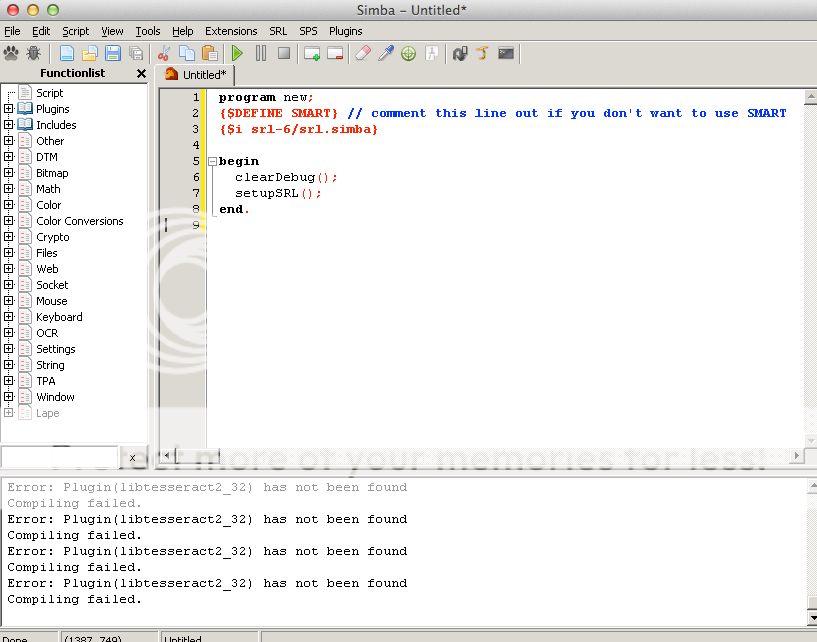
Please help me.
jst94
2014-10-10 18:28:58
For me the scripts hangs on Booting up while it logged me in.
Does nothing :(
mrlewcc
2014-10-29 08:12:39
Where does the PlayerManager save the files to?
When I search for the file I cannot find it, I don't even have the "Simba/Includes/Players/" folder.
However the PlayerManager can still load the files but I want to access them outside of the PlayerManager.
calem
2014-10-29 11:47:35
mine dosnt evan show up i click srl and there is no player manager any ideas if i am doing it wrong or if it is out of date i dont have any idea help a friend out :P
Coh3n
2014-11-04 10:21:35
From: mrlewcc
Where does the PlayerManager save the files to?
When I search for the file I cannot find it, I don't even have the "Simba/Includes/Players/" folder.
However the PlayerManager can still load the files but I want to access them outside of the PlayerManager.
As of Simba 1.1 there is no Simba/Includes/Players/ folder. Player settings are written directly to Simba's settings.xml file which can be found in your top level Simba directory (same folder that holds Simba.exe).
I'll update the first post; thanks for pointing it out.
From: rudeboy99999
Excellent tutorial thank you :)
Rofl, the moment when you realize that you don't get auto junior'd at 30 posts and have to wait for admin approval, at which point they will probably delete your last few spam posts
rudeboy99999
2014-11-15 14:51:06
From: Robert
Rofl, the moment when you realize that you don't get auto junior'd at 30 posts and have to wait for admin approval, at which point they will probably delete your last few spam posts
Only recently got back into Simba and genuinely thought this post was very useful.
Used it to get myself re-set-up. Started to try creating my own scripts as well thanks to the other tutorials out there.
TimeRiders
2014-11-15 17:38:48
Right on , comes in handy
Marius90
2014-11-16 05:34:20
What camera should we use …Classic or RS3 …i seen that simba works with both but i was wondering which one is best
getskilled
2014-11-30 08:31:21
From: Marius90
What camera should we use …Classic or RS3 …i seen that simba works with both but i was wondering which one is best
Classic. Most of the times the script will specify though in thread.
BRITISHBUDZ
2014-12-10 07:39:39
i keep getting this… Error: Duplicate declaration "DeleteIndex" at line 298
Compiling failed.
Coh3n
2014-12-10 09:15:00
From: BRITISHBUDZ
i keep getting this… Error: Duplicate declaration "DeleteIndex" at line 298
Compiling failed.
Make sure both your Simba and SRL are up to date.
3Garrett3
2014-12-11 13:11:41
From: BRITISHBUDZ
i keep getting this… Error: Duplicate declaration "DeleteIndex" at line 298
Compiling failed.
From: Coh3n
Make sure both your Simba and SRL are up to date.
The problem here is that the script has T2DPointArray.DeleteIndex in it, which was added to SRL about 1 or 2 months ago. So any script which hasn't been updated in 2 months and had this function in it will now throw errors with SRL. The script he's using is outdated (with respect to SRL). It may or may not work if the function is deleted from the script though.
fallacysnow
2014-12-13 20:15:15
This randomly started with nothing changed on my end. No updates or changes.
Any script, even starting up SMART results in this error.
[ATTACH=CONFIG]24579[/ATTACH]
Oddly enough if I simply try to Run again it returns:
[ATTACH=CONFIG]24580[/ATTACH]
Nothing after this can change the error.
AFTER this started I updated everything, java, JDK, simba, srl, plugins, etc etc
I was also having @Prongs issue, my friend sent me his plugins folder and it started working.
KeepBotting
2014-12-13 20:17:26
From: fallacysnow
AFTER this started I updated everything, java, JDK, simba, srl, plugins, etc etc
You may have updated SRL, but did you
override update SRL? ;)
SRL > Settings > enable Override Update
SRL > Update
Let the files download, then restart Simba.
Nottabot
2014-12-16 20:14:36
Whenever I put in the program,begin,end code in the text editor and press RUN i get ERROR: Operator "NOT" not compatible with "record [0]Pointer; end" at line 2530, Compiling failed. A new tab opens up in Simba that said (highlighted in Orange)-begin- "if notself.isSearchOpen then
I'm just trying to load a player into the player manager window. I don't get the pop up window I re installed simba because of issues and now it's just acting weird.
my interpreter is set to lape just fyi.
Extension Disabled - Did not compile
[Error] (14:3): Duplicate identifier 'TCharArray' at line 14 that happens when i try to enable associate.sex
KeepBotting
2014-12-16 20:26:57
From: Nottabot
Whenever I put in the program,begin,end code in the text editor and press RUN i get ERROR: Operator "NOT" not compatible with "record [0]Pointer; end" at line 2530, Compiling failed. A new tab opens up in Simba that said (highlighted in Orange)-begin- "if notself.isSearchOpen then
I'm just trying to load a player into the player manager window. I don't get the pop up window I re installed simba because of issues and now it's just acting weird.
my interpreter is set to lape just fyi.
Try the fix detailed in this post:
https://villavu.com/forum/showthread.php?t=111295&p=1322446#post1322446
Nottabot
2014-12-16 20:41:38
Do i just copy paste the text into the debug box?
Or the box above it?
Extension Disabled - Did not compile
[Error] (14:3): Duplicate identifier 'TCharArray' at line 14
that happens when i try to enable associate.sex
Ashley
2014-12-17 17:13:54
Hi, I have been having this problem since RS3 came out, where the script would not do anything after starting SMART. It would not login, and if I login manually, it would do nothing. I have searched through the forums extensively for a solution, but nothing has worked. And yes I do have the correct graphics settings. I'm having this problem no matter which script I'm running. I have written a few scripts myself for RS2 so it's saddening to see that my SMART won't even run now. If anyone can help me out I'd really appreciate it.
Compiled successfully in 1520 ms.
SRL: Logfile = C:\Simba\Includes\SRL-6/logs/SRL log (17-12-14 at 10.00.32 PM).txt
-- setupSRL()
---- Setting up SRL...
---- attempting to spawn smart, attempt #: 1
---- initSmart():
------ Attempting to pair to a previously spawned client
------ smartPairToExistingClient():
-------- Found no free clients to pair to
------ smartPairToExistingClient(): result = false
------ Attempting to spawn a new client..
------ smartCreateClient():
---------- smartGetParameters(): Succesfully grabbed paramters
-------- getJavaPath():
---------- Attempting to search for your Java path
---------- Found your java path @ C:\Program Files\Java\jre7\bin\java.exe
-------- getJavaPath()
-------- Using parameters [http://world64.runescape.com/, f4641731414698985412]
-------- Using plugins "d3d9.dll"
-------- Succesfully spawned a client, attempting to target
---------- smartSetAsTarget(): Succesfully set SMART[64] as Simba's target
------ smartCreateClient(): result = true
------ Succesfully initialized via spawning a new client
---- initSmart()
---- Waiting up to 5 minutes for RS to load...
---- 1 minute(s) have passed, client is not ready yet
---- 2 minute(s) have passed, client is not ready yet
---- 3 minute(s) have passed, client is not ready yet
---- 4 minute(s) have passed, client is not ready yet
---- Client is taking too long to load, terminating...
-- setupSRL(): False
-- Succesfully freed SMART[64]
Successfully executed.
Camel
2014-12-17 17:27:19
From: Ashley
Hi, I have been having this problem since RS3 came out, where the script would not do anything after starting SMART. It would not login, and if I login manually, it would do nothing. I have searched through the forums extensively for a solution, but nothing has worked. And yes I do have the correct graphics settings. I'm having this problem no matter which script I'm running. I have written a few scripts myself for RS2 so it's saddening to see that my SMART won't even run now. If anyone can help me out I'd really appreciate it.
Compiled successfully in 1520 ms.
SRL: Logfile = C:\Simba\Includes\SRL-6/logs/SRL log (17-12-14 at 10.00.32 PM).txt
-- setupSRL()
---- Setting up SRL...
---- attempting to spawn smart, attempt #: 1
---- initSmart():
------ Attempting to pair to a previously spawned client
------ smartPairToExistingClient():
-------- Found no free clients to pair to
------ smartPairToExistingClient(): result = false
------ Attempting to spawn a new client..
------ smartCreateClient():
---------- smartGetParameters(): Succesfully grabbed paramters
-------- getJavaPath():
---------- Attempting to search for your Java path
---------- Found your java path @ C:\Program Files\Java\jre7\bin\java.exe
-------- getJavaPath()
-------- Using parameters [http://world64.runescape.com/, f4641731414698985412]
-------- Using plugins "d3d9.dll"
-------- Succesfully spawned a client, attempting to target
---------- smartSetAsTarget(): Succesfully set SMART[64] as Simba's target
------ smartCreateClient(): result = true
------ Succesfully initialized via spawning a new client
---- initSmart()
---- Waiting up to 5 minutes for RS to load...
---- 1 minute(s) have passed, client is not ready yet
---- 2 minute(s) have passed, client is not ready yet
---- 3 minute(s) have passed, client is not ready yet
---- 4 minute(s) have passed, client is not ready yet
---- Client is taking too long to load, terminating...
-- setupSRL(): False
-- Succesfully freed SMART[64]
Successfully executed.
Using plugins "d3d9.dll"
The script you're using is using DirectX. You might be in OpenGL as the setup guide says to use OpenGL. So try out DirectX, because what you're describing sounds like being in the wrong graphics mode.
Ashley
2014-12-17 17:37:42
From: Camel
Using plugins "d3d9.dll"
The script you're using is using DirectX. You might be in OpenGL as the setup guide says to use OpenGL. So try out DirectX, because what you're describing sounds like being in the wrong graphics mode.
I've tried DirectX mode but it also doesn't work. This is the debug from another script that uses OpenGL:
[0:00:03]: -- setupSRL()
[0:00:03]: ---- Setting up SRL...
[0:00:03]: ---- attempting to spawn smart, attempt #: 1
[0:00:03]: ---- initSmart():
[0:00:03]: ------ Attempting to pair to a previously spawned client
[0:00:03]: ------ smartPairToExistingClient():
[0:00:03]: -------- Found no free clients to pair to
[0:00:03]: ------ smartPairToExistingClient(): result = false
[0:00:03]: ------ Attempting to spawn a new client..
[0:00:03]: ------ smartCreateClient():
[0:00:03]: ---------- smartGetParameters(): Succesfully grabbed paramters
[0:00:03]: -------- getJavaPath():
[0:00:03]: ---------- Attempting to search for your Java path
[0:00:03]: ---------- Found your java path @ C:\Program Files\Java\jre7\bin\javaw.exe
[0:00:03]: -------- getJavaPath()
[0:00:03]: -------- Using parameters [[url]http://world24.runescape.com/[/url], f582104773073653445]
[0:00:03]: -------- Using plugins "opengl32.dll,d3d9.dll"
[0:00:08]: -------- Succesfully spawned a client, attempting to target
[0:00:08]: ---------- smartSetAsTarget(): Succesfully set SMART[53] as Simba's target
[0:00:08]: ------ smartCreateClient(): result = true
[0:00:08]: ------ Succesfully initialized via spawning a new client
[0:00:08]: ---- initSmart()
[0:00:08]: ------ smartSetupDrawing(): Succesfully setup SMART drawing
[0:00:08]: ---- Waiting up to 5 minutes for RS to load...
[0:01:09]: ---- 1 minute(s) have passed, client is not ready yet
[0:02:09]: ---- 2 minute(s) have passed, client is not ready yet
[0:03:17]: ---- 3 minute(s) have passed, client is not ready yet
[0:04:09]: ---- 4 minute(s) have passed, client is not ready yet
The following bitmaps were not freed: [Minimap Mask, SMART Debug Image]
thomza1
2014-12-18 04:51:06
Hey, I keep getting this problem and smart never loads:
SRL: Logfile = C:\Simba\Includes\SRL-6/logs/SRL log (18-12-14 at 08.49.42 PM).txt
– setupSRL()
—- Setting up SRL…
—- attempting to spawn smart, attempt #: 1
—- initSmart():
—— Attempting to pair to a previously spawned client
—— smartPairToExistingClient():
——– Found no free clients to pair to
—— smartPairToExistingClient(): result = false
—— Attempting to spawn a new client..
—— smartCreateClient():
———- smartGetParameters(): Succesfully grabbed paramters
——– getJavaPath():
———- Attempting to search for your Java path
———- Found your java path @ C:\Program Files (x86)\Java\jre1.8.0_25\bin\java.exe
——– getJavaPath()
——– Using parameters [
http://world15.runescape.com/, f2495207894498677092]
——– Using plugins "OpenGL32.dll,d3d9.dll"
msemtex
2014-12-21 04:05:41
Hi, I'm receiving this error when trying to start a script:
FATAL ERROR: sps.setup(): Unable to find map, searched path C:\Simba\Includes\SPS\img\Runescape_Surface\GE.png
I have tried reinstalling simba multiple times with no success with this error.
Also, I tried to force the SPS update, no luck at all, as there is no runescape_surface map in the folder.
Hopefully this is the appropriate place to post this error.
Incurable
2014-12-21 04:14:20
From: msemtex
Hi, I'm receiving this error when trying to start a script:
FATAL ERROR: sps.setup(): Unable to find map, searched path C:\Simba\Includes\SPS\img\Runescape_Surface\GE.png
I have tried reinstalling simba multiple times with no success with this error.
Also, I tried to force the SPS update, no luck at all, as there is no runescape_surface map in the folder.
Hopefully this is the appropriate place to post this error.
I'm glad that you've made a decent attempt that fixing the issue before posting. You're very close, so I'll offer a hint rather than pointing it out for you directly.
You are looking for a file named "runescape_other", but that is not what you're being told is missing. :)
If you still don't get it after taking another look, I'll tell you. :p
msemtex
2014-12-21 04:35:06
From: Incurable
I'm glad that you've made a decent attempt that fixing the issue before posting. You're very close, so I'll offer a hint rather than pointing it out for you directly.
You are looking for a file named "runescape_other", but that is not what you're being told is missing. :)
If you still don't get it after taking another look, I'll tell you. :p
Appreciate the response! I had a look over both files again, there are no .png map files in runescape_other, there's one map file titled air_alter_path in runescape_surface. Apparent that there aren't enough map files that cover the entire RS map.
Incurable
2014-12-21 09:48:20
From: msemtex
Appreciate the response! I had a look over both files again, there are no .png map files in runescape_other, there's one map file titled air_alter_path in runescape_surface. Apparent that there aren't enough map files that cover the entire RS map.
And there's the problem, the map that the script you're trying to run is trying to use doesn't exist in your folder, so you need to find it. Usually a map is provided by the writer in the script thread. If it's not, ask about it on that thread. :)
Ashley
2014-12-21 12:40:25
From: Camel
Using plugins "d3d9.dll"
The script you're using is using DirectX. You might be in OpenGL as the setup guide says to use OpenGL. So try out DirectX, because what you're describing sounds like being in the wrong graphics mode.
Seems like other people are also experiencing this problem, and nobody has a solution for it:
https://villavu.com/forum/showthread.php?t=108321https://villavu.com/forum/showthread.php?t=107131I have tried every graphics setting that could possibly work, reinstalling everything and downloading new DirectX and OpenGL plugins. No script will run for me, and I've even tried it on multiple computers.
msemtex
2014-12-21 13:22:53
From: Incurable
And there's the problem, the map that the script you're trying to run is trying to use doesn't exist in your folder, so you need to find it. Usually a map is provided by the writer in the script thread. If it's not, ask about it on that thread. :)
I seem to remember a while ago that the SPS updater downloaded the entire RS map and the script writers would reference those images. I will take a look on the thread!
EDIT: Taken a look on the thread, no references to any separate downloads. This is the link to that thread for reference:
https://villavu.com/forum/showthread.php?t=110417
Nottabot
2014-12-21 17:23:39
Just updated, now at the login screen my username auto enters: my login ID followed by my visible password; then leaves the password field blank.
Cyanempire
2014-12-21 18:54:23
Could just be a lag issue. that happens.
Incurable
2014-12-21 20:56:11
From: msemtex
I seem to remember a while ago that the SPS updater downloaded the entire RS map and the script writers would reference those images. I will take a look on the thread!
EDIT: Taken a look on the thread, no references to any separate downloads. This is the link to that thread for reference: https://villavu.com/forum/showthread.php?t=110417
That was a looooong time ago now, and is no longer a thing. Instead, we make our own images and either have them automatically download for you when you run the script for the first time, or place them in our thread for people to use. I'm not sure why Bly hasn't included one. I assume the script is outdated or something.
From: Nottabot
Just updated, now at the login screen my username auto enters: my login ID followed by my visible password; then leaves the password field blank.
That's usually just lag, run the script manually when SMART is already open and it should log you in just fine.
From: Ashley
Seems like other people are also experiencing this problem, and nobody has a solution for it:
https://villavu.com/forum/showthread.php?t=108321
https://villavu.com/forum/showthread.php?t=107131
I have tried every graphics setting that could possibly work, reinstalling everything and downloading new DirectX and OpenGL plugins. No script will run for me, and I've even tried it on multiple computers.
That makes no sense, what script are you trying to run?
Ashley
2014-12-22 18:41:30
From: Incurable
That makes no sense, what script are you trying to run?
I have tried multiple scripts from the public RS3 scripts section here without a single one working. Simba just refuses to interact with my SMART window. The familiar red dot that indicates the cursor position is missing. It does not login with a simple declarePlayers function or with the player manager. After manually logging in, no script will do anything.
I've had this problem since RS3 came out, at first I thought RS3 must have broke the scripts, but I'm still having this issue after such a long time :(
jrtsoget
2015-01-06 11:31:18
Thanks for the tutorial, everything was explained excellently.
From: Ashley
I have tried multiple scripts from the public RS3 scripts section here without a single one working. Simba just refuses to interact with my SMART window. The familiar red dot that indicates the cursor position is missing. It does not login with a simple declarePlayers function or with the player manager. After manually logging in, no script will do anything.
I've had this problem since RS3 came out, at first I thought RS3 must have broke the scripts, but I'm still having this issue after such a long time :(
If it says waiting for smart window to load X minutes in the chatbox, it's probably something to do with your graphics setting (directx/opengl), otherwise maybe your script is not calling 'setupSRL' as this is the only other time I've had no response from the client.
mysterion
2015-01-06 18:59:39
I'm getting an error when I'm trying to run the test code:
program new;
{$DEFINE SMART}
{$i srl-6/srl.simba}
begin
clearDebug();
setupSRL();
end.
This keeps showing up:
SRL: Logfile = C:\Simba\Includes\SRL-6/logs/SRL log (06-01-15 at 06.58.37 PM).txt
– setupSRL()
—- Setting up SRL…
—- attempting to spawn smart, attempt #: 1
—- initSmart():
—— Attempting to pair to a previously spawned client
—— smartPairToExistingClient():
——– Found no free clients to pair to
—— smartPairToExistingClient(): result = false
—— Attempting to spawn a new client..
—— smartCreateClient():
———- smartGetParameters(): Succesfully grabbed paramters
——– getJavaPath():
———- Attempting to search for your Java path
———- WARNING: Failed to find your Java path
———- HINT: If RS is failing to switch to OpenGL mode, add JRE to your systems path before JDK (if you have JDK)
——– getJavaPath()
——– Using parameters [
http://world59a.runescape.com/, f6964753295868229733]
——– Using plugins "OpenGL32.dll,d3d9.dll"
[ATTACH=CONFIG]24733[/ATTACH]
mysterion
2015-01-06 19:02:09
I'm trying to install it and I keep coming up with this error:
[ATTACH=CONFIG]24734[/ATTACH]
KeepBotting
2015-01-06 19:08:40
From: mysterion
I'm trying to install it and I keep coming up with this error:
[ATTACH=CONFIG]24734[/ATTACH]
Download & install the Windows x86 version of
this.
mysterion
2015-01-06 19:40:23
Would that be the problem? Cause that isn't the latest version of java available so i'm not sure
KeepBotting
2015-01-06 19:42:04
From: mysterion
Would that be the problem? Cause that isn't the latest version of java available so i'm not sure
I wouldn't have told you to do it if it wouldn't fix your problem ;) SMART looks for 32-bit Java 7, which is what I linked you to.
From: KeepBotting
I wouldn't have told you to do it if it wouldn't fix your problem ;) SMART looks for 32-bit Java 7, which is what I linked you to.
Java 8 also works.
It just needs 32bit.
masterbalans
2015-01-19 04:41:16
Error: File "srl-6/srl.simba" not found at line 4
Compiling failed.
what is???
KeepBotting
2015-01-19 09:15:03
From: masterbalans
Error: File "srl-6/srl.simba" not found at line 4
Compiling failed.
what is???
https://villavu.com/forum/showthread.php?t=47714
Wreckssauce
2015-01-19 22:09:23
Plugin(libsmartremote32) has not been found. i tried re-installing and using simba_plugins.tar fix and i'm still getting the same problem. i looked for a really long time on forums for a fix but none of them work.
KeepBotting
2015-01-19 22:14:20
From: Wreckssauce
Plugin(libsmartremote32) has not been found. i tried re-installing and using simba_plugins.tar fix and i'm still getting the same problem. i looked for a really long time on forums for a fix but none of them work.
Screenshot the contents on "C:\Simba\Plugins" and post here please
Wreckssauce
2015-01-19 22:35:20
[ATTACH=CONFIG]24834[/ATTACH][ATTACH=CONFIG]24835[/ATTACH]
KeepBotting
2015-01-20 07:37:40
From: Wreckssauce
[ATTACH=CONFIG]24834[/ATTACH][ATTACH=CONFIG]24835[/ATTACH]
Weird. I dunno where you got those plugins, but they don't look like they're the right ones.
Replace that folder with
these.
scar_operater
2015-01-27 20:17:47
how can i add facebook login to the add player
Turpinator
2015-01-27 20:20:53
From: scar_operater
how can i add facebook login to the add player
Without coding it in, you cant. ive considered this many times but never actually got around to making it.
scar_operater
2015-01-27 20:25:13
From: Turpinator
Without coding it in, you cant. ive considered this many times but never actually got around to making it.
is there a way to change my account so i can make an email to login instead of facebook?
Coh3n
2015-02-01 20:55:21
From: scar_operater
is there a way to change my account so i can make an email to login instead of facebook?
Have you just tried logging in with the credentials you use to log in to Facebook?
wled2
2015-02-03 14:02:40
there is a problem each what fill program
comes an error
(Error: Plugin(libMufasaLayer32) has not been found
Compiling failed.)
Is there a solution
KeepBotting
2015-02-03 19:42:48
From: wled2
there is a problem each what fill program
comes an error
(Error: Plugin(libMufasaLayer32) has not been found
Compiling failed.)
Is there a solution
Did you update Plugins?
Makamae46
2015-02-03 20:49:30
thanks so much for this, really helped me out a ton
itbedobama
2015-02-03 22:27:56
Hey guys I'm having a bit of an issue.
I got everything compiling good however when I run INeedBots ioFisher, it says it is successfully executed but no SMART window ever pops up…
wled2
2015-02-03 22:40:49
From: KeepBotting
Did you update Plugins?
yes happened Plugins
Turpinator
2015-02-03 23:02:27
From: wled2
yes happened Plugins
Follow the stupid LOA thread's setup instructions properly and it will work, your issue is not related to this thread.
wled2
2015-02-04 13:38:14
wled2
2015-02-04 13:40:19
i have a problem in the picture
[ATTACH=CONFIG]24964[/ATTACH]
Robot1290
2015-02-04 15:57:47
it says client is not ready but my client already loaded. The script doesn't loggIn what am i doing wrong :( ?
Robot1290
2015-02-04 16:05:44
the oak script doesn't start it simply waits and says client isnt ready but the client loaded :o
[DEBUG] : Freeing BMPs
[DEBUG] : Freeing DTMs
Error: The given DTM Index[0] doesn't exist at line 329
Execution failed.
The following bitmaps were not freed: [SMART Debug Image]
File[C:\Simba\Includes\SRL-6/logs/SRL log (04-02-15 at 09.55.30 PM).txt] has not been freed in the script, freeing it now.
trips
2015-02-06 00:12:39
From: Robot1290
it says client is not ready but my client already loaded. The script doesn't loggIn what am i doing wrong :( ?
Follow the steps again for setting up smart, it doesn't seem to be finding your client and pairing it with SMART.
From: Robot1290
it says client is not ready but my client already loaded. The script doesn't loggIn what am i doing wrong :( ?
Try setting your graphics mode to DirectX or OpenGL in RS's graphics settings in your SMART client (it's probably in safe mode which at least for me causes simba to not recognize the smart client), this is most likely the problem. Someone should really add this to the first post/tutorials as it's a super common error that is not directly addressed in any of these setup tutorials
@Coh3n
Robot1290
2015-02-06 09:52:38
It would be awesome if some1 could tell me how to start the script properly so really what are you doing before you even open simba.
I did follow the instruction but I don't have a clue yet probably I'm doing everything wrong :/
Coh3n
2015-02-06 19:28:19
From: J_R
Try setting your graphics mode to DirectX or OpenGL in RS's graphics settings in your SMART client (it's probably in safe mode which at least for me causes simba to not recognize the smart client), this is most likely the problem. Someone should really add this to the first post/tutorials as it's a super common error that is not directly addressed in any of these setup tutorials @Coh3n
It's in bold letters in the OP to make sure you're in OpenGL or DirectX mode. In the "Setting up in-game graphics and interfaces" section.
From: Coh3n
It's in bold letters in the OP to make sure you're in OpenGL or DirectX mode. In the "Setting up in-game graphics and interfaces" section.
Yeah but the connection between that and smart not being recognized isn't there anywhere.
Coh3n
2015-02-06 22:39:12
From: J_R
Yeah but the connection between that and smart not being recognized isn't there anywhere.
Okay I added it
here.
That list likely needs to be updated if anyone is up for it. :)
makaveli1
2015-02-19 18:52:27
Hey all I got a problem with simba and i cannot get it running. I followed the osrs setup guide but i couldnt find the little script to check if its running so i used the script for rs3 and changed the interpreter from pascal to lape and got this SRL: Logfile = C:\Simba\Includes\SRL-6/logs/SRL log (19-02-15 at 03.30.26 PM).txt
– setupSRL()
—- Setting up SRL…
—- attempting to spawn smart, attempt #: 1
—- initSmart():
—— Attempting to pair to a previously spawned client
—— smartPairToExistingClient():
——– Found no free clients to pair to
—— smartPairToExistingClient(): result = false
—— Attempting to spawn a new client..
—— smartCreateClient():
———- smartGetParameters(): Succesfully grabbed paramters
——– getJavaPath():
———- Attempting to search for your Java path
———- ERROR: Failed To Find Path: C:\Program Files (x86)\Java\
———- WARNING: Failed to find your Java path
———- HINT: If RS is failing to switch to OpenGL mode, add JRE to your systems path before JDK (if you have JDK)
——– getJavaPath()
——– Using parameters [
http://world37.runescape.com/, f2497970770914379364]
——– Using plugins "OpenGL32.dll,d3d9.dll"
—— Failed to spawn a SMART client
—- initSmart()
—- attempting to spawn smart, attempt #: 2
—- initSmart():
—— Attempting to pair to a previously spawned client
—— smartPairToExistingClient():
——– Found no free clients to pair to
—— smartPairToExistingClient(): result = false
—— Attempting to spawn a new client..
—— smartCreateClient():
———- smartGetParameters(): Succesfully grabbed paramters
——– getJavaPath():
———- Attempting to search for your Java path
———- ERROR: Failed To Find Path: C:\Program Files (x86)\Java\
———- WARNING: Failed to find your Java path
———- HINT: If RS is failing to switch to OpenGL mode, add JRE to your systems path before JDK (if you have JDK)
——– getJavaPath()
——– Using parameters [
http://world38.runescape.com/, f4766555726317897445]
——– Using plugins "OpenGL32.dll,d3d9.dll"
—— Failed to spawn a SMART client
—- initSmart()
—- attempting to spawn smart, attempt #: 3
—- initSmart():
—— Attempting to pair to a previously spawned client
—— smartPairToExistingClient():
——– Found no free clients to pair to
—— smartPairToExistingClient(): result = false
—— Attempting to spawn a new client..
—— smartCreateClient():
———- smartGetParameters(): Succesfully grabbed paramters
——– getJavaPath():
———- Attempting to search for your Java path
———- ERROR: Failed To Find Path: C:\Program Files (x86)\Java\
———- WARNING: Failed to find your Java path
———- HINT: If RS is failing to switch to OpenGL mode, add JRE to your systems path before JDK (if you have JDK)
——– getJavaPath()
——– Using parameters [
http://world14.runescape.com/, f44528954218898117]
——– Using plugins "OpenGL32.dll,d3d9.dll"
—— Failed to spawn a SMART client
—- initSmart()
—- attempting to spawn smart, attempt #: 4
—- initSmart():
—— Attempting to pair to a previously spawned client
—— smartPairToExistingClient():
——– Found no free clients to pair to
—— smartPairToExistingClient(): result = false
—— Attempting to spawn a new client..
—— smartCreateClient():
———- smartGetParameters(): Succesfully grabbed paramters
——– getJavaPath():
———- Attempting to search for your Java path
———- ERROR: Failed To Find Path: C:\Program Files (x86)\Java\
———- WARNING: Failed to find your Java path
———- HINT: If RS is failing to switch to OpenGL mode, add JRE to your systems path before JDK (if you have JDK)
——– getJavaPath()
——– Using parameters [
http://world40.runescape.com/, f7519839199425019237]
——– Using plugins "OpenGL32.dll,d3d9.dll"
—— Failed to spawn a SMART client
—- initSmart()
—- attempting to spawn smart, attempt #: 5
—- initSmart():
—— Attempting to pair to a previously spawned client
—— smartPairToExistingClient():
——– Found no free clients to pair to
—— smartPairToExistingClient(): result = false
—— Attempting to spawn a new client..
—— smartCreateClient():
———- smartGetParameters(): Succesfully grabbed paramters
——– getJavaPath():
———- Attempting to search for your Java path
———- ERROR: Failed To Find Path: C:\Program Files (x86)\Java\
———- WARNING: Failed to find your Java path
———- HINT: If RS is failing to switch to OpenGL mode, add JRE to your systems path before JDK (if you have JDK)
——– getJavaPath()
——– Using parameters [
http://world41.runescape.com/, f7132410464267359429]
——– Using plugins "OpenGL32.dll,d3d9.dll"
—— Failed to spawn a SMART client
—- initSmart()
—- attempting to spawn smart, attempt #: 6
—- initSmart():
—— Attempting to pair to a previously spawned client
—— smartPairToExistingClient():
——– Found no free clients to pair to
—— smartPairToExistingClient(): result = false
—— Attempting to spawn a new client..
—— smartCreateClient():
———- smartGetParameters(): Succesfully grabbed paramters
——– getJavaPath():
———- Attempting to search for your Java path
———- ERROR: Failed To Find Path: C:\Program Files (x86)\Java\
———- WARNING: Failed to find your Java path
———- HINT: If RS is failing to switch to OpenGL mode, add JRE to your systems path before JDK (if you have JDK)
——– getJavaPath()
——– Using parameters [
http://world43.runescape.com/, f6935547286678054885]
——– Using plugins "OpenGL32.dll,d3d9.dll"
—— Failed to spawn a SMART client
—- initSmart()
—- Waiting up to 5 minutes for RS to load…
—- 1 minute(s) have passed, client is not ready yet
—- 2 minute(s) have passed, client is not ready yet
—- 3 minute(s) have passed, client is not ready yet
—- 4 minute(s) have passed, client is not ready yet
—- Client is taking too long to load, terminating…
– setupSRL(): False
– Succesfully freed SMART[0]
Successfully executed.
If anyone has time to help me I will appreciate it so much! thank you!
Turpinator
2015-02-19 18:55:45
From: makaveli1
———- Attempting to search for your Java path
———- ERROR: Failed To Find Path: C:\Program Files (x86)\Java\
Do you have the correct version of java installed?
makaveli1
2015-02-19 19:00:04
so i read this and went to here. JRE 7_whatever 32bit
No installation of JRE 6_whatever. (UNINSTALL IF YOU HAVE IT)
And just to be safe, make sure you dont have JRE 8 either.
(heres the java link if you cant find it
http://www.oracle.com/technetwork/ja...s-1880261.html)
and then dled this Windows x64 29.6 MB jre-7u75-windows-x64.exe
doublewinftw
2015-03-03 23:17:01
Hi Sir,
I've been trying for a few hours trying to get this to work for your Superheat script but I guess I really need help. Below is what I have in Simba after running your Superheat script. The RS client is open but I had to disable SMART for a while at the start every time because the "Auto Setup" page would come up if I didnt repeatedly click "S" to stop the Auto Setup page from appearing since choosing autosetup crashes the RS client. May I know what should I do to get it to work? Thanks a lot :)
[0:00:29]: SRL: Logfile = C:\Simba\Includes\SRL-6/logs/SRL log (04-03-15 at 12.07.38 PM).txt
[0:00:29]: – setupSRL()
[0:00:29]: —- Setting up SRL…
[0:00:29]: —- attempting to spawn smart, attempt #: 1
[0:00:29]: —- initSmart():
[0:00:29]: —— Attempting to pair to a previously spawned client
[0:00:29]: —— smartPairToExistingClient():
[0:00:29]: ——– Found no free clients to pair to
[0:00:29]: —— smartPairToExistingClient(): result = false
[0:00:29]: —— Attempting to spawn a new client..
[0:00:29]: —— smartCreateClient():
[0:00:29]: ———- smartGetParameters(): Succesfully grabbed paramters
[0:00:29]: ——– getJavaPath():
[0:00:29]: ———- Attempting to search for your Java path
[0:00:29]: ———- Found your java path @ C:\Program Files\Java\jre1.8.0_40\bin\javaw.exe
[0:00:29]: ——– getJavaPath()
[0:00:29]: ——– Using parameters [
http://world6.runescape.com/, f4652442815164895333]
[0:00:29]: ——– Using plugins "OpenGL32.dll,d3d9.dll"
[0:00:36]: ——– Succesfully spawned a client, attempting to target
[0:00:36]: ———- smartSetAsTarget(): Succesfully set SMART[5508] as Simba's target
[0:00:36]: —— smartCreateClient(): result = true
[0:00:36]: —— Succesfully initialized via spawning a new client
[0:00:36]: —- initSmart()
[0:00:36]: —- Waiting up to 5 minutes for RS to load…
[0:01:36]: —- 1 minute(s) have passed, client is not ready yet
[0:02:36]: —- 2 minute(s) have passed, client is not ready yet
[0:03:37]: —- 3 minute(s) have passed, client is not ready yet
[0:04:37]: —- 4 minute(s) have passed, client is not ready yet
[0:05:37]: —- Client is taking too long to load, terminating…
[0:05:37]: – setupSRL(): False
tokoolman
2015-03-08 09:29:33
im trying to download simba 1.1 but when i click on download on the homepage website it says i am downloading only 1.0? please help.
it says for my currrent news when i open up simba.
Simba "Zealous Bugger" 1.1.0 has been released!
You can read all about it here[1], or head over to
the Github release page[2]
SRL-6 will remain backwards compatible with Simba 1.0 for some time, but we
encourage everyone to upgrade to the latest and greatest!
In a few days Simba 1.1.0 (version 1100) will also appear in the auto
updater.
If there are bugs, please - as always - let us know. We'll do our best to
fix them for you!
As always, see you on our homepage;
https://villavu.com
KeepBotting
2015-03-08 10:50:08
From: tokoolman
im trying to download simba 1.1 but when i click on download on the homepage website it says i am downloading only 1.0? please help.
it says for my currrent news when i open up simba.
Simba "Zealous Bugger" 1.1.0 has been released!
You can read all about it here[1], or head over to
the Github release page[2]
SRL-6 will remain backwards compatible with Simba 1.0 for some time, but we
encourage everyone to upgrade to the latest and greatest!
In a few days Simba 1.1.0 (version 1100) will also appear in the auto
updater.
If there are bugs, please - as always - let us know. We'll do our best to
fix them for you!
As always, see you on our homepage; https://villavu.com
You have 1.1.0, don't worry. The installer still says 1.0.
imjustdownloading
2015-03-08 11:55:15
Hi,
I am using OpenGL32.dll, d3d9.dll
When runescape is done updating/checking for updates, the smart client closes (right when it's at the point where it should be displaying the login form)
Any advice?
Thanks
tokoolman
2015-03-08 12:45:31
—— Attempting to pair to a previously spawned client
—— smartPairToExistingClient():
——– Found no free clients to pair to
—— smartPairToExistingClient(): result = false
—— Attempting to spawn a new client..
—— smartCreateClient():
———- smartGetParameters(): Succesfully grabbed paramters
——– getJavaPath():
———- Attempting to search for your Java path
———- Found your java path @ C:\Program Files (x86)\Java\jre7\bin\javaw.exe
——– getJavaPath()
——– Using parameters [
http://world18.runescape.com/, f4824638061563946565]
——– Using plugins "d3d9.dll"
—— Failed to spawn a SMART client
—- initSmart()
—- attempting to spawn smart, attempt #: 5
—- initSmart():
—— Attempting to pair to a previously spawned client
—— smartPairToExistingClient():
——– Found no free clients to pair to
—— smartPairToExistingClient(): result = false
—— Attempting to spawn a new client..
—— smartCreateClient():
———- smartGetParameters(): Succesfully grabbed paramters
——– getJavaPath():
———- Attempting to search for your Java path
———- Found your java path @ C:\Program Files (x86)\Java\jre7\bin\javaw.exe
——– getJavaPath()
——– Using parameters [
http://world1.runescape.com/, f24388959485935460]
——– Using plugins "d3d9.dll"
—— Failed to spawn a SMART client
—- initSmart()
—- attempting to spawn smart, attempt #: 6
—- initSmart():
—— Attempting to pair to a previously spawned client
—— smartPairToExistingClient():
——– Found no free clients to pair to
—— smartPairToExistingClient(): result = false
—— Attempting to spawn a new client..
—— smartCreateClient():
———- smartGetParameters(): Succesfully grabbed paramters
——– getJavaPath():
———- Attempting to search for your Java path
———- Found your java path @ C:\Program Files (x86)\Java\jre7\bin\javaw.exe
——– getJavaPath()
——– Using parameters [
http://world9.runescape.com/, f5379894793038346308]
——– Using plugins "d3d9.dll"
—— Failed to spawn a SMART client
—- initSmart()
this started to happen with the new java 8? but i deleted it and i installed java 7?
installed the 64 now i get this message
———- HINT: If RS is failing to switch to OpenGL mode, add JRE to your systems path before JDK (if you have JDK)
——– getJavaPath()
——– Using parameters [
http://world39.runescape.com/, f4808401961722454853]
——– Using plugins "OpenGL32.dll,d3d9.dll"
—— Failed to spawn a SMART client
tokoolman
2015-03-08 15:37:53
fixed my problem ty lol
HughBMyron
2015-03-08 23:32:49
When I try to run:
program new;
{$DEFINE SMART} // comment this line out if you don't want to use SMART
{$i srl-6/srl.simba}
begin
clearDebug();
setupSRL();
end.
I get the error:
Exception in Script: Unknown compiler directives at 12:3
KeepBotting
2015-03-08 23:34:18
From: RiotGamesCEO
When I try to run:
program new;
{$DEFINE SMART} // comment this line out if you don't want to use SMART
{$i srl-6/srl.simba}
begin
clearDebug();
setupSRL();
end.
I get the error:
Exception in Script: Unknown compiler directives at 12:3
Script > Interpreter > Lape
imjustdownloading
2015-03-11 02:21:47
From: imjustdownloading
Hi,
I am using OpenGL32.dll, d3d9.dll
When runescape is done updating/checking for updates, the smart client closes (right when it's at the point where it should be displaying the login form)
Any advice?
Thanks
Additional info:
Running Centos 7
JRE 1.7 , followed instructions by video guide.
end result:
SMART crashes upon loading the RuneScape "login" panel.
KeepBotting
2015-03-11 16:29:02
@Coh3n; request to add the removal of the game clock as a standard SRL interface setup. Using the Old School interface layout w/fixed-screen mode, the game clock hovers right over the tab area on the right side of the screen.
This causes issues with many functions that interact with the gametab. An example of the problem is seen
here, notice the camera covering the backpack tab, and the resulting error.
I believe the game clock will
always position itself as shown in the screenshots, if a user were to follow all SRL setup directions, but not touch the clock.
From: KeepBotting
@Coh3n; request to add the removal of the game clock as a standard SRL interface setup. Using the Old School interface layout w/fixed-screen mode, the game clock hovers right over the tab area on the right side of the screen.
This causes issues with many functions that interact with the gametab. An example of the problem is seen here, notice the camera covering the backpack tab, and the resulting error.
I believe the game clock will always position itself as shown in the screenshots, if a user were to follow all SRL setup directions, but not touch the clock.
I second that motion! Also moving the subscribe button to the bottom right corner of the back pack or the the chat box, because most scripts will ask for that anyway.
jstemper
2015-03-24 22:53:39
I'm trying to set simba up for friend and I get this error : Error: File "srl/srl.simba" not found at line 2
Compiling failed. Simba is set up but it won't run any scripts (this is for a rsps)
fishkind
2015-03-26 21:16:02
I have a question. Simba was working fine until this afternoon when I started to get an error that said, "Error: Duplicate declaration "copy" at line 34" then a new line and "Compiling failed." It would also bring up a "tpointarrays" file. I don't know what happened and I don't know how to fix it. Thanks for the help.
cbrems
2015-03-26 21:56:59
Same as the above two! @The Mayor any help you can offer??
This is the error:
Error: Duplicate declaration "copy" at line 296
Compiling failed.
Function at Line 296:
function TStringArray.copy(const sindex, eindex : Integer): TStringArray;
begin
result := System.copy(self, sindex, eindex-sindex+1);
end;
Opens up a "common" page when I press run.
occurs when opening any script. I've been botting for months and never had an issue. I've changed nothing on the bot either, not sure why I'm getting this
Buxtons
2015-03-26 22:22:47
From: cbrems
Same as the above two! @The Mayor any help you can offer??
This is the error:
Error: Duplicate declaration "copy" at line 296
Compiling failed.
Function at Line 296:
function TStringArray.copy(const sindex, eindex : Integer): TStringArray;
begin
result := System.copy(self, sindex, eindex-sindex+1);
end;
Opens up a "common" page when I press run.
occurs when opening any script. I've been botting for months and never had an issue. I've changed nothing on the bot either, not sure why I'm getting this
Getting the same thing, only recently started happening.
The Mayor
2015-03-26 22:29:38
From: Buxtons
Getting the same thing, only recently started happening.
@Zyt3x;
E: OK looks like some bad commits were pushed to SRL-6. Zyt3k ain't online so may take a while for me to track down.
Buxtons
2015-03-26 22:42:20
From: The Mayor
@Zyt3x;
E: OK looks like some bad commits were pushed to SRL-6. Zyt3k ain't online so may take a while for me to track down.
Thanks for the response.
cbrems
2015-03-26 22:46:34
From: Buxtons
Thanks for the response.
Double thanks for the response :)
The Mayor
2015-03-26 22:48:53
OK there were multiple bugs so I just reverted all of the commits to SRL-6 today. Give it 15 min to sync with the server then you should be able to update SRL-6 to rev 1106.
cbrems
2015-03-26 22:51:39
From: The Mayor
OK there were multiple bugs so I just reverted all of the commits to SRL-6 today. Give it 15 min to sync with the server then you should be able to update SRL-6 to rev 1106.
You're so great, thanks!
The Mayor
2015-03-26 23:19:12
From: cbrems
You're so great, thanks!
OK looks like the server didn't sync correctly so the old files are still in 1106 (happens like 1 in every 100 times). It syncs every hour so you're gonna have to wait 45 more minutes (or just download the zip from
github)
Q Golden Q
2015-03-26 23:22:44
Thanks for the update :)
cbrems
2015-03-26 23:31:26
From: The Mayor
OK looks like the server didn't sync correctly so the old files are still in 1106 (happens like 1 in every 100 times). It syncs every hour so you're gonna have to wait 45 more minutes (or just download the zip from github)
No problem. You're correct, this is the case. I will let you know if it's successful! :)
EDIT: Works great. The Mayor said in another post to force an update if needed
SRL > Settings > Override Update
Then click update again.
Thanks Mayor!
PsychoticPk
2015-03-28 20:45:27
I've followed all the guides and everything, and when i try to run this
program new;
{$DEFINE SMART}
{$i SRL/SRL.simba}
begin
SetupSRL();
end.
i get the error
Error: File "SRL/SRL.simba" not found at line 3
Compiling failed.
Looking into my Simba files; there is absolutely no files in the "SRL" folder?
Any ideas?
KeepBotting
2015-03-28 21:11:11
From: PsychoticPk
there is absolutely no files in the "SRL" folder?
You are correct, because the "SRL" folder houses the files for the Scripting Resource Library revision 5 (commonly known as SRL-5).
SRL-5 was abandoned after the release of RS3, and SRL-6 took its place. What that means for you is that any script that includes SRL/SRL.simba (as yours does) is now
outdated.
SRL-5 is still available in the
official repository, but it is
no longer maintained and will
not work for RS3. SRL-5's only practical function is to interact with RS emulators that retain the old RS2 UI.
Criver91
2015-03-31 00:50:54
Ok so i followed the instructions, but i keep getting this message and i tried everything to fix it but nothing seems to work. Can someone help me please…
SRL: Logfile = C:\Simba\Includes\SRL-6/logs/SRL log (31-03-15 at 12.31.00 AM).txt
– setupSRL()
—- Setting up SRL…
—- attempting to spawn smart, attempt #: 1
—- initSmart():
—— Attempting to pair to a previously spawned client
—— smartPairToExistingClient():
——– Found no free clients to pair to
—— smartPairToExistingClient(): result = false
—— Attempting to spawn a new client..
—— smartCreateClient():
———- smartGetParameters(): Succesfully grabbed paramters
——– getJavaPath():
———-
Attempting to search for your Java path
———- ERROR: Failed To Find Path: C:\Program Files\Java\
———- WARNING: Failed to find your Java path———- HINT: If RS is failing to switch to OpenGL mode, add JRE to your systems path before JDK (if you have JDK)
——– getJavaPath()
——– Using parameters [
http://world9.runescape.com/, f7704845949139108581]
——– Using plugins "OpenGL32.dll,d3d9.dll"
—— Failed to spawn a SMART client
—- initSmart()
Cyclist
2015-04-01 11:58:51
My script was working perfectly fine and now all of a sudden it doesn't work anymore giving me this message when trying to run it " Not logged in SMART[4444], Waiting … "
As if it doesn't recognize my account as logged in. Any ideas what i could do?
Gianlucca
2015-04-02 01:52:30
How can I resize my smart v8.3 window? I want it to be bigger.. Thanks.
Turpinator
2015-04-02 03:40:39
From: Gianlucca
How can I resize my smart v8.3 window? I want it to be bigger.. Thanks.
Open up smart.simba in the include and change
__smartClientWidth: integer := 800;
__smartClientHeight: integer := 600;
to whatever you want.
if you dont know what this means, then you dont want to change it.
Gianlucca
2015-04-02 06:06:53
From: Turpinator
Open up smart.simba in the include and change
__smartClientWidth: integer := 800;
__smartClientHeight: integer := 600;
to whatever you want.
if you dont know what this means, then you dont want to change it.
Right, thanks man :)
Criver91
2015-04-04 01:03:29
Can anyone tell me how i can fix this, please?
Loading extension C:\Program Files\Simba\Extensions\associate.sex
Extension Disabled - Did not compile
[Error] (14:3): Duplicate identifier 'TCharArray' at line 14
Criver91
2015-04-04 04:51:35
So i managed to figure out the java path finding part of the problem, but i am still having a problem spawning a smart client.
this is the message i am getting now:
—- attempting to spawn smart, attempt #: 1
—- initSmart():
—— Attempting to pair to a previously spawned client
—— smartPairToExistingClient():
——– Found no free clients to pair to
—— smartPairToExistingClient(): result = false
—— Attempting to spawn a new client..
—— smartCreateClient():
———- smartGetParameters(): Succesfully grabbed paramters
——– getJavaPath():
———- Attempting to search for your Java path
———- Found your java path @ C:\Program Files\Java\jre1.8.0_40\bin\java.exe
——– getJavaPath()
——–
Using parameters [http://world1.runescape.com/, f2324877657459321445]——–
Using plugins "OpenGL32.dll,d3d9.dll"——
Failed to spawn a SMART clientAnyone have an idea of whats going wrong here?
iml4z3
2015-04-07 20:49:18
Is installing on Mac possible?
sir nuti
2015-04-11 11:34:06
Thanks.
Vis_Vires
2015-04-16 15:56:34
I tried everything that was suggested and im still getting
—- attempting to spawn smart, attempt #: 2
—- initSmart():
—— Attempting to pair to a previously spawned client
—— smartPairToExistingClient():
——– Found no free clients to pair to
—— smartPairToExistingClient(): result = false
—— Attempting to spawn a new client..
—— smartCreateClient():
———- smartGetParameters(): Succesfully grabbed paramters
——– getJavaPath():
———- Attempting to search for your Java path
———- Found your java path @ C:\Program Files (x86)\Java\jre7\bin\java.exe
——– getJavaPath()
——– Using parameters [
http://world14a.runescape.com/, f2352284201936154340]
——– Using plugins "OpenGL32.dll,d3d9.dll"
—— Failed to spawn a SMART client
—- initSmart()
Haidargubbe
2015-04-24 20:36:24
Hi ! im new here but i used scar before. ive read ur guide and setup ,, i didnt understand evrything but did all i could .
i still ge this message
Error: File "SPS/LIB/SPS-RS3.simba" not found at line 4
ty for ur time.
KeepBotting
2015-04-24 21:10:16
From: Haidargubbe
Hi ! im new here but i used scar before. ive read ur guide and setup ,, i didnt understand evrything but did all i could .
i still ge this message
Error: File "SPS/LIB/SPS-RS3.simba" not found at line 4
ty for ur time.
You've not updated SPS.
SPS > Check for Update
KeepBotting
2015-05-17 18:50:01
From: Aggezzz
it don't work for me I need help please I will pay runescape gold.
add me Skype
Rangry2 my skype
Buying help isn't allowed here, feel free to post your problem and others will help you at their earliest convenience.
Justin
2015-05-17 19:14:40
From: Aggezzz
it don't fkn work for me to load 2007 runescape on simba
I strongly suggest you re-read the rules. Swearing on the forums in unacceptable, also buying\selling for services outside of the black market is against the rules.
rickhunley
2015-05-20 18:00:32
Quick question:
Does Ubuntu install for Simba and Smart to work require both Java 6 and Java installs? I notice on the guide that the first Linux link is to Java 6, then underneath that it says Java 7. Should I just get Java 7? Thanks
Justin
2015-05-20 18:30:08
From: rickhunley
Quick question:
Does Ubuntu install for Simba and Smart to work require both Java 6 and Java installs? I notice on the guide that the first Linux link is to Java 6, then underneath that it says Java 7. Should I just get Java 7? Thanks
From memory I've had luck with Java 7 -
http://stackoverflow.com/questions/15543603/installing-java-7-oracle-in-debian-via-apt-get
awesome tutorial setup worked perfectly!
stoof
2015-06-11 18:45:58
is there a function to set breaks??
KeepBotting
2015-06-11 19:13:00
From: stoof
is there a function to set breaks??
It's up to the script writer to create & implement a break handler.
nitroxx0025
2015-06-16 19:41:11
finaly grew the balls to use it on my main account :D
akela
2015-06-20 15:35:03
Usefull guide :) thanks
From: ariszksks
is interface setup still important for rs3 script?
because i cant follow the guide at the interface setup section, i cant find preset layout oldschool.
Yup, very important for srl6 to work properly.
press escape and choose old school layout from the options menu
Rogue Sniper
2023-05-21 12:04:51
trying to get this up and running again. long shot on since last post was over 5 yrs ago.
getting bad image errors.
C:\Simba\Plugins\libtesseract2_32.dll is not designed to run on Windows or it contains an error. Code is 0xc0000020.
C:\Simba\Plugins\SimpleOCR32.dll